Solved

Element Pinned on the right Sidebar next to "Create Topic" - how to change?

  • December 10, 2025
  • 4 replies
  • 22 views

Daniele Cmty
Forum|alt.badge.img+1

Hi folks, 
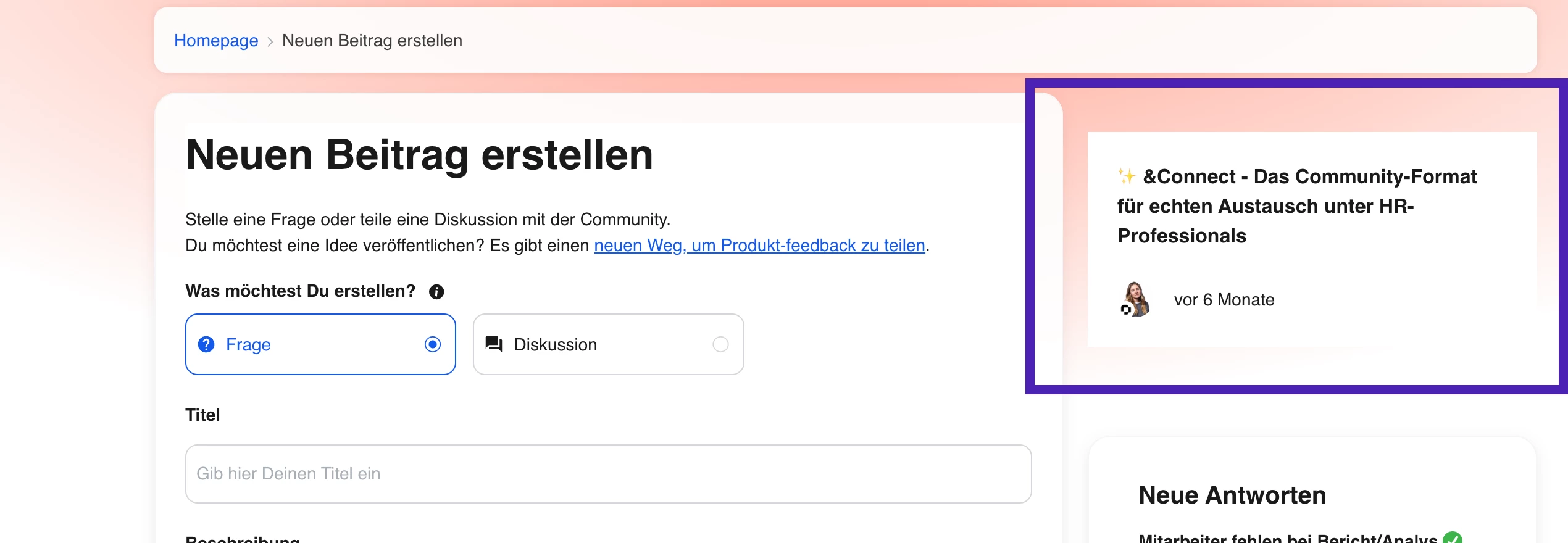
This is our “create new topic” page.
See the element on the right?

I set this up a while ago and I want to replace it with something else, and I cannot find the settings anywhere.

I Could not find it under /settings/widgets (Customization → Sidebar)


I thinkkk this was an HTML code we set up? Or is it rather in the CSS or Third-Party Scripts?

Does anybody know?


Best answer by Daniele Cmty

Nevermind, I found it!
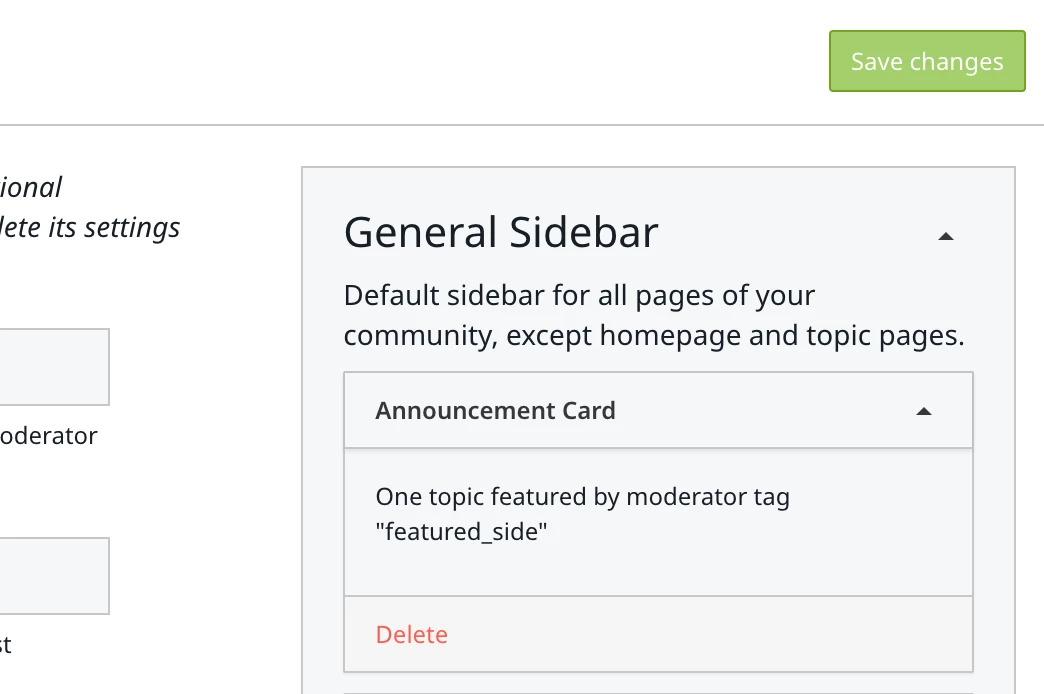
it’s here under /settings/widgets (Customization → Sidebar)
 

One topic featured by moderator tag "featured_side"


I just need to go to that topic and remove that moderator tag :)

Solved!


4 replies

revathimenon
Forum|alt.badge.img+8
  • Gainsight Community Manager
  • December 10, 2025

Hi ​@Daniele Cmty 

Does this appear only when you head to ‘create topic.”? Or does it exist in the homepage or other inner categories as well?


Daniele Cmty
Forum|alt.badge.img+1
  • Author
  • Helper ⭐️⭐️
  • Answer
  • December 10, 2025

Nevermind, I found it!
it’s here under /settings/widgets (Customization → Sidebar)
 

One topic featured by moderator tag "featured_side"


I just need to go to that topic and remove that moderator tag :)

Solved!


Daniele Cmty
Forum|alt.badge.img+1
  • Author
  • Helper ⭐️⭐️
  • December 10, 2025

Thank you though ​@revathimenon 


revathimenon
Forum|alt.badge.img+8
  • Gainsight Community Manager
  • December 10, 2025

Glad it’s sorted - love that! ​@Daniele Cmty 😁