

How to easily monitor how a specific content creator and their articles are performing?
We create a lot of articles for our community. I can follow the metrics at a general level, but not at the author level. We want to know how each content creator’s content is performing.
There is no easy way to track this, and I don’t want to work with Excel exports.
Then I got an idea:
- I create a custom role for each content creator. For example: 10 Content Creators → I create 10 custom roles
- I assign each role to the corresponding creator
- Finally, I sort Analytics by Author → Custom User Role
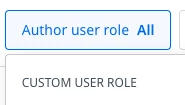
The problem is that when I select a custom role from the drop-down menu, there is no data to display. I have tested different time frames and several roles. I also tried adding a Content type filter.
Still, there is no data to display.
Then I went to the new dashboard, as someone suggested in this thread:
But there is also a problem: I can’t find the custom roles I just created.
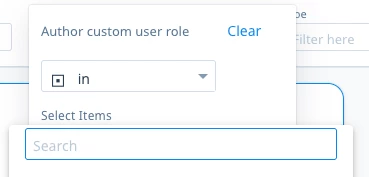
Any ideas on how to easily monitor how content creators and their articles are performing individually? Maybe I create AI agent to download data via API and create author lever report?