
genells
Contributor ⭐️⭐️⭐️⭐️
Jul 10, 2025 1:16 PM UTC

Looking for a report that displays community leaderboard points

Hello!


Hoping someone from community who is versed on reporting can help me locate a report that pulls my top 50 users for my community Leaderboard.
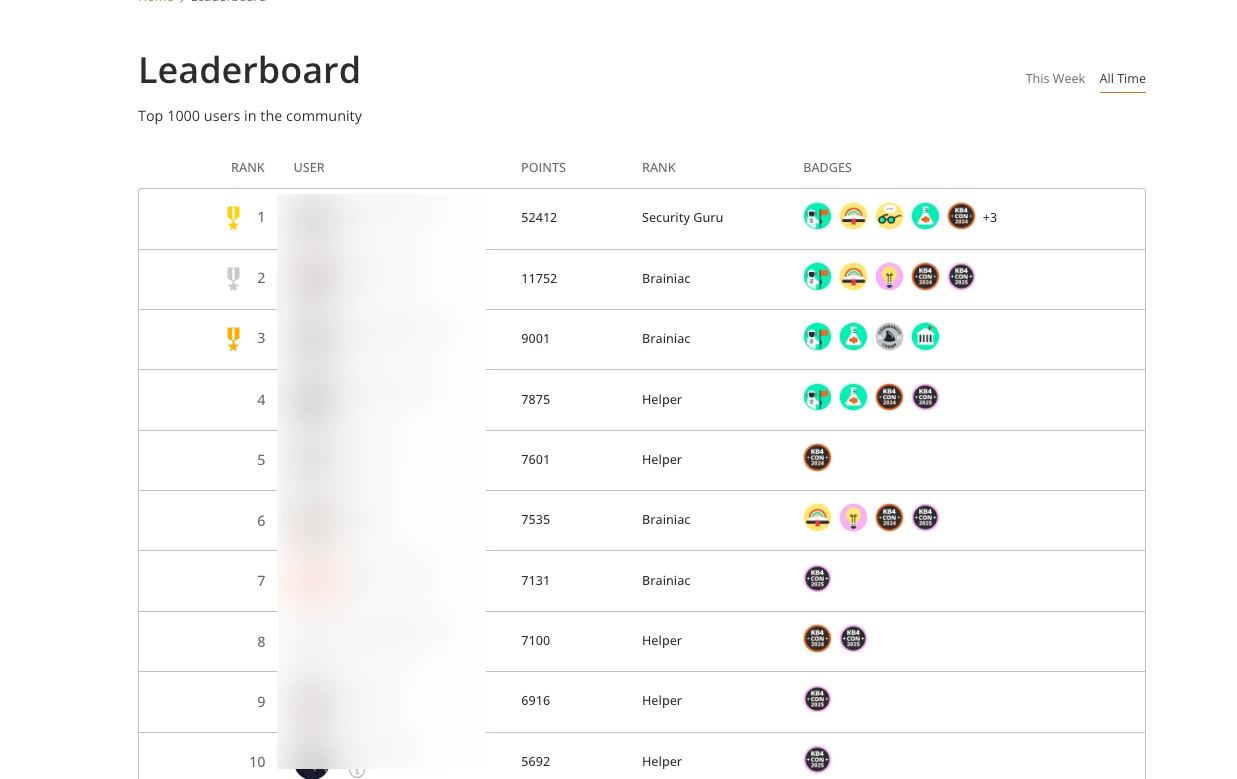
 

Example of data needed but in report format


I tried to make a segment but unfortunately the filters for gamification is either by Ranks and/or Badges and what I’m specifically looking for is by points. 


Anyone know how to pull a leaderboard report? Thanks in advance!


5 replies

Kenneth R
Expert ⭐️⭐️
Jul 14, 2025 12:53 PM UTC

Hey ​@genells - Possibly the easiest thing to do is go to Analytics > User Dashboard and select a date range that covers all the time your community has been live (doesn’t have to be exact, I tend to just quickly set the starting date to a year that’s well before we launched). 

If you then scroll down to the table at the bottom, you’ll see a list of Top Users that you can sort by points.  There’s no export functionality here but it’s quite easy to select the table and paste it into a sheet.

Also, if you need to, you can add a filter for user role or rank.

Hope this helps!

Translate
genells
genellsAuthor
Contributor ⭐️⭐️⭐️⭐️
Jul 15, 2025 3:31 PM UTC

Thank you ​@Kenneth R! I ended up going that route, a little iffy on the copy and paste formatting which caused for some manual edits but got the data I needed. 

Is there any current ideation open for getting this data more accessible in an export format or other? If so I’d love to add my use case and upvote. 

Translate
Kenneth R
Expert ⭐️⭐️
Jul 16, 2025 8:45 AM UTC

​@genells Glad that this approach worked out for you.  There are alternative approaches - if you are handy with automation tools like Zapier or Workato it’s relatively straightforward to pull this data via our API.  Another alternative would be to access our data lake (using a BI tool).  I get that these are not always realistic options for everyone, which is why I suggested the slightly ‘iffy’ (but very simple) copy-paste approach above.  :)

Translate
genells
genellsAuthor
Contributor ⭐️⭐️⭐️⭐️
Nov 4, 2026 3:40 PM UTC

Bringing this back up in the activity feed - but is there anything ​@Kenneth R that accomplishes this natively in the control view with the new dashboards rolled out in the past year?
I noticed a Top Users widget and I was playing around with it but at a glance, it doesn’t seem to be showing the same top users as defined by leaderboard point ranking. 
Any help is appreciated!

Translate
Aleksandra
Gainsight Product Manager
Nov 5, 2026 9:58 AM UTC

Thanks for bringing this back up, and for the detailed feedback on the new dashboards.

You’re right that the Top Users widget in the new dashboards doesn’t match the leaderboard point ranking. The two come from different data sources, which is why the numbers differ. We’re currently working on unifying the data sources for XP points so they’re consistent across the platform.

What you can do today: total points are now available in the User Exports. You can export your users with their total points, then sort the file to get your top 50 (or any other cut) without copy-pasting from a dashboard.

What’s coming: in the mid term, we plan to build a gamification dashboard where total points will also be exposed.

One thing to keep in mind is that the new User dashboard is designed to help you track how points change over time (new points earned in a given period), not to show all-time totals. For the all-time leaderboard ranking, the User Export is the best option right now.

CC ​@deepan 

Translate
Aleksandra