revote
VIP ⭐️⭐️⭐️⭐️⭐️
July 18, 2024
Solved

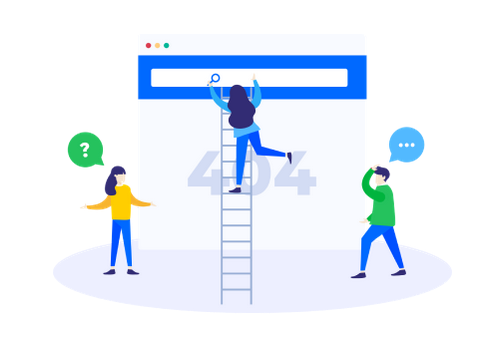
New error page - how to change the image here?

  • July 18, 2024
  • 19 replies
  • 421 views

I havent seen this image before. Problem is that it doesn´t follow our brand guidelines.

How to change it?
 

Best answer by Kenneth R

Hey @revote - I might still get a better answer, but here is an approach I was just able to validate as workable in our staging environment.  This simple bit of CSS will simply swap the image out:

img[src="https://d3qhpmzl5oynt5.cloudfront.net/2024-07-18-13-25-05-b733e7f227/dist/images/errors/404.png"] {
content: url('https://via.placeholder.com/404'); /* URL of the new image */
}


19 replies

revote
revoteAuthor
VIP ⭐️⭐️⭐️⭐️⭐️
July 24, 2024

Hmm, it seems that url of the original error image keep changing and that´s why this workaround works only until url the changes. It seems that url changes 1-2 days period.

Any ideas @Kenneth R?


EDIT: We can use the error page without error images, if it is easier?

revote
revoteAuthor
VIP ⭐️⭐️⭐️⭐️⭐️
July 24, 2024

The image `src` attribute value will not necessarily be the same across communities/users.
 

@revote I was able to get the above css idea to work by changing the selector to:
.destination_error_image[src*="404.png"] {   content: url("https://via.placeholder.com/404"); }


And, I’m assuming this should work for the 403:
.destination_error_image[src*="403.png"] {   content: url("https://via.placeholder.com/404"); }

Yep, with this solution it doesnt matter even the source url keep changing during the time.

Thanks.

Laurenseife
September 23, 2024

Hey @revote @Kenneth R, can I bug to ask you WHERE you load the CSS to swap out the image. Sorry, basic newbie question! 

revote
revoteAuthor
VIP ⭐️⭐️⭐️⭐️⭐️
September 24, 2024

Hey @revote @Kenneth R, can I bug to ask you WHERE you load the CSS to swap out the image. Sorry, basic newbie question! 

Here.

Note: Test code in your testing site before adding code to your live community.


revote
revoteAuthor
VIP ⭐️⭐️⭐️⭐️⭐️
September 24, 2024

I´ll add this hint to this topic as well. In cases if you want to hide image, not to change it to another:


you can set the default 404 and 403 images to not show with this bit of CSS:

.destination_error_image[src*="404.png"],
.destination_error_image[src*="403.png"] {
display: none;
}


Laurenseife
September 24, 2024

@revote WOHOOOOO It worked. Thanks so much for the guidance!!! 

revote
revoteAuthor
VIP ⭐️⭐️⭐️⭐️⭐️
September 24, 2024

@revote WOHOOOOO It worked. Thanks so much for the guidance!!! 

Glad to help 👍

Contributor ⭐️
June 4, 2025

Hi ​@Kenneth R!

I’ve been trying to replace the image, and I followed your instructions (and updated the Gainsight image link: https://dowpznhhyvkm4.cloudfront.net/2025-06-03-13-07-50-469ca4191e/dist/images/errors/404.png), but it keeps showing the error. 

Unknown CSS property "https" (line: 42, char: 59)
Unterminated "property content" (line: 43, char: 1)

Could you help? :)

Kenneth R
Expert ⭐️⭐️
June 11, 2025

Hi ​@Petra P - I had a quick look at your community but don’t see any CSS there.  Or were you testing on sandbox?  Happy to take a look - let me send you a PM.  :)