deborahcreekmore
Contributor ⭐️
December 23, 2021
Solved

Quick Links on Homepage

  • December 23, 2021
  • 15 replies
  • 466 views

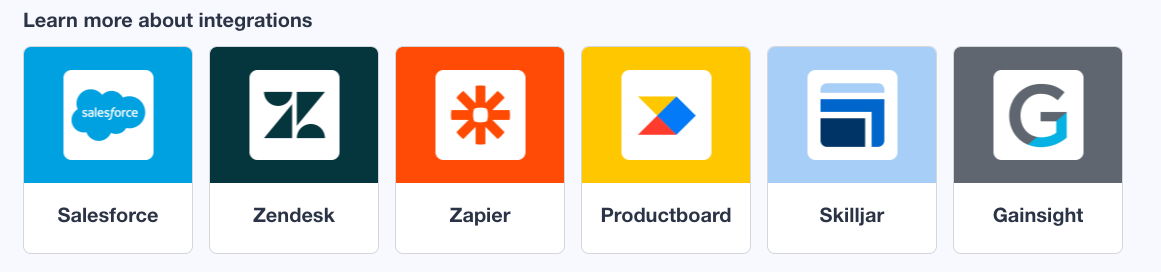
Is there a guide on how to set up quick links similar to the Insided integrations icons on the homepage (shown below)?


Best answer by SmartlyGreg

@Hannah Bailey @deborahcreekmore I was revisiting this question and noticed that when I tried the maximum number of quick links I could get on 1 line was capped to 2.

So I played around, and there are a few ways to achieve this:

  1. Using CSS
    .featured-topic.quicklink__box.card-widget-wrapper.quicklink-icon {
    background-color: red;
    max-width:20%;
    margin: 0px 2%;
    }
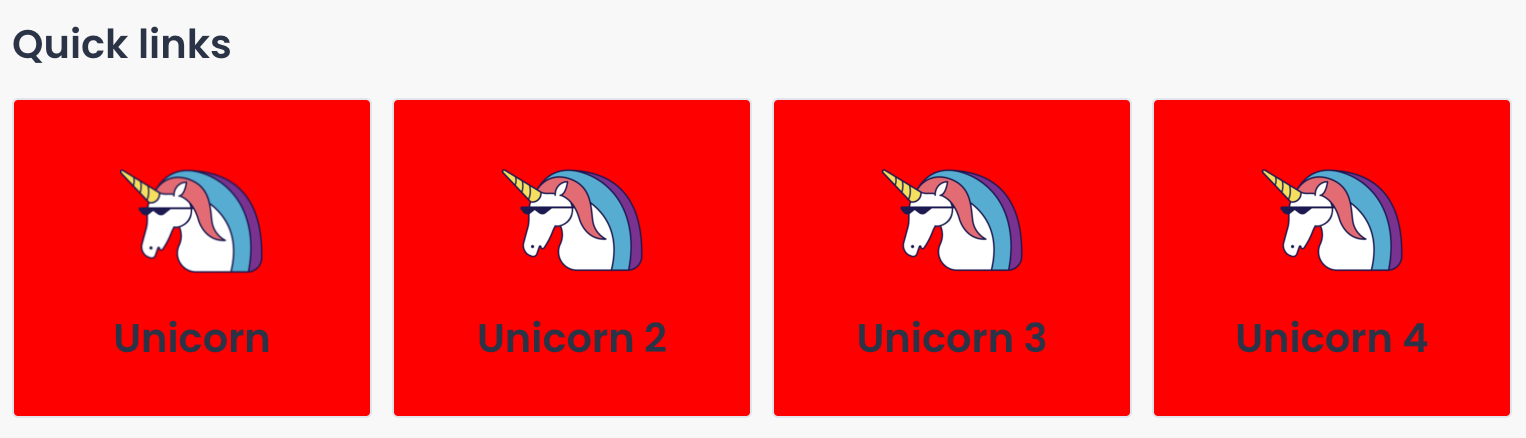
    Resulting in this:


  2. Using custom HTML
    If you are using quick links in other places that should not have this custom CSS applied, you can “steal” the code for the quick links in InSided and add a special class that will have the same CSS as above. (Note: 20% and 2% margin works well for 4 links.)
    .customQuickLinksClass {
    background-color: red;
    max-width:20%;
    margin: 0px 2%;
    }

    And the HTML for the quick links “stolen” by cmd+shift+C in Chrome to find the code for the desired section… (And adding the “CustomQuickLinksClass” class to each entry).

    <div class="widget-container widget-container--quick_links widget-container--index-7" data-idx="7">
    <div class="widget-placeholder">
    <div data-preact="quick-links/QuickLinksContainer" class="" ><section class="full-width Template-brand-featured qa-quicklinks-container quicklinks-wrapper homepage-widget-wrapper custom-quicklink"><div class="sitewidth"><div class="col"><h3 class="widget__heading">Custom HTML Quick links</h3><div class="content--centered quicklink__container"><article class="featured-topic quicklink__box card-widget-wrapper quicklink-icon customQuickLinksClass" style="border-radius: 3px;"><a href="http://www.google.com" class="quicklink__url" target="" tabindex="0"><figure class="figure-padding__icon"><div role="img" aria-label="Quicklink image 1" class="padding__icon quicklink__hero" style="background-image: url(&quot;https://uploads-eu-west-1.almostinsided.com/smartly-en/attachment/e913a6b2-854e-4825-b65a-111ac62a494a_thumb.png&quot;);"></div></figure><div class="quicklink__title"><header><h3 class="card-widget-title">Unicorn</h3></header><p class="text--meta card-widget-text"></p></div></a></article><article class="featured-topic quicklink__box card-widget-wrapper quicklink-icon customQuickLinksClass" style="border-radius: 3px;"><a href="http://www.google.com" class="quicklink__url" target="" tabindex="0"><figure class="figure-padding__icon"><div role="img" aria-label="Quicklink image 2" class="padding__icon quicklink__hero" style="background-image: url(&quot;https://uploads-eu-west-1.almostinsided.com/smartly-en/attachment/bfff5592-e9b4-4dfb-bbbb-664abccb1fe4_thumb.png&quot;);"></div></figure><div class="quicklink__title"><header><h3 class="card-widget-title">Unicorn 2</h3></header><p class="text--meta card-widget-text"></p></div></a></article><article class="featured-topic quicklink__box card-widget-wrapper quicklink-icon customQuickLinksClass" style="border-radius: 3px;"><a href="http://www.google.com" class="quicklink__url" target="" tabindex="0"><figure class="figure-padding__icon"><div role="img" aria-label="Quicklink image 3" class="padding__icon quicklink__hero" style="background-image: url(&quot;https://uploads-eu-west-1.almostinsided.com/smartly-en/attachment/f1fb3552-f7f4-4575-88b3-a4d7db7cbd6f_thumb.png&quot;);"></div></figure><div class="quicklink__title"><header><h3 class="card-widget-title">Unicorn 3</h3></header><p class="text--meta card-widget-text"></p></div></a></article><article class="featured-topic quicklink__box card-widget-wrapper quicklink-icon customQuickLinksClass" style="border-radius: 3px;"><a href="http://www.google.com" class="quicklink__url" target="" tabindex="0"><figure class="figure-padding__icon"><div role="img" aria-label="Quicklink image 4" class="padding__icon quicklink__hero" style="background-image: url(&quot;https://uploads-eu-west-1.almostinsided.com/smartly-en/attachment/d6ca3fe5-0b41-41cb-b348-e01457d07a15_thumb.png&quot;);"></div></figure><div class="quicklink__title"><header><h3 class="card-widget-title">Unicorn 4</h3></header><p class="text--meta card-widget-text"></p></div></a></article></div></div></div></section></div> </div>
    </div>

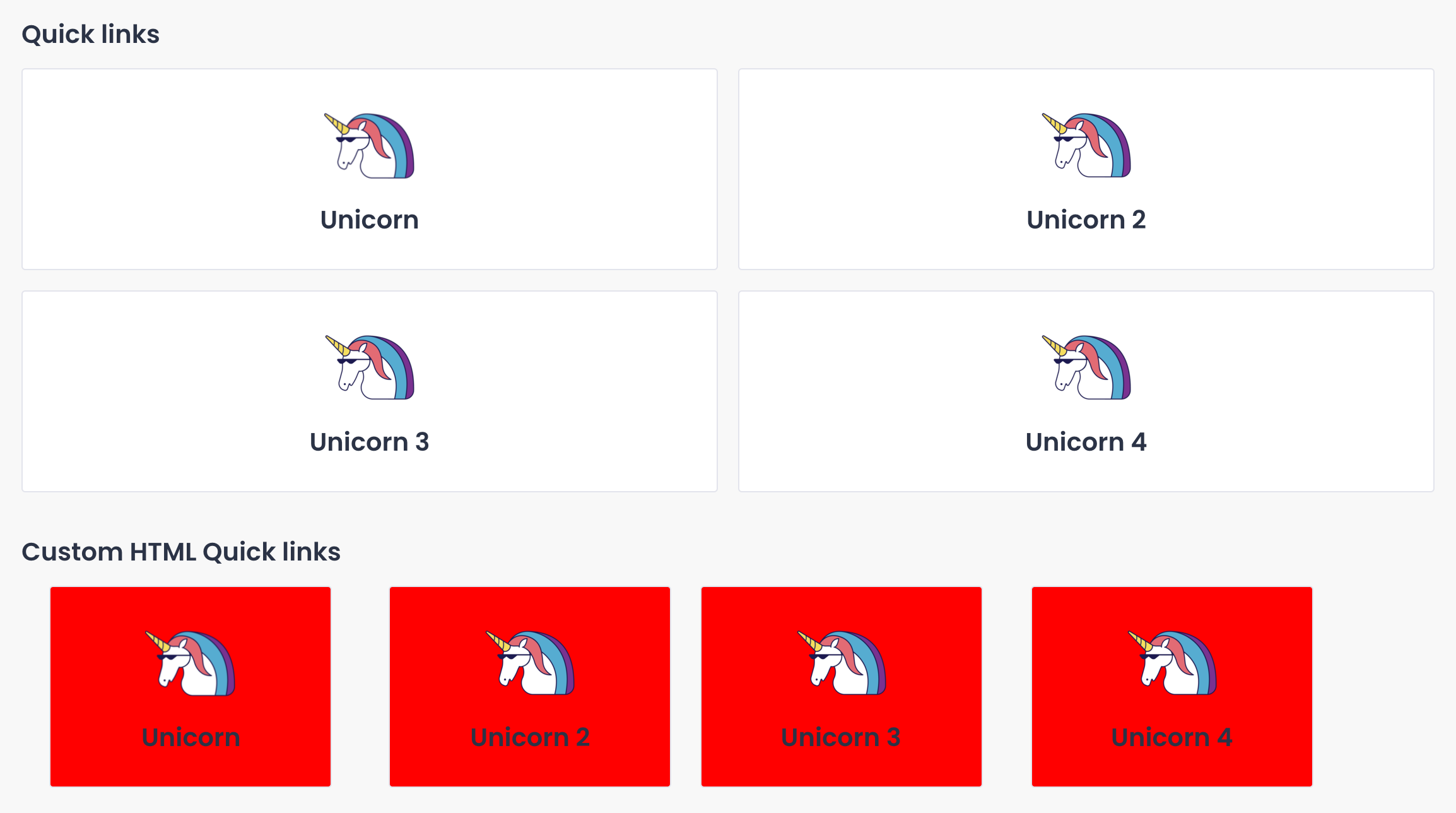
    Resulting in standard quick links being spared by the new style:


    Hope this helps!

15 replies

SmartlyGreg
Helper ⭐️⭐️⭐️
December 23, 2021

I’m confused. Do you mean other than this: 

It’s almost the same title! :) 

Contributor ⭐️⭐️⭐️⭐️⭐️
December 27, 2021

@SmartlyGreg 
This is on knowledge base page. https://community.insided.com/knowledge-base


We are wanting to create something similar to this for our integrations. But having trouble with Quick Links not displaying like this.

Is this a custom HMTL or CSS widget?


SmartlyGreg
Helper ⭐️⭐️⭐️
December 28, 2021

Gotcha! Now I understand the question! 

You can always hit the “Customise” button on that page and add the default quicklinks, and you can even have 2 rows of these should you choose.

If this does not meet your criteria you can always go custom, with something like this: You’d have to use a third party script to set a rule that for the Knowledge base page you insert a block of extra HTML. Considering the amount of content; you might want to consider building a page to hold the content you want and then inserting a small iFrame with your content…

It would look something like this: (Not fully tested but I’ve done similar things on other pages).

<!-- Insert Quicklinks iFrame -->
<script>
if (inSidedData.page.url.includes("/knowledge-base")) {
var theQLDiv = document.getElementsByClassName("widget-container");
var ifrm = document.createElement('iframe');
ifrm.setAttribute('id', 'ifrm');
theQLDiv[0].parentNode.insertBefore(ifrm, theQLDiv[0]);
ifrm.setAttribute('src', 'INSERT YOUR LINK HERE');
}
</script>

Hope this makes sense.

SmartlyGreg
Helper ⭐️⭐️⭐️
January 10, 2022

@Hannah Bailey @deborahcreekmore I was revisiting this question and noticed that when I tried the maximum number of quick links I could get on 1 line was capped to 2.

So I played around, and there are a few ways to achieve this:

  1. Using CSS
    .featured-topic.quicklink__box.card-widget-wrapper.quicklink-icon {
    background-color: red;
    max-width:20%;
    margin: 0px 2%;
    }
    Resulting in this:


  2. Using custom HTML
    If you are using quick links in other places that should not have this custom CSS applied, you can “steal” the code for the quick links in InSided and add a special class that will have the same CSS as above. (Note: 20% and 2% margin works well for 4 links.)
    .customQuickLinksClass {
    background-color: red;
    max-width:20%;
    margin: 0px 2%;
    }

    And the HTML for the quick links “stolen” by cmd+shift+C in Chrome to find the code for the desired section… (And adding the “CustomQuickLinksClass” class to each entry).

    <div class="widget-container widget-container--quick_links widget-container--index-7" data-idx="7">
    <div class="widget-placeholder">
    <div data-preact="quick-links/QuickLinksContainer" class="" ><section class="full-width Template-brand-featured qa-quicklinks-container quicklinks-wrapper homepage-widget-wrapper custom-quicklink"><div class="sitewidth"><div class="col"><h3 class="widget__heading">Custom HTML Quick links</h3><div class="content--centered quicklink__container"><article class="featured-topic quicklink__box card-widget-wrapper quicklink-icon customQuickLinksClass" style="border-radius: 3px;"><a href="http://www.google.com" class="quicklink__url" target="" tabindex="0"><figure class="figure-padding__icon"><div role="img" aria-label="Quicklink image 1" class="padding__icon quicklink__hero" style="background-image: url(&quot;https://uploads-eu-west-1.almostinsided.com/smartly-en/attachment/e913a6b2-854e-4825-b65a-111ac62a494a_thumb.png&quot;);"></div></figure><div class="quicklink__title"><header><h3 class="card-widget-title">Unicorn</h3></header><p class="text--meta card-widget-text"></p></div></a></article><article class="featured-topic quicklink__box card-widget-wrapper quicklink-icon customQuickLinksClass" style="border-radius: 3px;"><a href="http://www.google.com" class="quicklink__url" target="" tabindex="0"><figure class="figure-padding__icon"><div role="img" aria-label="Quicklink image 2" class="padding__icon quicklink__hero" style="background-image: url(&quot;https://uploads-eu-west-1.almostinsided.com/smartly-en/attachment/bfff5592-e9b4-4dfb-bbbb-664abccb1fe4_thumb.png&quot;);"></div></figure><div class="quicklink__title"><header><h3 class="card-widget-title">Unicorn 2</h3></header><p class="text--meta card-widget-text"></p></div></a></article><article class="featured-topic quicklink__box card-widget-wrapper quicklink-icon customQuickLinksClass" style="border-radius: 3px;"><a href="http://www.google.com" class="quicklink__url" target="" tabindex="0"><figure class="figure-padding__icon"><div role="img" aria-label="Quicklink image 3" class="padding__icon quicklink__hero" style="background-image: url(&quot;https://uploads-eu-west-1.almostinsided.com/smartly-en/attachment/f1fb3552-f7f4-4575-88b3-a4d7db7cbd6f_thumb.png&quot;);"></div></figure><div class="quicklink__title"><header><h3 class="card-widget-title">Unicorn 3</h3></header><p class="text--meta card-widget-text"></p></div></a></article><article class="featured-topic quicklink__box card-widget-wrapper quicklink-icon customQuickLinksClass" style="border-radius: 3px;"><a href="http://www.google.com" class="quicklink__url" target="" tabindex="0"><figure class="figure-padding__icon"><div role="img" aria-label="Quicklink image 4" class="padding__icon quicklink__hero" style="background-image: url(&quot;https://uploads-eu-west-1.almostinsided.com/smartly-en/attachment/d6ca3fe5-0b41-41cb-b348-e01457d07a15_thumb.png&quot;);"></div></figure><div class="quicklink__title"><header><h3 class="card-widget-title">Unicorn 4</h3></header><p class="text--meta card-widget-text"></p></div></a></article></div></div></div></section></div> </div>
    </div>

    Resulting in standard quick links being spared by the new style:


    Hope this helps!

Contributor ⭐️⭐️⭐️⭐️⭐️
January 10, 2022

@SmartlyGreg Thank you so much for your feedback! 

deborahcreekmore
Contributor ⭐️
January 10, 2022

@SmartlyGreg Thank you, this is very helpful!

Catalina
Contributor ⭐️⭐️
June 20, 2022

I’m looking into something similar but can’t get the CSS to work.  I want to change the layout of the “Featured Topics” from long rectangles to square cards. 

Here is how it looks now: 

 And this how I would like this section to look.


I have seen different communities doing this but I’m having trouble figuring it out. Any help will be much appreciated✨

Thank you,

C.

English
Blastoise186
Helper ⭐️⭐️⭐️
June 21, 2022

Howdy @Catalina !

I think you’ll be glad to know there’s actually an easier way to do this and it involves zero CSS. It’s all part of the Featured Topics Widget but you just need to make sure that it’s set up the right way. I don’t have access to Control anywhere myself, but my good friend @timcavey does (and he’s a huge fan of that widget!). :)

Bug blasting absolutely everything... The Blastoise Way
timcavey
Helper ⭐️⭐️
June 21, 2022

Yep I’m just catching up on the great advice from @SmartlyGreg above - and I’ll be testing out this option on our staging environment. 


@Catalina as @Blastoise186 mentioned, Insided have a ‘Featured topics (moderator tags)’ widget which displays in the same style as the example layout you posted. 


If you’ve already assigned the mod tag ‘featured_home’ or ‘featured_subforum’ and you’ve got this widget live it should display as desired. But you’ll need to have 3…


I can see you do have 3, so if your featured topics are appearing as rectangle cards like such, perhaps there’s some custom CSS causing this…?


learning, sharing and repeat
timcavey
Helper ⭐️⭐️
June 21, 2022

@SmartlyGreg forgive what might be a basic question but, do Insided allow us to add custom-HTML? If so, do we add this in custom-CSS?


  1. Using CSS
    .featured-topic.quicklink__box.card-widget-wrapper.quicklink-icon {
    background-color: red;
    max-width:20%;
    margin: 0px 2%;
    }
    Resulting in this:


I didn’t get this effect but I think it’s due to the content within these elements...

learning, sharing and repeat