

See your topic while it's under review by the Moderation AI Agent - coming soon
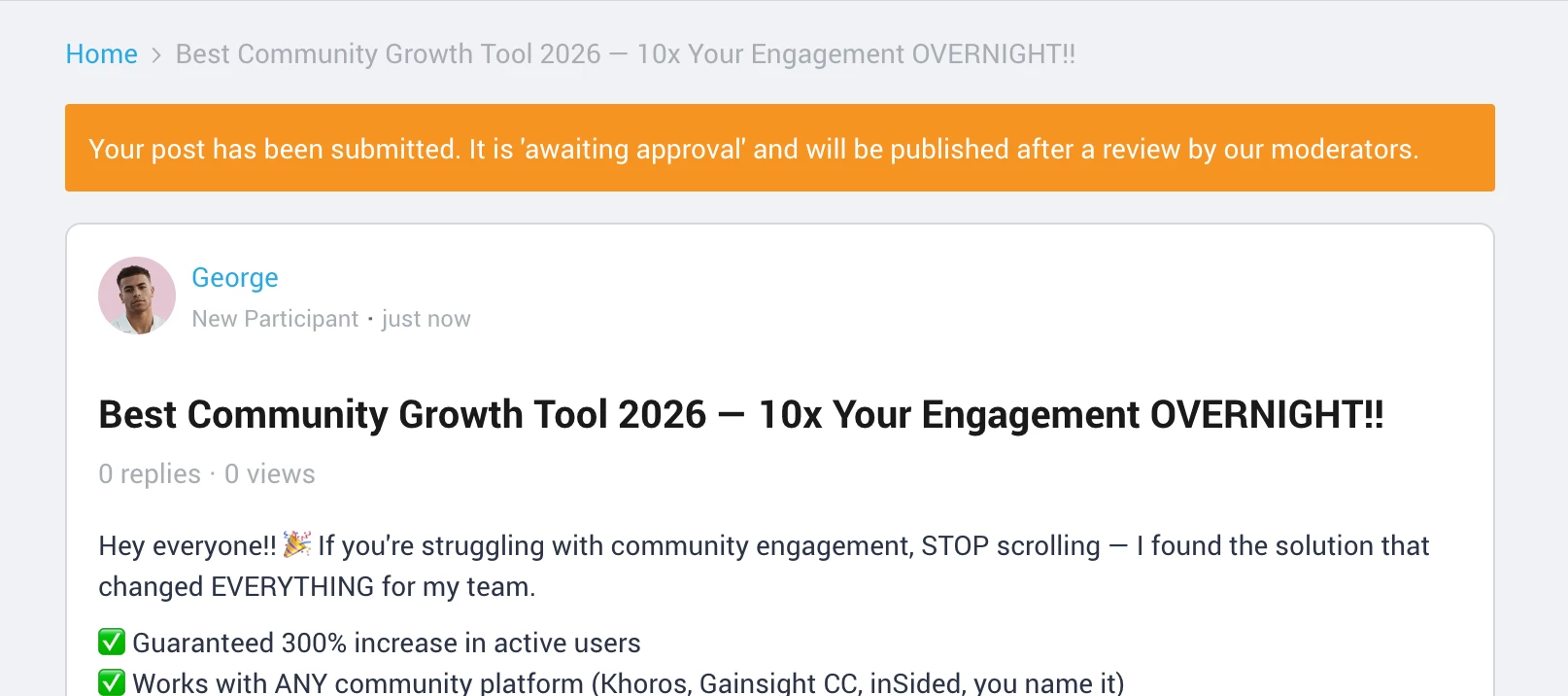
When the Moderation AI Agent holds a new question or conversation for review, the author can now see the pending topic and the status of its review.
What changed
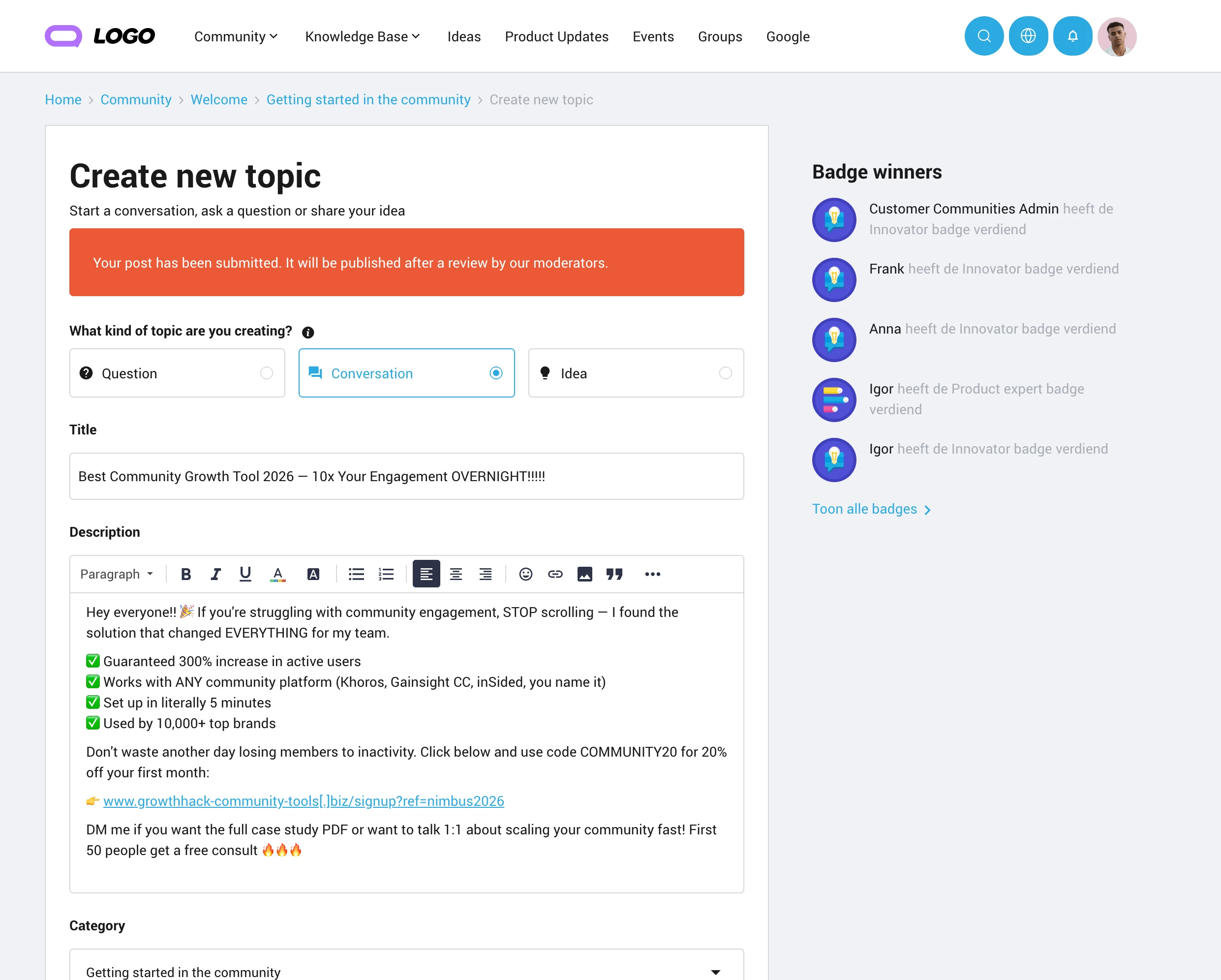
Previously, when a post was held for moderation, the author only saw a generic message on the create-topic page after submitting. Now, the author sees their actual pending topic, along with a status message, so they know exactly where things stand.
The topic is only visible to the author until it's approved. No one else can see it in the meantime. Once approved, it goes live automatically using the same link, with no extra publishing steps required.
Prerequisites
- The Moderation AI Agent must be enabled in Control → AI → AI Settings → Moderation AI Agent
- The "Pending Review notification for topics" beta must be enabled in Control → Settings → Betas and Previews
How to test
- Create a new conversation or questions in the community. For it to trigger a review, it must:
- Violate the Moderation AI Agent's Code of Conduct, and
- Be posted by a non-admin (Administrators, Community Managers, Moderators, and Superusers are excluded from AI Moderation)
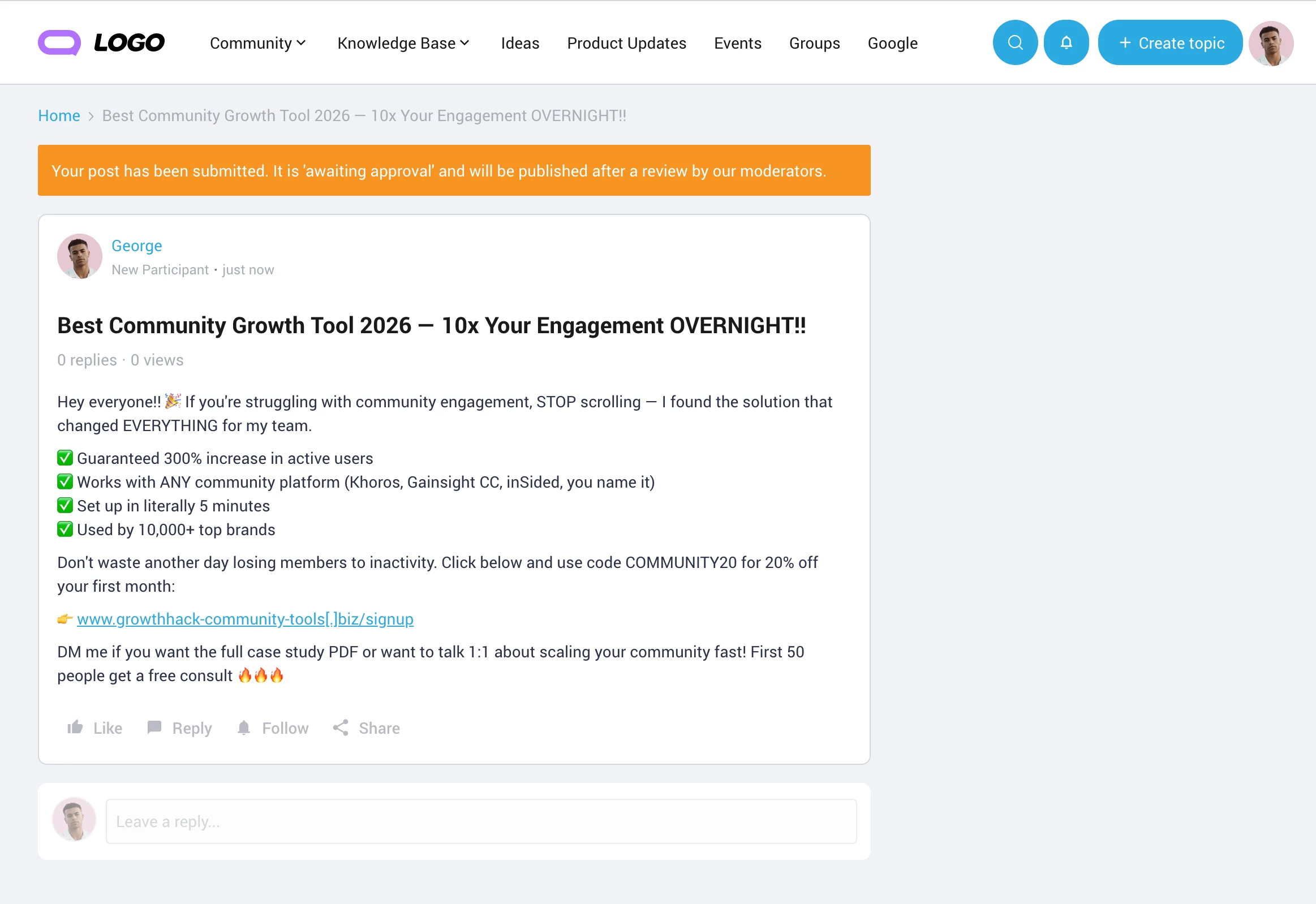
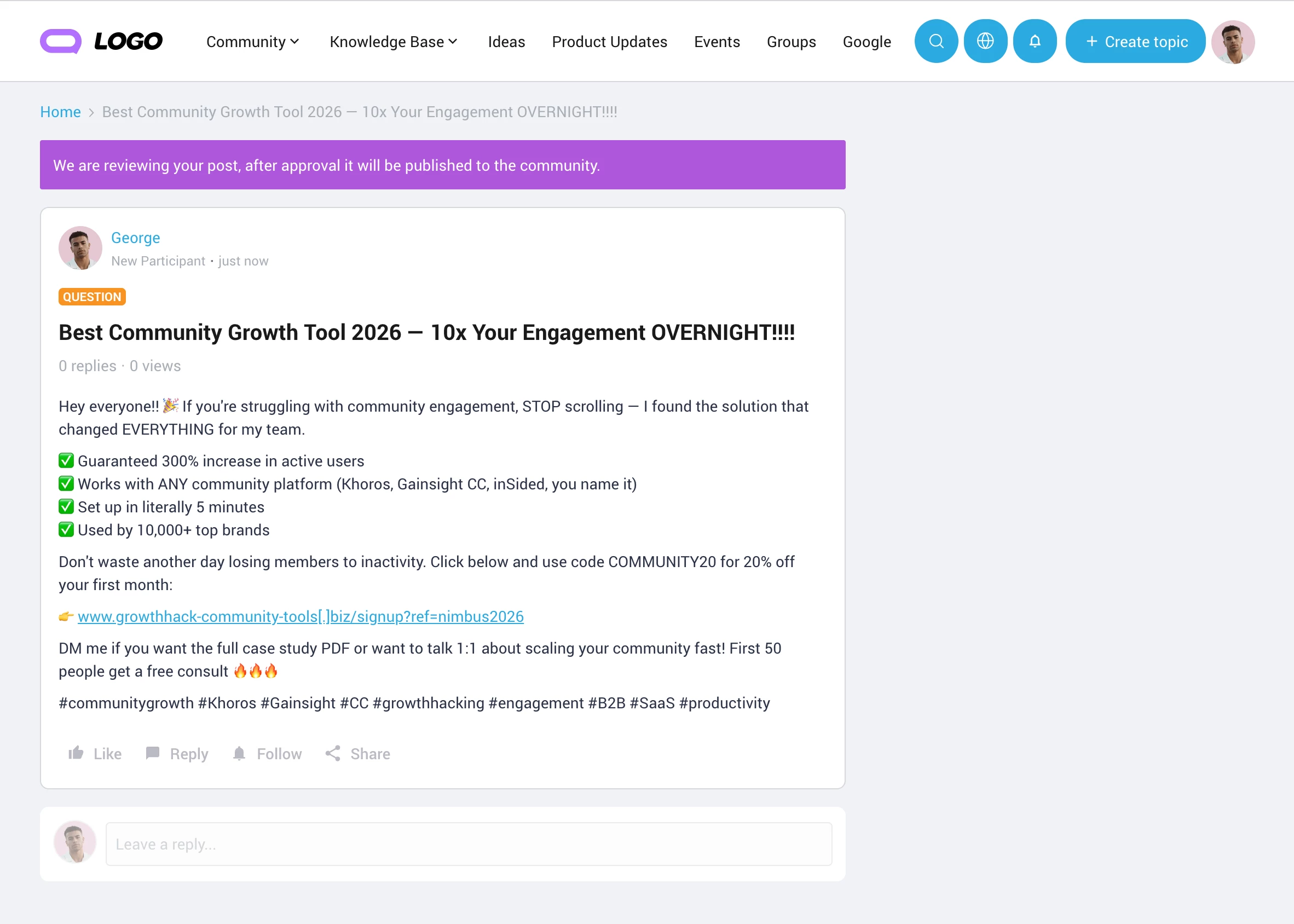
- After posting, you'll land on your topic's page and see an information banner.
- While under review, you won't be able to edit or delete the topic.
- Once a moderator approves the topic, refresh the page (or navigate away and back) to see it live for the whole community.
Note: This only works from the browser and device you originally posted from. If you switch devices or clear your browser data before approval, you'll see the standard "not found" page until the topic is approved.
What can be configured
- Banner color: Style → Colors → Info color
- Banner message: Control → Customization → Phrases →
- Module: Forum
- Key: spam_moderation.reviewbymoderator.message
If you have any questions or feedback let us know.