Question

AI Followup Creating Timeline Activities without Recording Turned on

  • February 23, 2026
  • 2 replies
  • 67 views

RGrieco
Forum|alt.badge.img+7

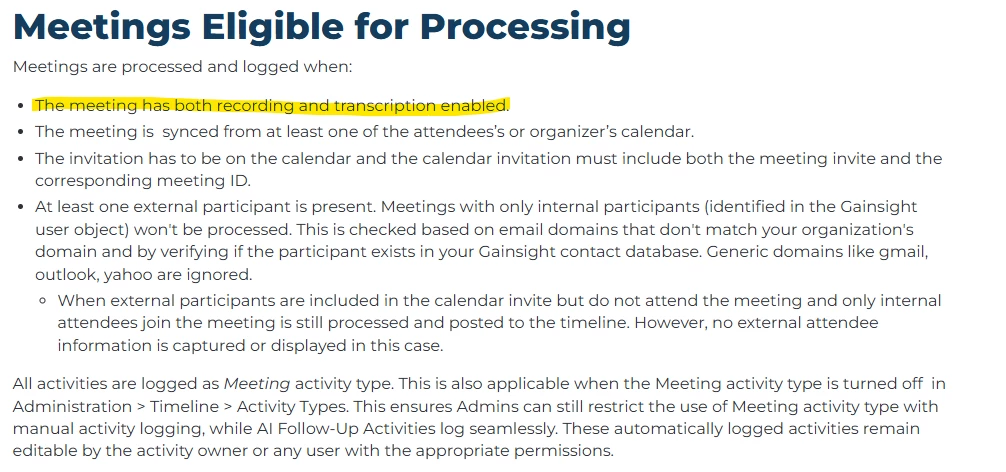
We are noticing meetings coming into our Gainsight Timeline through Microsoft Teams AI Follow Up that do not have have recording and transcription turned on. Is this an error or is this documentation inaccurate? It states that you need both recording and transcription turned on.

https://support.gainsight.com/gainsight_nxt/Timeline/02User_Guides/AI_Follow-Up_User_Guide#Limitations


2 replies

Vipin
  • Gainsight Employee ⭐️
  • February 27, 2026

Hi RGrieco,

Thank you for raising this question.

I checked internally with our PM team, and as per the current product behavior, meetings should only be logged via Microsoft Teams AI Follow Up when both recording and transcription are enabled. If either of these are turned off, the meeting should not sync to the Gainsight Timeline.

Since followup summary come through without both settings enabled, this does not appear to be expected behavior. To investigate further, I’ve raised a support ticket on your behalf. You should receive an email shortly regarding the same.

Could you please share a few example directly on the support ticket where you’re noticing this discrepancy? This will help us debug the issue more efficiently.

Thank you!


RGrieco
Forum|alt.badge.img+7
  • Author
  • Helper ⭐️
  • February 27, 2026

I have shared examples with you in the Support Case as requested. Thank you!