
Question

Rule Engine - Rich Text field not showing in the Criteria field list

  • January 28, 2026
  • 1 reply
  • 6 views

Hello, 

we are setting a rule to trigger CTAs when we get an NPS Detractor and that survey response has comments.

As for now, our NPS Survey is coming from an external source and the Improvement (Comments) field is a rich text one.

When preparing the rules the dataset has all information we need :



But when going into the criterias, the improvement (comment) field is not showing, everything else is.
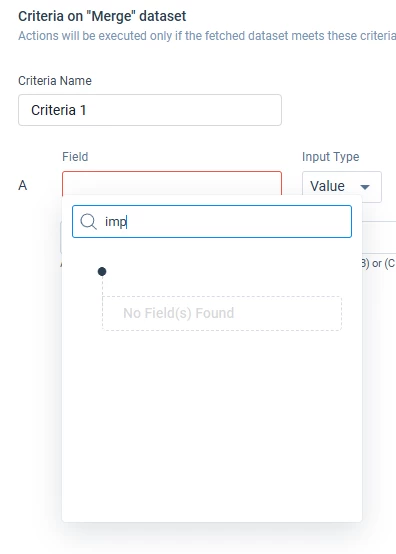
HTML has already been disabled.

Is there a workaround?

1 reply

  • Gainsight Community Moderator
  • January 28, 2026

Hi ​@cinquecristina ,

You can convert the Rich Text Field to String. Follow these steps:

  1. Perform a transform on your Dataset.
  2. Click on ‘Add Formula Field’
  3. Give a name to the field, choose Data Type as ‘String’.
  4. Choose the function as ‘To String’, put in the Rich Text Field.

 This would create the Rich Text field into a String Type and you’ll be able to use it in criteria while creating a rule action.

Thanks!