
Sudhanshu
Gainsight Product Manager
March 16, 2023

Getting Started with Custom Pages
  • March 16, 2023
  • 18 replies
  • 2668 views
Getting Started with Custom Pages

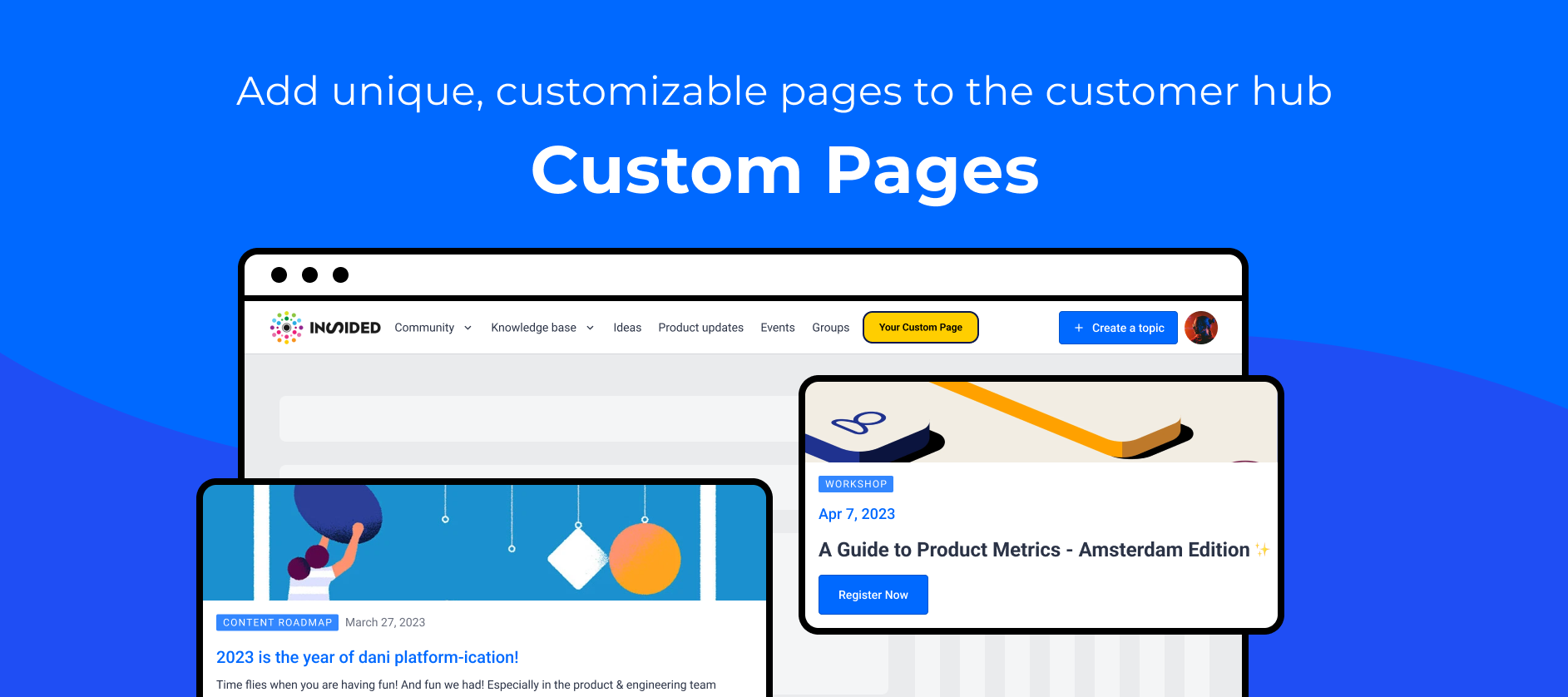
Custom pages are separate pages that can be created and linked to from anywhere. For example, link to persona pages from the homepage using quick links or add a link to the custom page in the mega menu. Custom pages are not included in any section or topic. Instead, they have their own URLs that you can use to direct users to. When you create a new page, you can give it a unique URL.

Custom pages can be created from scratch and linked to anywhere in your customer hub or any other web page or application. You can, for example, use custom pages to create unique landing pages for your customer hub or even new pages to embed content from sources other than CC.

Creating a Custom Page

You can create a custom page from the control environment under Platform. 

  1. In your control environment, click Platform in the sidebar and select Custom Pages.

  2. Click Add Page in the top-right corner.

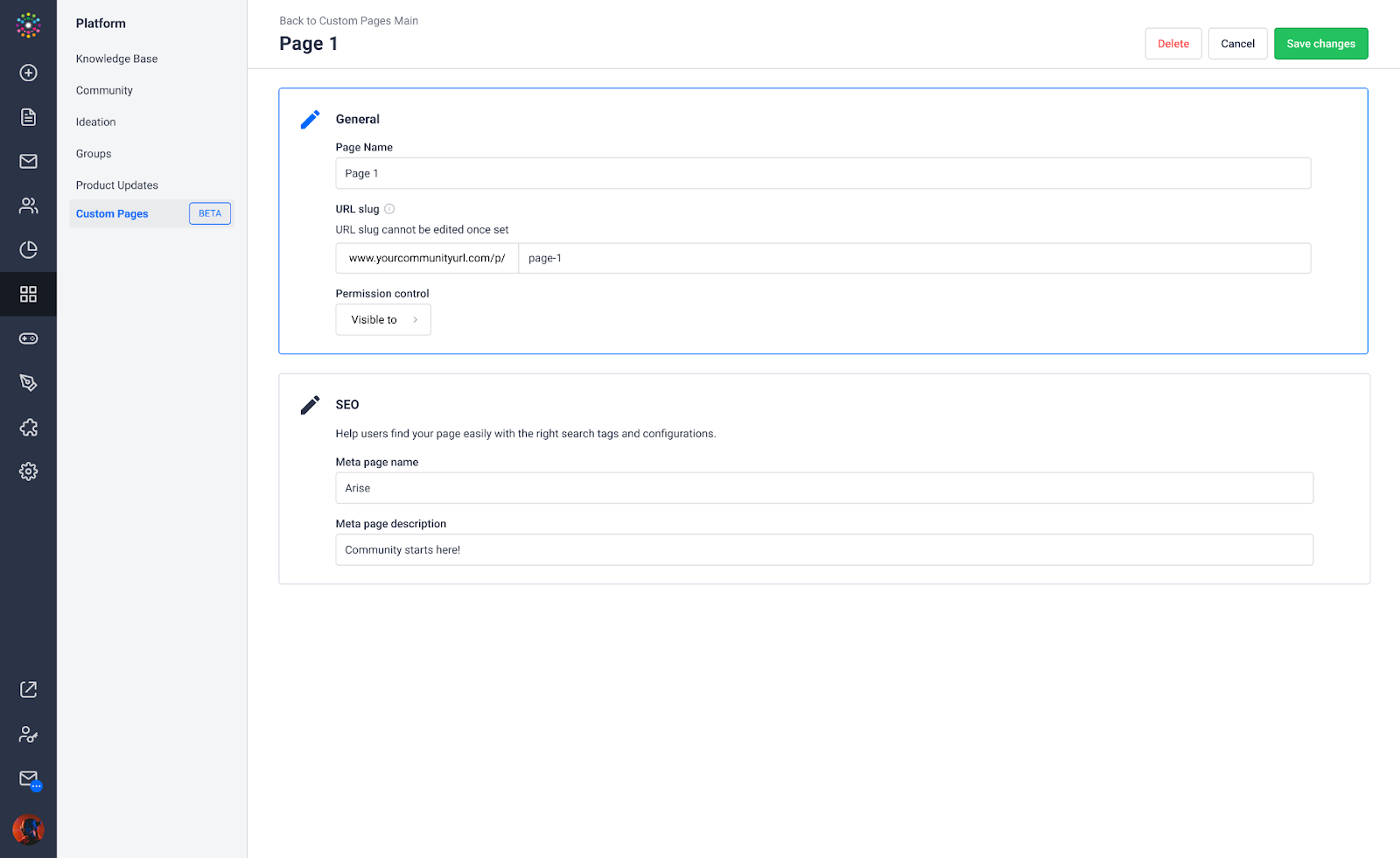
  3. Add Name, URL slug, visibility permissions and SEO metadata. 

The URL of a custom page follows this pattern: "https://{domain_name}/p/{url_slug}".

  1. Click Save Changes.

You will be redirected to the overview page. The custom page appears in the list, where the URL can be directly opened in the destination, copied, and the custom page edited or deleted.
 

G78YFhjGkUyWi4kRhSC0fkFMUzri291V35KaOAdvHG6CiNxrTqUIdFzAbtz2I4PzSJGDZwQPDpj5aoTxaNSLmP5SCBmyqAWPnKcNoE9HkUM-YHJx3Ejy1GNcDvjFECZfczhW1wiP4nBOuVQFUSV0aJo


Permissions

Don't forget to also set up the permissions, so that you (or others) can access (and design) this page. Of course you can always adjust the permissions later as well.


Designing Custom Pages

When you create a custom page, the page is blank. To design a custom page: 

  1. On the overview page, click the URL or copy and paste the URL in the browser to open the page in destination.

You’ll see a page with a header, a footer, and the Customize button in the lower-right corner of the page.

  1. Click Customize.

  2. Add widgets from the widget library the same way they are added on the home page.


GmWOMFG3HYMQW9WCwyO4_cw0wFHwAs96EhExHTi8v5PLfxluP3CObiJqlmeOHg9TTxZGQPAM4YJ9qmcSUnyOvcc-WKgGbwageMFJ6WAEUqGij3yQY5TVCVNlC69hC2LDFqY7rK3NQ5NOLSHprON1x04


Linking Custom Pages

Your content hierarchy comprises various pages, such as categories and topics. Custom pages exist outside of this hierarchy and are not visible to users unless a direct link to them is clicked.

For example, if you create an “Onboarding Guide” custom page, you can add a link to that page to emails, topics, the mega-menu, or even your home page through widgets such as the Quick Links or Banner widget. Users visiting those pages can click the Onboarding Guide link to view the custom page.


Report feedback and issues

If you want to share any feedback or report issues, please feel free to leave a reply to this article below👇. Your feedback will help us shape the future of the Custom Pages feature

    18 replies

    ryanne.perry
    Helper ⭐️
    May 2, 2024

    Upvote ☝🏻 @JayS questions! 

    1. If we create a custom page, can we just share it using a link instead of having that page show somewhere on the main Community? I understand the content has to live somewhere on the Community. 
    🌻 Ryanne
    revote
    VIP ⭐️⭐️⭐️⭐️⭐️
    May 3, 2024

    Do custom pages need to be found (searchable) in the main community site? I’m thinking of perhaps a custom page specific to one of our customers.

    No, they dont have to. It is matter of your use case - what is the purpose of your Custom page.


    Could we limit access to a custom page using Groups?

    In a way, yes. If you share link to the Custom page only in the (certain) group, in the discussion there or in the description etc, then yes. There is no option to show Custom page only for the group members.


    If we create a custom page, can we just share it using a link instead of having that page show somewhere on the main Community? I understand the content has to live somewhere on the Community. 

    Yes, you have to publish content itself (discussion / article /TKB article) somewhere in the community:

    Custom pages is just a UI canvas for widgets and not a container for any content.


    You can promote the content in the Custom page. This is one example of the Custom page use cases.

    Also, you can add for example HTML widget to the Custom page. And this is the way to add content to the Custom page. Or add Banner widget and add text there, you dont need to add picture to it.

    Sam77
    Contributor ⭐️⭐️⭐️
    May 15, 2024

    So glad to see this!

    A few things:

    • I’d love the ability to duplicate a custom page so we don’t have to recreate the same template over and over.

    Add me to this request, too! It’d be nice to just click copy and adjust vs rebuild.

    darko_2
    Contributor ⭐️⭐️
    July 1, 2024

    @Sudhanshu is there any fast way to duplicate the layout of a custom page. We re building multiple pages with similar structure and this feature would be extremely helpful

    Community is when whole is bigger than sum of its' parts
    KellyBebenek
    Helper ⭐️
    November 4, 2024

    Can we duplicate or copy a custom page, I see the icon to duplicate it but when I press it nothing happens.

    Kenneth R
    Expert ⭐️⭐️
    November 7, 2024

    Hey @KellyBebenek - there’s no way to immediately duplicate a custom page.  The button to ‘copy’ in the control environment simply allows you to copy the URL.

    jvdc
    Expert ⭐️
    August 25, 2025

    Is there a limit in the amount of custom pages we can create? We’re looking to setup a bunch if custom pages (about 45 pages )

    Sudhanshu
    SudhanshuAuthor
    Gainsight Product Manager
    August 25, 2025

    @jvdc No, there’s no limit on creating custom pages.