

Closed (Won't Do)

Allow Zaps to apply to more than one content type and category

Related products:CC Integrations
  • May 6, 2022
  • 11 replies
  • 42 views

Love using inSided with Zapier, but a pain is that zaps have to be defined for every content type and category individually. This creates a ton of extra work. Would love to see options to either select some or all of a content type or category and have in a single zap.

Example:
Trigger: New topic liked in inSided
Action: send notification to a specific tool

Current:
Step 1: Select content type
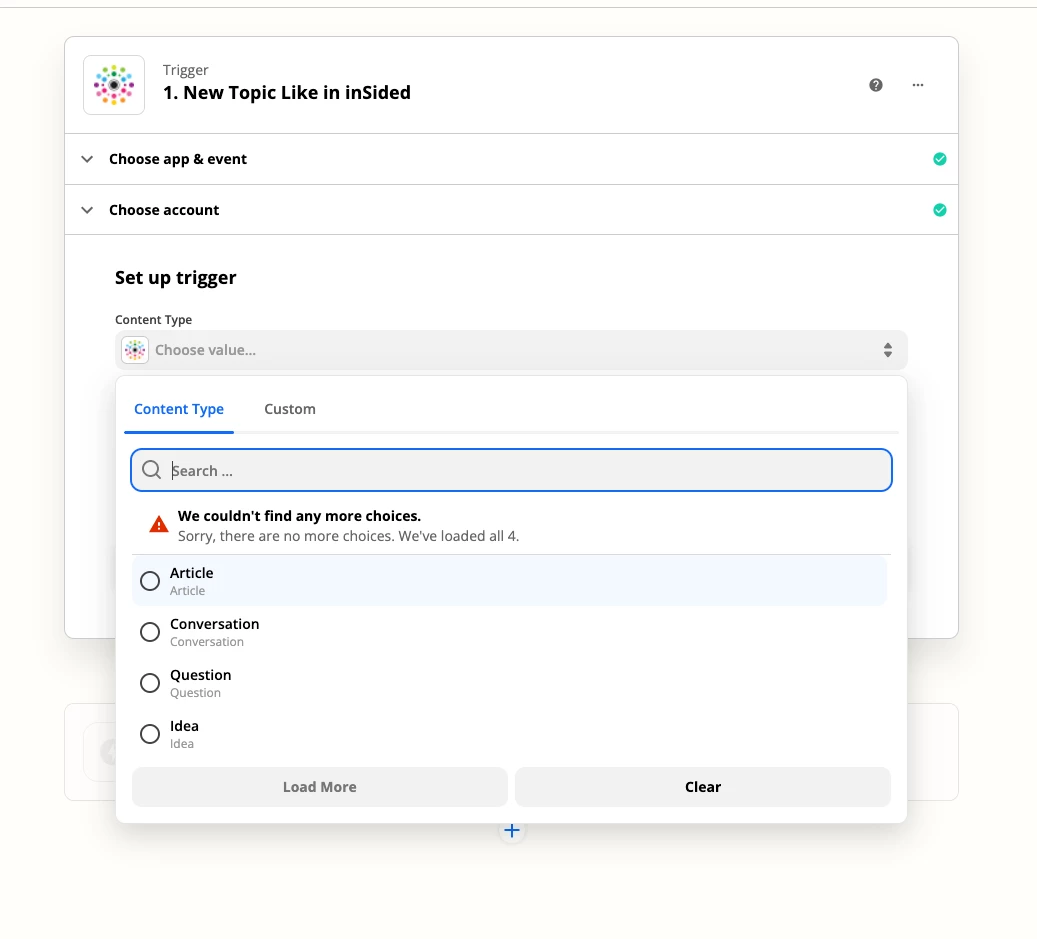
Step 2: Select category
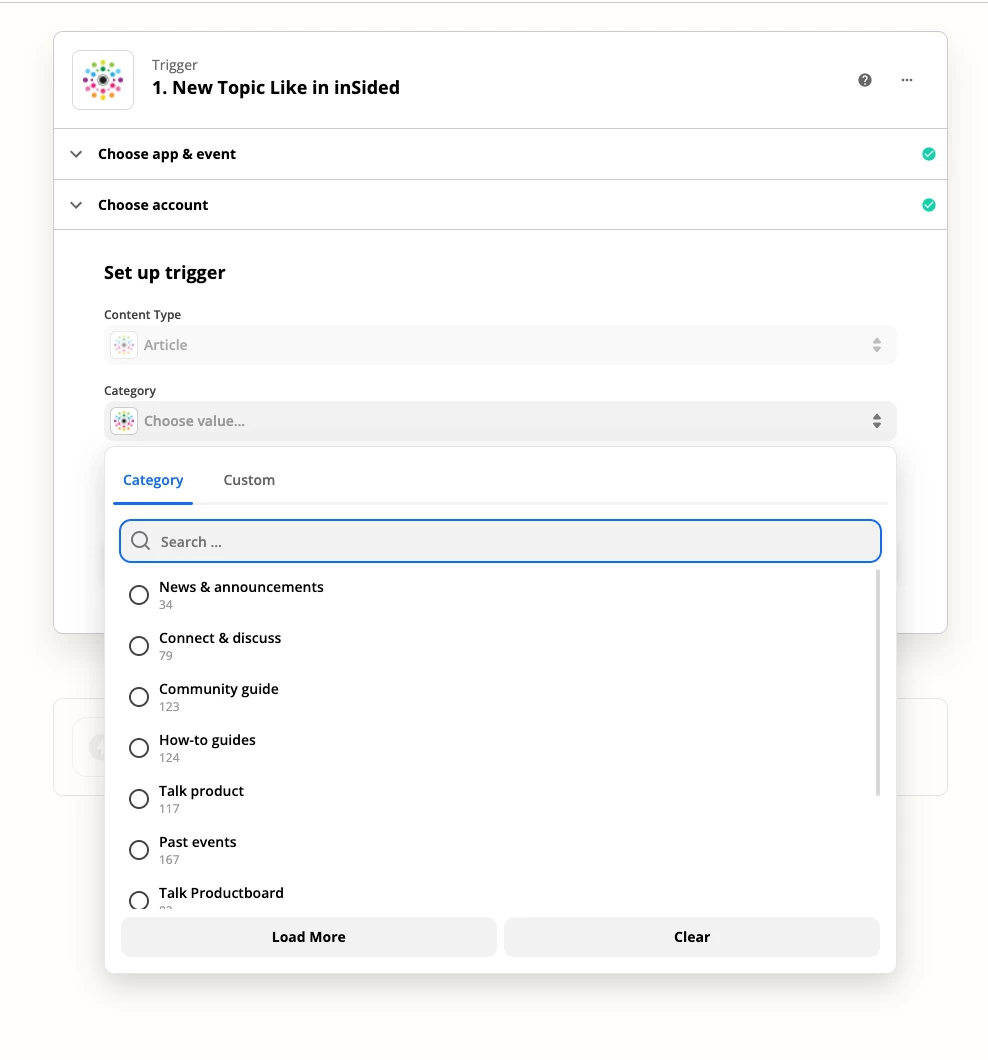
 

Step 3: Repeat a thousand times over and over for each of these combinations until your brain is numb

Future:

Step 1: Select relevant or all content types

Step 2: Select relevant or all categories

Step 3: Your done hurrary!!!


And if I’m missing something and the future is in fact possible -- please let me know.

 

11 replies

davetee
  • Helper ⭐️
  • June 15, 2022

Hi @Scott Baldwin -

I ran into the same issue. I ended up not selecting any categories - this led all actions in all categories to trigger the Zap. Saved me time not having to create a zap for every category.  I was able to filter those activities by category name using a Zapier filter and route them to different actions/channels.


davetee
  • Helper ⭐️
  • June 15, 2022

@Scott Baldwin - Clarification - It triggers for all categories for a defined content type. You still need to create separate Zaps for Articles, Questions and Conversations, but it will capture those actions in all categories.


  • June 16, 2022

Thanks @davetee - will check that out and see how it works. Appreciate the share.


davetee
  • Helper ⭐️
  • June 16, 2022

You’re welcome, @Scott Baldwin. A correction  from my original reply... I used Zapier Paths to react differently to different category activity - not Zapier Filters.


Aleksandra
  • Gainsight Product Manager
  • June 22, 2022
Updated idea statusNewOpen

Aleksandra
  • Gainsight Product Manager
  • June 22, 2022

Hi

Let's have this idea open and see how many votes will gather. 


DannyPancratz
Forum|alt.badge.img+10
  • VIP ⭐️⭐️⭐️⭐️⭐️
  • June 23, 2022

Hi @Scott Baldwin -

I ran into the same issue. I ended up not selecting any categories - this led all actions in all categories to trigger the Zap. Saved me time not having to create a zap for every category.  I was able to filter those activities by category name using a Zapier filter and route them to different actions/channels.


Same, I’m nearly positive. I believe we​ have a zap or two doing the same thing. Was recently just thinking about this pain point and considering consolidating some of my zaps​​​​​​ by unselecting type. 


bas
Forum|alt.badge.img+1
  • Helper ⭐️⭐️⭐️
  • June 24, 2022

@Aleksandra I think it would be useful to clarify what this idea now is :)

At the moment, since the Type and Category filter are optional, Zapier now either triggers on one, or on all types/categories.

Is this idea to implement a multi-select? Or something else?


bas
Forum|alt.badge.img+1
  • Helper ⭐️⭐️⭐️
  • June 24, 2022

@Scott Baldwin please note that another way of doing things would be with the recently introduced sub-zap feature. https://zapier.com/help/create/other-functions/build-reusable-sub-zaps

That would allow you to do e.g. type-specific pre-processing, and then call a generic sub-zap to do something with the result :)


Aleksandra
  • Gainsight Product Manager
  • June 19, 2026

Due to a lack of recent community activity, votes, or comments on this specific topic since 2022, we are closing this thread to keep our product backlog focused on more active requests. That said, we know integration needs change! If you still have a valid use case or a fresh idea for how we can improve our Zapier integration, please open a new idea request. This will help us get an accurate picture of our community's current needs, gauge active interest among our users, and properly prioritize future updates.


Aleksandra
  • Gainsight Product Manager
  • June 19, 2026
Updated idea statusOpenClosed (Won't Do)