
martina_mlynska
Contributor ⭐️
May 31, 2019
New Idea

Changing color pallete for each report

  • May 31, 2019
  • 5 replies
  • 289 views
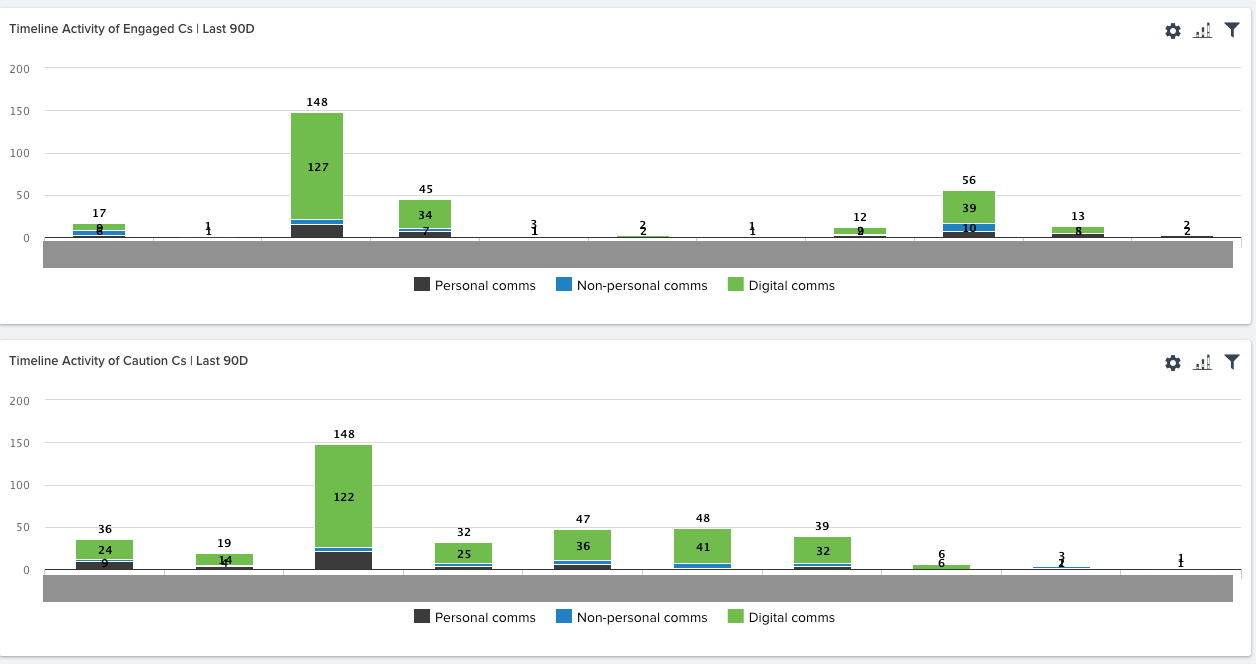
Is it possible to change color pallete for each report?

We have reports built off of the same Field, but looking at different health groups of customers & it would be helpful if this could be reflected also in colors of the reports so that let's say Engaged customers are in green vs Caution customers are in orange....


    5 replies

    keith_mattes
    Helper ⭐️⭐️
    May 31, 2019
    You can assign specific color palette by object if you go to the Report Builder interface, click on the "vertical elipses" or "3 dots" in to top right and select "Custom Colors"

    From there you can add an object and assign values and colors. We've only really applied this to Scorecard results and some basic labels. Good luck! Please post your results or challenges.

    Sr. Customer Success Operations Analyst/Gainsight Admin/Data Nerd
    dan_ahrens
    Expert ⭐️⭐️⭐️
    May 31, 2019
    Hi Martina,

    As Keith mentioned, there are tools to set custom colors based on the object and fields. More info can be found here: https://support.gainsight.com/Reports_and_Dashboards/Admin_Guides/Color_Settings_in_Reports_How_it_Works

    VP of Customer Success at Forcepoint
    andreammelde
    Helper ⭐️⭐️
    April 8, 2021

    @dan_ahrens it would be great to clone a custom color palette to so that it can be applied to multiple fields more easily, or be able to set one palette to multiple fields.


    For example, we have custom fields to indicate “health” per product. I want to apply the same custom color palette because the fields share the same drop options. The current setup I have to have a mapping for each field, which makes the admin cumbersome to create and maintain in the future if there any changes needed

    Andrea Carroll
    dan_ahrens
    Expert ⭐️⭐️⭐️
    April 9, 2021

    That use case makes sense @andreammelde .


    @rakesh - any thoughts on this one?

    VP of Customer Success at Forcepoint
    rakesh
    Gainsight Employee ⭐️
    Lets put your data to work!
    May 19, 2021

    @dan_ahrens it would be great to clone a custom color palette to so that it can be applied to multiple fields more easily, or be able to set one palette to multiple fields.


    For example, we have custom fields to indicate “health” per product. I want to apply the same custom color palette because the fields share the same drop options. The current setup I have to have a mapping for each field, which makes the admin cumbersome to create and maintain in the future if there any changes needed

    There are already some provisions on this line @andreammelde 

    For health scores, you need to only define colors once and they flow through to reporting (unless you override them). Same with dropdown lists. 

    With Horizon Analytics we are doing one small change which can help here. Any colors you define will propagate through lookups. For example you modified colors for a field in User Object, that color will be honored even if you are building a report on Company Object.