Contributor ⭐️⭐️⭐️
February 27, 2020
New Idea

Create custom currency fields in Data Designer

  • February 27, 2020
  • 6 replies
  • 183 views

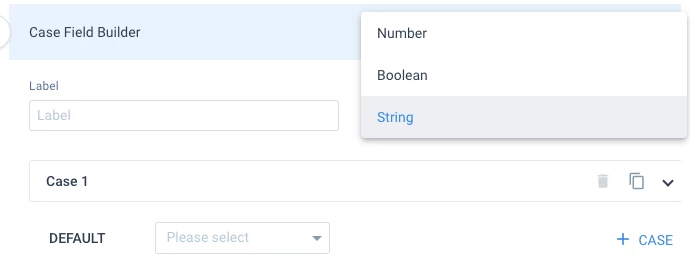
I’m using Data Designer to create forecast reports. In doing so, I have a number of case statements to determine the forecasted dollar amount. Currently, the only field type options are String, Number and Boolean. It would be great to have Currency as an output option.


6 replies

rakesh
Gainsight Employee ⭐️
Lets put your data to work!
July 14, 2020

Hi @harriseilenberg 


Can you expand on any limitations you are facing whenever you click number here?

Contributor ⭐️⭐️⭐️
July 15, 2020

Hi @rakesh,


It’s a minor visual limitation. When reporting on the calculated figures created in Data Designer, the output does not include a dollar symbol, whilst the fields pulled directly from SFDC or Currency fields in the MDA do.

rakesh
Gainsight Employee ⭐️
Lets put your data to work!
September 25, 2020

Hi @harriseilenberg  

If we give custom prefix and postfix options in Reporting, will that solve this problem? Or does that sound like a partial fix?

Contributor ⭐️⭐️⭐️
September 25, 2020

That would be great.

Gainsight Employee ⭐️
November 23, 2020

Hi there.


Currency symbols are being lost after using a Formula field in Data designer while pulling straight from the object will preserve the symbols while reporting on the dataset. Are there any workarounds available?

rakesh
Gainsight Employee ⭐️
Lets put your data to work!
December 7, 2020

Hi there.


Currency symbols are being lost after using a Formula field in Data designer while pulling straight from the object will preserve the symbols while reporting on the dataset. Are there any workarounds available?

Hi @rvinny 

All the data prep in Gainsight (Including Data Designer) happens in corporate currency only. We do retain the monetary value when we convert to corporate currency.