

jlicciardello
Contributor ⭐️⭐️⭐️⭐️
January 25, 2021
New Idea

Data Designer Filter and Summarize by Date

  • January 25, 2021
  • 4 replies
  • 216 views

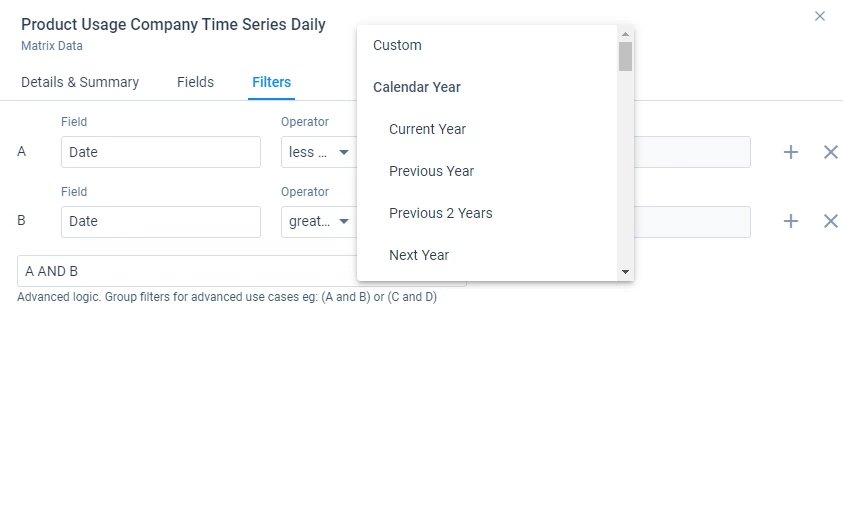
In data designer, working with dates is extremely limited. I cannot summarize by date before a transform, and I cannot dynamically select a date range from the past. For example, I want to summarize usage from last month, the month before that, and the month before that to calculate a growth rate over last 3 months. I can select date = “last 30 days” for last month’s usage, but how do I sum over the date range *between* 30 days ago and 60 days ago to calculate the previous month (or between 60 days ago and 90 days ago for 3 months ago’s usage)? 

The date filter needs an option such as “N days ago” so I can input “less than or equal to 30 days ago” and “greater than or equal to 60 days ago”. 


4 replies

sai_ram
Expert ⭐️⭐️
January 25, 2021

@jlicciardello Thank you for sharing. We do have “Next N days” but we don’t have “N days ago”. Valid use-case, redirecting this to the product team for more visibility. 

rakesh
Gainsight Employee ⭐️
Lets put your data to work!
February 12, 2021

Hi @jlicciardello 

If I understand the use-case you are mentioning right, the period over a period formula that we have in rules is what would help you most. Do let me know if that works!

jlicciardello
Contributor ⭐️⭐️⭐️⭐️
February 16, 2021

Hi @rakesh - period over period would work but I am trying to create a report/dashboard on this info not create a CTA/action and I don’t see Period over period as an option in the data designer formula field?

rakesh
Gainsight Employee ⭐️
Lets put your data to work!
March 25, 2021

Converting this to an idea.

We want to have a common data prep capabilities across our products. This is planned and I can share an update on this as we pick it up