

Gainsight CC Team
Helper ⭐️⭐️
April 17, 2023
Tutorial

How to Report and Resolve Content - A Short Guide
  • April 17, 2023
  • 17 replies
  • 682 views
How to Report and Resolve Content - A Short Guide

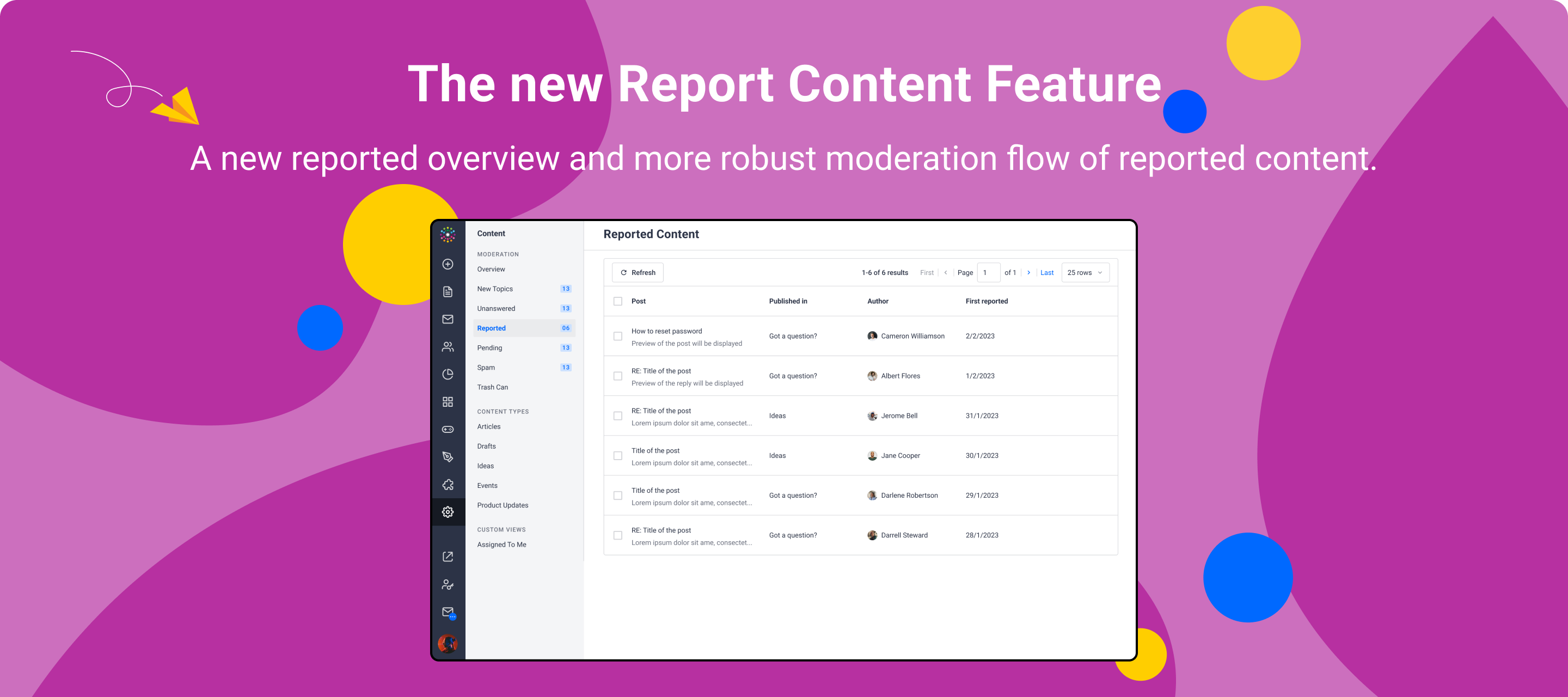
The new reported content feature is out, time for a short guide-through this feature that allows end-users to report content, and includes a new moderation overview in Control with a more robust moderation flow of the reported content submitted by community users.  Let’s dive into it!


How do End-Users Report Content?


In destination, end-users can report replies or topics on questions and conversations (as it was possible before when users flagged content).

End users can now also report ideas and replies on ideas and product updates to moderators. 
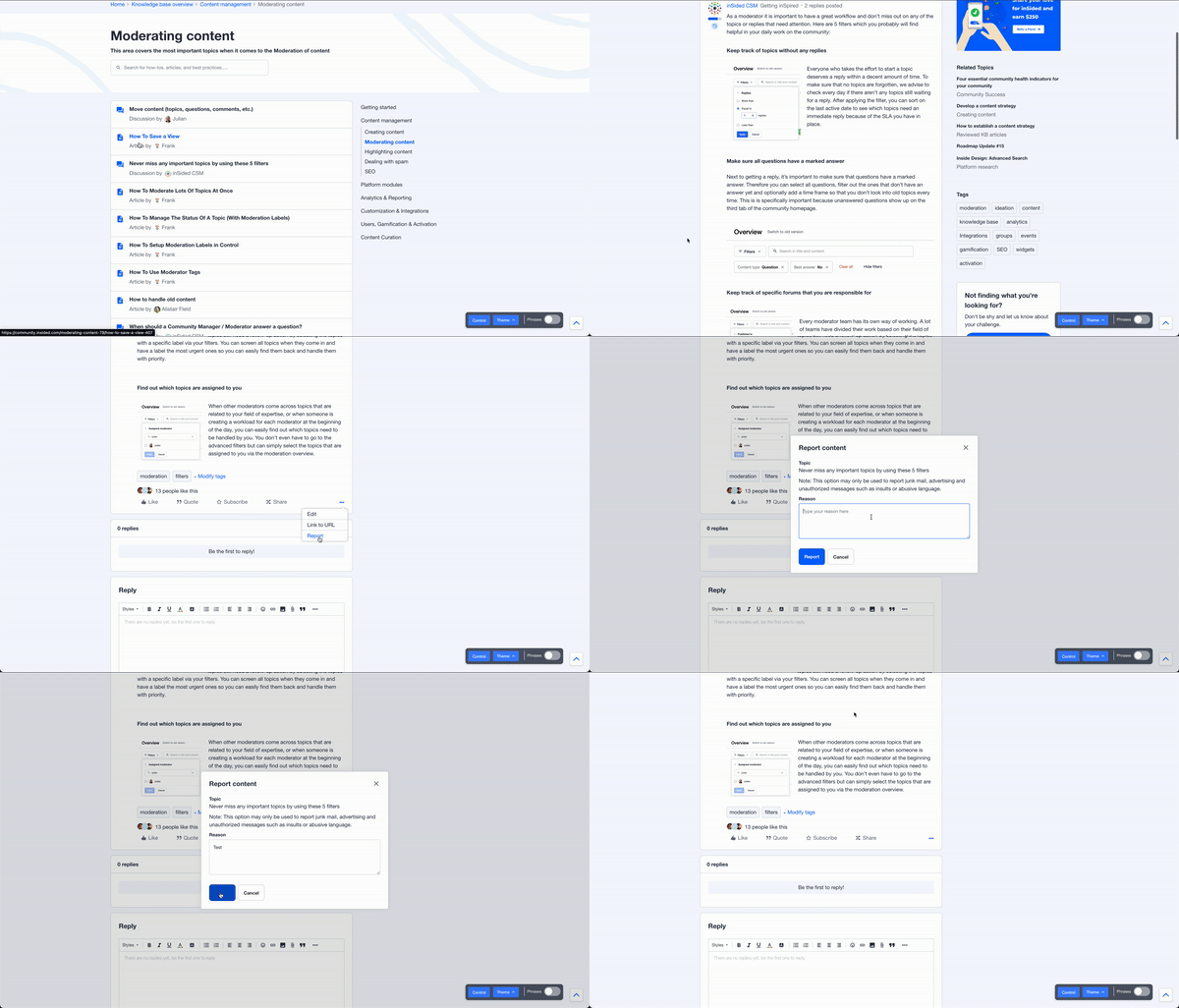
 

End-users should specify the reason why they are reporting the content, otherwise they won’t be able to report the topic or the reply to moderators. Multiple end-users can report the same topic, and the same end-user can report multiple times.


Once end-users click on Report, moderators will receive a moderation email notification that a reply or a topic has been reported. 


How do Moderators Resolve Content?


Moderators can see all reported content on the new Reported Content Overview Page in control, as shown below. From there, they can either resolve content from the overview page (Option 1) or from the Topic Moderation Page (Option 2) for a more robust moderation since this option will send a private message to all reporters that reported a specific topic or reply. 
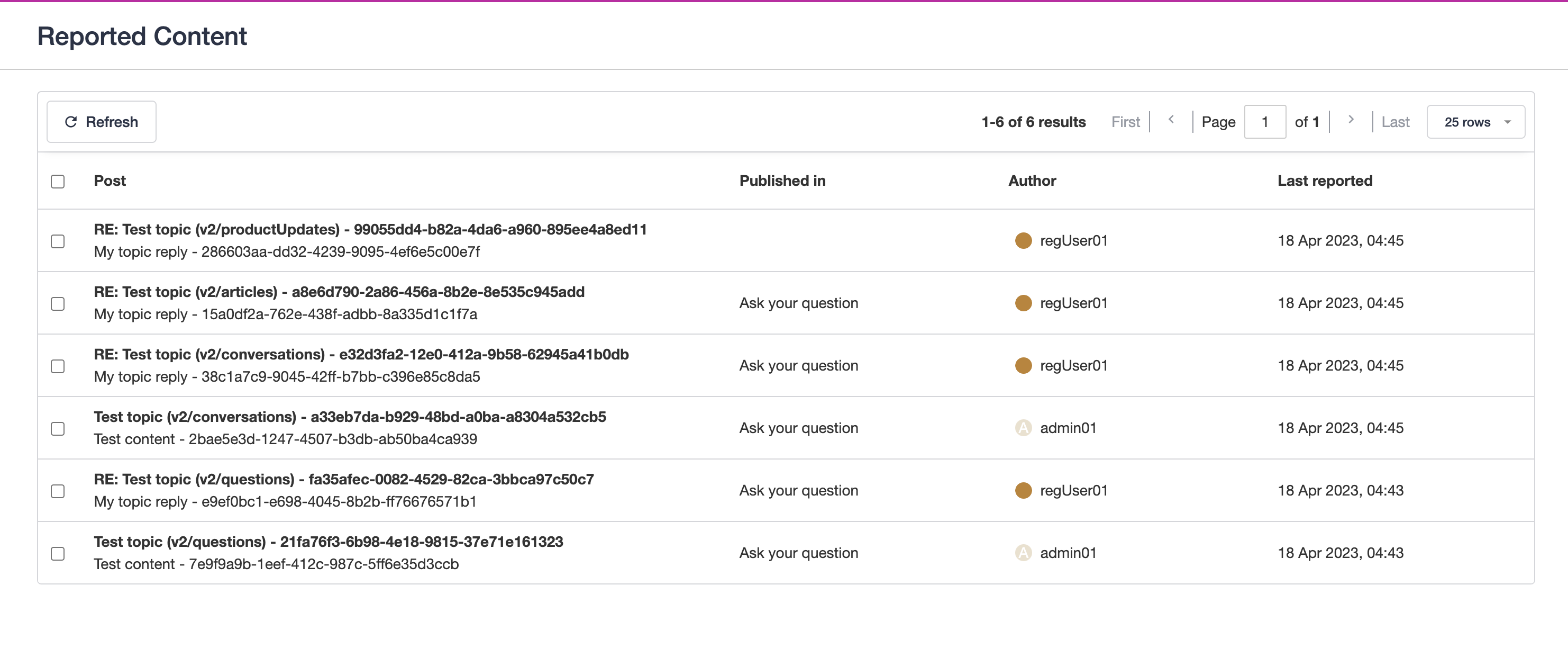


Option 1: Resolve From the Reported Content Overview Page

From there, moderators can now bulk-resolve reported content from the overview when they assess multiple topics that do not need individual moderation.

There is also a corresponding public API endpoint to enable additional workflows, but please note that the API call does not send out private messages to reporters. 
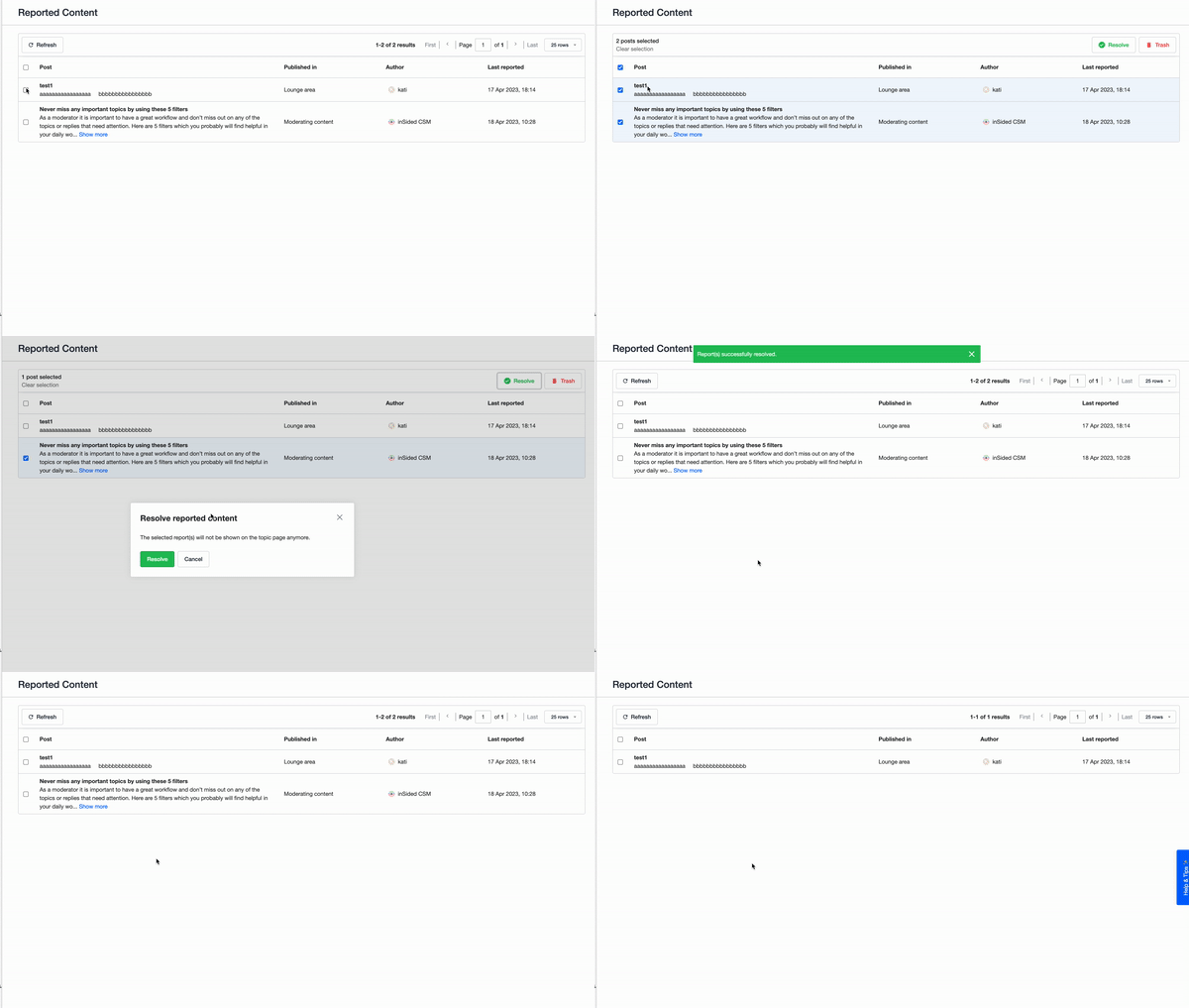
 

Bulk resolve reported content


Option 2: Resolve From the Topic Moderation Page 

From there, moderators can decide to moderate a specific topic or reply by clicking on it. A “Reported” pill will display on the topic or reply being moderated. 

All reasons will be shown to moderators. We will always show the first three reasons, if there are more, moderators can expand the UI to see all reasons. 
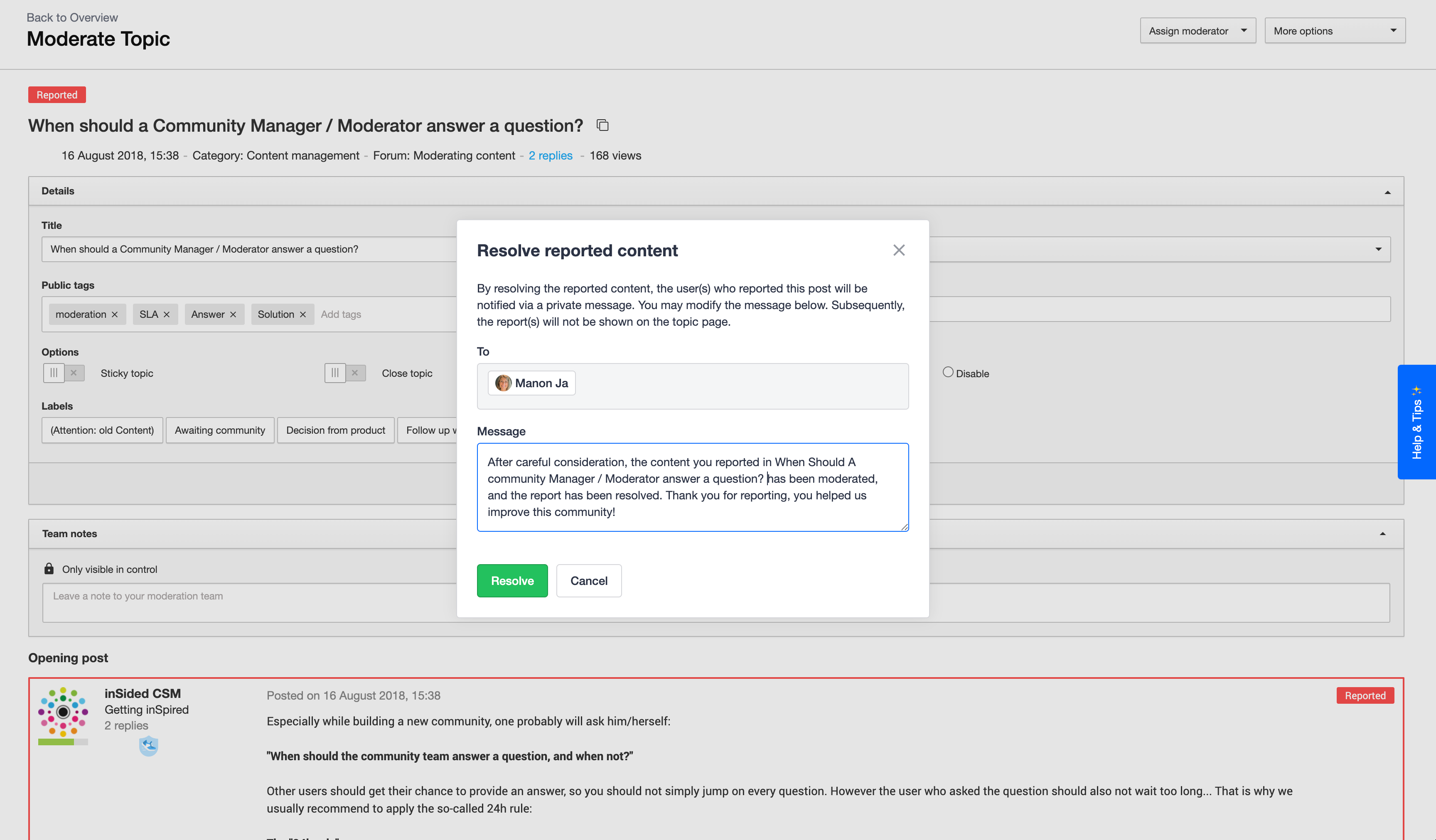


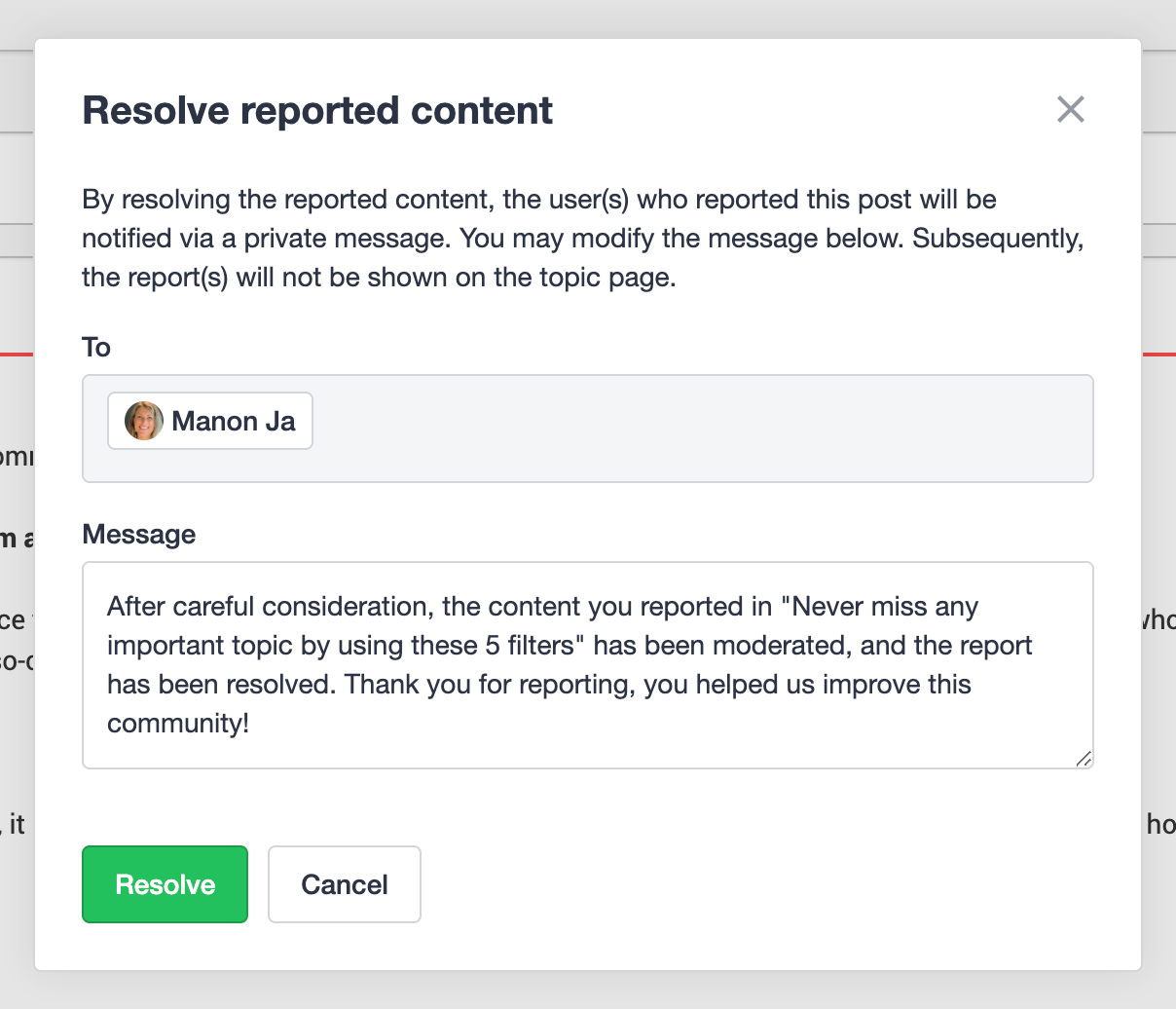
Moderators will resolve reports by clicking on the “Resolve” button. This action will open a modal with a pre-filled message. This message will be sent as a Private Message to reporters. 
 

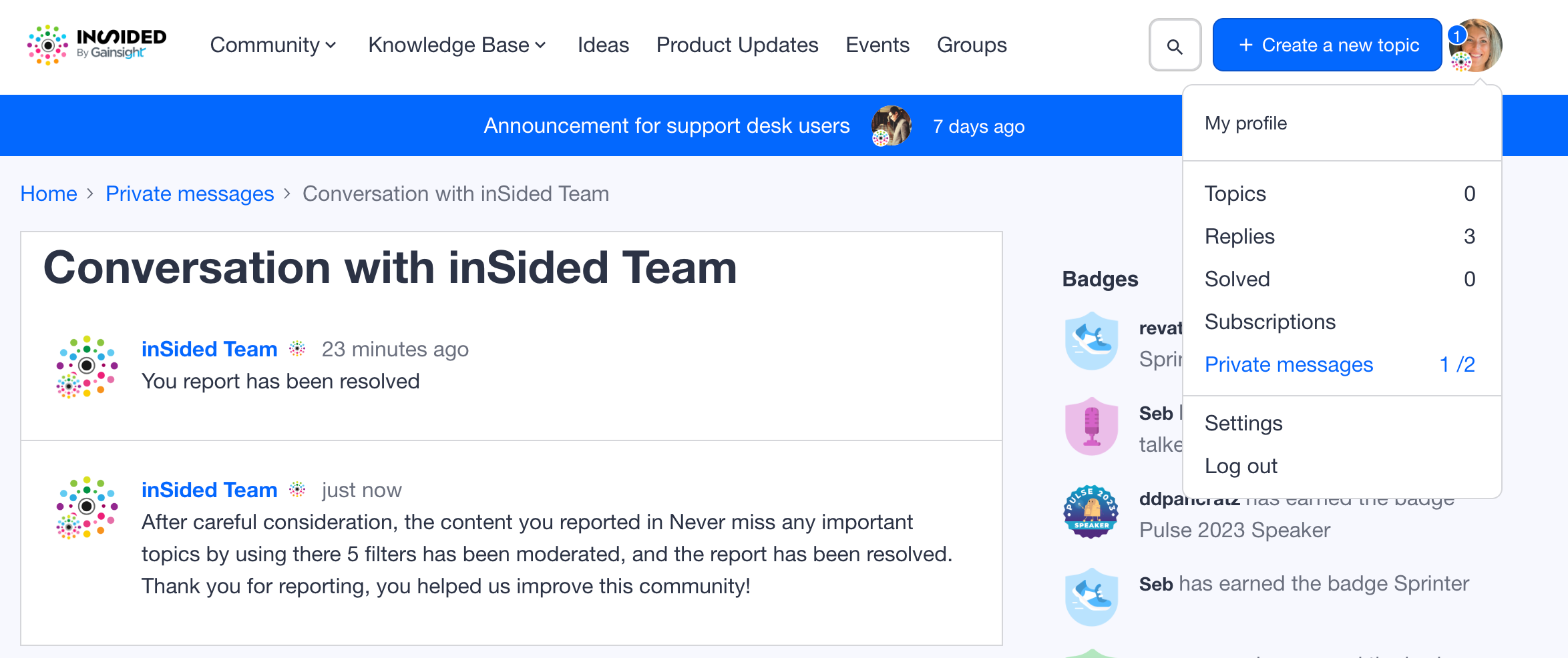
Reporters will thus receive a new Private Message, as such:


Et voila! We’ve just shown you how users can leverage their power to keep a professional and accurate content in the community, and how moderators can moderate it in a more robust and clean way. 


⭐️ As always, we would love to hear your thoughts and feedback in the comments! ⭐️

17 replies

Contributor ⭐️⭐️⭐️⭐️
November 19, 2024
  • The default message populated in the private message when reported topics are resolved

Does anyone know the phrase to update this? I couldn’t find it in the replies.


Thanks!

kate_vazquez
Contributor ⭐️
January 13, 2026

Random question, but I cannot seem to find the “definitions”. 
What does “Resolve” actually mean and what actions are taken when “Resolve” is selected? Does this delete the reported content? Does this leave it as it, and just let people know it has been (essentially) “Reviewed”. 

If we want to delete the post, do we click the “Trash” option and is anyone notified? Or do we need to message the original post creator why it was “Trashed” and the reporters? 


Just want to make sure I cover all the right steps to handle a sensitive post. 


Thanks! 

samanthahamlet
Gainsight Community Manager
January 15, 2026

Random question, but I cannot seem to find the “definitions”. 
What does “Resolve” actually mean and what actions are taken when “Resolve” is selected? Does this delete the reported content? Does this leave it as it, and just let people know it has been (essentially) “Reviewed”. 

If we want to delete the post, do we click the “Trash” option and is anyone notified? Or do we need to message the original post creator why it was “Trashed” and the reporters? 


Just want to make sure I cover all the right steps to handle a sensitive post. 


Thanks! 

Great questions ​@kate_vazquez

Clicking Resolve leaves the reported content as is, and lets reporters know that it has been reviewed, so we recommend using this if the content requires no further action, or if you’ve already edited and reviewed the content.

You can click the Trash option to delete the post (and this won’t notify the poster, so there's no need to message the original post creator or reporters to let them know why it was trashed). 


Hope this helps! 😊 

kate_vazquez
Contributor ⭐️
January 15, 2026

Thanks ​@samanthahamlet ! 

Contributor ⭐️⭐️
January 21, 2026

Hello 🤠

I'm looking for the ability to customize this default "resolve reported content" private message template. I noticed this question has come up several times in this thread but hasn't been answered yet.

For context, our prepopulated message currently reads:

"After careful consideration, the content you reported in [Topic Title] has been moderated, and the report has been resolved. Thank you for reporting, you helped us improve this community!"

We'd like to customize this to better match our community's tone and branding. Is there a phrase key available to customize this message? If not, is this something that could be added?

Thanks!

revathimenon
Gainsight Community Manager
February 3, 2026

Hi ​@ndebban 

Looping back to you on this shortly!

Where focus goes, energy flows.
samanthahamlet
Gainsight Community Manager
February 3, 2026

Hey ​@ndebban 

Thanks for your patience while we tested this on our end, it looks like you can edit the message but any changes are not saved for the next use. I’d recommend reaching out to Support to explore adjusting the template message for you. 

Hope this helps! 😊