


Gainsight CC: Organize Ideas and Product Updates by Category for Better Discovery (Open Beta)
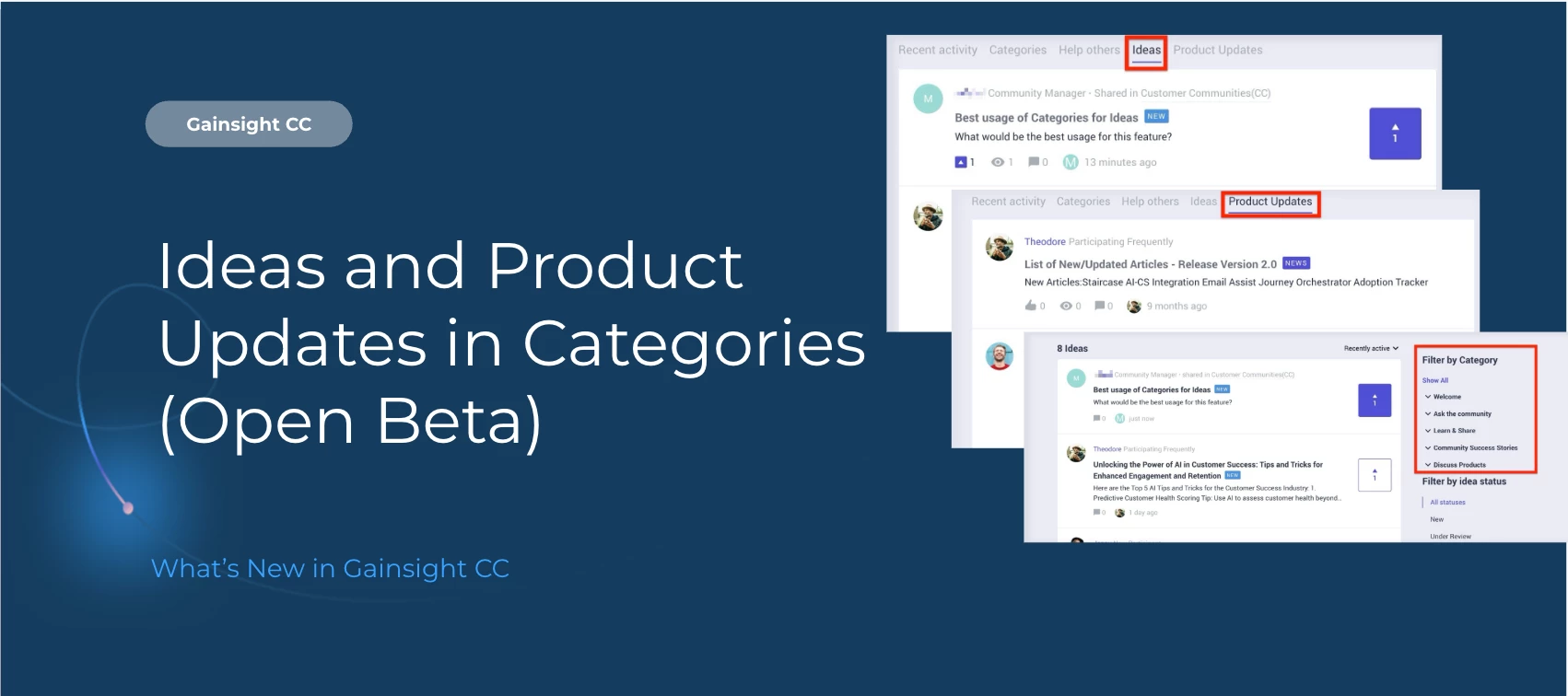
Make it easier for your community to find, explore, and contribute ideas with category-based organization for Ideas and Product Updates.
With this enhancement, Ideas and Product Updates can be created directly within Community Categories, helping keep feedback aligned to the right product areas and improving navigation across the Community experience.
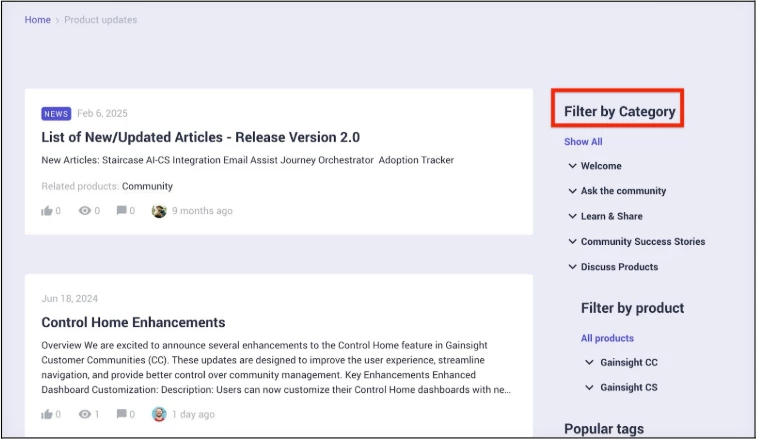
This means cleaner organization, better filtering, and a more intuitive way for members to engage with the content that matters most to them.
What’s New
Mandatory category selection for new Ideas and Product Updates
Every new Idea or Product Update must be assigned to a Community Category before it’s published, ensuring consistent organization across your Community.
Category-based filtering in Destination view
Members can now filter Ideas and Product Updates by category, making it easier to discover content related to specific products or topics.
Role-based access control
Leverage existing category permissions to securely scope Ideas or Product Updates to specific user roles or groups.
Tabs widget support for Ideas and Product Updates
The Ideas and Product Updates tab includes category-based filtering, allowing users to view content by product area alongside other supported content types.
Learn More
- Learn how to organize Ideas in Categories: Getting Started with Customer Community Ideation
- Learn how to manage Product Updates by Category: Getting Started with Product Updates
🙌 Shoutout to the Limited Beta Crew
Big thanks to the teams at Cognite, Alliant, KPN, and Adobe for putting Ideas and Product Updates in Categories to the test! Your feedback helped
Also in this Release: Experience Faster, Smarter Community Data Exports with Exports Enhancement (GA)
Gainsight has enhanced Community’s data export functionality, delivering better data accuracy, broader insights, and a smoother user experience with the new Exports v2.
👉 Check out the Exports Enhancements Release Notes and Ideas and Product Updates in Categories Release Notes for more details.
💬 Have questions or feedback? We’d love for you to join our Open Beta Group for Ideas and Product Updates in Categories, drop a comment below, or better yet, ask our new AI!