


kcronin
Gainsight Employee ⭐️
May 13, 2026

Gainsight CC: Stop Spam Before It Starts with AI-Powered User Profile Moderation
Related products:CC Analytics & ReportingCC ModerationCC AI
  • May 13, 2026
  • 16 replies
  • 346 views

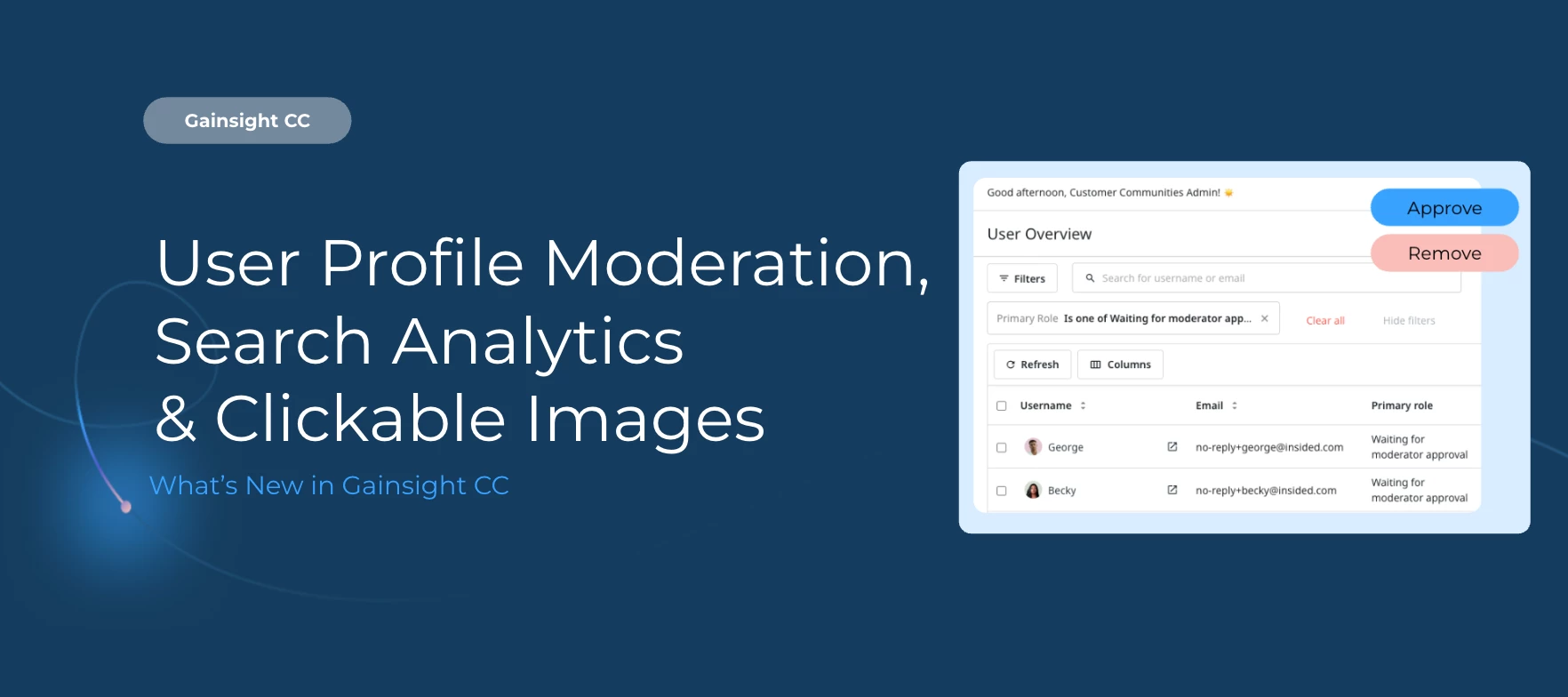
The Moderation AI Agent now screens new user registrations automatically, stopping spam bots and NSFW accounts before they ever set foot in your community.


Screen New User Profiles with AI-Powered Moderation

AI screening at the point of registration When a new account is created, the Moderation AI Agent evaluates it using the same intelligence applied to community posts. Accounts flagged for spam or NSFW content are automatically set to Banned and moved to the Banned Users group, with no manual review required.

Five profile fields analyzed The AI evaluates username, email address, signature, custom profile fields, and avatar image to make its determination.

Role-based exclusions built in Admins, Community Managers, Moderators, and Superusers are never screened, regardless of your settings.
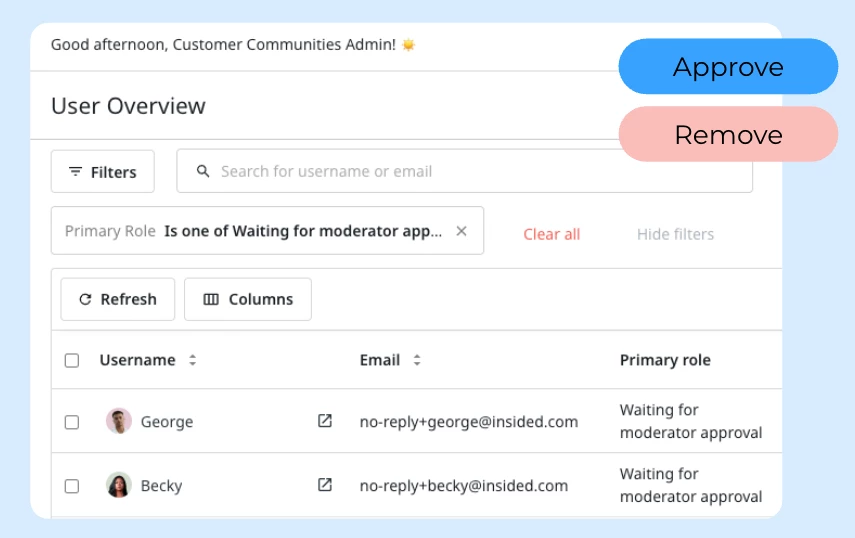
Get Started Navigate to AI > Moderation Agent in Customer Communities Control and turn on the User profile moderation toggle.


AI Answers Analytics in the Search Analytics Dashboard (Beta)

If you're running AI Answers, you can now measure how members are actually engaging with it. The Search Analytics Dashboard has been updated with a dedicated AI Answers Analytics section, giving you clear visibility into answer adoption and quality.

New metrics now tracked:

  • Total Summaries Generated: How many AI Answers have been created

  • Impressions: Unique views or interactions with an AI Answer lasting 10+ seconds

  • Sources Clicked: Clicks on inline links and cited sources within AI Answers

  • Continue Reading Clicked: How often users expanded a full AI Answer

  • Show All Sources Clicked: How often users expanded the sources list

  • Helpful / Unhelpful Feedback: Direct thumbs-up and thumbs-down signals from members
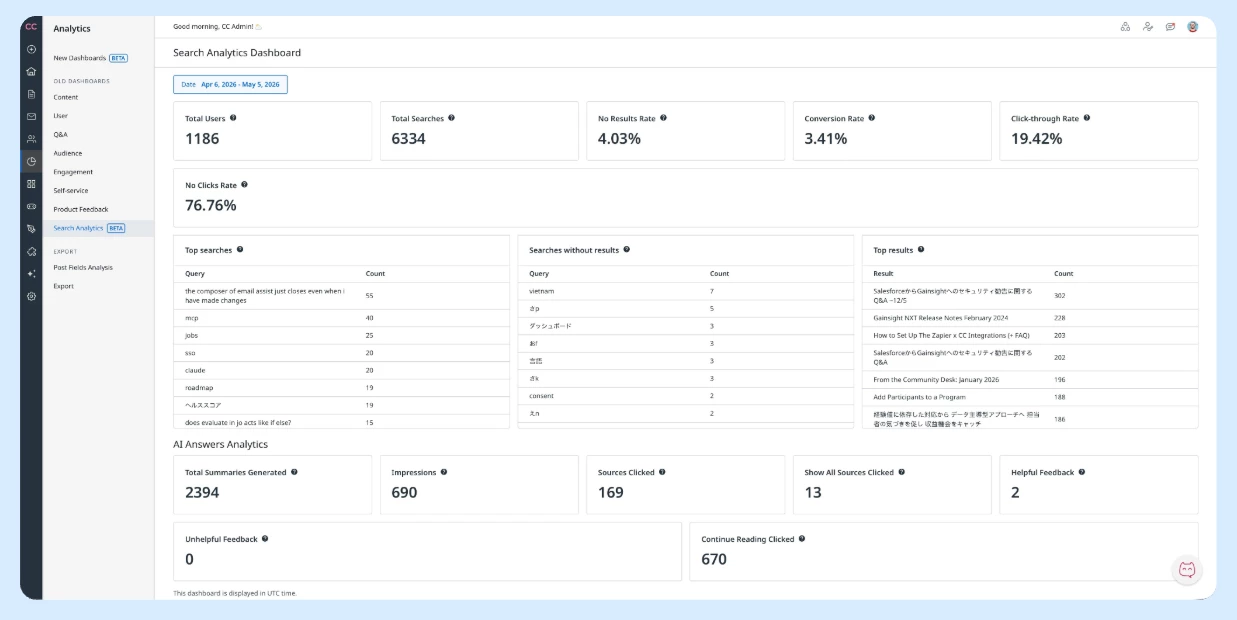
Note: AI Answers Analytics metrics are measured starting from April 28, 2026.

To access the dashboard, navigate to Analytics > New Dashboards (BETA) in Customer Communities Control.


Make Images Clickable in Posts and Topics

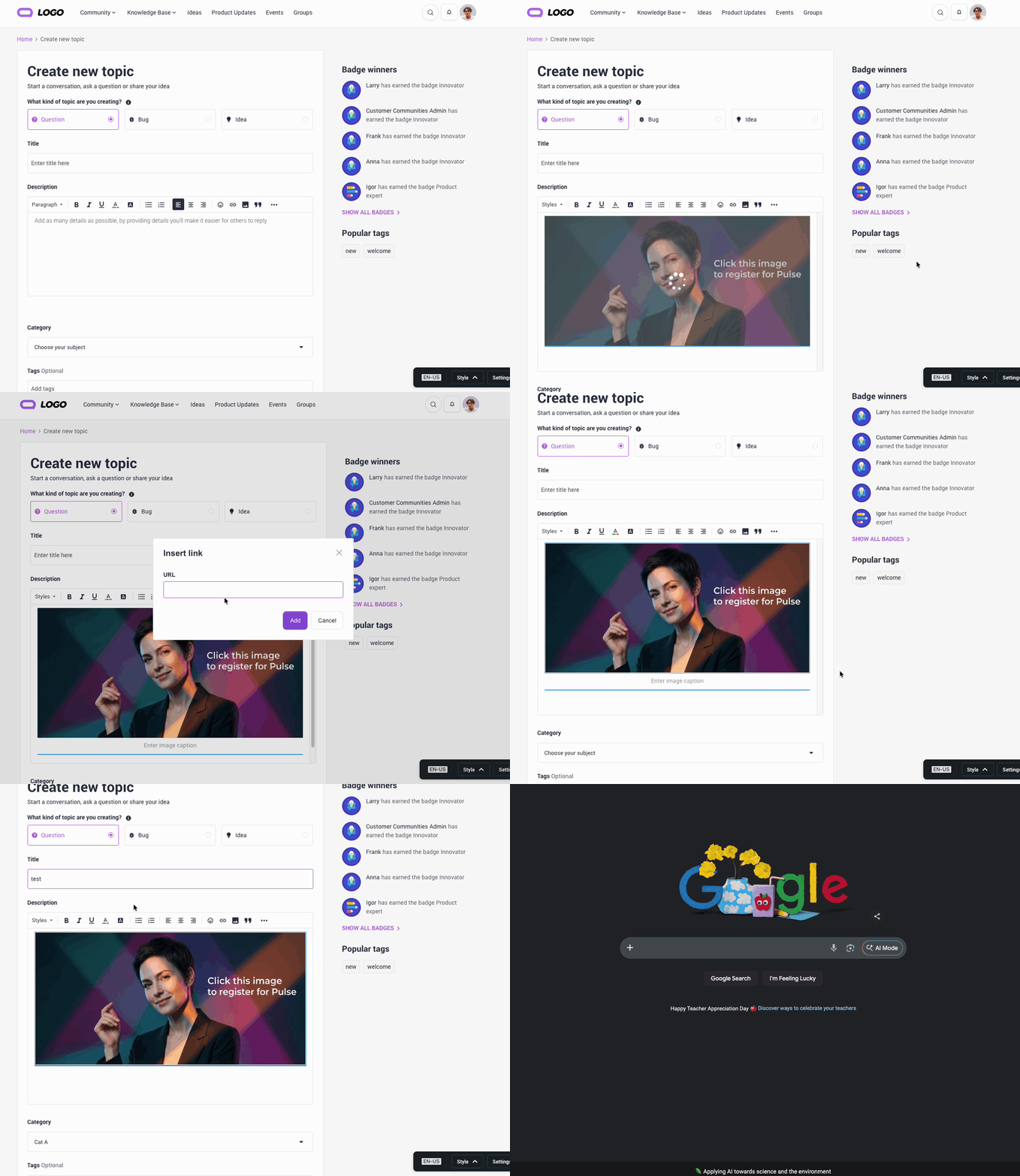
You can now hyperlink images directly in the rich text editor. After uploading an image to a post or topic, click on it and select the Hyperlink option to attach a URL. Once published, clicking the image opens the linked URL in a new tab, turning any image into a clickable, navigable element. Images without a hyperlink will continue to open in a lightbox. Images with a hyperlink skip the lightbox and take the user directly to the linked URL instead.

👉 Check out the Release Notes for more details.
💬 Have questions or feedback? Drop a comment below — or better yet, ask our new AI!


    16 replies

    Larry
    Gainsight Employee ⭐️
    Gainsight Employee ⭐️
    June 4, 2026


    Quick question:

    • where can we see the criteria that AI uses for Profile Moderation?
    • is it possible to personalize/alter these criteria or can we rely on the default system?


      Thanks in advance

    Good questions, ​@Daniele Cmty

    Right now, the profile moderation agent evaluates against your community's stated Community Context and Code of Conduct as configured in the Control panel so the criteria are largely driven by what you've defined there. Also applied are the five profile fields (username, email, signature, custom fields, avatar). There isn't a separate, dedicated criteria view in the UI just for profile moderation yet, so for now you can rely on the default system.

    On customization: this is exactly the area we're investing in next. The direction is to give community managers more visibility into what's being evaluated and a way to refine the guidelines the AI uses over time, rather than it being a fixed black box. No timeline to announce yet, but it's an active focus, including the auto-generation of Code of Conduct / Community Content + Visibility into false positives and negatives.

    Larry Imgrund || Senior Product Manager & Community Nerd
    Larry
    Gainsight Employee ⭐️
    Gainsight Employee ⭐️
    June 4, 2026

    For me, it’s not!

    I’ve filed this as a bug to fix. ​@laura.porcincula ​@maxpetesprout 

    I’ll do some testing on your sandbox environments so please don’t be surprised if you see anything there in stage!

    Larry Imgrund || Senior Product Manager & Community Nerd
    Larry
    Gainsight Employee ⭐️
    Gainsight Employee ⭐️
    June 4, 2026

    Screen New User Profiles with AI-Powered Moderation

    AI screening at the point of registration When a new account is created, the Moderation AI Agent evaluates it using the same intelligence applied to community posts. Accounts flagged for spam or NSFW content are automatically set to Banned and moved to the Banned Users group, with no manual review required.


    We have an SSO sign-in and registration. Does this work then?

    @Erik_  Yes, it works the same for SSO. Accounts created through your SSO sign-in and registration flow are screened by the moderation agent exactly like standard registrations, so there's no gap there. Just make sure User profile moderation is toggled on for your community (AI > Moderation Agent in Control) and once it's enabled, it applies regardless of whether the account came in via SSO or the standard signup flow.

    Larry Imgrund || Senior Product Manager & Community Nerd
    Larry
    Gainsight Employee ⭐️
    Gainsight Employee ⭐️
    June 8, 2026

    @maxpetesprout ​@laura.porcincula Real quick, wanted to check on this. Are you using internal links (meaning hyperlinks to posts or pages within the community) when linking to the image and your intention is to have it open in a new tab?

    If so, this is one nuance I made a decision on where internal links in the community will remain in the same page. I can change that very quickly for the short-term, I do plan on making sure you have the option to choose how the hyperlinks opens (new tab or not) regardless.

    Larry Imgrund || Senior Product Manager & Community Nerd
    laura.porcincula
    Contributor ⭐️⭐️⭐️⭐️
    June 9, 2026

    We use both, and they’re working for me now. For internal links, since our community is hosted on a subdomain, I would still like anything going to our other subdomains to open in another window. I would prefer external to open in a new window too. Thank you!

    Larry
    Gainsight Employee ⭐️
    Gainsight Employee ⭐️
    June 11, 2026

    We use both, and they’re working for me now. For internal links, since our community is hosted on a subdomain, I would still like anything going to our other subdomains to open in another window. I would prefer external to open in a new window too. Thank you!

    Created a ticket to update the behavior, will try to pull this in within a week or two. Stay tuned!

    Larry Imgrund || Senior Product Manager & Community Nerd