daniel.boon
Helper ⭐️⭐️⭐️
June 2, 2020
Beta Release

Improved Moderation Overview: public beta feedback thread

Related products:CC Moderation
  • June 2, 2020
  • 73 replies
  • 1772 views

Did you arrive at this topic via the moderation overview, but don’t yet have an inSpired account?

Make sure to sign up for an inSpired account and leave a reply on this topic with your feedback ⭐️

We’ve released a brand-new moderation overview in public beta for all community managers and admins. Moderators can also access the beta if your community manager has opted you in.

The moderation overview is getting an overhaul, both in terms of design and capabilities.

New filtering options, editable custom views, refresh without reloading the page, and an improved design

Read on to find out what’s available right now and for whom, learn about the next steps and planned items, and find out how you can contribute to improving the new moderation overview.


What’s already available in the new moderation overview?

The following capabilities are available in the new moderation overview:

:white_check_mark: Save, edit, and share custom views.

:white_check_mark: Improved page load times and a quick refresh button to reload the topic stream without reloading the whole page.

:white_check_mark: Improved filtering UX and an improved title/content keyword search.

:white_check_mark: New filters, including: relative time filters for last active/publish date, filter by ideation status, and a multiselect filter for moderator tags.

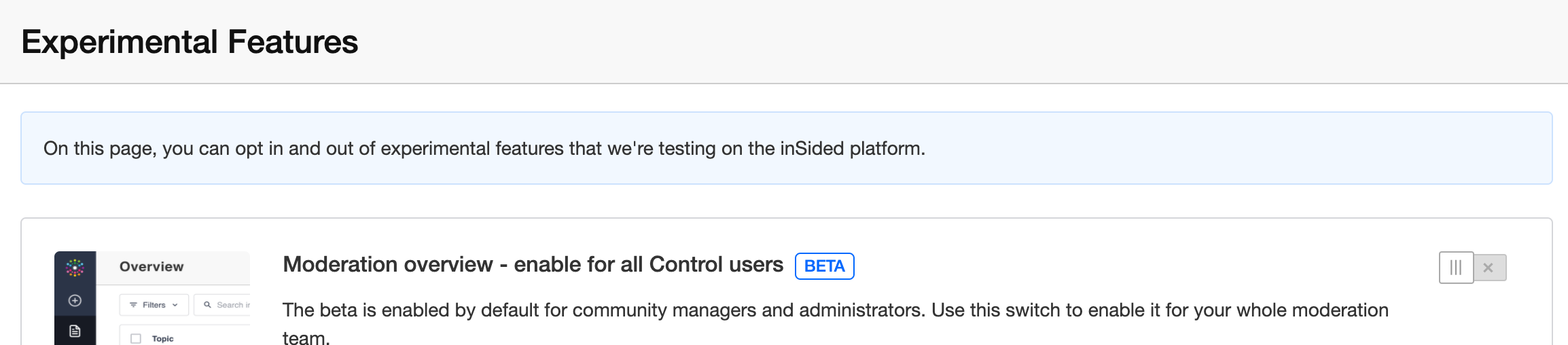
🆕 As an administrator/community manager, you can opt-in to allow your entire moderation team to participate in the moderation overview beta. Just click the ‘enable for team option’ and flick the switch on our new experimental features page.

We’ve done this based on early feedback that we’re still lacking key features in the new overview, and that it would add complexity for larger moderation teams to have the beta suddenly available for the entire moderation team.


Of course, we couldn’t build these improvements without all the fantastic input from our community - so here’s a couple of shout outs to those who inspired us with their ideas.

Thanks to @Jurgen for submitting this idea about editing advanced topic filters (13 votes) and (partially delivered) dynamic date filters (4 votes) , @lila_meyer for this idea to share saved views / advanced filters with other users (3 votes), EricF for this idea (partially delivered) New topics should populate automatically on the backend (no refresh required) (8 votes), and @josh-sp for this idea Add "Ideation Status" to Advanced Filters under Content Overview (2 votes).

(💡^ that’s 30 inSpired votes!)


What’s next / planned for the new moderation overview?

Latest update: https://community.insided.com/news-platform-updates-16/improved-moderation-overview-public-beta-feedback-thread-2182?postid=8622#post8622

We have no short-term plans or a set date on which we’ll get rid of the old moderation overview.

Our ambition is to provide a better set of capabilities and a better design on the new moderation overview, and eventually phase out the old moderation overview, based on your feedback and usage.


How can you contribute and help us build a great moderator experience?

We’ll use this topic as a megathread to collect feedback from you and to provide updates on new features/changes as we iterate over the new moderation overview further.

We’ve included a feedback button on the beta overview page in Control, which takes you directly to this topic.

We’re excited to hear your first impressions!

73 replies

daniel.boon
Helper ⭐️⭐️⭐️
August 21, 2020

Thanks for letting us know @Suvi Lehtovaara - example URLs would be great (you can message them directly to me if you’d like).

inSided product alumnus
Suvi Lehtovaara
Helper ⭐️⭐️
August 21, 2020

You probably already know this, but just to be sure:

If a topic has been created as an idea by mistake, and the topic is moved to another category without removing the idea status, the idea status remains in the topic. This is a bug and we’ve filed in a ticket about it. But now we see this behaviour also in the new overview.

Basically all of these topic in the screen cap below are really not new ideas, but the Filter: ideation status' > 'New Idea' brings them to the overview.


https://yhteiso.elisa.fi/
Suvi Lehtovaara
Helper ⭐️⭐️
August 24, 2020

When there are more columns selected than the default, the table is too wide. The scroll bar is at the bottom of the table, which is rather uneasy to find.


https://yhteiso.elisa.fi/
daniel.boon
Helper ⭐️⭐️⭐️
August 24, 2020

Thanks for the extra feedback @Suvi Lehtovaara.

The issue with ideation statuses is something that we’ll resolve in our upcoming revamped ideation module.

RE: scrolling - are you using a trackpad or a mouse? If using a trackpad, the two-finger horizontal scroll gesture should work with the new table. If using a mouse, then a common shortcut for horizontal scrolling is to hold SHIFT and use the mouse wheel - this will let you scroll horizontally without having to reach for the scrollbar.

Let me know if that’s helpful!


inSided product alumnus
Suvi Lehtovaara
Helper ⭐️⭐️
August 25, 2020

Thanks for the extra feedback @Suvi Lehtovaara.

The issue with ideation statuses is something that we’ll resolve in our upcoming revamped ideation module.

Yes, I heard about this. Great news! :relaxed:


RE: scrolling - are you using a trackpad or a mouse? If using a trackpad, the two-finger horizontal scroll gesture should work with the new table. If using a mouse, then a common shortcut for horizontal scrolling is to hold SHIFT and use the mouse wheel - this will let you scroll horizontally without having to reach for the scrollbar.

Let me know if that’s helpful!


I think our team uses both, I’ll share the tip if they encounter this :relaxed:

https://yhteiso.elisa.fi/
LPortalupi
Helper ⭐️
September 22, 2020

Hi @daniel.boon. I’d love to be able to filter posts by user(name). 

Why: To apply multiple filters to find all posts by one user that fit certain criteria – for example, all of one user’s replies, all of one user’s posts in a specific category or group.

Goal: To see behavior patterns (positive or negative) that can be referenced when communicating with a community member.

Thanks for the feedback / clear idea @LPortalupi! Around how many users do you communicate with, and how often, where checking this information beforehand would be helpful? :)

I’d say I want to do this a couple times per month, but this will likely increase as we bring on a moderator to read all posts. From the member’s profile, it’s harder to keep track of which posts I’ve reviewed, plus I can’t filter these in any way. Right now it’s just a few people whose posts I need to review (when someone has brought a post to my attention), but I expect this number will grow. 

daniel.boon
Helper ⭐️⭐️⭐️
September 22, 2020

Thanks for clarifying @LPortalupi !

inSided product alumnus
aluciani
Helper ⭐️
September 24, 2020

Was wondering if there are plans to remove/update the New Topics, Unanswered, etc menu items. when you click on them you will see a message telling you to use the new Overview.


Suvi Lehtovaara
Helper ⭐️⭐️
October 2, 2020

When there are more columns selected than the default, the table is too wide. The scroll bar is at the bottom of the table, which is rather uneasy to find.


Are there any updates on this? @daniel.boon 

https://yhteiso.elisa.fi/
Suvi Lehtovaara
Helper ⭐️⭐️
October 2, 2020

Feedback from our moderator team:

As a part of our weekly moderating routines our team does a weekly “check up” on the community. Meaning that they browse through all the topics from the last week to see whether all topics have been commented on, they’re in the right categories and that all the topics have public tags.

In the old overview the team was able to filter topics that had no public tags using “Publish after date (a date app. a week ago)” as the search criteria and then they just simply clicked on the Public tags column and saw whether there were some topics without public tags. Now, in the new overview, one is not able to “filter” with the Public tags.

Could this be fixed? :relaxed:

https://yhteiso.elisa.fi/