

Yoeri
Gainsight Employee ⭐️⭐️⭐️
December 14, 2018
Release

Quick links are here!
  • December 14, 2018
  • 28 replies
  • 1022 views
Quick links are here!
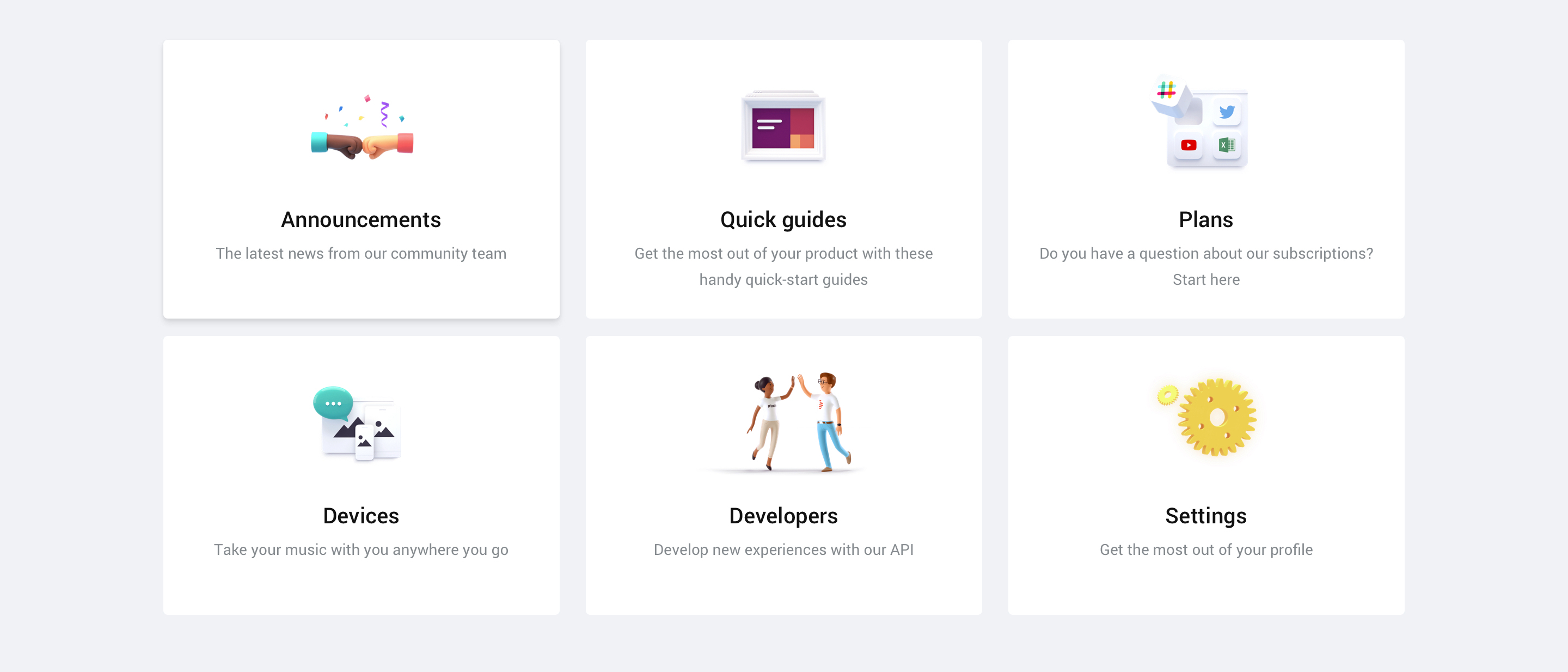
We're excited to announce that the quick links feature that we recently posted about are now available in your community.

Quick links can be added to your homepage and are there to guide your users to virtually wherever you want your users to be: a FAQ article, an important category, a list of topics with a specific tag and more. You can point to everything that has an URL.

Setting up quick links is easy as pie and gives you direct visual feedback on how the quick links will appear on your community. You can find more information on setting up quick links in the guide below:

How To Set Up Quick Links On Your Homepage

A list of specifications
  • Quick links will be shown on the Homepage
  • Quick links can point to both an internal and external URL
  • Quick links are responsive and will evolve into a horizontal scroll list on small devices
  • You can set up as many quick links as you like
  • You can choose between 3 different types of quick links: plain text, icon or image
We hope you like this new feature. If you have any feedback drop us a comment below 👇

28 replies

Jurgen
Helper ⭐️
January 4, 2019
I don't want to be a Debbie Downer, but looking at the data I don't see a lot of reason or incentive to improve the homepage with features like this one at all. Topic visits account for pretty much all forum visits, because of a thing called Google.


Therefore, it makes more sense to me for Insided to work on improvements for topic pages. For example: providing a search query that delivers relevant content in the 'related topics' Topic Sidebar widget. Right now, these "related" topics literally might as well be completely random. Actual related topics might actually help users find their answer.

When it comes to the homepage, I'd recommend you build improvements with the needs in mind of the user group that is important to us and use the homepage most actively: super users. For example, this idea.
Florian
Contributor ⭐️⭐️⭐️⭐️
January 9, 2019
Hi @Jurgen ,

thanks for sharing the insight! :)

Therefore, it makes more sense to me for Insided to work on improvements for topic pages. For example: providing a search query that delivers relevant content in the 'related topics' Topic Sidebar widget. Right now, these "related" topics literally might as well be completely random. Actual related topics might actually help users find their answer.


Totally, agree that the relevant topics are currently not useful and most of the time non-relevant!

When it comes to the homepage, I'd recommend you build improvements with the needs in mind of the user group that is important to us and use the homepage most actively: super users.


Well, it depends a bit also on the absolute numbers - I have not only SuperUsers (would gladly have that many! 😉 ) on the homepage, and the number is big enough to pay some attention to it.


For example, this idea.


I really like your idea of providing a more personal experience to all the users and have expanded the thought

Cheers,

Florian
Yoeri
YoeriAuthor
Gainsight Employee ⭐️⭐️⭐️
January 14, 2019
Interesting discussion going on, thanks for sharing your feedback and insights!
Group Product Manager, Customer Communities
Yoeri
YoeriAuthor
Gainsight Employee ⭐️⭐️⭐️
January 16, 2019
We just deployed a configuration option that allow you to open a quick-link in a new tab. When adding or editing a new quick-link you can select where it should open (default is in the same tab)


@Moller Toma hope you enjoy this improvement 🙂
Group Product Manager, Customer Communities
Moller Toma
Helper ⭐️
January 16, 2019
@youri Great! But unfortunately it doesn't work. The Quick Links still open in the same tab.
Julian
Gainsight Employee ⭐️⭐️⭐️
January 17, 2019
Strange... I just clicked on the "status incident page"-quicklink (from the example) and it worked for me!?

Did you try it in your own environment? If you can point to where it does not work, we can check what the reason is.
I follow my nose, it always knows
Yoeri
YoeriAuthor
Gainsight Employee ⭐️⭐️⭐️
January 17, 2019
Let us investigate.
Group Product Manager, Customer Communities
Moller Toma
Helper ⭐️
January 17, 2019
@Julian it seems like the changes are not always applied successfully from the control environment to front-end. I logged in again and the changes were not successfully applied, so I tried it again and now it works!
Julian
Gainsight Employee ⭐️⭐️⭐️
January 17, 2019
Thanks for the additional info. Yoeri will pick this up, I am sure they will be able to iron this out!
I follow my nose, it always knows
Florian
Contributor ⭐️⭐️⭐️⭐️
May 17, 2019
Are there plans to make quick-links vailable to parent categories or categories (forums), i.e. enabling the community manager to give a support forum a different look & feel from a board where members talk about entertainment?