


Staircase Newsletter May 2026
Staircase May 2026

We’re excited to share the 2026 insights from across the Gainsight. Inside, you’ll find updates designed to help you learn, connect, and grow. We hope you enjoy exploring what’s new, discovering fresh ideas, and finding meaningful ways to engage with the broader Gainsight family as we continue to grow together.
Let’s dive in!😀

New: Topic Trends
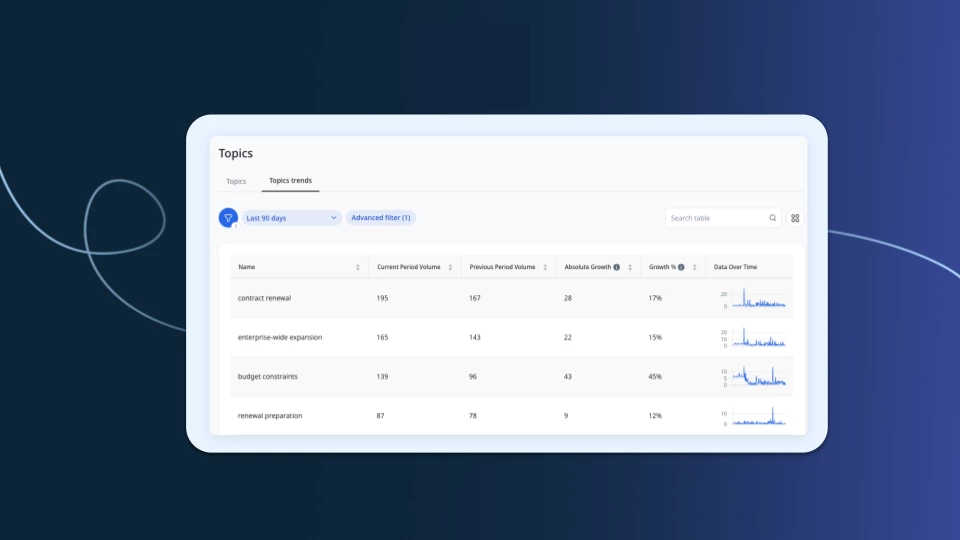
Topic Trends adds growth metrics and time-series views to the Topics report so you can spot emerging patterns before they become bigger issues.
What's new:
- Growth metrics including volume, absolute growth, and growth % by topic
- Subtopic-level visibility to catch spikes in specific areas like Bug Resolved or Case Activity
- Metrics automatically recalculate when you adjust your date range filter
Why it matters: No setup required. If you're already using the Topics report, the new fields are ready for you in Select & Reorder Columns.
Learn more about Topic Trends
Export Risk and Expansion Analysis as PDF
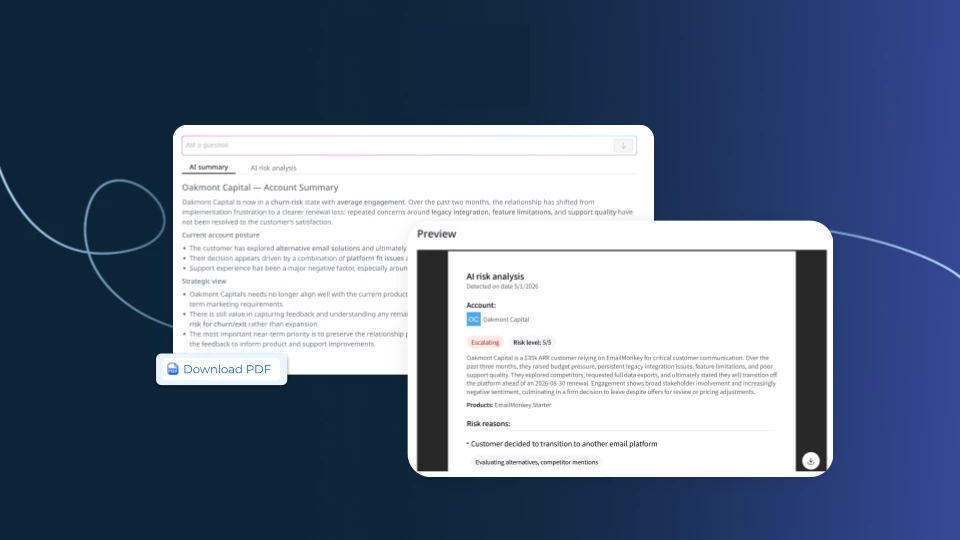
You can now download Risk and Expansion Analysis reports as formatted PDFs directly from the Accounts page, making it easy to share insights with stakeholders who don't have platform access.
Here's what's new:
- Expansion Analysis PDF includes opportunity breakdowns, confidence levels, and evidence quotes
- Risk Analysis PDF includes risk reasons, severity levels, playbook details, and stakeholder cards
Why this matters: Share Staircase insights in a clean, portable format without sending anyone a platform login.
Learn more about Expansion Analyst
Learn more about Risk Analyst
Manage Multiple Email Addresses Per User
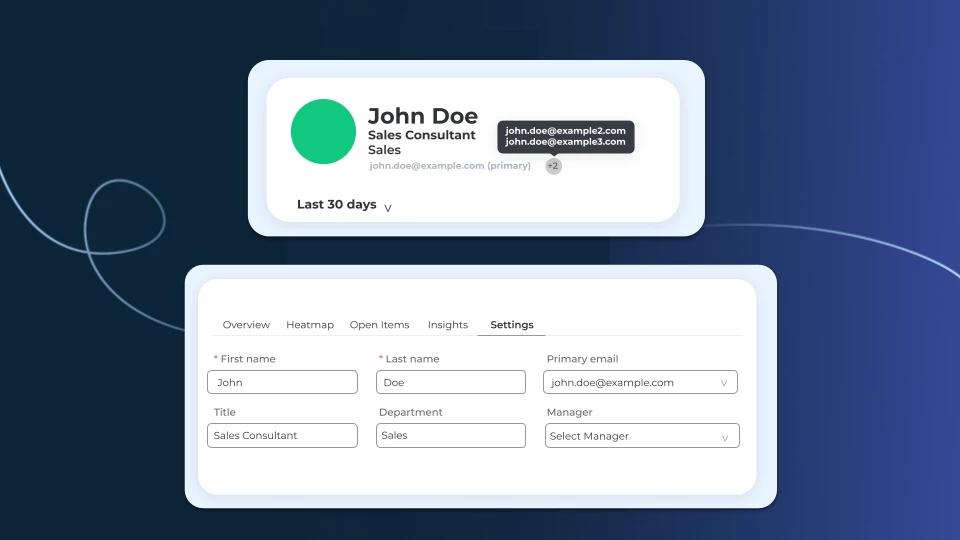
Admins can now manage multiple email addresses for a single user profile, covering scenarios where users change companies or have more than one email on file.
How it works:
- Admins can update a user's primary email and designate which address takes priority
- All associated emails are now visible in the UI for easier identification
What you'll notice: Fewer support headaches when users switch companies or email addresses. Everything is visible and manageable in one place.
Learn more about Users & Permissions

How Often Should You Snapshot Staircase Scores into Gainsight?
If you're writing Staircase health, sentiment, and engagement scores into your Gainsight instance, the community consensus is clear: daily snapshots, not weekly.
Staircase scores update multiple times a day, so a weekly snapshot smooths over the dips that matter most. A sudden sentiment drop or engagement fall could go unnoticed for days — and by then, it's harder to act. Daily snapshotting means you catch meaningful changes within 24 hours and can trigger the right response before it becomes a churn risk. The simplest implementation: add the Staircase score update into your existing daily rule chain alongside your other Gainsight scorecard measures.
Beyond cadence, it's also worth revisiting how Staircase scores sit within your broader health score setup. A pattern gaining traction in the community: replace your legacy CSM Sentiment score with the Staircase AI Health Score as your qualitative measure. Since Staircase derives sentiment automatically from actual customer communications, it removes the subjectivity of manual CSM input. To make this work well, consider building a Measure Group that surfaces all four core Staircase scores together — Sentiment, Engagement, Open Items, and Response Time — giving CSMs a single, coherent AI-driven view.
Read the full discussion
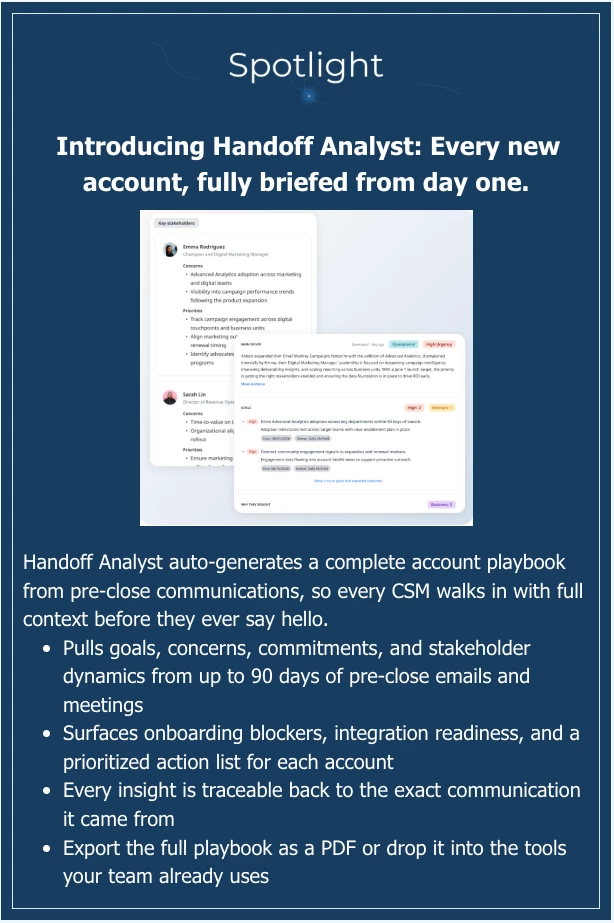
Learn More about Handoff Analyst

Running a Pooled CSM Model? Your Shared Inbox May Already Be Covered
If your team manages customer communication through a shared Distribution List email, you might assume Staircase can't track it — since DLs don't have a traditional mailbox object. Community member Samartha raised exactly this concern after working with Gainsight Support.
The good news: no workaround needed. Distribution lists automatically forward emails to the individual members in the group. Staircase tracks those individual mailboxes — not the DL address itself — so as long as each person in the distribution list is synced, customer communications are captured as expected.
If you run a pooled or shared CSM model, the check to do is simple: confirm each individual in your DL is synced in Staircase, rather than looking for the group email address directly.
Read the full thread
Building JO Audiences from Staircase's 'Accounts Dark' Signal
Want to target dark or unresponsive accounts in a Journey Orchestrator program? There's a workaround worth knowing right now — and a native solution coming soon.
Community member SnowRider flagged that Staircase's 'Accounts Dark' analysis couldn't easily feed into JO as an audience. The community's workaround: use the 'Last Engagement Date (Staircase)' field in Gainsight. Filter by the MAX value across all contacts at a company — if it exceeds 30/60/90 days, classify the account as dark and build your JO audience from there in Data Designer.
The bigger news: Gainsight's Brady Bluhm confirmed 28 days ago that OOB syncing of health scores, sentiment, engagement levels, and date fields is coming this quarter — making the Accounts Dark signal natively available in Data Designer for JO audience building.
Read the full thread

Webinar Recording: Staircase FY26 Q1 Release Webinar
The Q1 release packed in a lot. If you missed the live session, the recording and recap are now available.
- AI-powered risk management: Risk Analyst detects churn risk across nine risk types, learns from your business's past situations, and generates tailored playbooks with the right next steps for each account
- Deeper insights: Topic Trends and Ask Staircase enhancements make it easier to spot patterns and query your book of business by ARR, health score, and sentiment
- New integrations: Salesloft, Webex, and AWS S3 now connect natively, so call data, meeting data, and scheduled reports flow where your team needs them
Plus an early preview of Handoff Analyst, which generates a full AI playbook before your team's first call with a new customer.
Watch the recording and download the slides
Join Staircase AI Office Hours l Wednesdays at 11:00 AM ET
Have questions about Staircase AI? Join our weekly Office Hours sessions—open to all customers.
What to expect:
- Live answers to your questions from Staircase experts
- Peer discussions on what’s working (and what’s not)
- Practical tips to get more value from Staircase AI
📅 When: Every Wednesdays at 11 AM ET
Whether you’re just getting started or already a power user, this is your space to ask questions, get guidance, and learn from others.
Register here