


Staircase Newsletter Sptember 2026
Staircase September 2026

This month, Staircase AI gets a lot smarter and a lot more connected. Inside you'll find the Q2 release highlights: instant account context with Ask Staircase Starters, custom prompts that make lifecycle events work for your business, EU privacy compliance controls, and deeper native integration with Gainsight CS. Plus a community tip on tracking negative messages week over week, and the Q2 release webinar on September 8 if you want the full walkthrough.
Let's dive in! 😄

Customize Your AI Digest
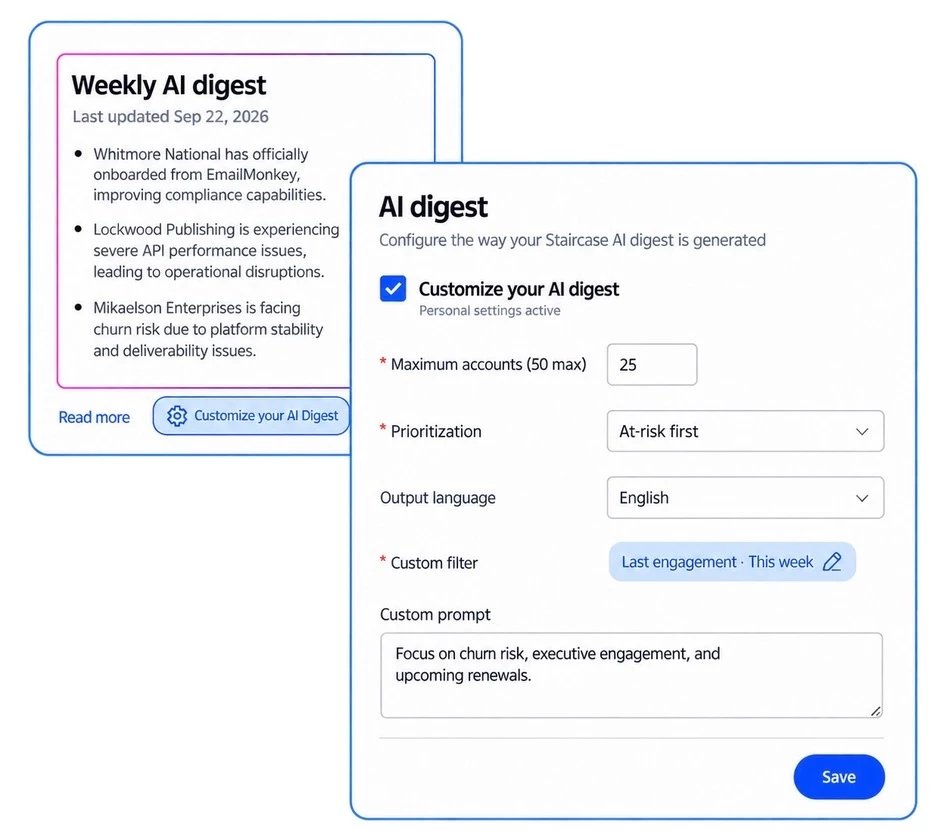
Your AI digest is now yours to shape pick which accounts show up, how they're prioritized, what language they're in, and even add custom prompts to control what gets surfaced. Prefer the defaults? You can switch back to your org's standard digest anytime.
Learn more about Customizing Your AI Digest
Map Team Member Fields to Your CRM
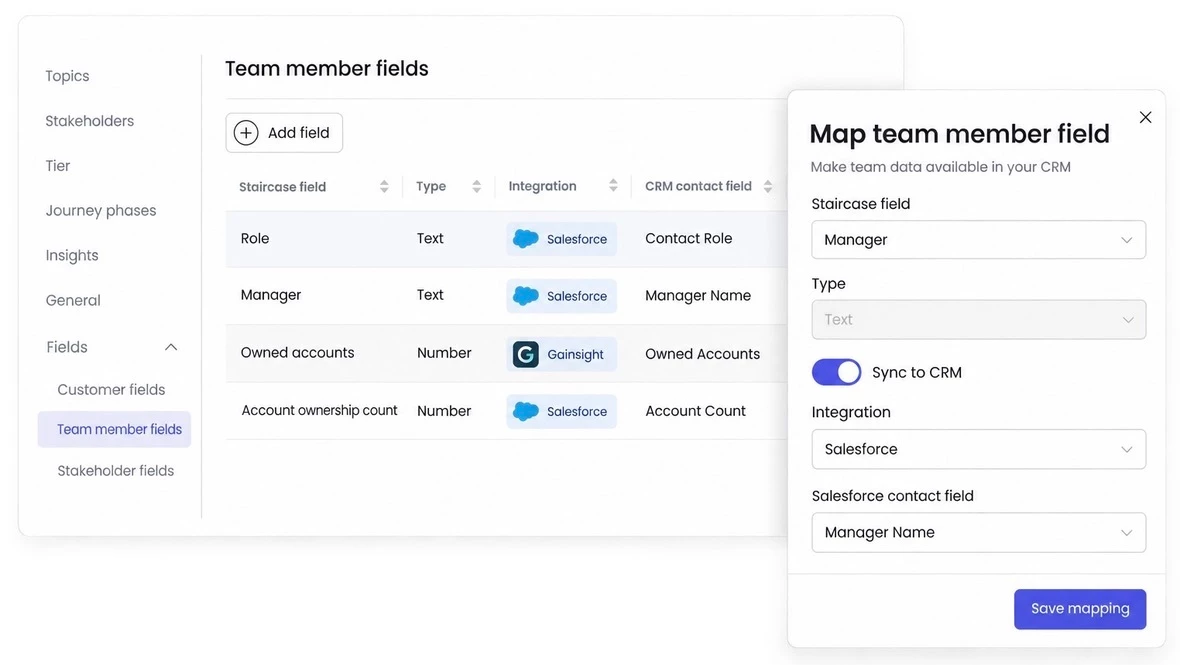
Now you can map Staircase AI team member and ownership data directly to Salesforce or Gainsight contact fields, so your CRM stays in sync with who's actually managing each account. Set it up in Settings > Configurations > Fields.
Learn more about Mapping Custom Fields and Integrations
Track Expansion Opportunities in One Report
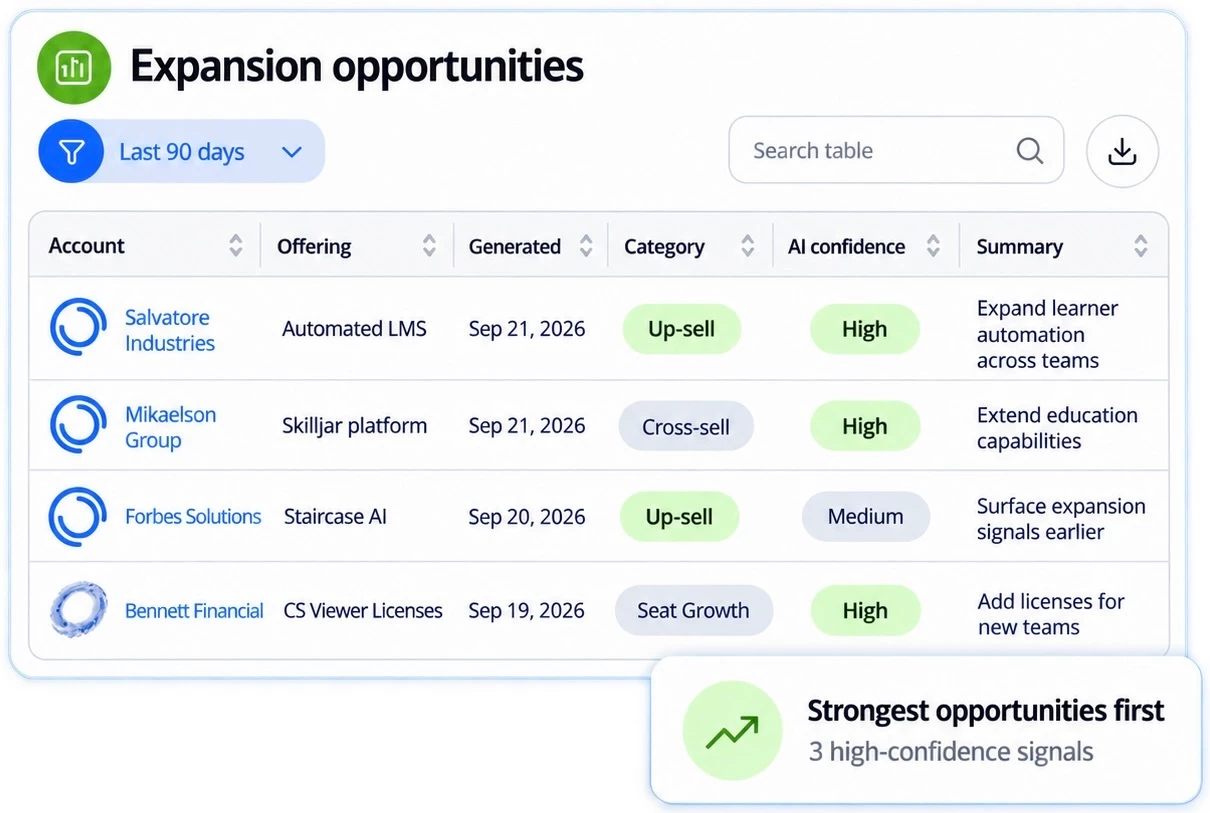
Stop hunting for upsell signals account by account — every expansion opportunity across your book now lives in a single report. Filter by category or momentum, sort by AI confidence, and export your strongest signals in seconds.
Learn more about the Expansion Opportunities Report
View Integration Connection Details
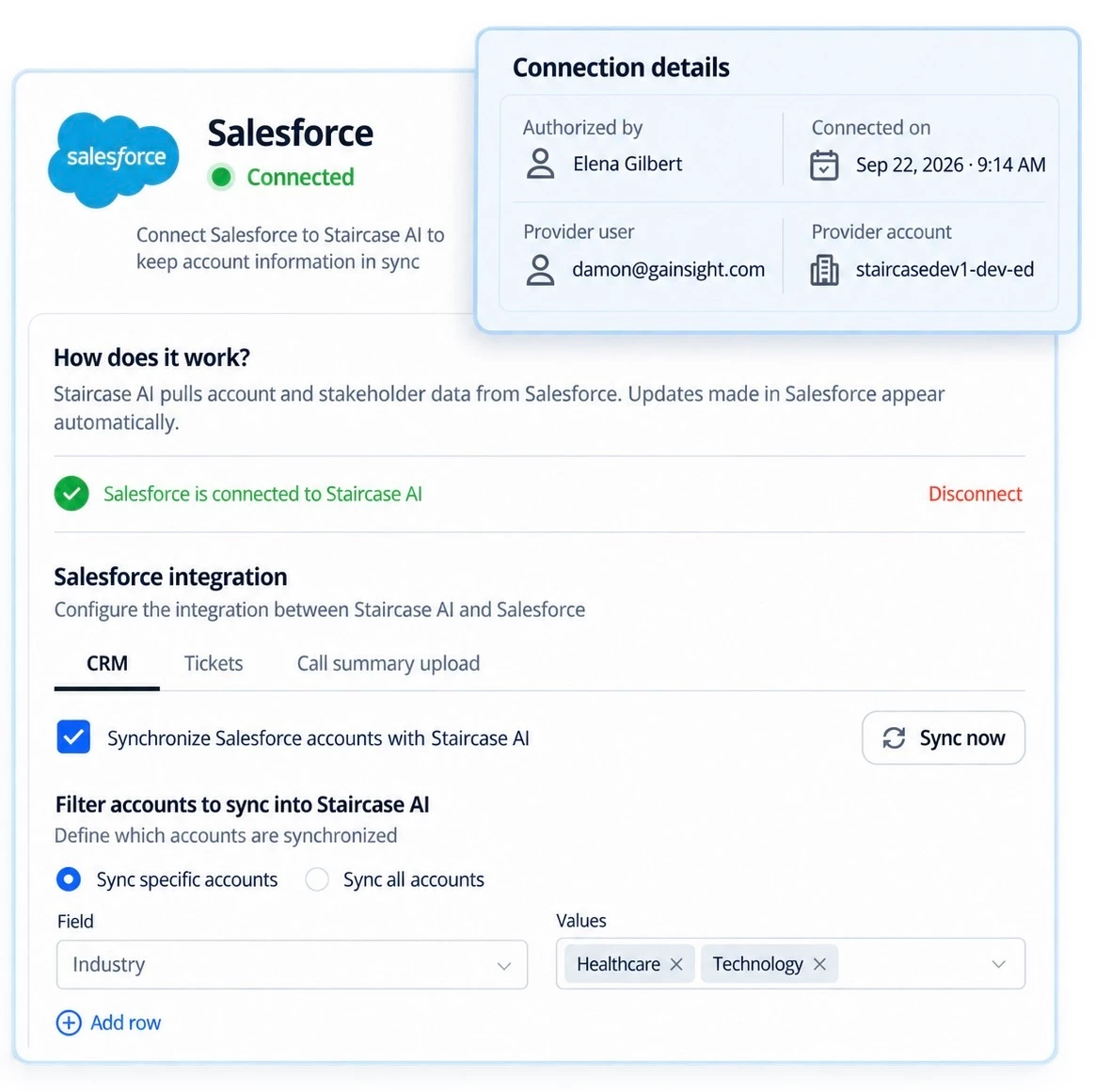
Wondering who set up an integration and when? Admins can now see exactly who authorized it, the connection date, and the provider account, right on the integration card in Settings.
Learn more about Integration Connection Details

Filter Your AI Digest to Your Own Book of Business
Tired of scrolling past accounts that aren't yours? Head to Settings > Profile > AI digest, turn on customization, and set a filter on Owner or team role so your digest only shows what's actually on your plate. Want to go further — try filtering by recent activity to surface accounts you've touched lately, or by insight type to catch active churn risk first.
Try it now


How to Rename Locked System Fields in Staircase
Locked fields like Renewal Date or Revenue can't be renamed directly since Staircase's AI engine references them internally but you can create a Custom field, name it whatever fits your org, and map it to the same source data. Handy if you're dealing with multiple renewal dates per customer and need to label them clearly.
Read the full thread
What You Can (and Can't) Report on for Account Notes
Want visibility into notes logged across your book of business? Staircase's account-level reports include a "Last Note" field great for a quick snapshot, but it only shows the most recent note per account, not full history or authorship.
Read the full thread

Sharpen Your Skills with Gainsight University
New and updated courses are live to help your team get more out of Staircase AI from providing value to hands-on walkthroughs for launch teams.
- Staircase AI: Value Measurement Guide
- Staircase Interactive Walkthrough: Use Ask Staircase to Quickly Access Account AI-Driven Insights
- Train the Trainer: Gainsight Launch Training for Staircase AI Teams
- AI Learning Hub free AI training for all products and personas
Get Started
Recap: Staircase AI Q2 Release Webinar
Missed our deep dive into everything that shipped this quarter? The session covered Ask Staircase Starters, Works Council privacy compliance, custom prompts for lifecycle events, portfolio-level Ask Staircase, and new real-time webhooks plus live demos of each.
Read the Recap
Join Staircase AI Office Hours l Wednesdays at 11:00 AM ET
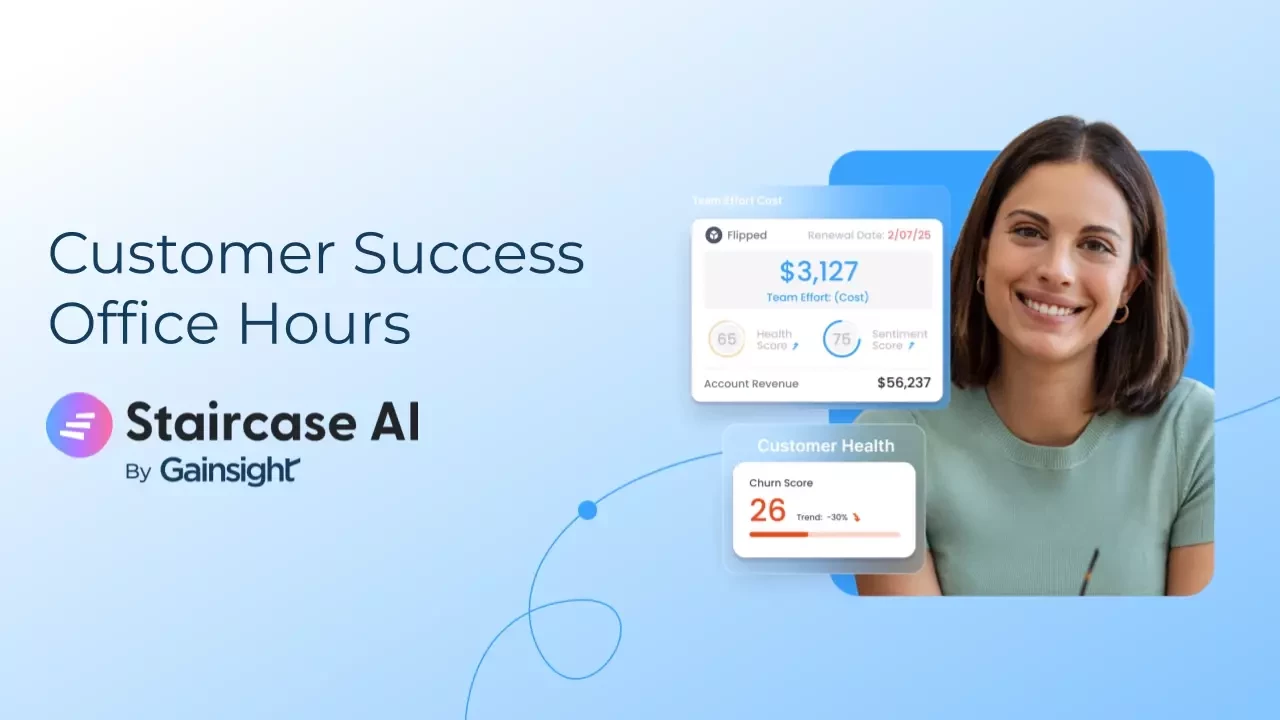
Looking to get more out of Staircase AI? Join our open forum hosted by the Gainsight Staircase AI team for quick answers, product guidance, and the chance to swap ideas with fellow users.
- Bring your questions and get answers from the Gainsight team
- Learn how other customers are using Staircase AI
- Submit questions in advance to make the most of your session
Register here