Drop Down For Detail List View For CTA Administration
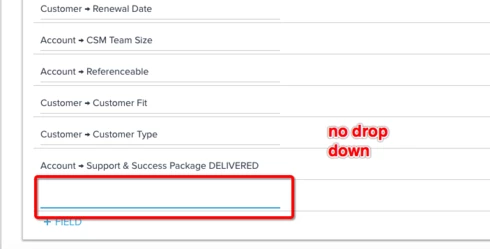
Currently, when you want to add a field to the "detail view" configuration screen of call to action there is not a drop down that is displayed to the user. The request from the customer is that we have a drop down display so they can choose from a list of options.
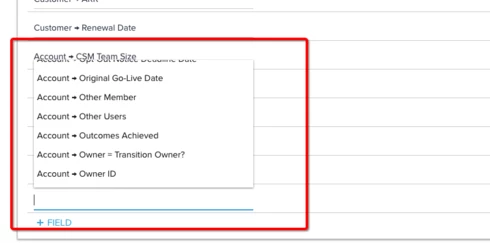
Also, we did determine a workaround that is pretty non-intuitive. If you click into the field and add an "a" the menu does come up to select the proper field. If you then backspace and remove the "a" you are presented with a full dropdown list of all the fields available. Can we make it this way when simply clicking into the box (without having to type a letter and delete it)?
Also, we did determine a workaround that is pretty non-intuitive. If you click into the field and add an "a" the menu does come up to select the proper field. If you then backspace and remove the "a" you are presented with a full dropdown list of all the fields available. Can we make it this way when simply clicking into the box (without having to type a letter and delete it)?