


Have you wondered how you could leverage your LLM to assist you with cleaning up tech debt like hold Dashboards and Reports that no one use anymore?
Here how you can do it in a very few steps.
In Gainight you have had the ability to download your tenant config for a little while now. It is not always well known, but if you ever have requested a tenant review, that is where it beginnings.
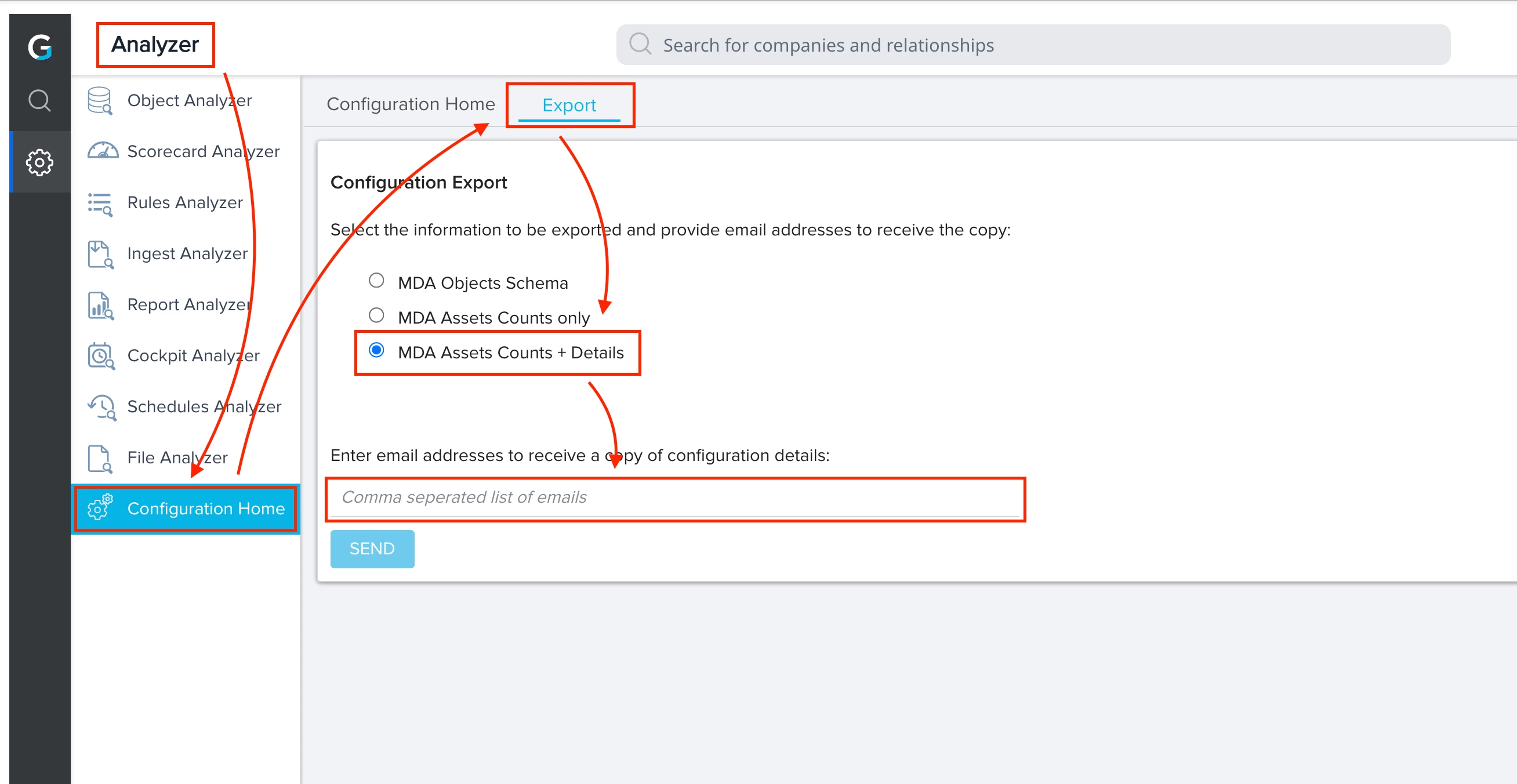
Once the file is created you will received an Excel file in your inbox.
Pre-LLM the analysis of the file could take days to weeks depending how deep you wanted to look.
When you open the file, you will see several tabs and identifier that relates to how assets relate and interact with each others. Name and unique identifier is how you would manually map asset relations with VLOOKUP and else. That is no longer really needed since AI can figure out all of that fairly quickly.
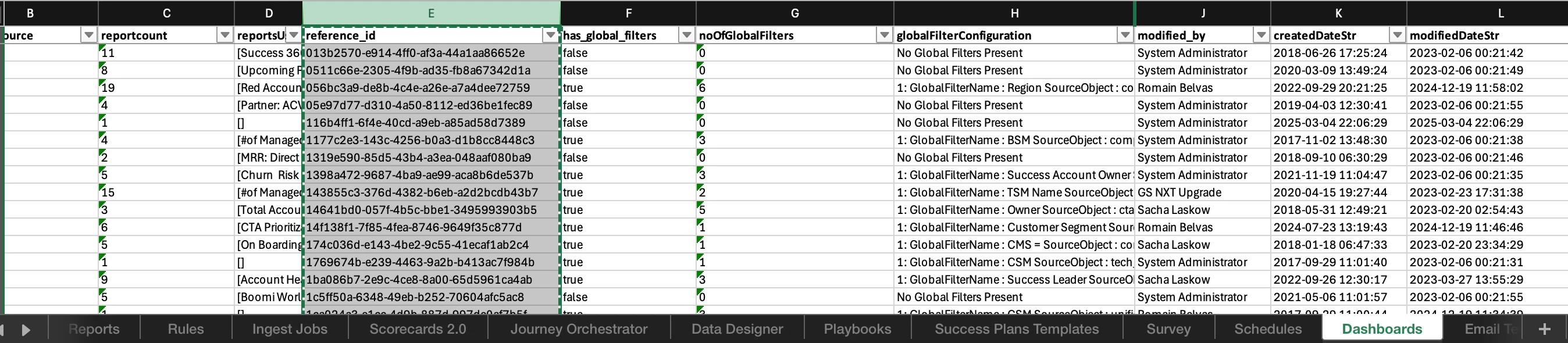
That is part one.
For the next part you’d want to build an Asset Usage report. Again, super simple. Yet, not well known.
Create a report in Gainsight from the GS Asset Usage Tracking object. You probably can add all the fields to the report, and then download the output. Setup a filter timestamp that make sense for your organisation.
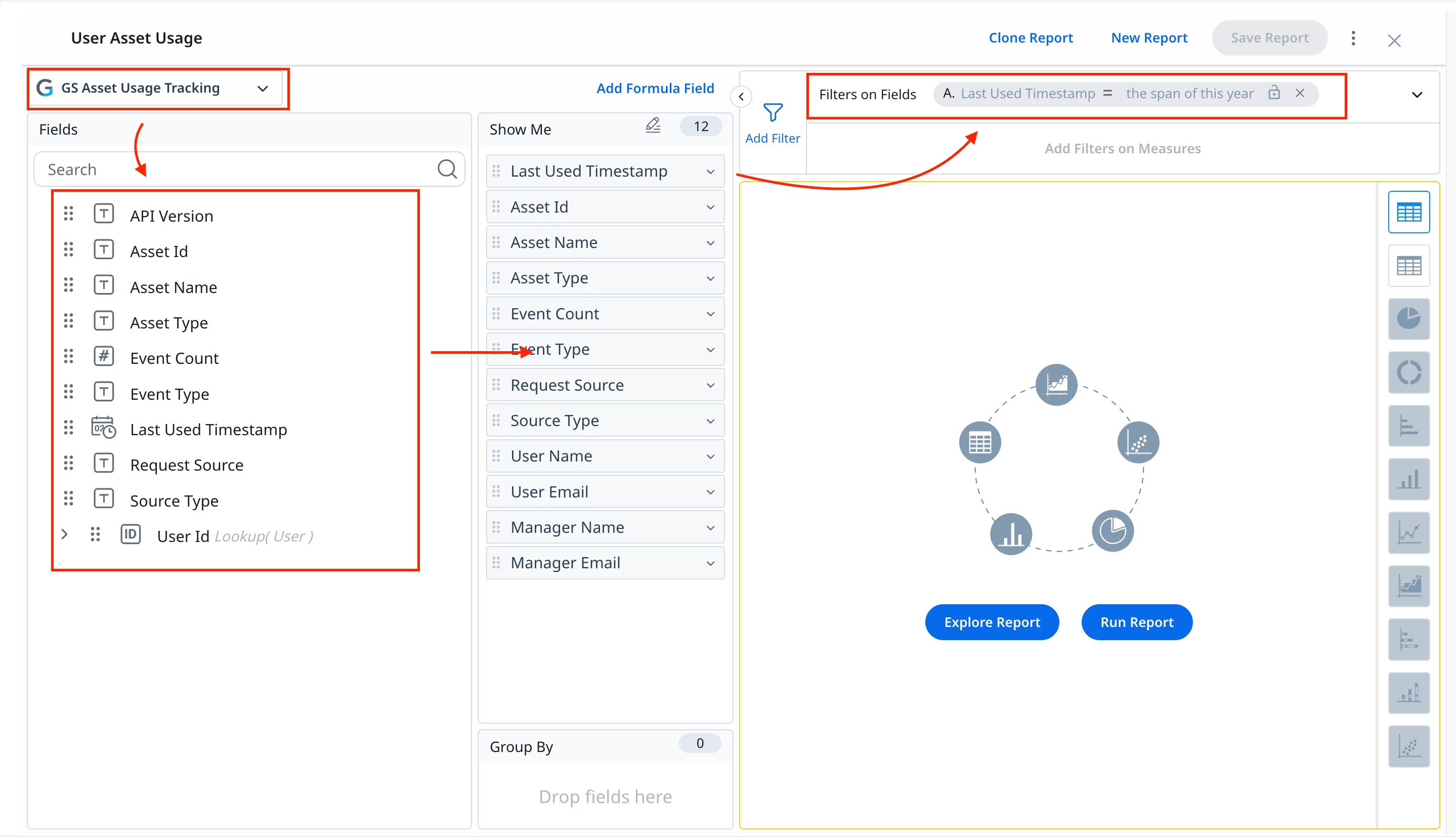
That was part two. Easy right?
Now with your two excel files, put them in an LLM project folder. I use Claude for that part, but all LLM do the same thing even if they call it something different. It’s a bit like RAG.
Then prompt your tech debt cleanup activity 😁
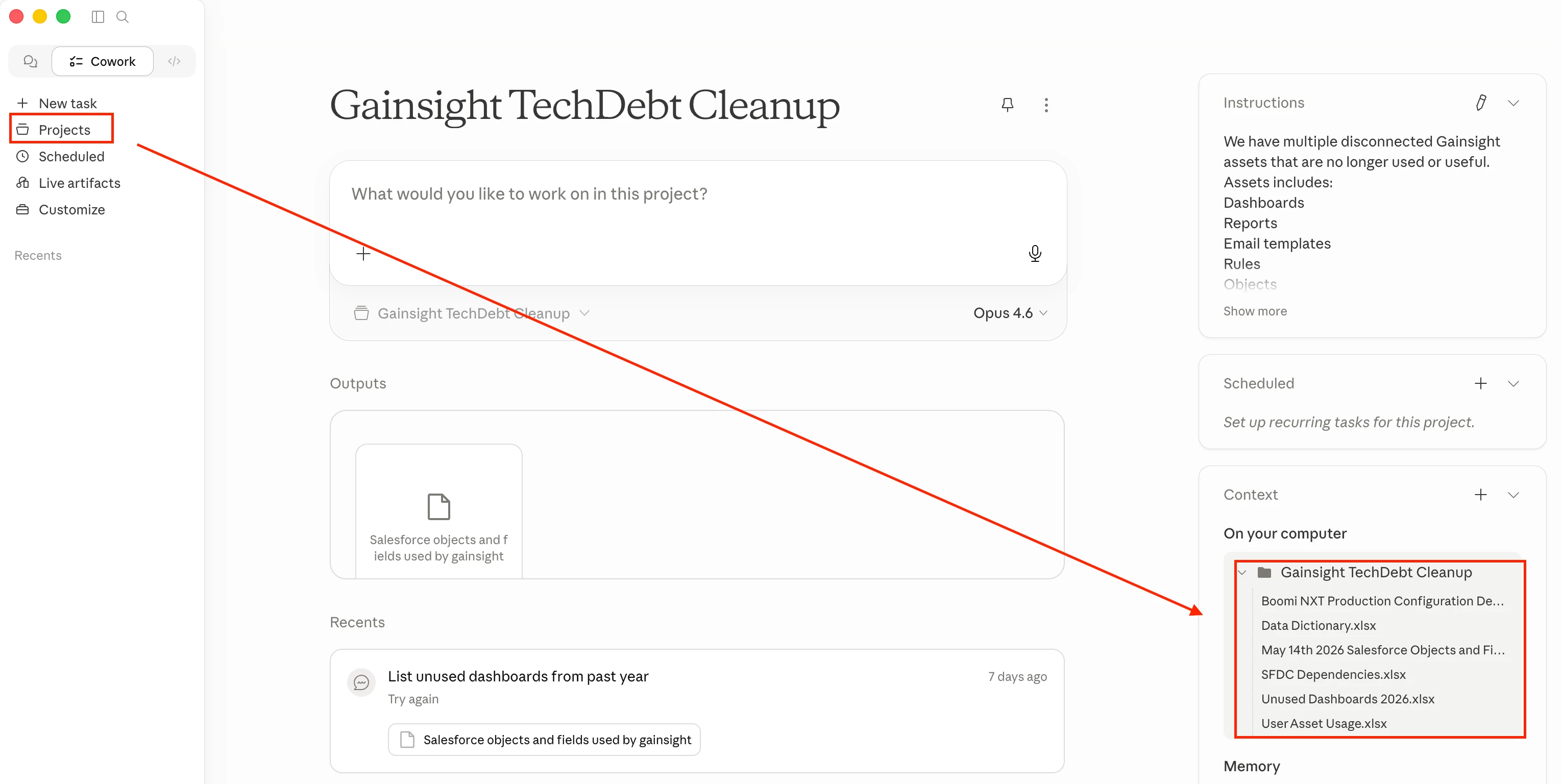
Then more documentation you have, the more you will be able to accomplish, but with just two files that you can access on demand all by yourself, you can build a fairly solid tech debt cleanup project.