Contributor ⭐️⭐️
February 11, 2025
Solved

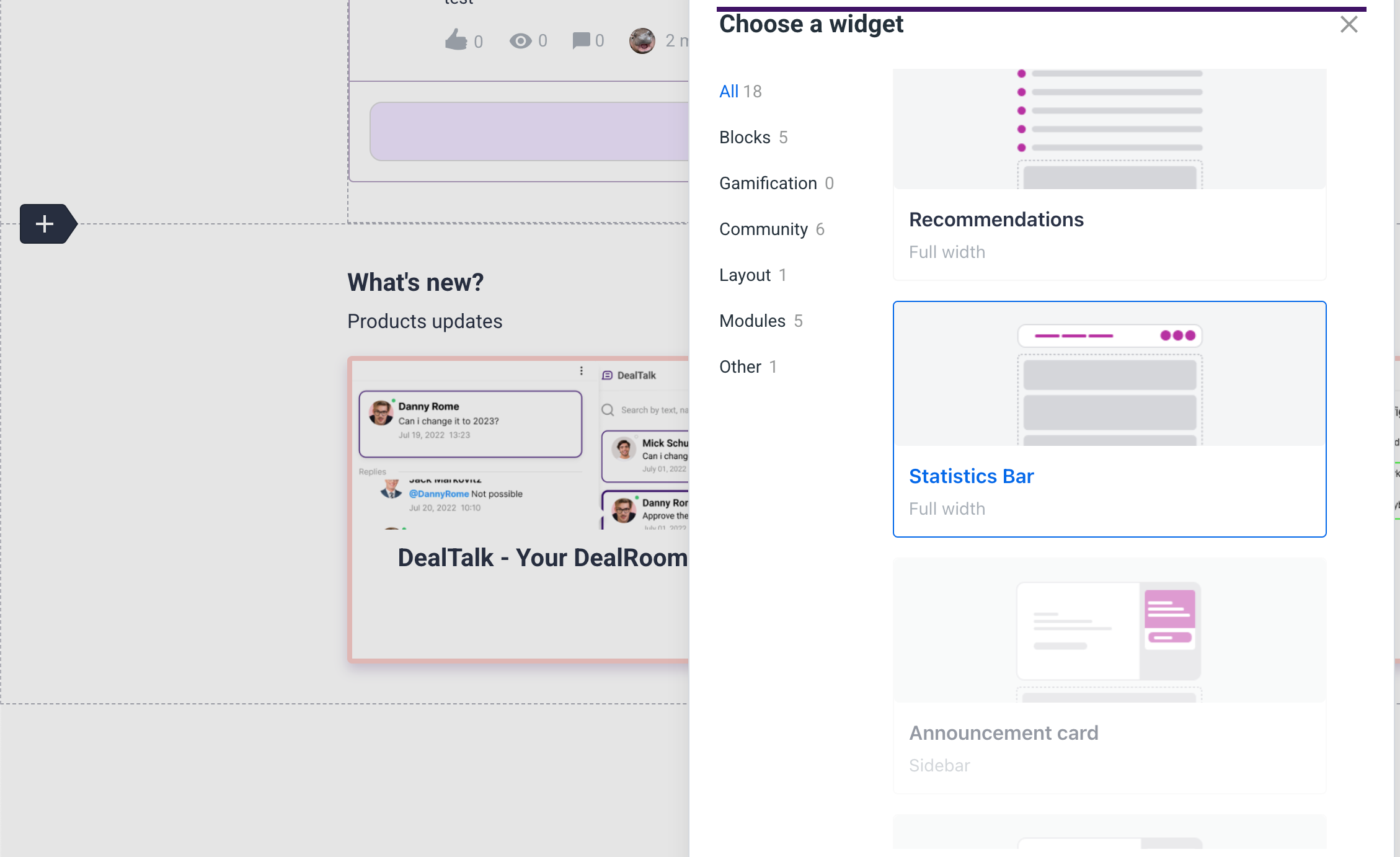
Is it possible to create a completely custom section?
  • February 11, 2025
  • 5 replies
  • 80 views


We would like to know if it is possible to add something of our own? And also maybe someone knows why some widgets are disabled?

 Thanks in advance for your answers!

    Best answer by Kenneth R

    Hi ​@Vadym - yes, if you select the ‘HTML widget’ you can enter your own custom code and create something entirely from scratch (in theory you can create a 100% custom page like this, if needed).  If you notice that not all of the widgets are available it’s likely due to the section that you’ve selected - for example, there are certain widgets that you can’t add to the sidebar.

    5 replies

    Kenneth R
    Kenneth RAnswer
    Expert ⭐️⭐️
    February 11, 2025

    Hi ​@Vadym - yes, if you select the ‘HTML widget’ you can enter your own custom code and create something entirely from scratch (in theory you can create a 100% custom page like this, if needed).  If you notice that not all of the widgets are available it’s likely due to the section that you’ve selected - for example, there are certain widgets that you can’t add to the sidebar.

    VadymAuthor
    Contributor ⭐️⭐️
    February 11, 2025

    @Kenneth R Thanks for your answer, got it :)

    VadymAuthor
    Contributor ⭐️⭐️
    February 11, 2025

    @Kenneth R 

    One more question if possible. Could you please tell me how realistic it is to implement such a header?

    With a search structure like this, how to correctly pass links?


    VadymAuthor
    Contributor ⭐️⭐️
    February 11, 2025

    Hi ​@Vadym - yes, if you select the ‘HTML widget’ you can enter your own custom code and create something entirely from scratch (in theory you can create a 100% custom page like this, if needed).  If you notice that not all of the widgets are available it’s likely due to the section that you’ve selected - for example, there are certain widgets that you can’t add to the sidebar.

    And what if I want create my custom widget to let another people from my team customize it? Is it possible and if yes then how? Explain someone me please

    Kenneth R
    Expert ⭐️⭐️
    February 12, 2025

    @Kenneth R 

    One more question if possible. Could you please tell me how realistic it is to implement such a header?

    With a search structure like this, how to correctly pass links?


    Hi ​@Vadym - the easiest thing to do is to use the out-of-the-box ‘Mega Menu’ widget. You will be slightly constrained in terms of the overall layout, but you can customize all of the links and their order.  You’re not limited to default links related to our platform modules, so you can also add links to other locations outside of the community.  You could alternately choose to create an entirely custom header.  Or have a combination of both, like we have in this community.  We use the Mega Menu for community links and a custom header for our broader ecosystem.


    Hi ​@Vadym - yes, if you select the ‘HTML widget’ you can enter your own custom code and create something entirely from scratch (in theory you can create a 100% custom page like this, if needed).  If you notice that not all of the widgets are available it’s likely due to the section that you’ve selected - for example, there are certain widgets that you can’t add to the sidebar.

    And what if I want create my custom widget to let another people from my team customize it? Is it possible and if yes then how? Explain someone me please


    If you want someone else from your team to work on the HTML widgets you just need to give them Administrator or Community Manager permissions and they’ll also be able to add and edit the code.  You can edit their permissions by finding them in the User Overview, or if they don’t yet have an account you can invite them from the Team Overview page.