

jvdc
Expert ⭐️
April 25, 2026

Share your custom widgets!

  • April 25, 2026
  • 13 replies
  • 325 views

Hey,

I've watched the recording of “How Community Teams Are Building with Vibe Coding

And I got really inspired, just opened the pandora box for me 😁

I'd be curious to hear if anyone has built any custom widgets simply using the HTML widget?

Getting Started Widget

I played around, added the one they shared in the webinar:
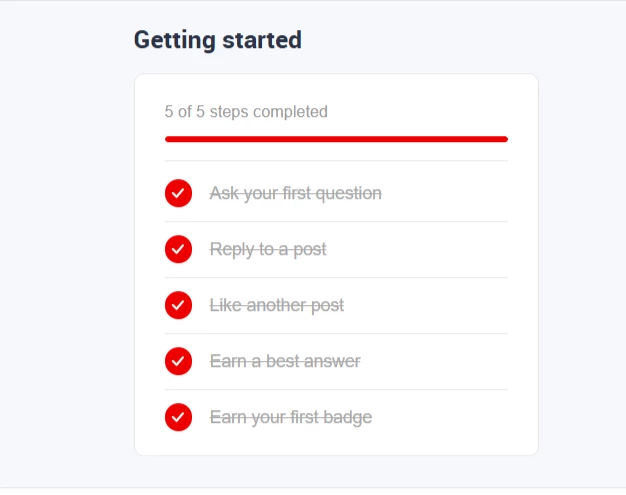
The bits that I changed in this widget was to make it dynamic with the user that visiting the page by make use of the InsdidedData. Super easy with the help of AI.

I also used CSS variables for colors to make use of the systems settings, such as  'var(--config--main-color-brand)';

User Profile Widget

Then thought of a widget that would display a preview of the user's profile with a few stats. In 2 min I had something that looked great:
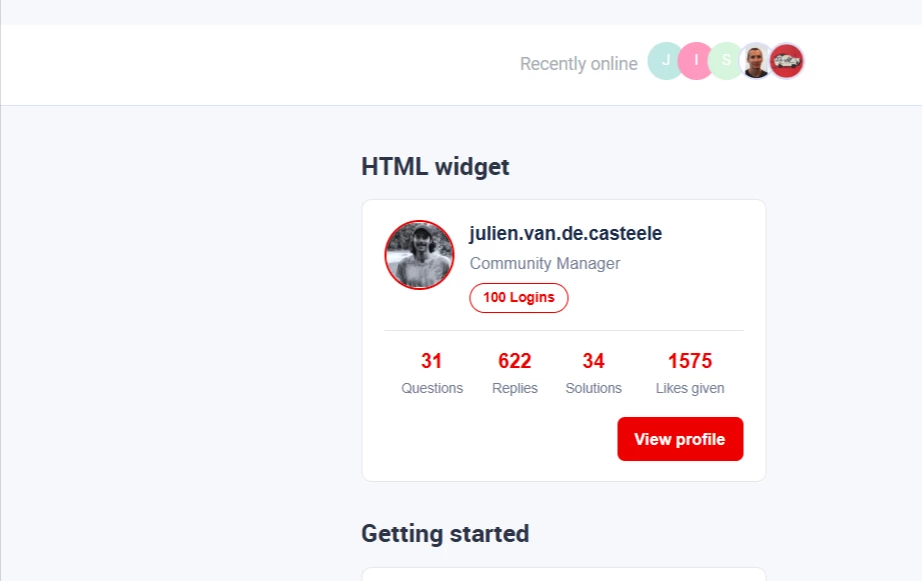
I'll probably fine tune it before I publish it to users. Let me know if you'd like to have the snippet!

13 replies

beatriz.winn
Contributor ⭐️⭐️⭐️
April 25, 2026

It looks great! I would love to build one that displays points 😀

Bea W
jvdc
jvdcAuthor
Expert ⭐️
April 25, 2026

Hmm I think to get the points we'd need to get them via the API, as the InsidedData doesn't share this info :-/

samanthahamlet
Gainsight Community Manager
April 27, 2026

SO cool ​@jvdc

I’m sure ​@jennyweigle & ​@Larry will love this 🎉

revathimenon
Gainsight Community Manager
April 27, 2026

Very cool stuff ​ ​@jvdc 🔥

We’d also love to see more of this on our next Meetup!

Where focus goes, energy flows.
jennyweigle
Gainsight Employee ⭐️
April 27, 2026

Yes yes yes! Thank you ​@jvdc for kicking this off! I was hoping one of our customers would start a conversation like this. Kudos to your vibe coding work 👏. I’ve been playing with adding a custom HTLM widget that links out to a survey. Not happy with the look of it so far, but having fun testing and editing!

Jenny Weigle-Bonds | Gainsight
jvdc
jvdcAuthor
Expert ⭐️
April 27, 2026

It looks great! I would love to build one that displays points 😀

@beatriz.winn , so I looked into it and managed to do it like this:

1/ Setup the connector for the GS CC API in Control
(It was a lot of trial and error before getting it to work 🤭 , there wasn't much doc for this - ​@marekkoszlak )
→ I did the API call for user info.

2/ Build your HTML & Reference the connector 

The Connector execute code that is shared in the black code box in Control did not work for me, I had to reference it differently using a snippet that ​@marekkoszlak had shared in the community:

fetch('/widget-service/connectors/XXX/execute') → XXX is the Connector ID that you can find in the Control URL.

And then for the rest you just reference data from the API call you made above. In my example below I am getting the following (I think apart from the points you could get everything everything from the InSidedData):

  • User profile picture
  • Points
  • Rank
  • Join year


revote
VIP ⭐️⭐️⭐️⭐️⭐️
April 28, 2026

AWESOME @jvdc 💪

Thanks for the tip about the recording and please share the snippets. 😀

jvdc
jvdcAuthor
Expert ⭐️
April 28, 2026

Actually in my comment, I said there was limited documentation about setting up the connector, but I was wrong, it's all here: https://developer-portal.gainsight.com/docs/connectors/build-first-connector.html
 

beatriz.winn
Contributor ⭐️⭐️⭐️
April 28, 2026

@jvdc, this is amazing, thank you for sharing! I will read the documentation and follow your steps. 

Bea W
Matt Breneman
Contributor ⭐️⭐️
April 30, 2026

@jvdc This looks awesome! Please share the profile snippet; would love to test it out on our Community!