

jvdc
Expert ⭐️
April 25, 2026

Share your custom widgets!

  • April 25, 2026
  • 13 replies
  • 325 views

Hey,

I've watched the recording of “How Community Teams Are Building with Vibe Coding

And I got really inspired, just opened the pandora box for me 😁

I'd be curious to hear if anyone has built any custom widgets simply using the HTML widget?

Getting Started Widget

I played around, added the one they shared in the webinar:
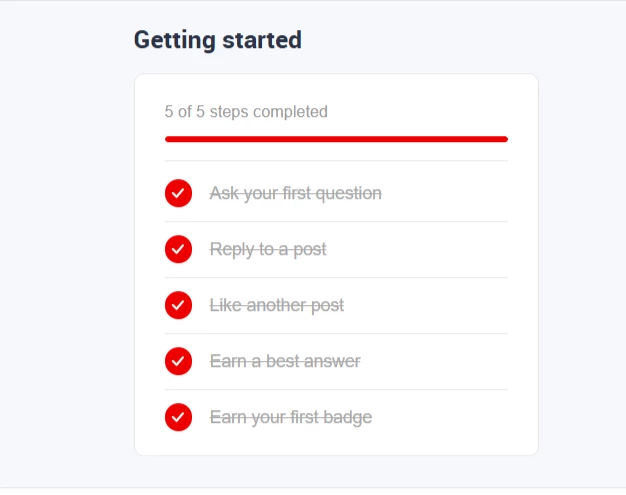
The bits that I changed in this widget was to make it dynamic with the user that visiting the page by make use of the InsdidedData. Super easy with the help of AI.

I also used CSS variables for colors to make use of the systems settings, such as  'var(--config--main-color-brand)';

User Profile Widget

Then thought of a widget that would display a preview of the user's profile with a few stats. In 2 min I had something that looked great:
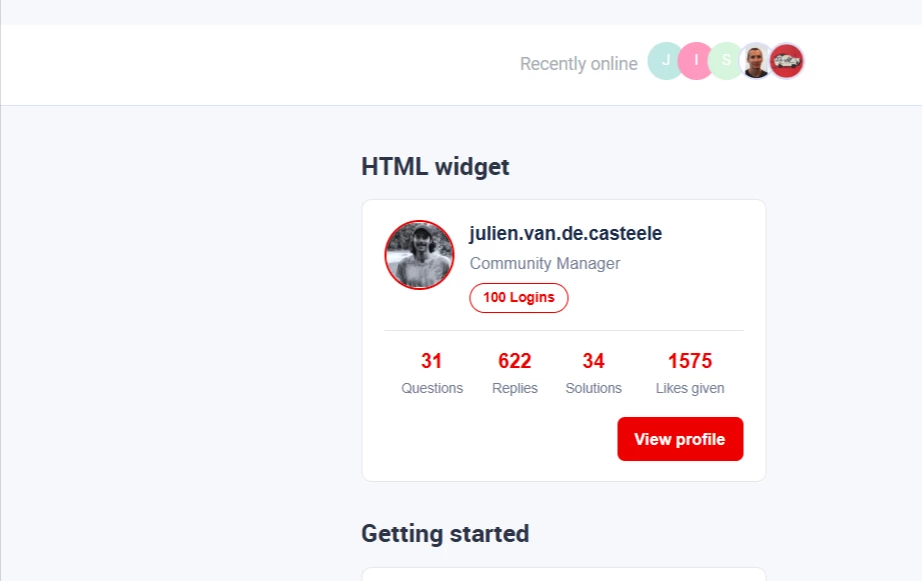
I'll probably fine tune it before I publish it to users. Let me know if you'd like to have the snippet!

13 replies

jvdc
jvdcAuthor
Expert ⭐️
May 1, 2026

Hey ​@Matt Breneman ​@beatriz.winn , here is the user points and user profile widget snippet that you can insert in the HTML widget.

User Points

Just a note, you'll still need to setup an API connector for the user details and replace the connector ID with yours.

User Profile

This one should work as is, as it only uses InSidedData.

Gaby
Helper ⭐️
May 5, 2026

Anyone else having trouble downloading the "Gainsight-html-widget.skill" from the follow up email from the webinar shared afterwards?


Gaby (Client Engagement & Community Manager @ Benevity)
jvdc
jvdcAuthor
Expert ⭐️
May 6, 2026

Hey ​@Gaby I managed to download the whole package as a zipped file (just click on the download icon in the top right).

Just FYI, as I am using Microsoft's Copilot, I changed the .skill file into a .txt file to be able to read it but also submit it to Copilot as it is not accepting .skill files.