
Check out the new "Mega Menu" widget on InSpired
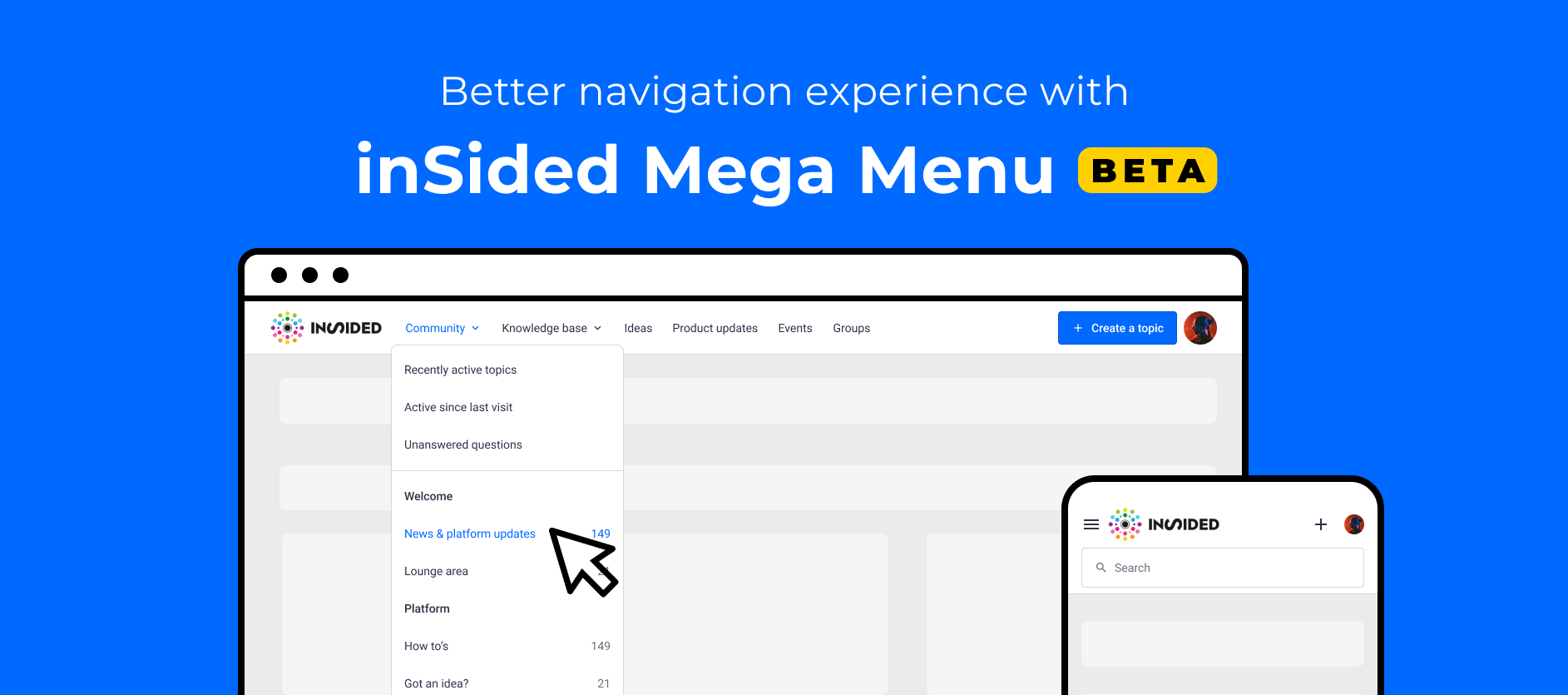
As we are adding more and more new modules, e.g. knowledge base, events, groups, product updates, ideation, we felt our existing navigation was not ideal to help users quickly find and discover the different areas of the community. We also wanted to easily allow having custom links in the navigation.
So meet the "Mega Menu"!
Thanks a lot for everyone who gave feedback on this research article and helped design this widget:
I will get in touch to allow you to test this Beta version!
The "Mega menu" widget allows you to:
 Have a horizontal menu rather than a burger menu on desktop
Make navigation between modules more explicit
Add a logo (optional)
Enable, disable and reorder module links to knowledge base, events, groups, ideation, product updates.
Rename entries in the menu
Add custom links to external sites
Have a search bar in the navigation
Note: It is possible to enable this new "Mega menu" widget with an SSI header :)
How to beta test the "Mega Menu" widget
If you want to have early access, you can get in touch with me or your Customer Success Manager to get it enabled in staging. You can also leave a reply below to let us know.
You will be able to switch to this new navigation using the customization mode of the home page.
What's next?
Before we officially release this widget, we are thinking of adding some extra functionalities:
- Have permissions impact the menu (for example, end-users who can't access ideation will not see the Ideation entry in the menu)
- Have child custom links within each entry of the menu
- More color settings
- Sticky navigation option
- New UI for the dropdowns with icons to go even further in that "Mega Menu"mindset
Your feedback
As usual, we want to know your questions, what you think, and how you would like us to improve this widget!