


Gainsight CC: Stop Spam Before It Starts with AI-Powered User Profile Moderation
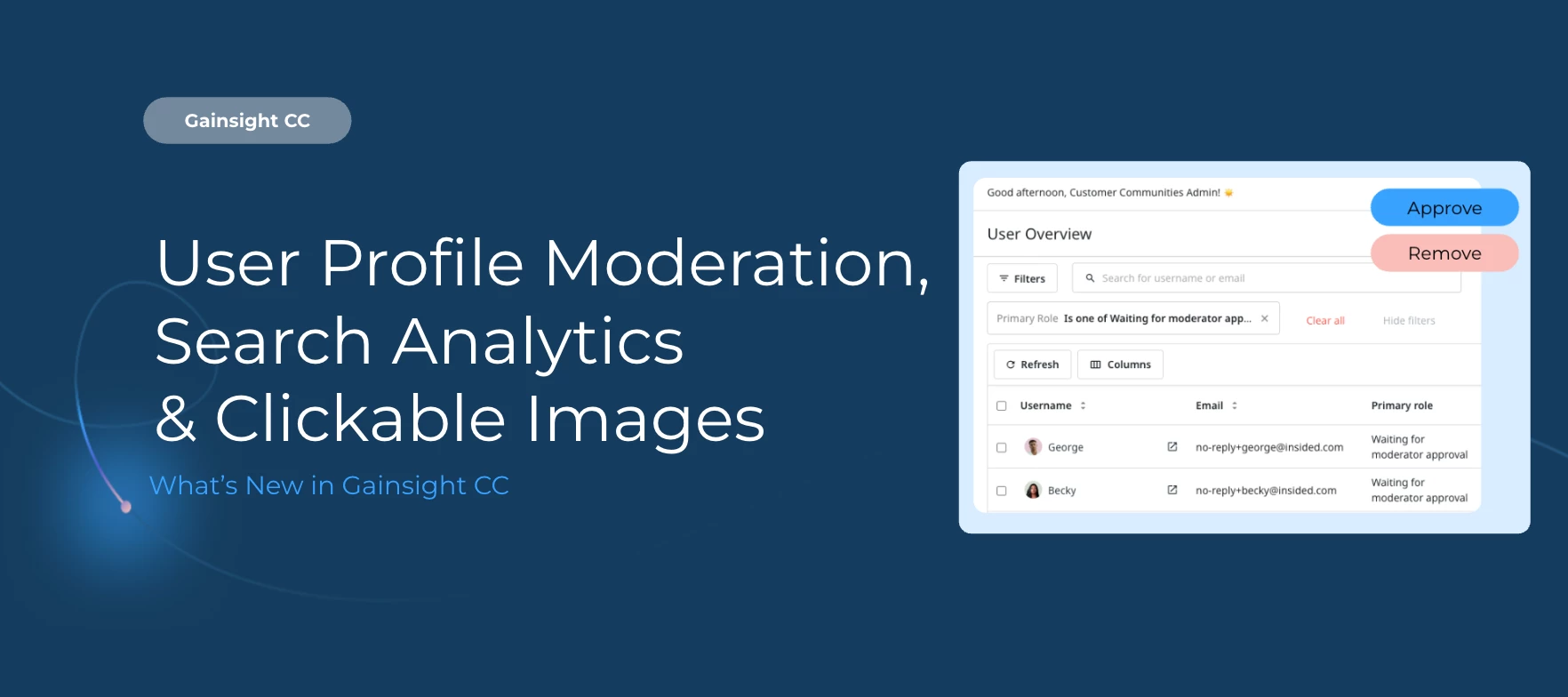
The Moderation AI Agent now screens new user registrations automatically, stopping spam bots and NSFW accounts before they ever set foot in your community.
Screen New User Profiles with AI-Powered Moderation
AI screening at the point of registration When a new account is created, the Moderation AI Agent evaluates it using the same intelligence applied to community posts. Accounts flagged for spam or NSFW content are automatically set to Banned and moved to the Banned Users group, with no manual review required.
Five profile fields analyzed The AI evaluates username, email address, signature, custom profile fields, and avatar image to make its determination.
Role-based exclusions built in Admins, Community Managers, Moderators, and Superusers are never screened, regardless of your settings.
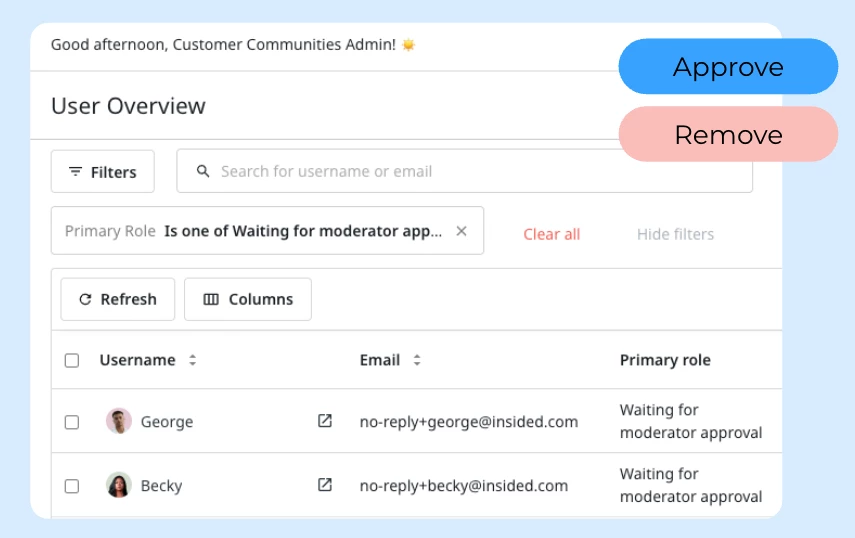
Get Started Navigate to AI > Moderation Agent in Customer Communities Control and turn on the User profile moderation toggle.
AI Answers Analytics in the Search Analytics Dashboard (Beta)
If you're running AI Answers, you can now measure how members are actually engaging with it. The Search Analytics Dashboard has been updated with a dedicated AI Answers Analytics section, giving you clear visibility into answer adoption and quality.
New metrics now tracked:
-
Total Summaries Generated: How many AI Answers have been created
-
Impressions: Unique views or interactions with an AI Answer lasting 10+ seconds
-
Sources Clicked: Clicks on inline links and cited sources within AI Answers
-
Continue Reading Clicked: How often users expanded a full AI Answer
-
Show All Sources Clicked: How often users expanded the sources list
-
Helpful / Unhelpful Feedback: Direct thumbs-up and thumbs-down signals from members
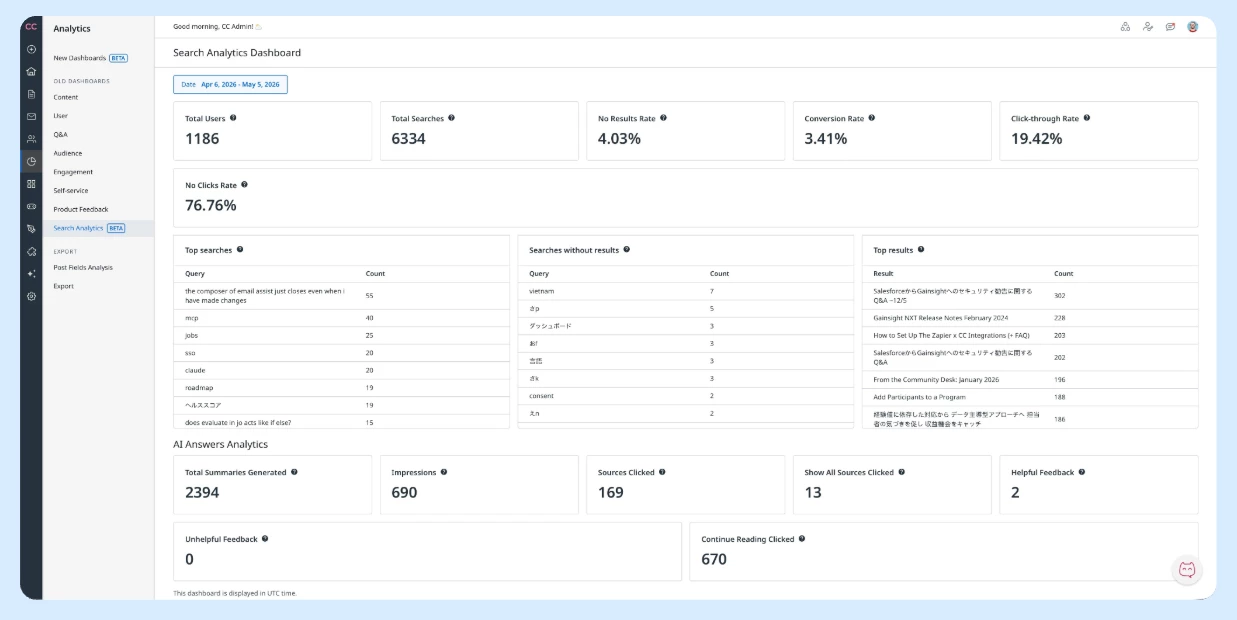
Note: AI Answers Analytics metrics are measured starting from April 28, 2026.
To access the dashboard, navigate to Analytics > New Dashboards (BETA) in Customer Communities Control.
Make Images Clickable in Posts and Topics
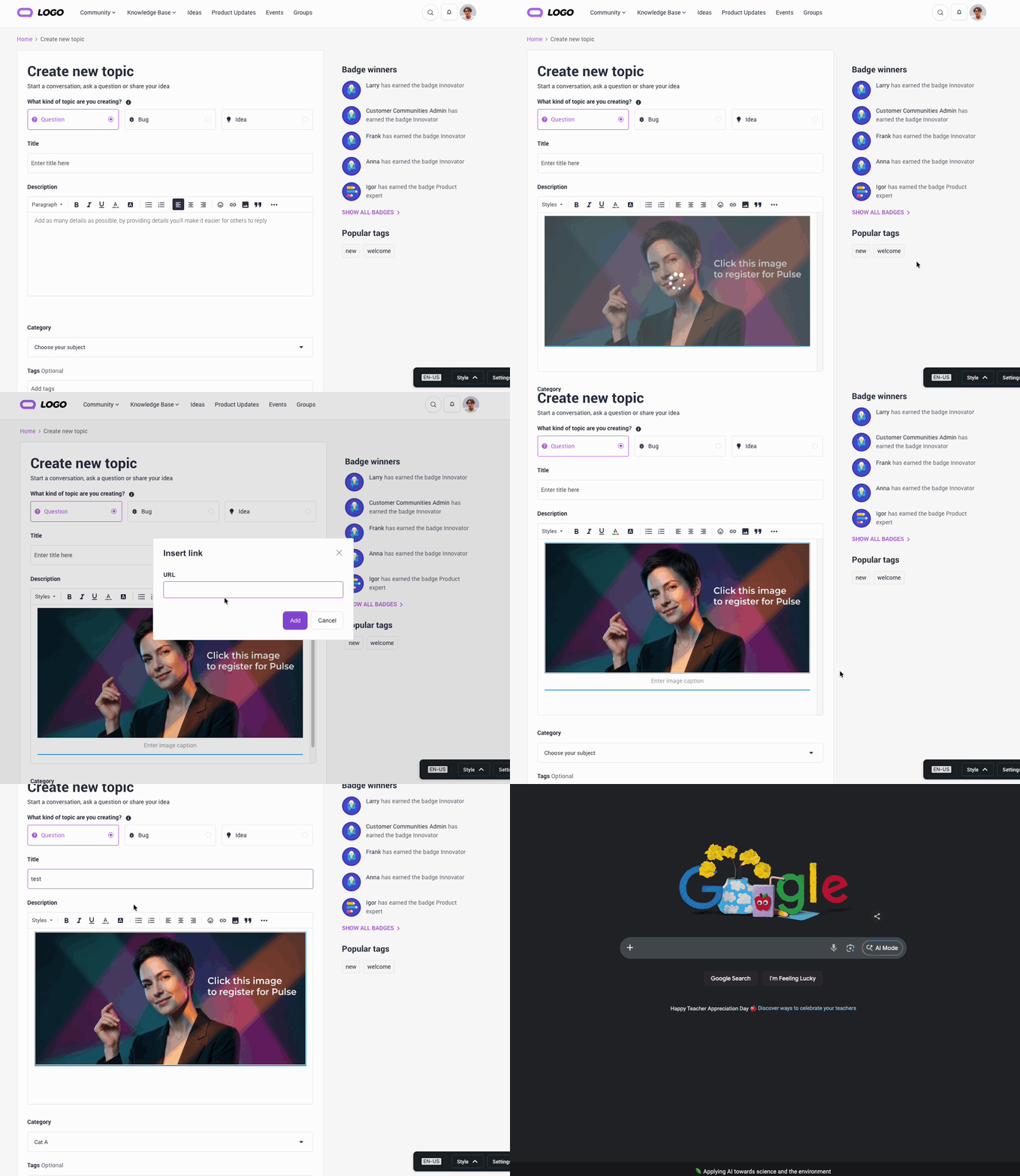
You can now hyperlink images directly in the rich text editor. After uploading an image to a post or topic, click on it and select the Hyperlink option to attach a URL. Once published, clicking the image opens the linked URL in a new tab, turning any image into a clickable, navigable element. Images without a hyperlink will continue to open in a lightbox. Images with a hyperlink skip the lightbox and take the user directly to the linked URL instead.
👉 Check out the Release Notes for more details.
💬 Have questions or feedback? Drop a comment below — or better yet, ask our new AI!