

Yoeri
Gainsight Employee ⭐️⭐️⭐️
December 3, 2018
update

Topic helpfulness v2.0
  • December 3, 2018
  • 28 replies
  • 922 views
Topic helpfulness v2.0
Some time ago we announced Topic Helpfulness here on inSpired. After this beta release we've been looking into ways how to improve this functionality. Thanks to you and our pilot customers (who tested this feature, shared data and gave their feedback on improvements) we were able to deploy some nice improvements;

  • A fresh new look & feel
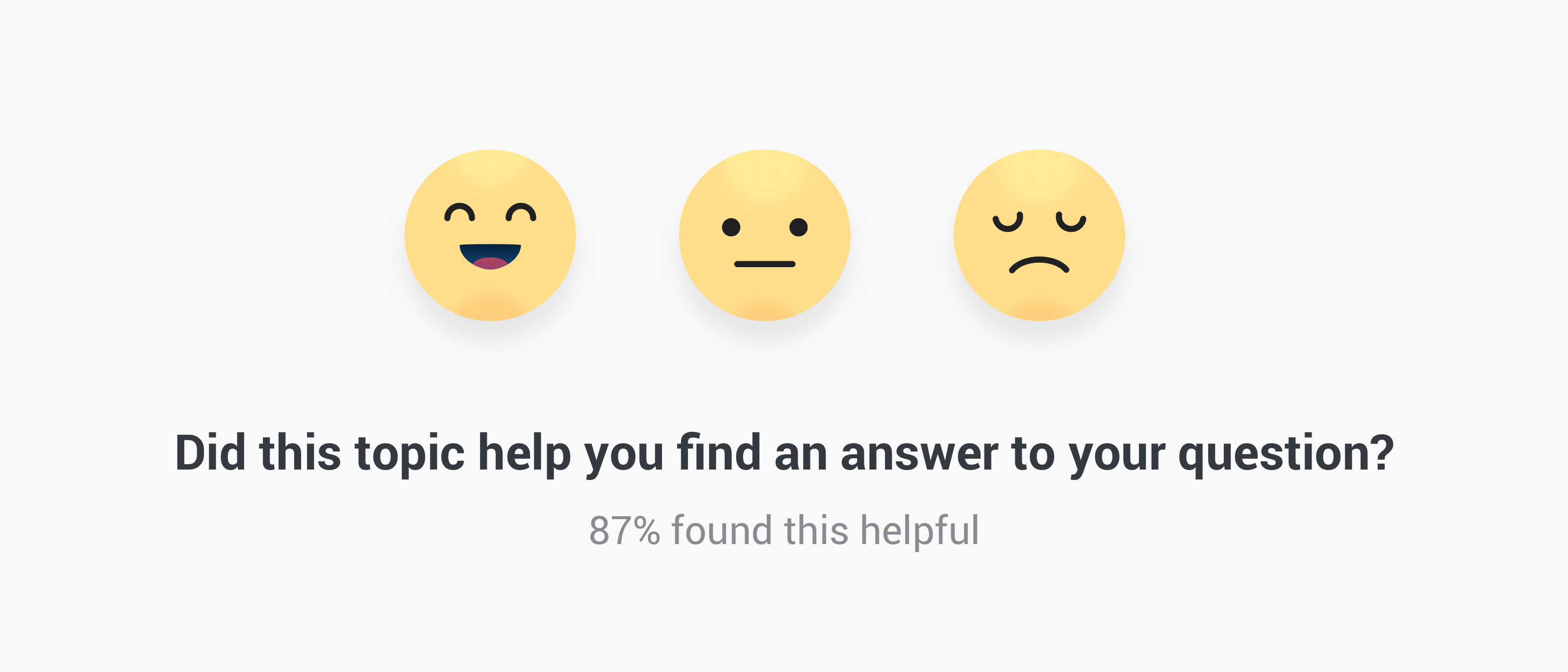
  • Replaced the binary vote system (yes/no) by a universally known emoji vote system
  • Fixed vote bar that appears when the user starts scrolling in a topic
  • Make topic helpfulness available on all Answers and Articles


What is Topic helpfulness?

A little area below the opening post where users can indicate if they found the topic helpful or not. Users can reply by picking an Emoji to indicate whether or not it has helped them. This data/event will then be directly logged into your Google analytics, giving you clear view on which topics/content are helping people the most. For the moment data is not visible in the Control Environment yet.


What's next

We're working on configuration options in the Control environment, this allows you to determine the phrases of the topic helpfulness and where it should appear. Next to that we're making data on the votes available in Control: topic moderation pages will be enriched with a 'Content performance panel' and the data will be sent to the Content dashboard.


When will this feature be available on my Community?

When configuration options, data and insights for this functionality are available in the Control Environment. We want to ensure you have complete freedom over the visibility and have access to the data from day 1. Pilot customers already have the latest improvements mentioned above.


Early access

Can't wait until the public release and want to have it now? We can enable the latest version of topic helpfulness on your community. This means visitors can already vote on the helpfulness of Answers and Articles, data will be sent to your Google Analytics account where you can analyse results yourself. Sent me a private message if you want early access.

We will keep you posted here on inSpired on improvements and new milestones, if you have any questions or feedback let us know.

28 replies

timcavey
Helper ⭐️⭐️
November 5, 2019

Can I get some advice on using this feature for marking moderator content:


Where’s the best place in analytics/export to find all content published by moderator x in a given date range, and seeing content success/helpfulness score for each piece of content?

learning, sharing and repeat
Julian
Gainsight Employee ⭐️⭐️⭐️
November 12, 2019

Hi @timcavey,

sorry, just saw this now as I was on holiday last week… 😞 Guess no one else knew how to get this done?

Anyhow, what you can do is use an advanced filter in a dashboard, so that you only see content created by a certain user (or more users, if you like):

  1. Go to the Content Dashboard.
  2. Select the time range you want to look analyze (when the topics were created).
  3. Select the “advanced filter” Button (top right, below the date picker).
  4. Then scroll down and select “Show all fields” and enter “Topic starter”. This will load a list with all usernames.
  5. Click on the magnifying glass icon in the highlighted field and enter the names of the Moderator(s) which you want to check, and select them:

If you then go back (again by clicking on the advanced filter icon in the top right corner), you will only see information regarding content created by this user. In the “popular topics” segment, you can then check on the general performance of content helpfulness, but of course you can also check on individual topic level how helpful their content has been rated.

Hope this does the trick for you?! :)

I follow my nose, it always knows
timcavey
Helper ⭐️⭐️
November 12, 2019
  1. Go to the Content Dashboard.
  2. Select the time range you want to look analyze (when the topics were created).
  3. Select the “advanced filter” Button (top right, below the date picker).

(3) is where I come unstuck @Julian - have a look at what I see:


Our community manager Darran also can’t see this, so it doesn’t sound like it’s permissions related 

learning, sharing and repeat
Suvi Lehtovaara
Helper ⭐️⭐️
November 13, 2019
  1. Go to the Content Dashboard.
  2. Select the time range you want to look analyze (when the topics were created).
  3. Select the “advanced filter” Button (top right, below the date picker).

(3) is where I come unstuck @Julian - have a look at what I see:


Our community manager Darran also can’t see this, so it doesn’t sound like it’s permissions related 

I cannot see this either @Julian @timcavey !

https://yhteiso.elisa.fi/
Julian
Gainsight Employee ⭐️⭐️⭐️
November 13, 2019

Hey Suvi & Tim,

sorry, maybe I was not clear enough, the button is easy to overlook. I was talking about this button:


Once you click this button, the menu for advanced filter will expand. There is no permission which could deny you access to it - if you can see the dashboard you should also see this button.

We actually have a dedicated tutorial on how to work with this tool: Link

Please let me know if you still have issues finding it, or if there are further questions around this topic.

I follow my nose, it always knows
timcavey
Helper ⭐️⭐️
November 13, 2019

This works perfectly, thanks @Julian !

learning, sharing and repeat
Suvi Lehtovaara
Helper ⭐️⭐️
November 19, 2019

This is great, thanks @Julian!

I have one question though -  I was able to get the percentage of happy votes… But can I get the total number of votes somehow?

https://yhteiso.elisa.fi/
timcavey
Helper ⭐️⭐️
November 19, 2019

This is great, thanks@Julian!

I have one question though -  I was able to get the percentage of happy votes… But can I get the total number of votes somehow?


Yes this would be handy, especially if we’re marking the moderators on their scoring, it would be fair to know the sample size! 

learning, sharing and repeat
Florian
Contributor ⭐️⭐️⭐️⭐️
March 20, 2020

Hey, thanks for sharing this. I don't know what is happening here, we'll need to look into this.

Hi @Yoeri ,


we are still seeing this happening for quite a few non content pages - do you have an update?

This is from yesterday sorted by top votes:

  • top voted upon page is a non-content page
  • 4 out of the 10 most voted upon pages are not content pages

While globally I’d like to know what people think about a page, helpful voting is supposed to help finding and improving content. While we can look at all detail pages like this we can’t form an understanding how helpful the content is overall. The overall helpfulness however, is a direct ROI indicator.

Cheers,

Florian

Yoeri
YoeriAuthor
Gainsight Employee ⭐️⭐️⭐️
March 22, 2020

Hey Florian,

When you apply a secondary dimension of Page title do you than still see non-content pages appearing?


Group Product Manager, Customer Communities