

Yoeri
Gainsight Employee ⭐️⭐️⭐️
December 3, 2018
update

Topic helpfulness v2.0
  • December 3, 2018
  • 28 replies
  • 922 views
Topic helpfulness v2.0
Some time ago we announced Topic Helpfulness here on inSpired. After this beta release we've been looking into ways how to improve this functionality. Thanks to you and our pilot customers (who tested this feature, shared data and gave their feedback on improvements) we were able to deploy some nice improvements;

  • A fresh new look & feel
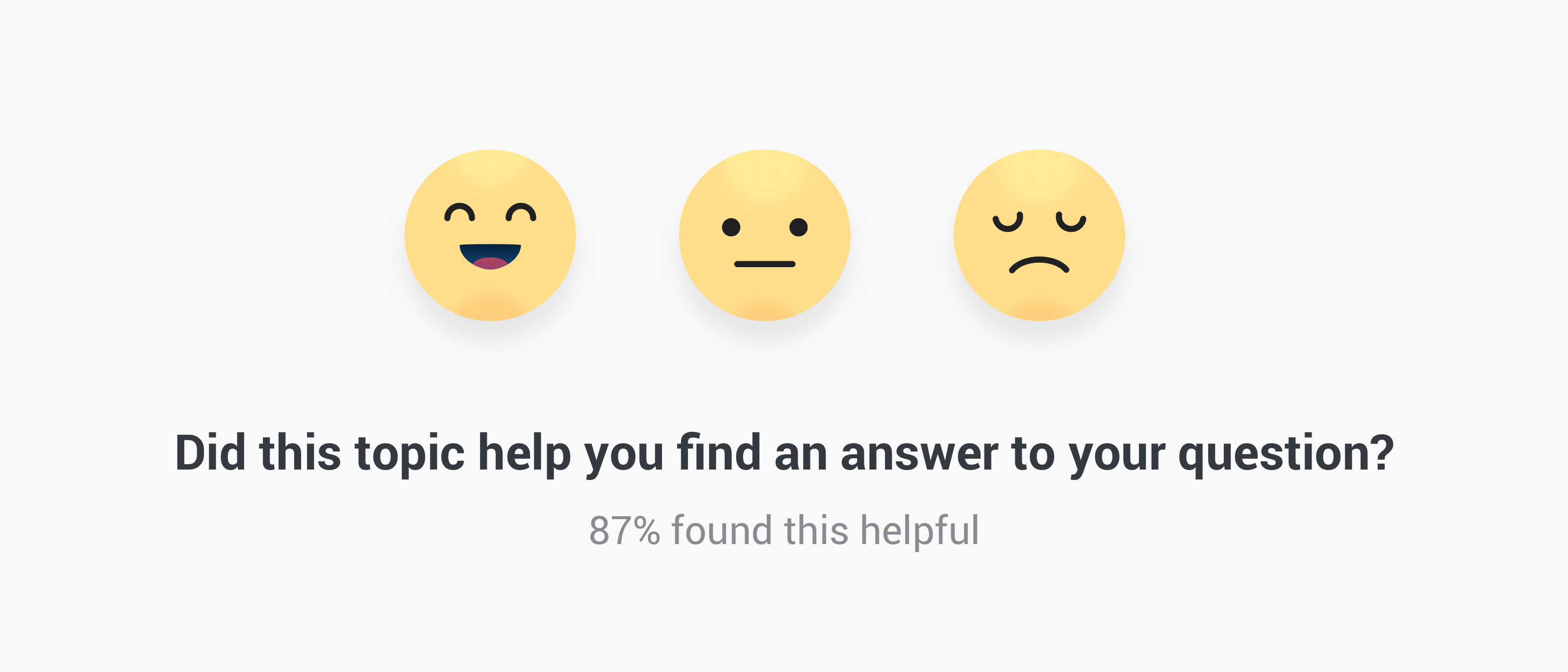
  • Replaced the binary vote system (yes/no) by a universally known emoji vote system
  • Fixed vote bar that appears when the user starts scrolling in a topic
  • Make topic helpfulness available on all Answers and Articles


What is Topic helpfulness?

A little area below the opening post where users can indicate if they found the topic helpful or not. Users can reply by picking an Emoji to indicate whether or not it has helped them. This data/event will then be directly logged into your Google analytics, giving you clear view on which topics/content are helping people the most. For the moment data is not visible in the Control Environment yet.


What's next

We're working on configuration options in the Control environment, this allows you to determine the phrases of the topic helpfulness and where it should appear. Next to that we're making data on the votes available in Control: topic moderation pages will be enriched with a 'Content performance panel' and the data will be sent to the Content dashboard.


When will this feature be available on my Community?

When configuration options, data and insights for this functionality are available in the Control Environment. We want to ensure you have complete freedom over the visibility and have access to the data from day 1. Pilot customers already have the latest improvements mentioned above.


Early access

Can't wait until the public release and want to have it now? We can enable the latest version of topic helpfulness on your community. This means visitors can already vote on the helpfulness of Answers and Articles, data will be sent to your Google Analytics account where you can analyse results yourself. Sent me a private message if you want early access.

We will keep you posted here on inSpired on improvements and new milestones, if you have any questions or feedback let us know.

28 replies

stanislav.fedoseev
Contributor ⭐️⭐️⭐️
April 7, 2020

@Yoeri 

hi!

is there any possibility to sort articles by topic helpfulness or just export all articles and see which have good/bad rate?

Yoeri
YoeriAuthor
Gainsight Employee ⭐️⭐️⭐️
April 7, 2020

Hey,

The best way to see this is in the Popular topics view in the Content Dashboard (Control → Analytics → Content Dashboard → Popular topics ‘view more’)

Breakdown of popular articles

The column Score shows the performance of your articles. Score is calculated with the following formula: Happy votes / total votes * 100 = Score as percentage

e.g. 12 Happy votes, 2 neutral votes, 1 sad vote = 15 votes in total
15 total votes / 12 happy votes * 100 = 80% score

The columns Happy, Neutral, Sad votes show the absolute amount of votes collected in the selected timerange

Group Product Manager, Customer Communities
stanislav.fedoseev
Contributor ⭐️⭐️⭐️
April 7, 2020

@Yoeri great!! thank you very much!

timcavey
Helper ⭐️⭐️
February 3, 2021

Hi @Yoeri do you know the mechanic for this appearing? Which topics, does it appear below the best answer of a question topic and above the first post of a discussion?


I always thought this appeared in every topic, but now can’t find it at all. e.g in this topic

learning, sharing and repeat
Julian
Gainsight Employee ⭐️⭐️⭐️
February 4, 2021

Hmm that is weird, I can see it just fine in this topic!?


When you are scrolling and you scroll back up, it also is being displayed at the bottom of the screen:


As to the mechanic, you have two settings where you can adjust on which pages this appears:

  • The general settings page (Settings - Content Helpfulness) allows you to activate this feature for different content types
  • On each individual topic page, you can toggle this on and off

I am not aware of any other settings which could affect this. If you cannot see it on this topic, there might be something else affecting it. I have not heard about issues before, but I could imagine that e.g. an adblocker add-on could mistake this for an ad an block it. But that is just a wild guess...

I follow my nose, it always knows
timcavey
Helper ⭐️⭐️
February 4, 2021

Hmm that is weird, I can see it just fine in this topic!?


Weird - it’s not showing for me. Always used to though!


When you are scrolling and you scroll back up, it also is being displayed at the bottom of the screen:


Likewise this doesn’t pop up either…….


I am not aware of any other settings which could affect this. If you cannot see it on this topic, there might be something else affecting it. I have not heard about issues before, but I could imagine that e.g. an adblocker add-on could mistake this for an ad an block it. But that is just a wild guess...


Thanks @Julian I’ll have a look at my Chrome settings to see what’s what!

learning, sharing and repeat
Julian
Gainsight Employee ⭐️⭐️⭐️
February 4, 2021

Maybe you want to try it in a different browser or on your mobile as well, then you should see relatively quick if it is an issue with Chorme or anything else. Let me know your findings and if there is anything I can help with.

I follow my nose, it always knows
Julian
Gainsight Employee ⭐️⭐️⭐️
February 4, 2021

@timcavey I think I have found the reason now: If you already voted, then this will not be displayed any more. We store that in the localstorage and do not display the section again to the same user.

If it is the case, you can try it in incognito (because clearing cookies will not do anything), you should be able to see it again.

Thanks so much to @dilekgencer who saw our discussion and pointed this out to me. :)

I follow my nose, it always knows