
Solved
サクセスプランの物理削除について
サクセスプランの運用方法変更に伴い、既存のサクセスプランを一括削除したいです。
Gainsightアプリに質問した方法ですと、Mass Edit機能を使うとありますが画面に見当たりません。
ルールエンジン、APIでも削除できない認識です。
どのように一括削除すればよいでしょうか?
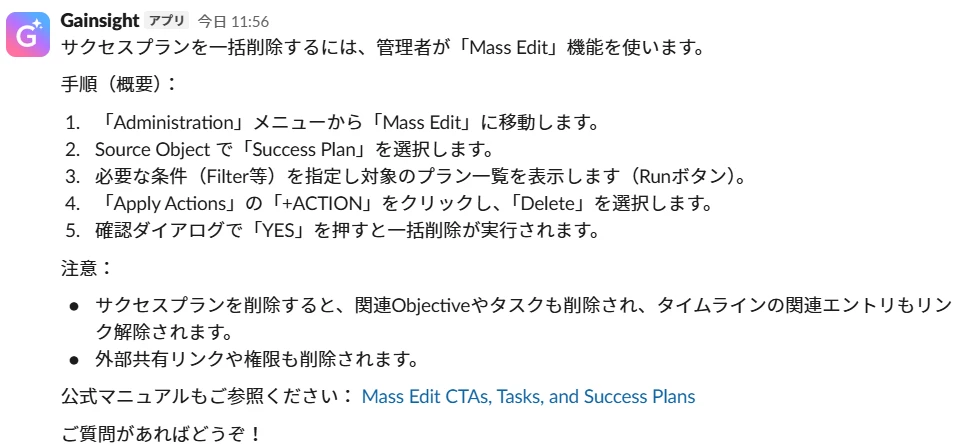
サクセスプランの運用方法変更に伴い、既存のサクセスプランを一括削除したいです。
Gainsightアプリに質問した方法ですと、Mass Edit機能を使うとありますが画面に見当たりません。
ルールエンジン、APIでも削除できない認識です。
どのように一括削除すればよいでしょうか?
オフィスアワーでの回答を記載いたします!
まず、以下がMass Editのページになります。
管理>一般>一括編集
左上の「Select」から「サクセスプラン」を選択し、適宜フィルターで必要な条件を修正していただき、
「Show me」からGSIDや名前など表示する項目を選択し、「RUN」をクリックしていただきますと、フィルターに基づいたサクセスプラン一覧が出てきます。
右下の「+ACTION」をクリックしていただき、Deleteボタンが出てきますので、そちらクリックしていただければ削除できるかと思います。
If you ever had a profile with us, there's no need to create another one.
Don't worry if your email address has since changed, or you can't remember your login, just let us know at community@gainsight.com and we'll help you get started from where you left.
Else, please continue with the registration below.
Enter your E-mail address. We'll send you an e-mail with instructions to reset your password.