

james_whitehead
Contributor ⭐️⭐️⭐️⭐️⭐️
June 5, 2019

Playbook Usability

  • June 5, 2019
  • 13 replies
  • 172 views
Good Morning-

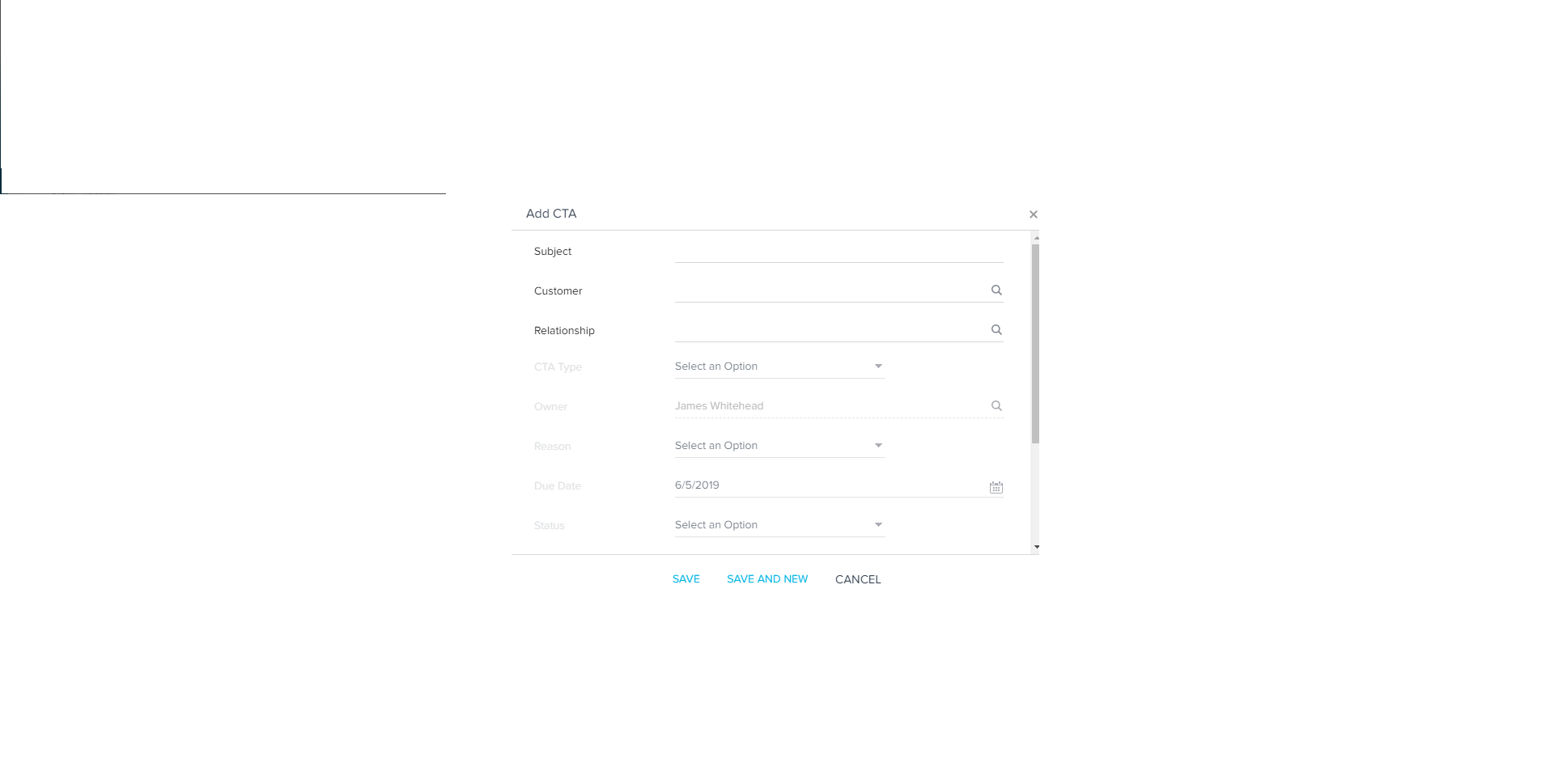
We've received some feedback from our CS team that manually creating a CTA is too click heavy. Our CSMs have requested that they have a list of all playbooks available when manually creating a CTA and have the CTA type (Risk, Expansion, Lifecycle, Activity) pre-determined by the admin team and pre-programmed to populate.

Having to figure out what type of CTA you want to create to see the playbook you want to use is confusing and driving down our adoption of Gainsight.
Thanks

-Jim

    13 replies

    james_whitehead
    Contributor ⭐️⭐️⭐️⭐️⭐️
    June 6, 2019
    Hi @aditya_marla -

    The main problem is what we spoke about at Pulse, that there are too many clicks to accomplish a task. This is the most consistent comment regarding Gainsight's usability across our entire CS organization.

    Our CSMs don't want to have to select a CTA Type to find the Playbook they want to work off of. They want a searchable list of Playbooks to select from and have settings determined by the Admin for the Type, Due Date, Priority, etc. These additional clicks make more work for them, makes the platform more confusing to use, and drives down adoption of Gainsight.

    I can also see the benefit from an operations standpoint:

    If we can set a standardized priority, time to completion, etc. for each Playbook that's built, we as an organization can determine the optimal time to completion of a task so we can give consistent service to our clients.

    Thanks

    -Jim

    darkknight
    Expert ⭐️
    August 15, 2019
    I agree the CTA creation process requires too many clicks and could stand to be simplified.

    That said, I do not want to lose the ability to group Playbooks by CTA Type.

    Perhaps the Playbook selection dropdown should move up earlier in the Create CTA view and include an expandable list (similar to what you see when selecting fields in Report Builder) which shows all CTA Types and then allows you to expand to view the Playbooks within each type.


    Then as suggested previously, when you select the playbook, it auto-sets the CTA Type.

    I'd take this one step further and say that if you could map Reason Codes to Playbooks, as I suggested 3 years ago, that would also help simplify this process.

    Jeff Kirkpatrick
    darkknight
    Expert ⭐️
    August 15, 2019
    I agree the CTA creation process requires too many clicks and could stand to be simplified.

    That said, I do not want to lose the ability to group Playbooks by CTA Type.

    Perhaps the Playbook selection dropdown should move up earlier in the Create CTA view and include an expandable list (similar to what you see when selecting fields in Report Builder) which shows all CTA Types and then allows you to expand to view the Playbooks within each type.


    Then as suggested previously, when you select the playbook, it auto-sets the CTA Type.

    I'd take this one step further and say that if you could map Reason Codes to Playbooks, as I suggested 3 years ago, that would also help simplify this process.

    Jeff Kirkpatrick