Cornelia
Contributor ⭐️⭐️⭐️⭐️⭐️
April 12, 2022

Chrome plugin: Logging email to timeline (Existing workflow) vs

  • April 12, 2022
  • 31 replies
  • 549 views

Hello Community, 


We’d like to hear what you have to say regarding a new workflow that is being worked on for Logging email to timeline.


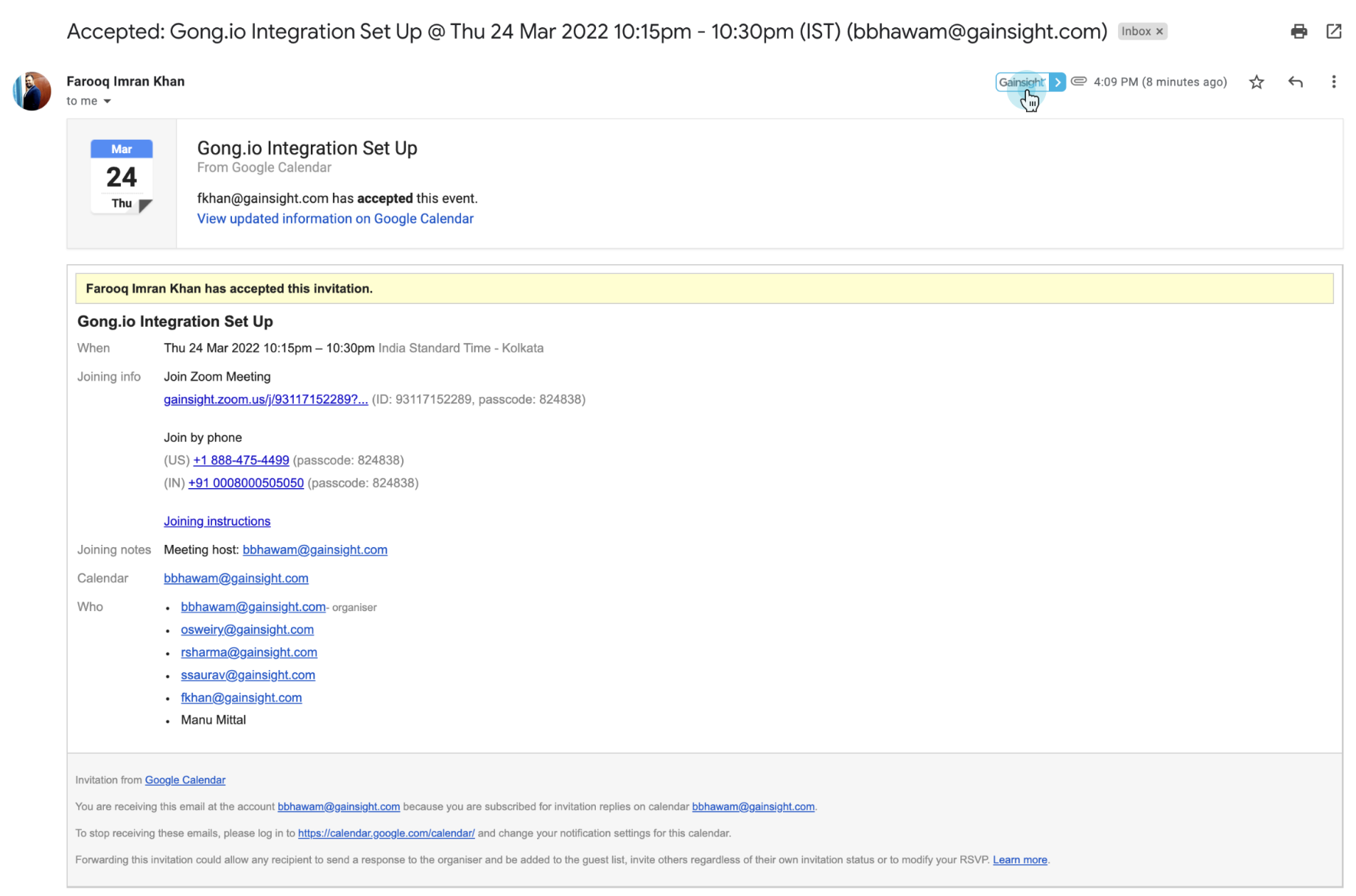
Chrome plugin: Logging email to timeline (Existing workflow)

  • 1-click logging into timeline

  • All email activities are always logged in as timeline activity type “email”


Limitations

  • Activity type cannot be changed
  • Additional fields on the activity need to be updated by going to Gainsight timeline and editing the activity


Chrome plugin: Logging email to timeline (New workflow)

  • Clicking on log to timeline button opens complete timeline activity creation experience
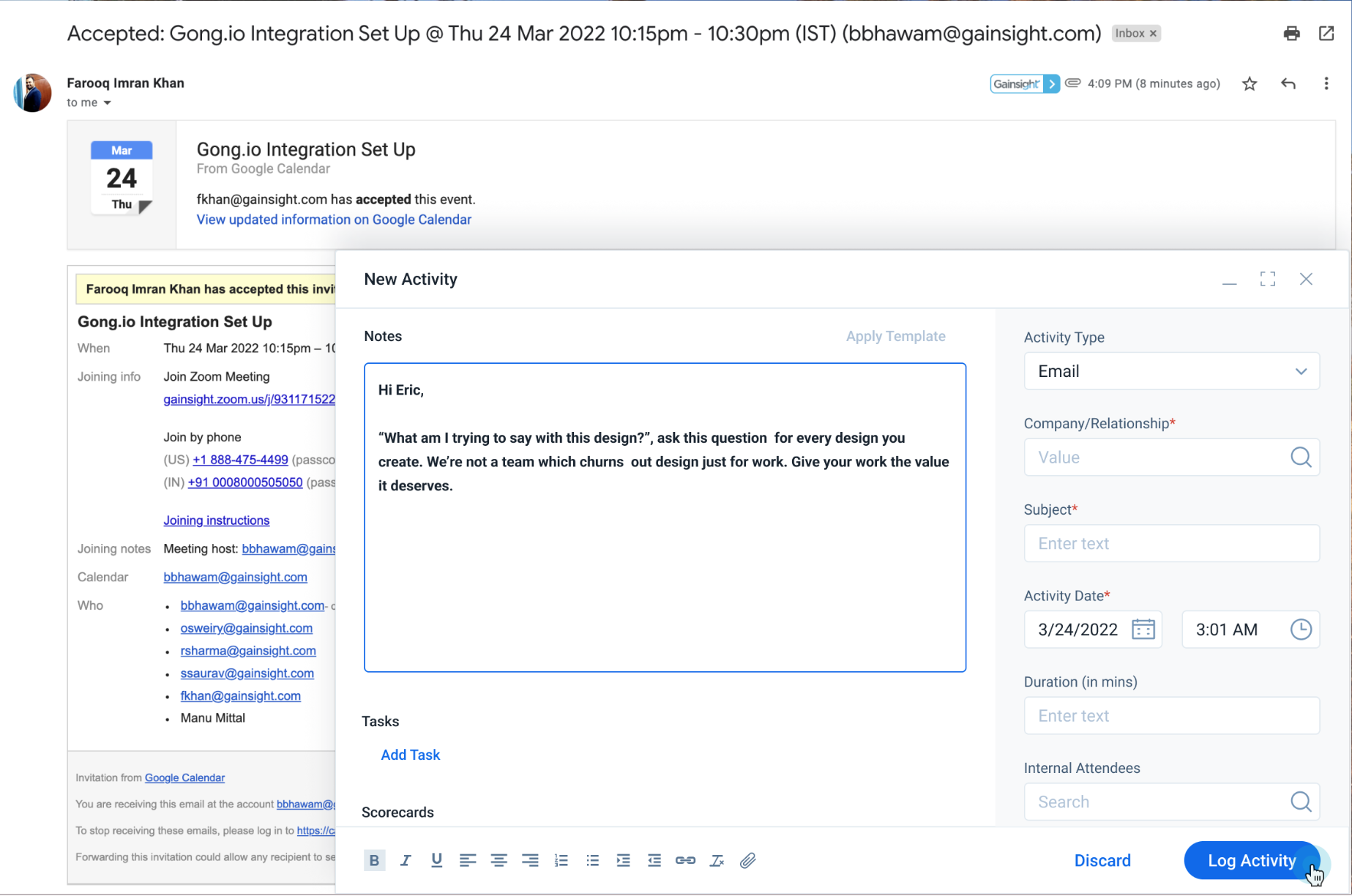


Note: Every email logging will require 2 clicks.

31 replies

Cornelia
CorneliaAuthor
Contributor ⭐️⭐️⭐️⭐️⭐️
April 12, 2022

FYI @sriram pasupathi 

t.uzel
Contributor ⭐️⭐️⭐️
April 12, 2022

I think this is a great idea for the companies that need it but this should be an optional feature for the org. As we don’t require any changes before email activities logged in, this will just create extra unnecessary work for our CSMs and will reduce the activity logging.

Cornelia
CorneliaAuthor
Contributor ⭐️⭐️⭐️⭐️⭐️
April 12, 2022

Hi @t.uzel we appreciate your feedback and voice of thought here, please feel free to tag other CSMs so we can hear what they have to sat as well :) 

Cornelia
CorneliaAuthor
Contributor ⭐️⭐️⭐️⭐️⭐️
April 12, 2022

FYI @mandy_major @bradley @TMaier @kstim @heather_hansen @matthew_lind @CrisCosta @eku_malcolm @carolyndibuono @darkknight @andreammelde @ana_g @sarahmiracle 

heather_hansen
VIP ⭐️⭐️⭐️⭐️⭐️
April 12, 2022

In our case, I think it would be helpful as often times, the email is actually for another activity type, but I do think it depends on your processes as @t.uzel mentioned.  What about giving the admin the ability to set which activity types are available, and if only one is set, not displaying that additional click?

anthonysabato
Helper ⭐️
April 12, 2022

Having the ability in the feature itself where one option to single click log to timeline (defaults to email type and the second option to modify the entry before logging (giving option to change type).

Then end users can have both the quick option and the flexible options at their disposal.


zach_davis
Helper ⭐️
April 12, 2022

Having the ability in the feature itself where one option to single click log to timeline (defaults to email type and the second option to modify the entry before logging (giving option to change type).

Then end users can have both the quick option and the flexible options at their disposal.


I came to say exactly this. I love the iteration here but I don’t feel it should be an either or situation. Providing an option to log directly to Timeline as well as an ‘edit’ option that surfaces the pop-up would be ideal for our users.


FYI @darkknight 

TMaier
Helper ⭐️
April 12, 2022

I think the more common way I’ve seen the plugin used is via the checkbox at the bottom of the compose window - the only time I’ve ever advised anyone to use the status ribbon to log an email is when the sync to Gainsight failed for whatever reason.


I personally don’t care for this idea, because I don’t want to encourage users to edit the content of their emails or the recipients prior to syncing it to Gainsight - one of the core value-add’s of the plugin is that it logs an exact copy of the email directly to Timeline with minimal user interaction.


If I were asking for enhancements to the plugin, I would focus on two things…

  1. The conflict resolution pop-up when multiple Company matches occurs is unreliable / easy to miss. For whatever reason (browser configuration, pop-up blockers, etc) the window doesn’t seem to always pop up for users. I currently suggest that everyone check their timeline drafts at least weekly to clean up because it’s so common to have unresolved misses.
  2. Allow users to create a Company Person record from their inbox via the plugin when no matches are found. This would be pretty involved and I can see some dangers so it should be an optional feature per org, and some validation would be required to ensure good data.
andreammelde
Helper ⭐️⭐️
April 12, 2022

This would be great - one of the issues we have found is that Chrome and BCC to Timeline will assign to our “internal” account bc the CSM is on the email and you cannot change the company after the timeline is logged.

By doing the pop-up, this would allow CSMs to validate the information before logging and address this issue we have had.


Agree with @TMaier on that CSMs use the checkbox not the ribbon at the top

Andrea Carroll
darkknight
Expert ⭐️
April 12, 2022


I personally don’t care for this idea, because I don’t want to encourage users to edit the content of their emails or the recipients prior to syncing it to Gainsight - one of the core value-add’s of the plugin is that it logs an exact copy of the email directly to Timeline with minimal user interaction.

Sometimes email threads are so long they won’t get logged because they exceed the character count.  This would give users the ability to edit out the “fluff” and just log the vital content.

Jeff Kirkpatrick