


PX Newsletter May 2026
Product Experience May 2026

This month we're giving your engagements a brand new look, and opening the door to the future of AI-powered product analytics. Your product experience just got sharper, and your workflow just got smarter. Plus, community highlights and office hours worth adding to your calendar.
Let's dig in! 😀

Set Your Brand Once and Apply It Across Every Engagement
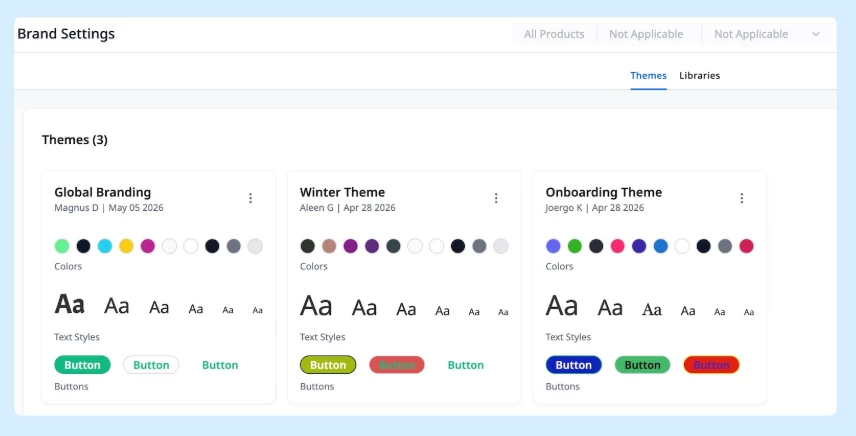
Brand Settings gives you a centralized place to configure reusable design themes for your Guide V2 engagements, covering colors, typography, and button styles. When your brand evolves, update the theme once and changes propagate automatically across every engagement, no manual rework required.
Learn More

A Smarter Way to Distribute NPS Responses Across the Year
If you're running multiple NPS engagements to hit quarterly targets, there's a simpler architecture worth considering — and it comes straight from a community discussion this month.
Instead of splitting engagements by user group and manually resetting dates each quarter, try this:
• Set up a single always-on NPS survey targeting all customer users
• Use Qualification Scope intervals to cap how often any one user sees it (e.g. once every 6 months)
• Apply Engagement Sampling at 25–50% to control which user sessions actually qualify
The result: NPS responses naturally spread across the year without manual resets, survey fatigue stays in check, and your data stays clean for quarterly analysis.
See the full discussion for configuration details
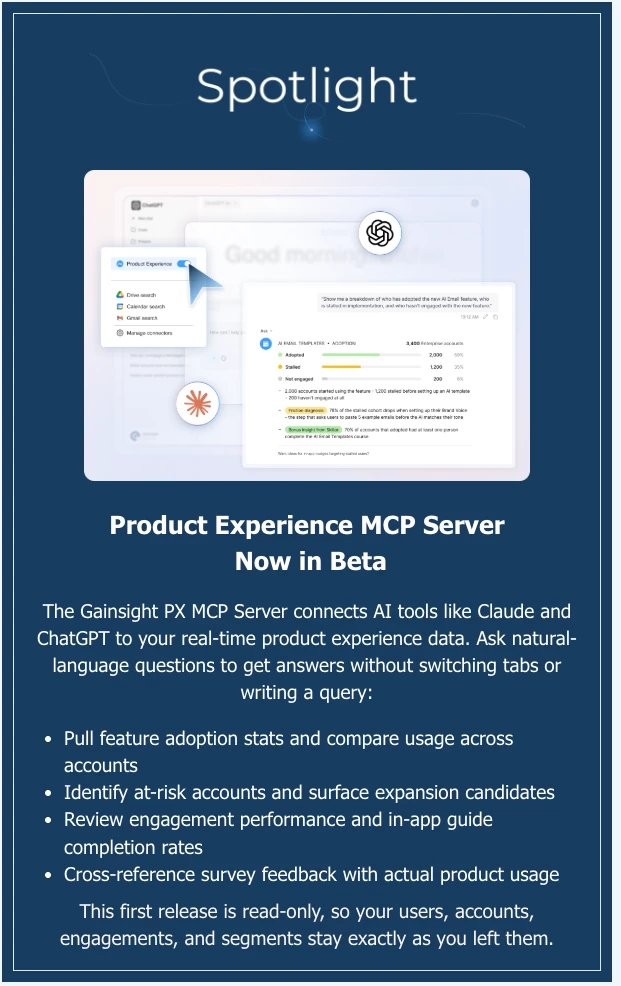
Learn More

How to Trigger a Survey Engagement from a Dialog Button
Want to fire a survey the moment a user clicks a button in your PX dialog? The community has you covered.
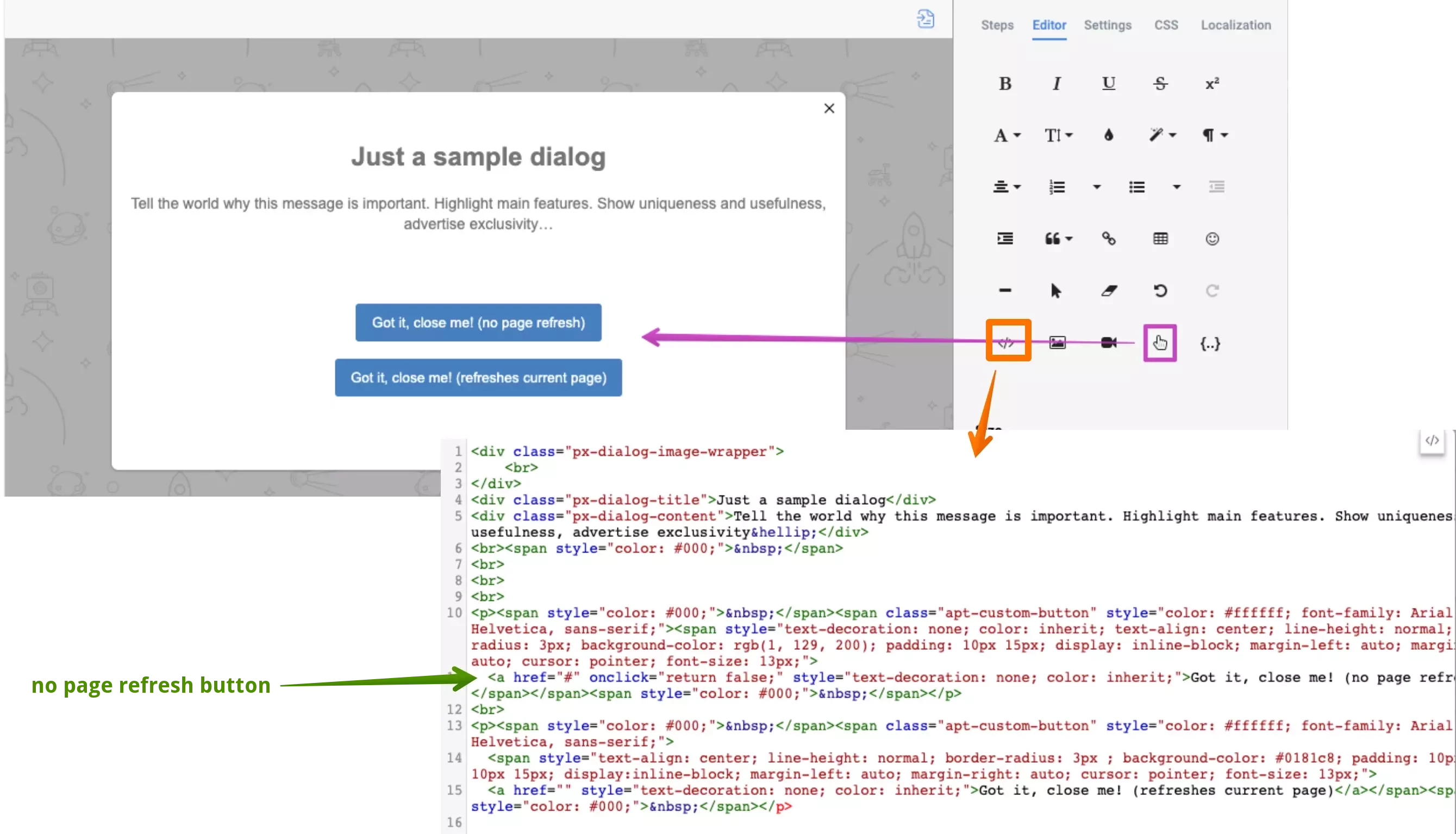
Alistair FIeld asked exactly this — they had the dialog button built, but needed to know how to connect it to a survey engagement in real time. The best answer: add a PX custom event to the onclick action on the link element inside your dialog, then use that custom event as the audience trigger in your survey engagement. One snippet, and the two are linked.
It's a clean pattern worth bookmarking if you're building any in-app feedback flows.
See the full solution and code snippet
Are Ad Blockers Silently Breaking Your PX Engagements?
If some of your users aren't seeing in-app guides, surveys, or the In-App Hub, an ad blocker may be the culprit — and it could be affecting more than you realise.
Community member Danny raised this after noticing uBlock was preventing the In-App Hub from rendering entirely. The community's go-to technical expert link_black confirmed that PX's aptrinsic.com domain is included in uBlock Origin's default privacy settings — meaning a significant portion of your users may be affected without you knowing.
Two paths forward:
• Ask affected users to allowlist your application and the *.aptrinsic.com URLs in their blocker settings
• Have your technical team implement a proxy server to route PX traffic through your own company domain — the more scalable fix for teams with technical resources
And a reminder worth acting on: proactively letting customers know you use Gainsight PX to improve their experience (not for ads or tracking) goes a long way in building trust and willingness to allowlist.
Read the full thread for detailed guidance and linked resources

PX Office Hours: Improve your engagement
Tuesdays at 8:00 AM ET and Thursdays at 12:00 PM ET
Have questions about Gainsight PX or looking to improve adoption and engagement? Join our weekly Office Hours—open to all PX customers.
What to expect:
- Live answers from PX experts
- Peer discussions on real-world challenges
- Practical tips to optimize engagement and drive adoption
Register Here