


Gainsight CC: More Control, Richer Experiences, and a Stronger Global Presence
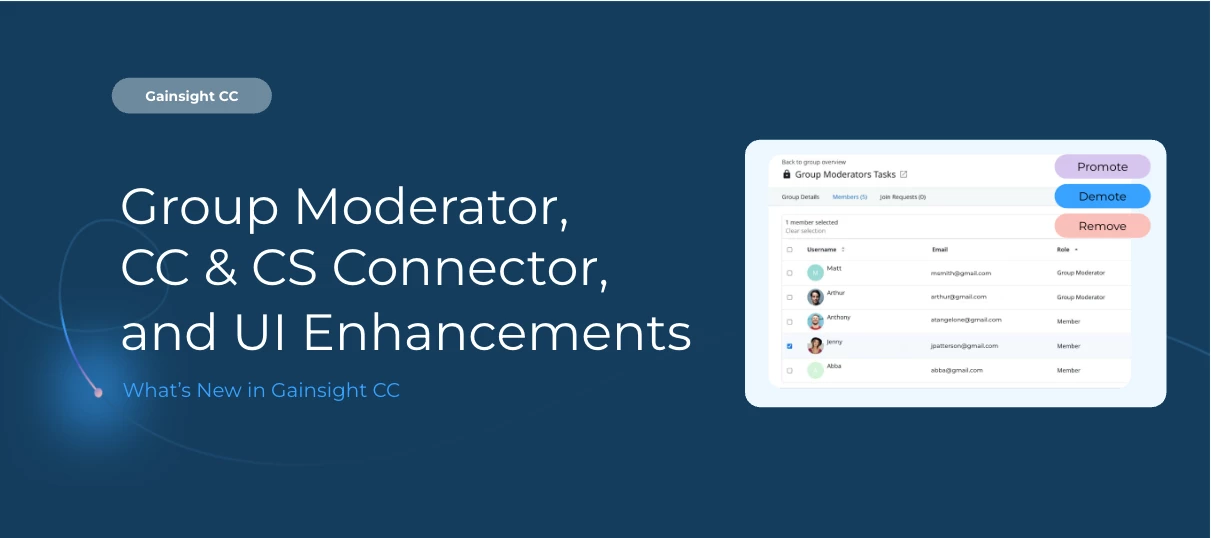
We are excited to deliver five updates that give community managers more flexibility, admins better data tools, and members a more polished, discoverable experience, no matter where they are in the world.
👥 Manage Groups with Confidence Using the New Group Moderator Role
Empower trusted community members to manage their groups directly from Destination, without needing access to Control.
The new Group Moderator role replaces the former Group Admin and gives designated members the tools to keep their groups running smoothly and securely.
What Group Moderators can do:
-
Add or remove members in real time — no email confirmations or approval workflows required
-
Handle join requests — view, approve, or decline requests for private and hidden groups, directly from Destination
-
Control featured content — edit and update the content pinned at the top of the group's page
-
Access the Moderation Widget — manage the group from the overview page without logging into Control
-
Set secure invite link expiry — choose from 24-hour, 7-day, 30-day, or 90-day expiration windows to prevent unauthorized access
Community Managers and admins can promote any member to the Group Moderator role from within Control.
🙌 Shoutout to the Beta Crew
Big thanks to the teams at Meltwater, Jamf, Personio, LinkedIn, Trimble, Alkami, and Veeam for putting Group Moderator through its paces. Your feedback helped shape the experience for community teams everywhere.
For more information, refer to the Group Moderator Tasks and Member Management in Gainsight CC article.
🔁 Sync CS Attributes to Community User Profiles
Gainsight CC admins can now map Gainsight CS attributes directly to CC user profile fields and keep them in sync automatically.
The new User Profile Field Mapping page lets admins connect attributes from CS standard objects (Person and Company Person) to your CC user profile fields. Once configured, values sync on a recurring schedule every four hours.
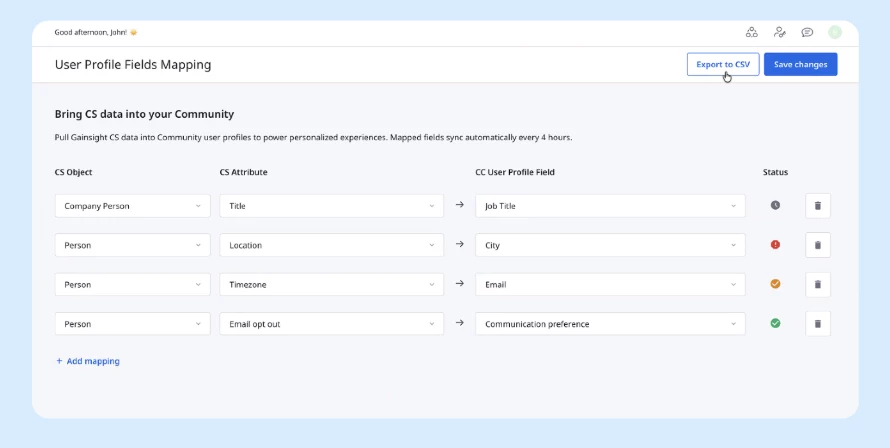
This is a first step in the direction of CS to CC, closing the loop on bidirectional sync of CC-CS, with more capabilities to follow
What this unlocks:
-
Richer personalization and segmentation — use real CS data in CC to power targeted community experiences, smarter segmentation, and more relevant communications
-
Automated attribute sync — No more support requests. Data flows automatically at set cadence for mapped user profile fields
To get started, a one-click connection between CS and CC must be established from the Connectors page in CS, and the desired user profile fields must be added in CC before mapping.
For more information, refer to the Configure User Profile Field Mapping article.
🌐 Reach Every Member in Their Language with an Expanded Language Switcher
Your community now supports 25 languages across 36 regional variants, up from 19 — and a redesigned language switcher makes it easier than ever for members to find theirs.
Redesigned language switcher in the community header is marked by a new globe icon lets members select their preferred language instantly. The selection applies immediately across all system-generated content: interface text, metadata, and standard phrases.
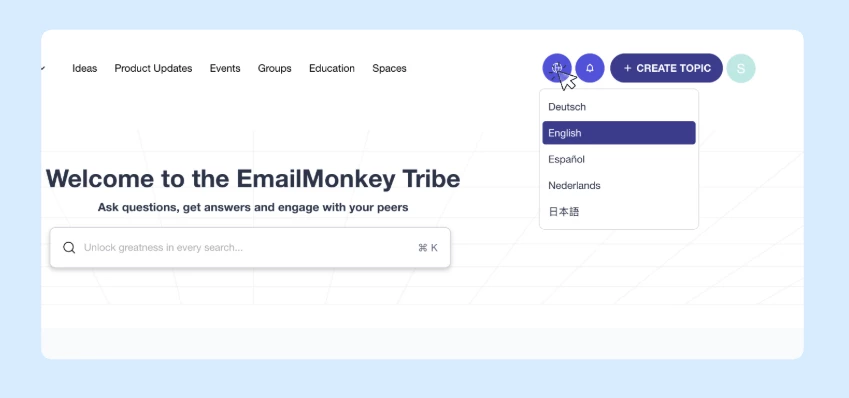
17 new languages and regional variants, including:
-
Regional English variants: Australia, Canada, Global, Ireland, Singapore, South Africa, and United Kingdom
-
Regional variants for Chinese (Traditional), French (Canada), Portuguese, and Spanish (United States)
-
Entirely new languages: Hungarian, Indonesian, Norwegian, Polish, Thai, Turkish, and Vietnamese
Community Admins can enable and publish languages from Control > Language Settings.
For more information, refer to the Configure Language Settings article.
🖼 Give Categories Imagery with Thumbnail Images on Section Pages
Thumbnail images added to categories are now visible on category navigation cards on section pages, making it easier for members to find and explore the content areas that matter to them.
Previously, thumbnail images could be uploaded during category creation but never appeared in Destination. Now they do — bringing a more visual, intuitive browsing experience to your community with no additional configuration needed.
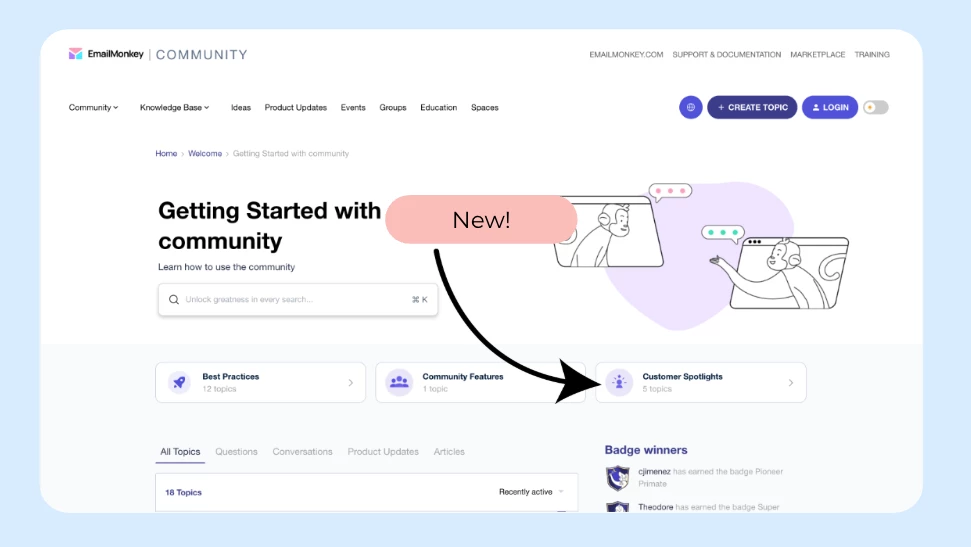
For more information on how to add the thumbnail, refer to the Configure Community Sections article.
🔍 Help Google Find Your Community with Enhanced SEO
Gainsight Customer Community now delivers stronger search engine optimization across localized homepages, breadcrumb navigation, and content language declarations — helping Google surface your content to the right audiences.
What's included:
Localized Homepage Language Tagging Localized homepages are now tagged with the correct hreflang signals, so Google automatically serves your language-specific homepage to the right regional audience.
Structured Breadcrumb Data Breadcrumb trails are now embedded as structured data that Google reads directly, enabling your pages to appear with cleaner, more navigable links in search results and improving organic click-through rates.
Content Language Declaration Pages now correctly declare their content language in HTML markup, allowing screen readers to select the right voice and enabling browsers to offer accurate translation prompts for global visitors.
Note: These are backend improvements that do not require any action by your team to reap the benefits!
For more information on how to set up SEO, refer to the Configure SEO Settings article.
👉 Check out the Release Notes for more details.
💬 Have a question for our team? Drop a comment below!