• 475 Product updates

Check out the new "Mega Menu" widget on InSpired

Check out the new "Mega Menu" widget on InSpired

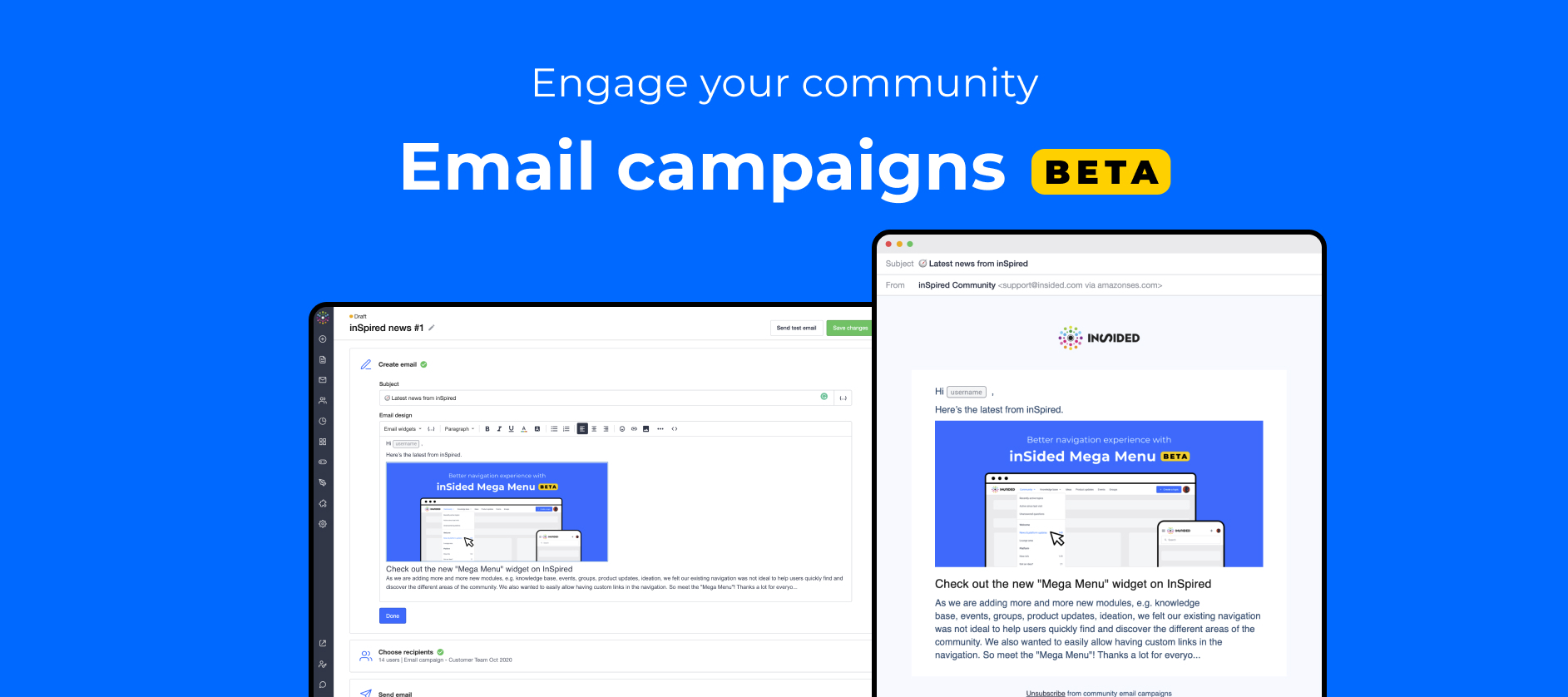
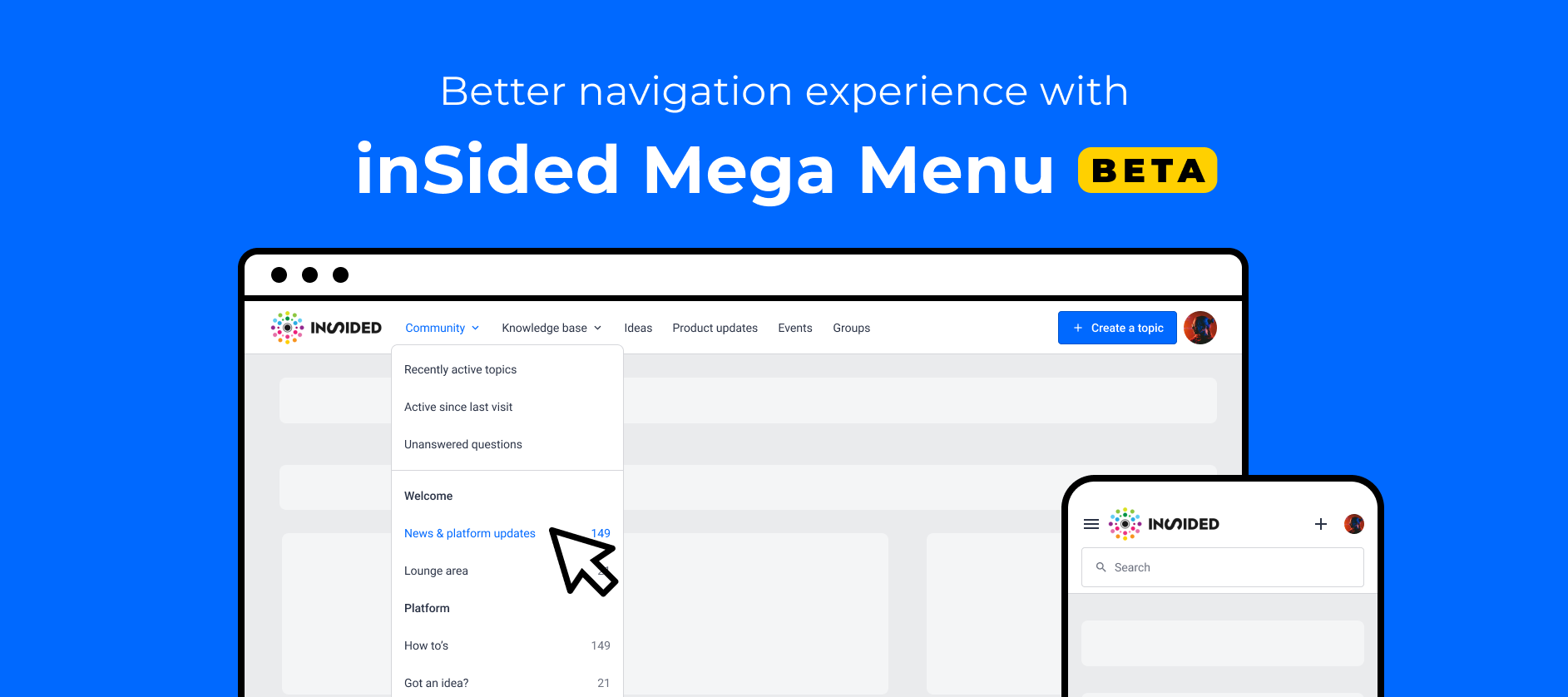
As we are adding more and more new modules, e.g. knowledge base, events, groups, product updates, ideation, we felt our existing navigation was not ideal to help users quickly find and discover the different areas of the community. We also wanted to easily allow having custom links in the navigation. So meet the "Mega Menu"! Thanks a lot for everyone who gave feedback on this research article and helped design this widget: @mstone  @aluciani  @Milla  @Kseniya  @LPortalupi  @Casstastr0phee  @Hiewwaiy  @bjoern_schulzeI will get in touch to allow you to test this Beta version! The "Mega menu" widget allows you to: Have a horizontal menu rather than a burger menu on desktop Make navigation between modules more explicit Add a logo (optional) Enable, disable and reorder module links to knowledge base, events, groups, ideation, product updates.  Rename entries in the menu Add custom links to external sites Have a search bar in the navigationNote: It is possible to enable this new "Mega menu" widget with an SSI header :) How to beta test the "Mega Menu" widgetIf you want to have early access, you can get in touch with me or your Customer Success Manager to get it enabled in staging. You can also leave a reply below to let us know.You will be able to switch to this new navigation using the customization mode of the home page.Check out our knowledge base article to start using it. What's next?Before we officially release this widget, we are thinking of adding some extra functionalities:Have permissions impact the menu (for example, end-users who can't access ideation will not see the Ideation entry in the menu) Have child custom links within each entry of the menu More color settings Sticky navigation option New UI for the dropdowns with icons to go even further in that "Mega Menu"mindset Your feedbackAs usual, we want to know your questions, what you think, and how you would like us to improve this widget! 

Check out the new "Mega Menu" widget on InSpired

Check out the new "Mega Menu" widget on InSpired

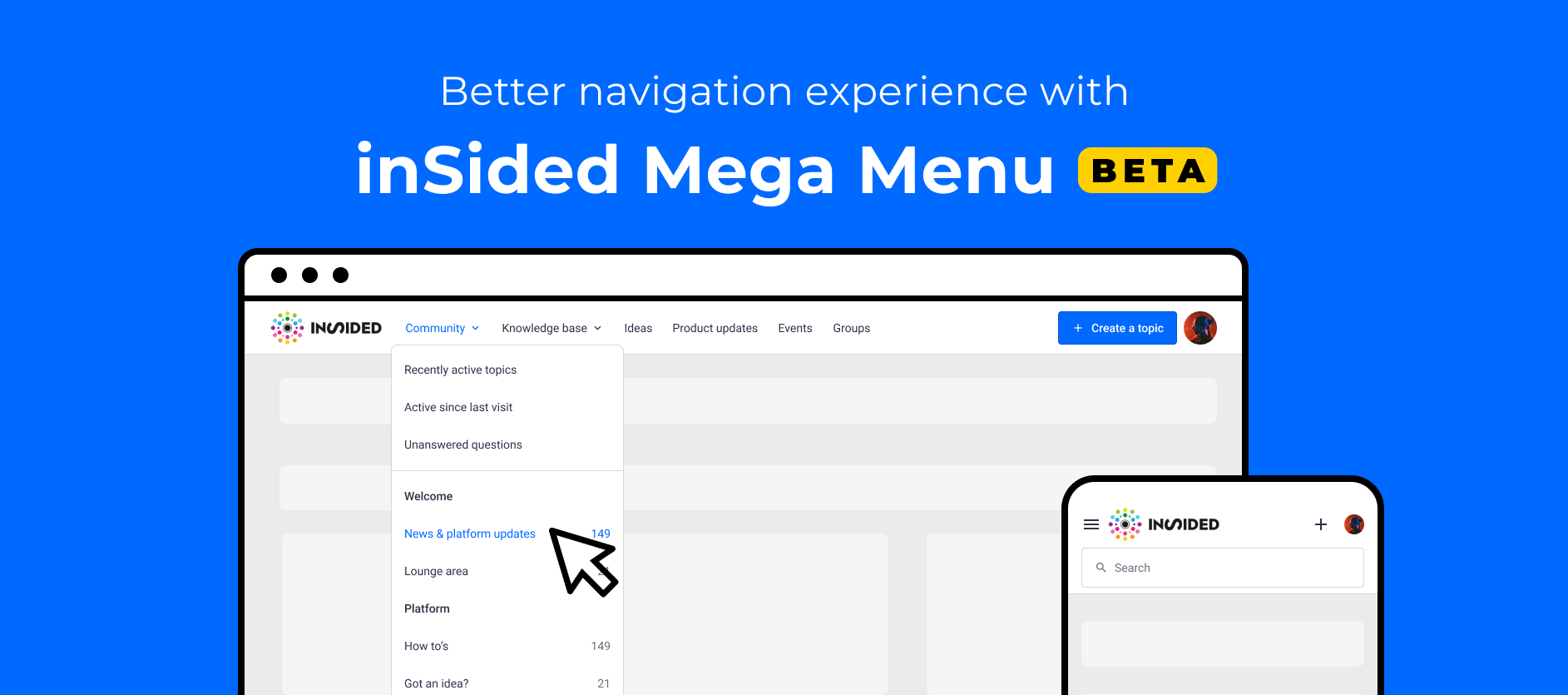
As we are adding more and more new modules, e.g. knowledge base, events, groups, product updates, ideation, we felt our existing navigation was not ideal to help users quickly find and discover the different areas of the community. We also wanted to easily allow having custom links in the navigation. So meet the "Mega Menu"! Thanks a lot for everyone who gave feedback on this research article and helped design this widget: @mstone  @aluciani  @Milla  @Kseniya  @LPortalupi  @Casstastr0phee  @Hiewwaiy  @bjoern_schulzeI will get in touch to allow you to test this Beta version! The "Mega menu" widget allows you to: Have a horizontal menu rather than a burger menu on desktop Make navigation between modules more explicit Add a logo (optional) Enable, disable and reorder module links to knowledge base, events, groups, ideation, product updates.  Rename entries in the menu Add custom links to external sites Have a search bar in the navigationNote: It is possible to enable this new "Mega menu" widget with an SSI header :) How to beta test the "Mega Menu" widgetIf you want to have early access, you can get in touch with me or your Customer Success Manager to get it enabled in staging. You can also leave a reply below to let us know.You will be able to switch to this new navigation using the customization mode of the home page.Check out our knowledge base article to start using it. What's next?Before we officially release this widget, we are thinking of adding some extra functionalities:Have permissions impact the menu (for example, end-users who can't access ideation will not see the Ideation entry in the menu) Have child custom links within each entry of the menu More color settings Sticky navigation option New UI for the dropdowns with icons to go even further in that "Mega Menu"mindset Your feedbackAs usual, we want to know your questions, what you think, and how you would like us to improve this widget! 

User Groups now available!

User Groups now available!

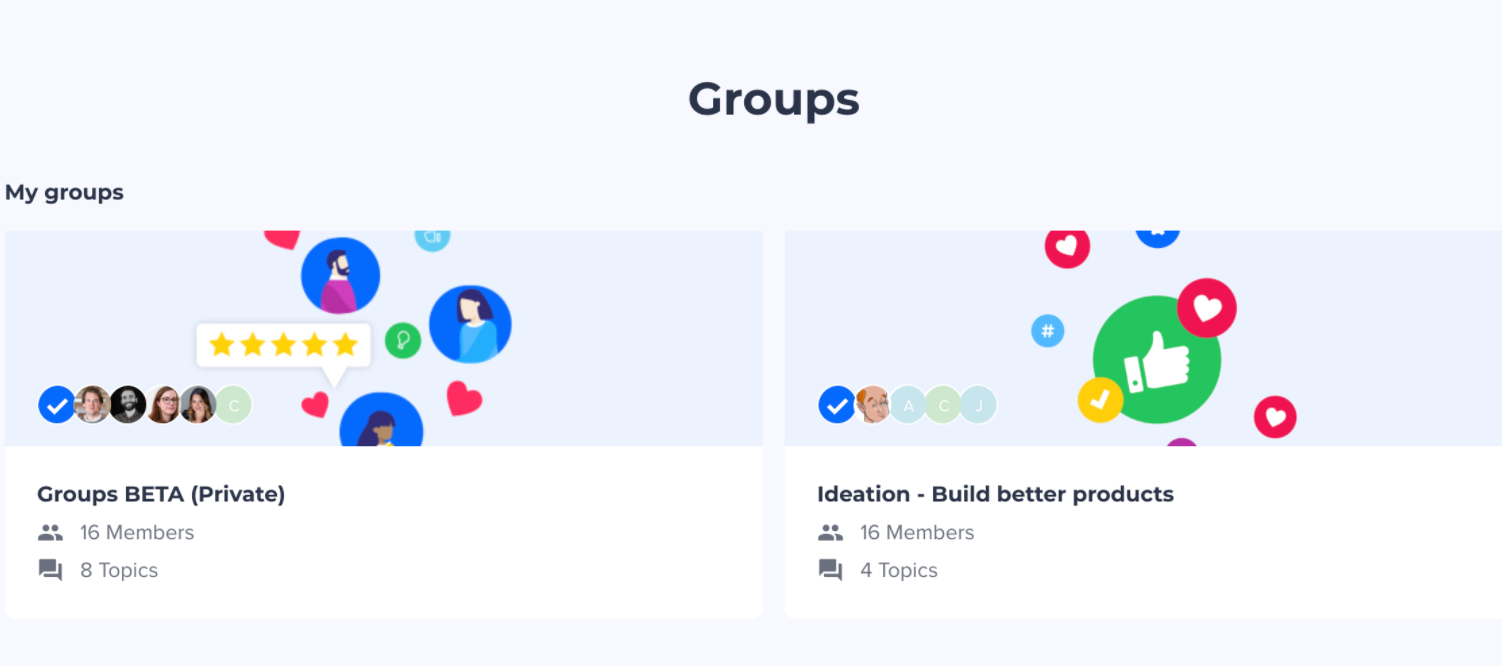
Community categories are great to bring members together to interact on specific topics. However, they are more focused on the topic that is being discussed rather than on the shared interests that members have in common. That's why we invested in a new module: Meet Groups!Groups are a place where members can engage based on what they have in common. Where categories are completely anonymous, groups focus on the social aspect of group members. When joining a group, users will appear in the group member list. Check out groups on InSpired Groups can be used to segment users who have the same: Job or position (e.g. Designers) Industry (e.g. healthcare) Region or location (e.g. EMEA) Interests (e.g. Drones)  Within these groups, members are free to interact on any topic and share best practices. As a moderator, you can share content tailored for them including creating events. You can make groups publicly accessible or private. A common use case for Private groups is to have one for users testing features in BETA.  With groups you can: Manage groups in a specific overview page in Control Create groups Make groups public or private List and export members of groups Grant remove access to a group to a specific user Have Featured topics within groups that are relevant for member Create events in a private group  Members of your community can: Browse groups Join or send a request to join a group  Receive notifications about a group activity See events in a private group  How can you start using group?Please reach out to your Customer Sucess Manager to see how best you can use groups in your community.We’ve prepared a whole new suite of documentation to help you navigate the new groups feature - learn more in our groups knowledge base.Please share your feedback with us so we can improve further this new feature!

Related products:CC Groups

User Groups now available!

Community categories are great to bring members together to interact on specific topics. However, they are more focused on the topic that is being discussed rather than on the shared interests that members have in common. That's why we invested in a new module: Meet Groups!Groups are a place where members can engage based on what they have in common. Where categories are completely anonymous, groups focus on the social aspect of group members. When joining a group, users will appear in the group member list. Check out groups on InSpired Groups can be used to segment users who have the same: Job or position (e.g. Designers) Industry (e.g. healthcare) Region or location (e.g. EMEA) Interests (e.g. Drones)  Within these groups, members are free to interact on any topic and share best practices. As a moderator, you can share content tailored for them including creating events. You can make groups publicly accessible or private. A common use case for Private groups is to have one for users testing features in BETA.  With groups you can: Manage groups in a specific overview page in Control Create groups Make groups public or private List and export members of groups Grant remove access to a group to a specific user Have Featured topics within groups that are relevant for member Create events in a private group  Members of your community can: Browse groups Join or send a request to join a group  Receive notifications about a group activity See events in a private group  How can you start using group?Please reach out to your Customer Sucess Manager to see how best you can use groups in your community.We’ve prepared a whole new suite of documentation to help you navigate the new groups feature - learn more in our groups knowledge base.Please share your feedback with us so we can improve further this new feature!

Related products:CC Groups
Reminder: old dashboards will be removed on Wed 23 September 2020
Product Updates now previewing on InSpired

Product Updates now previewing on InSpired

 If you are communicating any form of product updates to your community on a regular basis you will be happy with this - we are currently working on a new content type, specifically focussing on this usecase: Meet Product Updates. With product updates, you can bridge the transparency gap between you and your customers around the product and functionalities that you offer. This new module includes: Create a new topic type “Product update” in Control View all product updates on a centralized page Subscribe to product updates Assign Product updates to product areas (e.g. Product A, Version X, Premium only) Collaborate with colleagues on the perfect product update with draft, preview Today we are happy to announce that we are previewing this module on our own community InSpired! View the new inSpired Product UpdatesRead this article in Product Updates  Product updates examplesIn case you are wondering when you should write a product update. You can use product updates in the following scenario’s:New product or feature release Announcing a new product or feature Bug fixes and improvements Changelog Roadmap updates How to get startedIf you want to have early access, you can get in touch with you Customer Success manager to get the Product Updates module enabled. We’ve prepared a set of articles and guides help you get started right away. Head over to our knowledge base to learn how to create product updates, best practices for writing product updates and more. Your feedbackAs usual, we want to know your questions, what you think and how you would like us to improve this module! We have some plans already, however we count on you to help us shape this new module so that you can get the most out of it once it is officially released.

Related products:CC Product Updates
Product Updates now previewing on InSpired

Product Updates now previewing on InSpired

If you are communicating any form of product updates to your community on a regular basis you will be happy with this - we are currently working on a new content type, specifically focussing on this usecase: Meet Product Updates. With product updates, you can bridge the transparency gap between you and your customers around the product and functionalities that you offer. This new module includes: Create a new topic type “Product update” in Control View all product updates on a centralized page Subscribe to product updates Assign Product updates to product areas (e.g. Product A, Version X, Premium only) Collaborate with colleagues on the perfect product update with draft, preview Today we are happy to announce that we are previewing this module on our own community InSpired!  To the product updates overview page   Product updates examplesIn case you are wondering when you should write a product update. You can use product updates in the following scenario’s:New product or feature release Announcing a new product or feature Bug fixes and improvements Changelog Roadmap updates How to get startedIf you want to have early access, you can get in touch with you Customer Success manager to get the Product Updates module enabled. We’ve prepared a set of articles and guides help you get started right away. Head over to our knowledge base to learn how to create product updates, best practices for writing product updates and more. Your feedbackAs usual, we want to know your questions, what you think and how you would like us to improve this module! We have some plans already, however we count on you to help us shape this new module so that you can get the most out of it once it is officially released. 

Related products:CC Product Updates

Coming soon: new moderation overview will become the default view in Control

Next week on Monday 31st August at ~11AM CEST we will bring the new moderation overview out of beta and make it the default moderation overview for all Control users.Read on to find out:What improvements we’ve made since launching the beta. Whether you can still use the old overview for now (spoiler: yes). What’s next for the moderation overview.What improvements have been made to the new moderation overview since the launch of the beta?Here’s a recap of the improvements we’ve delivered since launching the moderation overview in beta at the beginning of June: Improved reliability of the data on the overview (for example: when topics are trashed, or moved). A responsive table design and UX, and the ability to customise the columns to display. Even more filters and columns, including old favourites: unread by team (‘status’) column, moderation label column, filter by ‘unassigned moderator’, filter by best answer marked, sort by publish date, and more. Bulk actions: close, trash, and change the category of several topics at once. Ability to delete custom views.Our most important investment since launching the beta has been to improve the data reliability of the new moderation overview. Thanks to your feedback during the beta, we identified where we weren’t keeping topics up to date. We’ve now resolved all of these issues. Topics are up to date instantly, meaning you can focus your moderation efforts on the right content.Can I still use the old overview?Yes, for now you can still use the old overview. Simply press ‘switch to old version’. We’ll remember your preference for the duration of your browser session.Hit ‘Switch to old version’ to use the old moderation overview.Your old saved filters are also still accessible. These are now displayed in a combined list alongside your custom views saved via the new overview; old saved filters are identifiable via a grey warning sign.Old saved filters are still accessible, and marked distinctly from new saved custom views.What’s next for the new moderation overview?We don’t yet have a locked-in date on which we’ll completely phase out the old moderation overview. Our ambition is still to provide a better set of capabilities and an improved design first, and then to phase out the old moderation overview once it’s convenient to you.We hope you enjoy using the new moderation overview, and we’re looking forward to continuing to improve it even further with your feedback.Please let us know any questions or feedback you’ve got in the replies!

Related products:CC Moderation
Improved dashboards now available (+ find out when current dashboards will be replaced)

Improved dashboards now available (+ find out when current dashboards will be replaced)

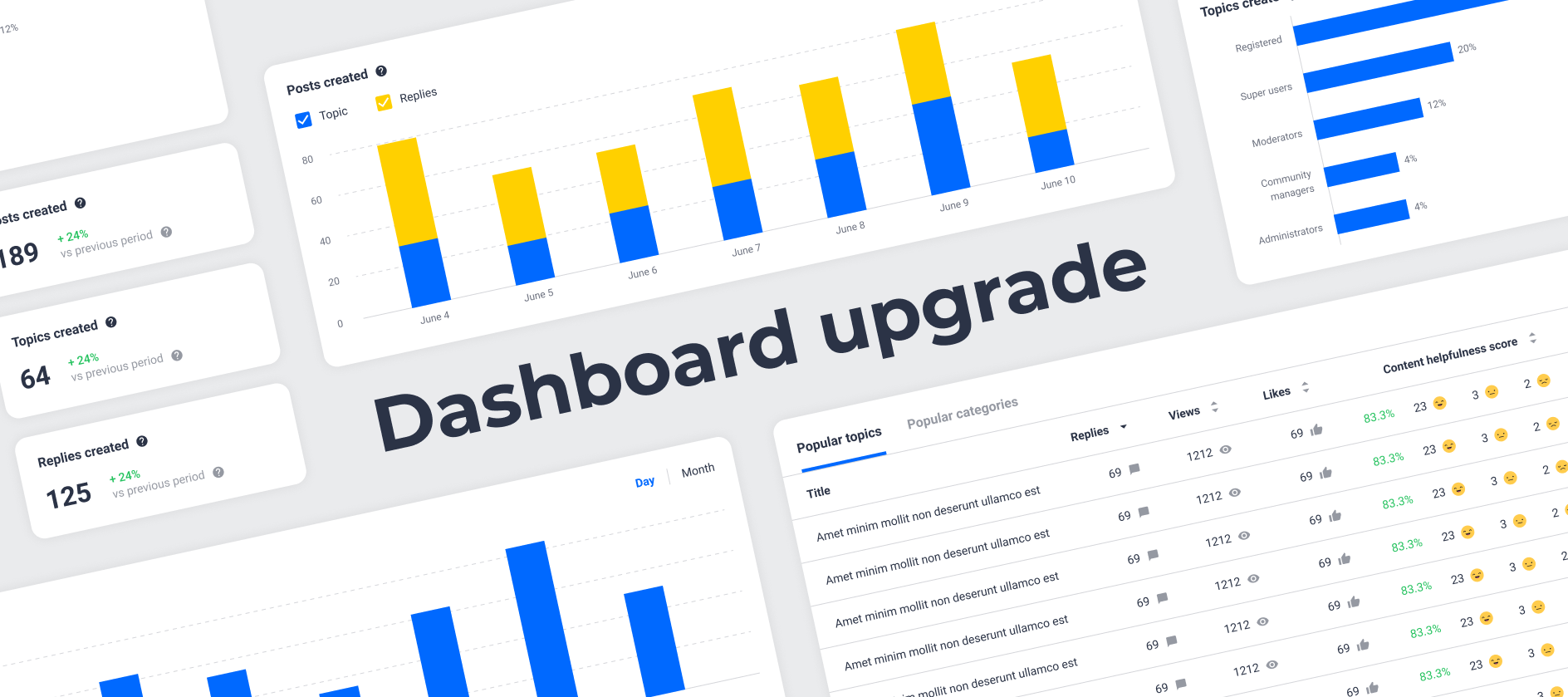
We’ve released brand-new & improved dashboards in public beta for all community managers and admins.Here’s a quick summary of what you need to know:We’ve rebuilt the Content, User, and Success dashboards with an improved user experience. We aim to completely replace the old dashboards with the new dashboards by Wednesday 23 September 2020, so we’d really like your feedback to understand whether the rebuilt dashboards work well for you. Until then the old dashboards and the new dashboards will be available side by side in Control (the new dashboards have a blue ‘BETA’ label next to them in the menu). The metrics visualised on the new dashboards are mostly the same as on the old dashboards, with a few key differences (check out the ‘Key differences’ section below for more details).Why are the dashboards being rebuilt and replaced?We heard feedback from many of you that the current dashboards had an unintuitive user experience, especially when it came to filtering. Now, the filters are conveniently available at the top of each dashboard . We also saw that on larger communities, the dashboards sometimes took an exceptionally long time to load. Now, they’re a lot speedier ! By changing the underlying technology powering the dashboards, we’re also in a better position to iterate on your feedback / requests for new metrics much faster than before ‍♂️.Key differences between the old dashboards and the improved dashboards Here’s a quick summary of the key differences between the old dashboards and the improved dashboards, focusing on the elements that we do not currently plan to rebuild (highlighted in the blue callouts).For more information, read our detailed guide to changes on the new dashboards.Content dashboardThe improved Content Dashboard (not pictured: likes given over time chart, topics created per user role/content type charts, and popular topics/popular categories tables).Widgets that we do not currently plan to rebuild on the new Content Dashboard:Detailed topic/category table viewsUser dashboardWidgets that we do not currently plan to rebuild on the new User Dashboard:Rank changes Activated accounts Ranks table and detailed ranks table view. Success dashboardWidgets that we do not currently plan to rebuild on the new Success Dashboard:Marked answers Active users per topic created Avg. replies per topic Number of replies per topic All-time activation funnel.Known bugs (to be resolved) When filtering on ‘Published in’, choosing a ‘reported posts category’ can cause the results to become inaccurate (i.e. the category that stores reports of when end users have ‘flagged’ content). Let us know what you think A great big thank you to all the customers who gave us early feedback in the private beta of the improved dashboards: @Kgastaldo @m4rc @Suvi Lehtovaara @koles @stanislav.fedoseev @Marina Perminova @lila_meyer @James Scott @Kasper86 @Rudi @Hendrik Jan We’re excited to hear what you think of the improved dashboards. We know a lot of you are actively using the current dashboards, and we want to make the transition period as effortless as possible for you. Please reply with your feedback, especially if:You encounter unexpected behaviour There’s anything you’re really missing from the old dashboards. You already prefer the new dashboards! (we’d love to hear what you like, as well as what else you’d like to see improved in the future).

Related products:CC Analytics & Reporting

Coming soon: new moderation overview will become the default view in Control

Update 31 Aug 13:05 CESTThe new moderation overview is now the default moderation overview for all Control users. Please let us know any feedback you have in the replies!Next week on Monday 31st August at ~11AM CEST we will bring the new moderation overview out of beta and make it the default moderation overview for all Control users.Read on to find out:What improvements we’ve made since launching the beta. Whether you can still use the old overview for now (spoiler: yes). What’s next for the moderation overview.What improvements have been made to the new moderation overview since the launch of the beta?Here’s a recap of the improvements we’ve delivered since launching the moderation overview in beta at the beginning of June: Improved reliability of the data on the overview (for example: when topics are trashed, or moved). A responsive table design and UX, and the ability to customise the columns to display. Even more filters and columns, including old favourites: unread by team (‘status’) column, moderation label column, filter by ‘unassigned moderator’, filter by best answer marked, sort by publish date, and more. Bulk actions: close, trash, and change the category of several topics at once. Ability to delete custom views.Our most important investment since launching the beta has been to improve the data reliability of the new moderation overview. Thanks to your feedback during the beta, we identified where we weren’t keeping topics up to date. We’ve now resolved all of these issues. Topics are up to date instantly, meaning you can focus your moderation efforts on the right content.Can I still use the old overview?Yes, for now you can still use the old overview. Simply press ‘switch to old version’. We’ll remember your preference for the duration of your browser session.Hit ‘Switch to old version’ to use the old moderation overview.Your old saved filters are also still accessible. These are now displayed in a combined list alongside your custom views saved via the new overview; old saved filters are identifiable via a grey warning sign.Old saved filters are still accessible, and marked distinctly from new saved custom views.What’s next for the new moderation overview?We don’t yet have a locked-in date on which we’ll completely phase out the old moderation overview. Our ambition is still to provide a better set of capabilities and an improved design first, and then to phase out the old moderation overview once it’s convenient to you.We hope you enjoy using the new moderation overview, and we’re looking forward to continuing to improve it even further with your feedback.Please let us know any questions or feedback you’ve got in the replies!

Related products:CC Moderation
Improved dashboards now available (+ find out when current dashboards will be replaced)

Improved dashboards now available (+ find out when current dashboards will be replaced)

We’ve released brand-new & improved dashboards in public beta for all community managers and admins.Here’s a quick summary of what you need to know:We’ve rebuilt the Content, User, and Success dashboards with an improved user experience. We aim to completely replace the old dashboards with the new dashboards by Wednesday 23 September 2020, so we’d really like your feedback to understand whether the rebuilt dashboards work well for you. Until then the old dashboards and the new dashboards will be available side by side in Control (the new dashboards have a blue ‘BETA’ label next to them in the menu). The metrics visualised on the new dashboards are mostly the same as on the old dashboards, with a few key differences (check out the ‘Key differences’ section below for more details).Why are the dashboards being rebuilt and replaced?We heard feedback from many of you that the current dashboards had an unintuitive user experience, especially when it came to filtering. Now, the filters are conveniently available at the top of each dashboard . We also saw that on larger communities, the dashboards sometimes took an exceptionally long time to load. Now, they’re a lot speedier ! By changing the underlying technology powering the dashboards, we’re also in a better position to iterate on your feedback / requests for new metrics much faster than before ‍♂️.Key differences between the old dashboards and the improved dashboards Here’s a quick summary of the key differences between the old dashboards and the improved dashboards, focusing on the elements that we do not currently plan to rebuild (highlighted in the blue callouts).For more information, read our detailed guide to changes on the new dashboards.Content dashboardThe improved Content Dashboard (not pictured: likes given over time chart, topics created per user role/content type charts, and popular topics/popular categories tables).Widgets that we do not currently plan to rebuild on the new Content Dashboard:Detailed topic/category table viewsUser dashboardWidgets that we do not currently plan to rebuild on the new User Dashboard:Rank changes Activated accounts Ranks table and detailed ranks table view. Success dashboardWidgets that we do not currently plan to rebuild on the new Success Dashboard:Marked answers Active users per topic created Avg. replies per topic Number of replies per topic All-time activation funnel.Known bugs (to be resolved) ✅Fixed: When filtering on ‘Published in’, choosing a ‘reported posts category’ can cause the results to become inaccurate (i.e. the category that stores reports of when end users have ‘flagged’ content). Let us know what you think A great big thank you to all the customers who gave us early feedback in the private beta of the improved dashboards: @Kgastaldo @m4rc @Suvi Lehtovaara @koles @stanislav.fedoseev @Marina Perminova @lila_meyer @James Scott @Kasper86 @Rudi @Hendrik Jan We’re excited to hear what you think of the improved dashboards. We know a lot of you are actively using the current dashboards, and we want to make the transition period as effortless as possible for you. Please reply with your feedback, especially if:You encounter unexpected behaviour There’s anything you’re really missing from the old dashboards. You already prefer the new dashboards! (we’d love to hear what you like, as well as what else you’d like to see improved in the future).

Related products:CC Analytics & Reporting
New ideation module now previewing on inSpired!

New ideation module now previewing on inSpired!

For some time we have been working on a new ideation proposition to make it easier and more fun to co-create ideas from your community users. Today we are very pleased to share that the new ideation module is previewing here on our very own InSpired community! View the new inSpired ideas section What is Ideation?inSided Ideation is a new platform module that allows your company and product teams to gather and co-create on qualitative insights from your community users. Unlike community ideation, which is a category type nested within the community category structure, this new module is a dedicated place within the platform with purpose-built features around ideation. Your community users will be able to submit ideas, vote on ideas, and respond to ideas with a full-powered WYSIWYG editor. As a Moderator or Product person, you will be able to manage these ideas from Control.  Why did we build the Ideation Module?This is a step towards our goal to have specific modules (like we did for our Knowledge base and Events already) for a more tailored experience for you and your end-users. This new module aims at improving the way you collect and manage ideas from your communities. It also serves as communication to show ideas posted lead to concrete improvements in your product(s).  What exactly will be available?The core elements of ‘community ideation’ as you know it will be there. On top of that we developed a lot of improvements: As a moderator you'll have: A dedicated Idea overview page in Control (similar to the article overview page) The possibility to merge ideas and add upvotes in the process Improved filters for Idea status and "Product areas" A way to export ideas  Your end-users will: Have a dedicated space where they will navigate and search for ideas Receive notifications when the status of an idea is modified Of course, they will still be able to subscribe, upvote and reply to ideas More features are coming to enrich this module especially on the end-user side, we'll keep you updated regularly. How will this impact my existing ideas?All your existing ideas, which are posted in community categories, will be migrated to the new Idea overview page with specific functionalities. You will be able to select which idea categories you want to migrate and which one you would want to keep (e.g. internal idea categories for your employees only). Idea categories that you do not want to migrate will be set to read-only, users can view the ideas and respond to them, but are no longer able to post ideas in these categories. We will be in touch with you in the coming months to guide you through this migration.  Please check out our new Ideation page for Inspired and don't hesitate to create an idea yourself to share your feedback.

Related products:CC Ideation
inSpired ideation review Q2 2020

inSpired ideation review Q2 2020

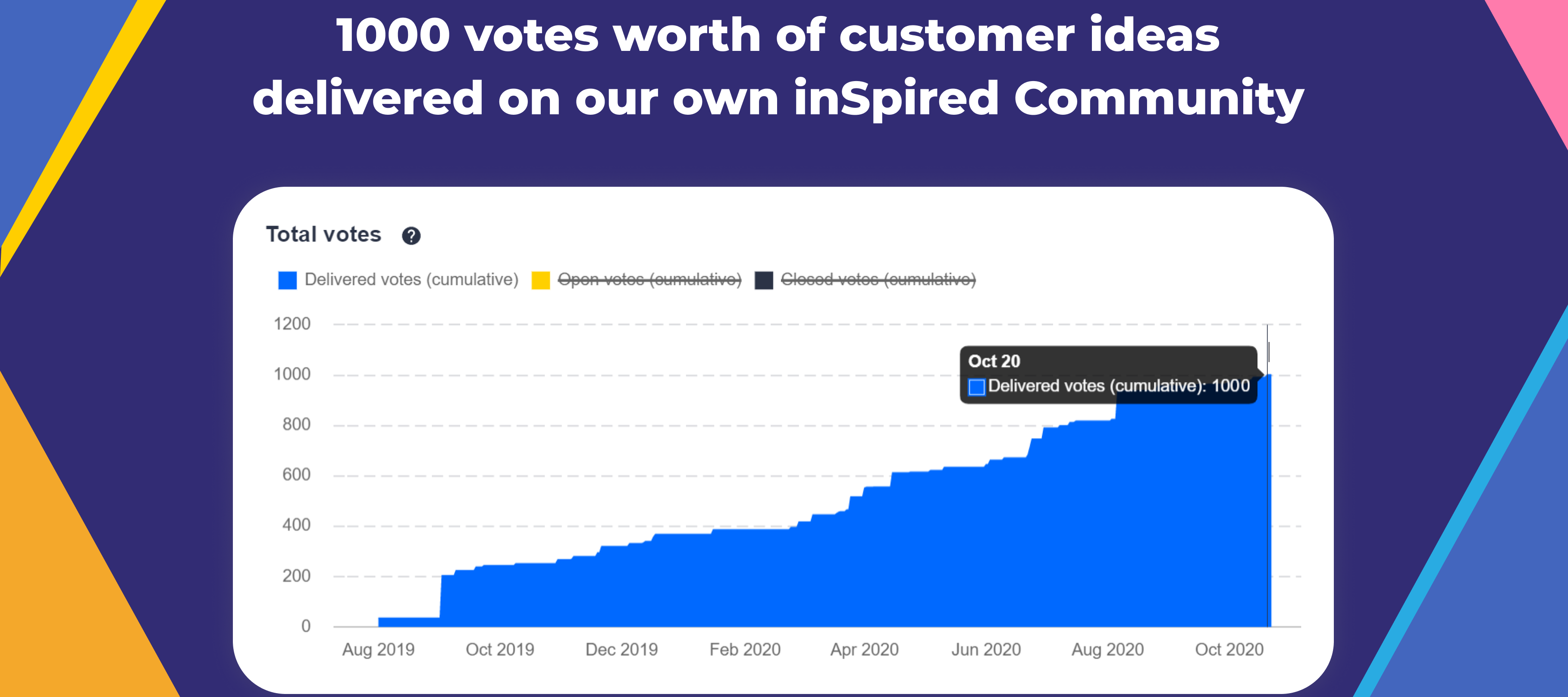
The second quarter of the year has ended, and we wanted to share our second quarterly review to run through the great ideas on inSpired which we investigated, worked on, and delivered in the last quarter. The aim of the review is to highlight what’s changed on the inSided platform in the last quarter based on the ideas that you have submitted, voted for, and commented on. We also want to highlight prominent community ideas that are still on our radar.Quick stats for inSpired ideas in Q217 ideas delivered  146 votes delivered  46 new ideas created  241 replies to ideas  351 votes on ideas Once again, a big thank you to everyone on inSpired who shared their own ideas as well as voted on other customer ideas. The product team LOVES the insights and feedback you’ve given us over the last quarter Ideas we deliveredWe’re happy to share that the following 17 ideas you submitted on inSpired have been delivered or partially delivered, with a total of 146 votes delivered in Q2 2020. Thanks to all of our brilliant idea contributors :​@Ilse @Rodion @Ditte @josh-sp @Jurgen @EricF @OVOdarran @mafe.pelaez @Tanja @banthonisz @James Scott @freydrew    What’s next?You can expect more updates on your ideas - we’re about to start on our quarterly review of all the open ideas here on inSpired. This also means that we will be closing more ideas, most likely because:We don’t see much demand, It doesn’t fit our vision Or we want to improve something in a different way.We are also looking into new ideas which we can implement in the future. These ideas will be marked as ‘under construction’ when we are actively working on them and will be communicated via the roadmap updates.Separately to this update, we’ll publish a review of all of the top open ideas on inSpired with a short update about them.If you have any feedback, ideas, or thoughts around our ideation process please share them with us, and help us build a better product!

Related products:CC Others
Roadmap update #17

Roadmap update #17

At inSided we are slowly moving back to the office, and even had our first party (keeping a 1.5-meter distance, of course!) in the park this week to celebrate inSided’s 10th anniversary 🎉 All our client meetings and events are still taking place online. We are really thankful to you for keeping engaged with us: In conference calls, on webinars, via email, and of course especially over here at our inSpired community. Many of the items we have been working on over the past few weeks directly came from your feedback and are optimized because you have participated in our beta programs and provided your feedback on the releases 🙏 Over the upcoming weeks, we’ll continue to work on the moderation experience. Plus, we’re working on ideation, product communication, analytics and mass messaging.  Here’s a quick look at our releases since the previous update: Make style changes in just a few clicks with our new 'Theme' configuration mode Public tag improvements SEO (Search Engine Optimization) improvements Community navigation sidebar widget Improved Moderation Overview: public beta feedback thread Team overview: see who has access to Control & invite new colleagues Improvements to the Events Module New topic list view XML Sitemap Excluding search and member pages via Robots.txt Notify colleagues via email when they're assigned a new topic Highlight the latest company response to an idea with pinned replies Coming up: What we’re working on Upgrades to ideation We’re working on a new approach for ideas. Rather than having a community category dedicated to ideas, we’re creating a separate space in our platform with a clear focus, and purpose-built features for ideation Dedicated ideation overview in Control with advanced filtering capabilities Moderation improvements: It will be possible to transfer votes from one idea to another with a merge tool and to automatically inform interested users on idea status updates Product updates Close the feedback loop with your customers using a new topic type: product updates Much like articles, this topic type empowers you to write beautiful updates from inside the Control environment Product updates will be available in a single place in the platform that your users can subscribe to Product areas A new type of metadata that can be assigned to ideas and product updates Manage (add, edit, delete) product areas in Control Filter content on product areas More improvements to the moderation overview (currently in beta) Thank you to all of those who have given feedback on the new moderation overview - shout out to  @ErikT @aluciani @bjoern_schulze @Koen Sterken @Suvi Lehtovaara @Patomiäs @josh-sp @lila_meyer in particular! We’ve got plenty of input to kickstart our second major iteration on the new overview, which will include: More columns visible on the overview (including the ‘status’ column showing whether at least one moderator on the team has read a topic). Ability to customise the columns that display on the overview. An even further improved UX for speedy and convenient moderation. Bulk actions for topic moderation. And a couple of bug fixes for issues you helped us find! Messaging and inviting improvements We’re looking into improvements to help you increase the reach and engagement of your community via messaging and invites. We’re still in the early stages of product research—stay tuned for more information! Analytics improvements We’re investigating ways to improve reporting and analytics on inSided, helping you show the value of the platform to your management team and stakeholders. Skilljar Federated Search Integrate with Skilljar Show Skilljar courses in your community live-search dropdown and search result page Filter search result pages between community results and Skilljar courses Update on personalization In the previous roadmap update we mentioned that we started to investigate personalization capabilities. We’ve concluded our research, but as a result of COVID-19 we prioritized other improvements and decided to move personalization further down the roadmap as a result. We hope that you all will find something valuable coming in the next few weeks. As usual, we’d love to hear your thoughts so that we can take them into consideration.

Related products:CC Others
10 years inSided - an exciting journey

10 years inSided - an exciting journey

​We tend to forget the past - sometimes for a good reason. We also seem to overlook how fast-paced innovation is changing the tools and websites that we are using every day. Remember how Facebook and Google looked like just a few years ago? inSided is celebrating 10 years of building communities - bringing likeminded people together to achieve greatness. We thought it would be just the right opportunity to show you where we come from and how our platform has evolved over the years. While some of us might feel old looking at it, we hope that it will give you an idea of all the milestones, learnings, wins and failures that we’ve went through over the years.   Note that this is just a very shortened summary, it is impossible to include each milestone, all side-stories and the hundreds of annecdotes in an article you’d be happy to read. ;)   Where it all started   Most of you probably won’t know a secret of inSided: We were building communities even before inSided existed! Well, mostly our two founders @Robin and @Wouter, who spend most of the late 00’s with geeking around the internet about the latest smartphone innovations. This was when pocketinfo.nl became successful in the dutch internet as the go-to place for all latest information. It also had a community functionality, something which was heavily adopted by many heavy-users who wanted to learn more about what’s the next big thing.   2010 - homepage of forum.pocketinfo.nlThe hype was so big that larger brands started to notice the value. Within just a few years after launching this platform, T-Mobile Netherlands approached Robin and Wouter and said “We want that too!”. And this was the moment when the two decided to take a shot at the online community business (not sure if they knew what they were getting in to).    The very first inSided community   Needless to say, we are extra proud that the T-Mobile community is still with us today, being successful as ever! Back in the days however, the platform was not full of the shiny features you are enjoying today. It lacked many things which became an industry standard over the years - but it did the job: bringing people together to achieve greatness.   Growth: Blood, sweat and tears   As Robin and Wouter really believed in the value of communities back then, they were super motivated to grow their platform and their customer base. Countless hours of development, beers and meetings were invested to create the next cool community platform - all customized to the wishes of the customers. It worked really well, for a while.   Homepage view of a demo community, 2012While more and more telcos adopted the inSided platform within the Netherlands, the goal was to get other, bigger brands in which are not in the telco business. And also this was achieved with big brands like Soundcloud, Sonos and TomTom. However with the growth, it also became more and more apparent that customized requirements for each community slowed down the innovation: In order to release a new feature, it had to be customized for each community to avoid performance problems or other difficulties. This massively slowed down the progress, which put Community Managers in a tough spot: They knew a new feature was on the way, but it took months for their end users to actually seeing them on the community.   Live Search Mock-up, years before it actually going liveThere was a need for a universal, more easy-to-update platform which enabled inSided to deliver new features in a much more scalable way. This was when the idea of a unified, branded template first came up. In the meantime however, the community needed to become more mobile friendly. It has not been carried over which iPhone models were used for this design exercise.   The previous mobile view vs. the first mobile optimized versionThe inSpired community   At this point, another elephant entered the room. Why does inSided not have an own community? How can we claim to understand what a community needs to have if we do not use it ourselves with our customers? This was the moment that the inSpired community became to live, first only as an idea. If you look closely, you can see some frustrated test-content about that universal platform the product team started dreaming of.   A mockup of the inSpired community, 2014Branded templates (finally!) & self-service Next to a branded, unified platform from inSided, one thing everybody wanted to achieve was to be a true Saas (software-as-a-service) company. This meant that each Community Manager or Admin should be able to change everything on the community her/himself. A true challenge, given that the platform by now had grown to a massive set of features and settings. But together with the universal template, it just made perfect sense.   First version of our branded template designSome time around 2017, the first fundamental steps were taken towards a more unified platform template which would enable inSided to release a bunch of new, cool features like actual dashboards or @-mentions (really groundbreaking stuff ). I actually was still a Community Manager (= customer) back then and was stoked about the idea of finally getting more ownership of the platform I was working on each day. For way too long I had to wait for others to change something tiny like the color of a button. In 2019, the major milestone was achieved that each community was now using the unified, branded templae. And since then, the pace in which new features can be worked on has really increased a lot. An entire Knowledge Base module has been introduced, we are doing fast steps in building more and more easy-to-install integrations, and even allow you to fully self-service install your SSO login (something which was a month-long project for you and for us before).   Where we are going After focussing on self-service support, we are now shifting more and more to what can be called a Customer Success Approach to your community. To be clear, this does not mean we are neglecting support or core community functionality - it is actually truly embedded in our overall vision: We are successful when you can make your customers successful with their products through our platform. In terms of platform improvements, this translate to many things that will give your users an awesome community experience - motivating them to come back. Think about better features to engage with your customers (e.g. better notifications, improved customization), getting product feedback (ideation) as well as better ways to communicate with your users (e.g. via more ‘official’ content types for your company). As mentioned before, true awesomeness is achieved by bringing likeminded people together. Naturally, we believe it is crucial to continue to stay in close contact with you. That is why we will always listen to your challenges and needs, realizing your ideas submitted here, and strive together with you to make your community wildly successful!   On a more personal note I want to close this article by thanking all users who have contributed to the inSpired community so far. The few years which I have been allowed to call me the Community Manager of inSpired have fullfilled me with joy, working with such an awesome community within such an awesome company! The inSided vibe has always impressed me as a customer as well as an employee, but it is all fueled by making a difference for all the users of our platform. Cheers & on to the next 10 years!   P.S: As a bonus, here some more milestones & embarrasing screenshots from the past. :)   InSided internal milestones part 1inSided internal milestones part 2Research & co-creation module with surveys, did not survive the times  A demo community page, 2012  Blogs (now articles) and how we visioned them  KPN (biggest telco in NL) migration from Lithium (now ‘Khoros’)  Sonos community migration   

Related products:CC Others

🏷 Improvements to public tags now available

We’ve made some improvements to public tags, making them easier to manage and improving the UX for adding them to topics. We’ve already rolled out tools for managing public tags in Control and an improved tag interface for moderators in Control.Coming up next week (Thursday 2 July 2020, in the morning (CEST), we’ll rollout the new public tag UX to your end users. We’ve done this release separately in order to:Give you a chance to tidy up your tags before end users can choose from them on the frontend. Let you inform your superusers or other members about the change ahead of time.What’s already available for you to use right now: Tidy up your tags in Control: see all tags, add new tags, edit tag titles, delete tags, search tags (lightning-fast), and bulk merge tags. Better UX for moderators to add tags to existing topics, or when creating articles with a fast autocomplete/search. API endpoints for managing tags, so you can create/edit/delete tags and keep them in sync with external systems.What’s rolling out towards the end of next week (Thursday 2 July 2020, in the morning (CEST)): Better UX for end-users to tag topics, with a fast autocomplete/search. Improved quality and quantity of end-user tagging with autosuggested public tags based on topic title. Keep control over tags by (optionally) preventing end users from adding new tags.^ You can preview all of the above on the inSpired create new topic page.Find more details about how the features work in our knowledge base article: And check out best practices on managing tags from @Julian in this guide: Let us know any feedback you’ve got in the replies!

Related products:CC Moderation
Community navigation sidebar widget

Community navigation sidebar widget

When we released our Knowledge base, with its own optimised UI/UX, we introduced a navigation sidebar widget that showed the category structure. We’ve received a lot of feedback since, the main question: “Can we have such a widget for our community structure as well”. Today we’re happy to share that we developed a new sidebar widget that allows you to show the community category structure in your community category pages.  Categories that the user is allowed to see will be displayed in the sidebar widget (e.g. when a user is not logged in then he will not see ‘private’ categories in the sidebar widget). You can see this widget in practice here on inSpired.   Example of the community sidebar widget for inSpired. The category that a user is currently visiting is highlighted in bold and with your brand color.  This widget allows you to  Add a Community navigation sidebar widget to the General Sidebar Configure a widget title (e.g. Categories, Navigation, Go to) Show your community category structure in your community (parent) category pages Note:  This widget will only display on Community (parent) category pages.  This widget is restricted to the General Sidebar   Get started You can find the new widget “Community navigation” in Control → Customization → Sidebar. You can only add this widget to the General Sidebar. We hope you like this new widget. If you have any questions, feedback or would like to use this widget on topic pages as well let us know in the comments below

Improved Moderation Overview: public beta feedback thread

Did you arrive at this topic via the moderation overview, but don’t yet have an inSpired account? Make sure to sign up for an inSpired account and leave a reply on this topic with your feedback We’ve released a brand-new moderation overview in public beta for all community managers and admins. Moderators can also access the beta if your community manager has opted you in. The moderation overview is getting an overhaul, both in terms of design and capabilities. New filtering options, editable custom views, refresh without reloading the page, and an improved designRead on to find out what’s available right now and for whom, learn about the next steps and planned items, and find out how you can contribute to improving the new moderation overview.   What’s already available in the new moderation overview? The following capabilities are available in the new moderation overview:  Save, edit, and share custom views.  Improved page load times and a quick refresh button to reload the topic stream without reloading the whole page.  Improved filtering UX and an improved title/content keyword search.  New filters, including: relative time filters for last active/publish date, filter by ideation status, and a multiselect filter for moderator tags. As an administrator/community manager, you can opt-in to allow your entire moderation team to participate in the moderation overview beta. Just click the ‘enable for team option’ and flick the switch on our new experimental features page. We’ve done this based on early feedback that we’re still lacking key features in the new overview, and that it would add complexity for larger moderation teams to have the beta suddenly available for the entire moderation team.   Of course, we couldn’t build these improvements without all the fantastic input from our community - so here’s a couple of shout outs to those who inspired us with their ideas. Thanks to @Jurgen for submitting this idea about editing advanced topic filters (13 votes) and (partially delivered) dynamic date filters (4 votes) , @lila_meyer for this idea to share saved views / advanced filters with other users (3 votes), EricF for this idea (partially delivered) New topics should populate automatically on the backend (no refresh required) (8 votes), and @josh-sp for this idea Add "Ideation Status" to Advanced Filters under Content Overview (2 votes). (^ that’s 30 inSpired votes!)   What’s next / planned for the new moderation overview? Latest update: https://community.insided.com/news-platform-updates-16/improved-moderation-overview-public-beta-feedback-thread-2182?postid=8622#post8622 We have no short-term plans or a set date on which we’ll get rid of the old moderation overview. Our ambition is to provide a better set of capabilities and a better design on the new moderation overview, and eventually phase out the old moderation overview, based on your feedback and usage.   How can you contribute and help us build a great moderator experience? We’ll use this topic as a megathread to collect feedback from you and to provide updates on new features/changes as we iterate over the new moderation overview further. We’ve included a feedback button on the beta overview page in Control, which takes you directly to this topic. We’re excited to hear your first impressions!

Related products:CC Moderation

Make style changes in just a few clicks with our new 'Theme' configuration mode

We are really excited to introduce our new ‘Theme’ configuration mode. Following the release of the ‘Customization’ mode earlier this year we have rebuilt the way on how you can change common styles for buttons, cards, colors and more. Easily adjust the look and feel these styles with just a few clicks. No coding required!   Card styling options in the new ‘Theme’ configuration mode  What can I do with this feature?  Manage, edit and preview the design of buttons, cards, colors, fonts and Custom CSS Preview (design) changes before publishing. No more jumping back- and forth between Control and your Community layout.   What is new? Theme mode A whole new mode for changing common theme styles. You won’t need the control environment to make changes for your buttons, cards, colors, fonts and Custom CSS. Card styling Easily change the design of all card styles elements such as quick-links, featured topics and category cards Preview every page You can access and control theme changes on every page of your platform.    How to get started Simply sign in to a community account with user role Community Manager or Administrator. Go to the homepage and click ‘Theme’ button and select what you want to change. Of course, we also added some guides and how-to’s to help you get started:  How To Change The Color Scheme How To Change The Design of Buttons How To Change The Design of Card Elements How To Configure Fonts How To Add Custom CSS We hope you like the new Theme configuration mode as much as we do

Improvements to the Events Module

We’ve rolled out some new features for our Events module based on the feedback we’ve received from you over the past few weeks. Read on to find out what’s now available!   Improvements    Publish Private Events via private user groups (currently in beta - message @Yoeri if you’re interested). You can now set up exclusive private events for select groups of users. (thanks @bjoern_schulze for your feedback on the original announcement!)  Quickly add an event to Google Calendar directly from the event page (thanks @rory for submitting a related idea)  See the event time in your own timezone on the event page.  Clearly show that an event is an Online Event vs an In-person Event.   Quickly share an event on social media directly from the event page.  Google Structured Data for events: https://developers.google.com/search/docs/data-types/event An example of a private online event in a user group ​​​​​​ Note on ‘Online Events’: We noticed many of you were using the location field to specify that an event was Virtual/Online, or took place in Zoom. We decided to make this more explicit to end users. Now, if you leave the location empty, your event will be shown as an Online Event, with special icon/clear distinction on the event overview, featured topic, and search result cards (you see an example in the screenshot above). Given the situation with COVID-19, we made an assumption that all events since we released the Events Module have been online events, so your past events have been automatically updated to show as ‘Online Events’.  Other events improvements we have in the pipeline: A ‘New Attendee’ trigger in Zapier to enable you to automatically register inSided event attendees on Zoom, Gotowebinar, and more! Please let us know what you think of these improvements in the replies :) We’d really appreciate your feedback!

Related products:CC Events

SEO (Search Engine Optimization) improvements

  Check out our guide: 5 steps to prepare your Community for SEO here!   We have been working on a number of improvements for the SEO performance of our platform. Many of these improvements were based in your feedback and ideas that you posted in our ideation category. Read more to find out which improvements have been implemented.   Meta title and Meta description Inspired by Change meta title and description from @Ilse  The SEO title is displayed on your browser tab and tells you what page you're on. SEO titles and descriptions are also read by search engine robots and seen by users searching the web. We have added SEO settings to the home- and category pages where you can change the meta title and meta description of a page.  Learn how to change the meta title and description for your home- and category pages in this article: Meta title and meta description   SEO Settings for category pages  Archive / Hide old content ​Inspired by Archiving - improve customer experience by showing them only relevant content from @Florian  As your community grows and starts collecting more content over time some content might become outdated and irrelevant. To make sure your users find relevant content you want to hide older content. We have added additional settings to category pages in control to hide old content from search engines as well as your platform search (live-search dropdown and search result pages) Hiding content happens on a category level, which means that an entire category and all the topics inside the category can be archived/hidden at once. Learn more about hiding older content: Hide old content from search engines and your platform search   Structured Data for articles and unanswered questions Inspired by Use Google Structured Data to display enriched FAQs and How-Tos from @bjoern_schulze  We enriched article topics with structured data. Google search results for eligible articles may have an enhanced appearance in search results. Enhanced features can include placement in the Top stories carousel, host carousel, Visual stories, and rich result features such as headline text and larger-than-thumbnail images. In order for articles to be eligible for this enhanced appearance they need to have a featured image and a logo. We’ll reuse the logo that you provided in Control → Customization → Header → Logo for this. More info on structured data can be found here: Structured data for Articles, Structured data for QA   Other SEO Improvements Next to the improvements above we made the following smaller under the hood optimisations: Made various search page titles (recently active, help others etc.) more SEO descriptive Cleaned up URL structure and redirect URLs to improve the crawling budget of search engines Made recently active and help others tabs crawlable Added XML Sitemap Excluding member- and searchpages from Robots.txt That’s everything for this update, we hope you like the new improvements we made.

New topic list view