


CC Newsletter May 2026
Customer Communities May 2026
This month we're giving your engineering team the power to build and deploy fully custom widgets right from their existing tooling, putting AI to work keeping spam out of your community before it ever gets in, and opening up our CC MCP Server to the world. Plus, scroll to the end for community highlights and upcoming events you won't want to miss.
Let's get into it! 😀

Customize Any Widget you Can Imagine with Developer Studio
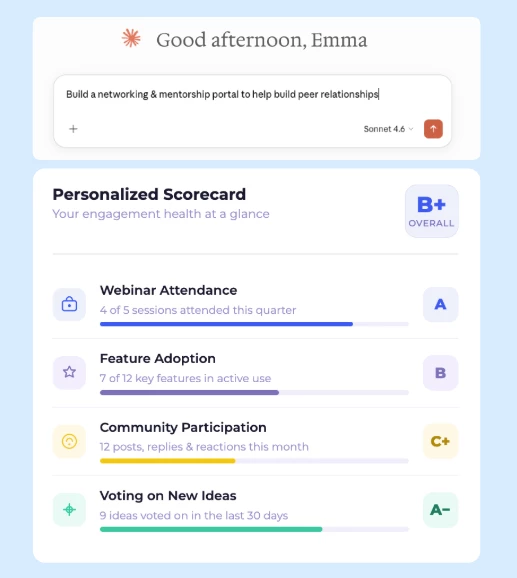
Developer Studio lets your engineering team build, version, and deploy custom widgets using GitHub and the tools they already work in, including AI coding tools, so you can vibe code any widget you can imagine into existence. Once you're created your widget, publish it once and community managers can place it on any page through the WYSIWYG layout editor, no code copying required.
Learn More
Stop Spam Before It Starts with AI-Powered User Profile Moderation
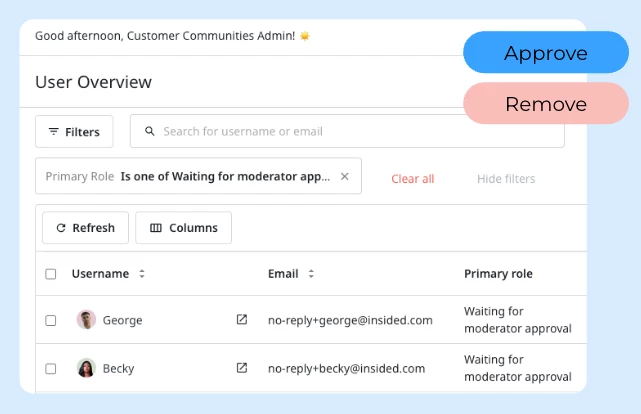
The Moderation AI Agent now screens new user registrations automatically, stopping spam bots and NSFW accounts before they ever set foot in your community. Save time on community management and retst assured that any grey area will be flagged for your approval.
Learn More

How to Set Internal Team Time Commitments for Your Community
How much time should your Support, CSM, and Enablement teams actually spend in the community each week? Community member Matt Breneman shared a practical starting framework — and the community added an important piece of advice on top of it.
Matt's framework by team function:
• Support Team: 3 hours daily — answering questions, escalating unresolved issues
• Professional Services: 3 hours, 3 days per week
• Solution Consultants: 3 hours, 1 day per week
• Enablement Team: 1 hour daily
• CSM Team: 2 hours daily
The community's addition: Don't start with all of this at once. A member who launched her community in January and now manages 1,100 members largely solo recommends starting small — a few hours a week from CSM and Support — and scaling up as activity grows and the community proves its value. It's easier to get internal buy-in for a modest ask, and easier to increase it once there's visible momentum.
The takeaway: Use a framework like Matt's as a ceiling to work toward, not a day-one requirement.
Join the discussion
Learn More

Building a Champion Directory in Your Community? Start Here
Want to create a dedicated page that showcases your customer champions — complete with photos, bios, and social links — similar to Microsoft's MVP program? Community member aluciani asked exactly this, and the thread surfaces the key resources to get started.
CC's Custom Pages feature is the right tool for the job, and the community has shared both the official getting-started guide and real examples of what other members have built. Worth bookmarking if champion recognition or advocacy programming is on your roadmap.
See the thread and linked resources
Automate Custom Role Assignment at Registration — No More Manual Checks
If you're manually assigning custom roles based on registration form answers — checking a segment multiple times a day just to keep up — there's a better way.
Community member Sanne runs a multilingual community where members select their preferred language at registration, which then determines which onboarding emails and communications they receive. The problem: role assignment was entirely manual and operationally unsustainable.
The community solution: automate it using CC's Webhooks and API. The flow is:
• Trigger the registration webhook when a new user signs up
• Use the API to GET the user's profile fields (including their registration answer)
• Use that data to POST the appropriate custom role automatically
If you're managing language preferences, segment-based access, or any role logic tied to registration data, this pattern removes the manual overhead entirely.
Read the full thread and see the API references

Join Us — CC Office Hours l Every Wednesday at 11:00 AM ET
Got community questions? Bring them
Learn from peers — hear how other community managers are driving engagement, building advocacy programs, and getting internal buy-in.
Get real answers — bring your toughest community challenges and get practical advice from the Gainsight team and fellow practitioners.
Stay ahead — get a first look at what's coming on the Gainsight CC roadmap and how AI features can work for your community.
Register for the next CC Office Hours