  • 475 Product updates

inSpired ideation review 2019

inSpired ideation review 2019

Before the decade is coming to an end, we really wanted to share our first review of ideation on our community in order to touch back on all the great ideas that have been shared on inSpired - and of course also what we have done with them! We have learned and improved many things around ideation in the past twelve months, but we recognize that there are still some things we could do better going forward. This review is not meant to pat us on our back, but much more to feed back to you so that you learn what we have changed and how this has impacted the ideas that you have submitted, voted for or commented on. Of course we also want to talk about the most prominent ideas and give you a lookout on what to expect for 2020! First, let’s have a look at ideation in 2019 in numbers     And here’s how we improved the process   Just like some of you who are working with ideation on your communities, we also are going through a process of optimization in the hope to improve the product as well as customer sentiment. In a nutshell, these are the things we have done in this year to make sure that your suggestions are being followed up on in a more efficient and thorough manner: Recurring meeting to discuss new & popular ideas Better explanation of how we review ideas New, clearer idea labels More space within the product roadmap to implement ideas This review For the next year, we plan to have more (quarterly) reviews in order to link back to ideas quicker. We are also are looking into some product improvements to make our & your work with ideas more efficient! Most popular ideas   Now let’s have a look at the most popular ideas of 2019 and their status: 1. Manually grant Badges to users (47 votes / Delivered) Well, this idea has been sitting on our community and in our product backlog for a while, longer than we or you would have liked - but it’s finally there! We actually delivered a number of further improvements, so that you can make better use of Badges on your community! 2. Schedule an article to be published on a specific day (44 votes / Open) We would have loved to deliver this as well this year, but unfortunately it had to be deprioritized in favor of other improvements. Surely one of the items for us at the top of the wishlist for the next year, we really see the value of this in making your life easier and also want to be able to use this! 3. Ability to delete private messages (37 votes / Delivered partially) Since a while now users are able to delete their private messages. We have labeled this as partially delivered as we do not offer yet functionality to delete complete conversations / messages in batches, however by now you can finally clean up some things or revert mistakes in case you send a message to the wrong recipient! 4. Front-end moderation by users (31 votes / Open) This is a nice one as well, however we have been struggling a bit to figure out as to which extend this should go. The likelihood of us working on something in this direction is quite high for the next year, but the evaluation is not completely done yet -  we cannot fully commit without knowing the full scope of what we think we want to deliver on this. 5. We should be able to include images/pictures in pms (28 votes / Open) We recognize that there is more demand around features for private messages (general attachments, hyperlinking, etc.). As we have rolled out the new text editor on all other pages of our community, we are investigating the time needed to implement the new editor to private messages too - which would enable you to do most (if not all) of these beatiful things in private messages as well! We will come back to this soon as we have news. 6. Opt-out of @mention email notifications (27 votes / Delivered) Many of you wanted better settings for your users to unsubscribe from notifications. Until 2019, users were not able to turn off @-mention notifications. We have implemented this feature, as well as more clear settings around notifications in general. 7. Suggest existing topics while making a new topic (25 votes / Delivered) By implementing this idea we were able to deflect a lot of double-content on your community, reducing the customer effort to find an answer and literally forcing community search on users (as most of them do not seem to be motivated to search first themselves ). While this caused a small dent to the general activity to the community, we feel that it really added to the customer experience!   What else did we deliver? Of course there have been more ideas which we have implemented, here a full list of all the ideas which we have delivered on in the past 12 months: Add partner and superuser to primary role No warning when you navigate away from your active page Show the content of a topic/reply in the email notifcation Private message show username in the browser tab Enable robot.txt file with branded template Tables in wysiwyg editor Allow @ mentions to work from within control Ability to convert answer to article Save as draft option for articles FTP links Crate the option to open in new tab in the case of insert link / hyperlink Knowledge base improve responsiveness Add a clearer way to unsubscribe from category subscriptions Filter by article labels Editor jump to insert field when adding a link Ability to adjust visibility and position of recently online ribbon Custom height for homepage hero image Give option to manage the introduction widget Paste image in text fields Editor stay put when copy-pasting in a long message Add banner to community for advertising Add links to recommended widget Disable “show as attachment” for images by default   Next steps As some of you might have noticed, we are currently updating many ideas that we have covered during our review. This also means that we have to close some ideas - another learning for us was to say “no” if we don’t see much demand it is not a fit with our vision we want to improve something in a different way So expect more engagement by our team in the upcoming days and weeks. Of course we are curious about your thoughts on this review, our ideation workflow as a whole as well as on specific ideas - so please keep that coming as it helps us to improve the process. We are also actively looking into the next number of ideas which we will implement in the new year, so keep your fingers crossed and wait for our next update soon to come! :)

Related products:CC Others
Roadmap Update #15

Roadmap Update #15

It’s nearing the end of the year but we are still working hard to deliver on three themes that come from your feedback. Think of these as early gifts from inSided for the new year :) 1. Gamification: We are improving our capabilities here to give you the ability to manually reward badges (think a ‘Superman’ badge going to your most active responder or a ‘Geek’ badge for the most ideation requests on the community)! And soon we’ll release a new powerful capability to allow you to use points and leaderboards to better motivate and reward users for community engagement. 2. Reporting Dashboards: We got feedback that the current dashboards can be confusing and some data is not accurate. We want to get your confidence back. So, we are rolling out updates to make the dashboards more robust, logical and trustworthy.3. Enhanced Customization: And last but not least, many of you asked for possibilities to make your homepage more unique and optimized for specific use cases. We are really excited about our (upcoming) releases that allow you to do just that.    Quick look at our releases since the previous update: Federated Search: Search for Zendesk Guide content through your inSided community platform Manually award badges (+ win a 100€ voucher) Show content in community emails Editor placeholders are re-enabled in the editor Use Custom CSS to change the look and feel of your community File upload limit raised to 50MB Improved design for live search suggestions Improvements to Header, Footer and Third-party scripts pages in Control New homepage widget: HTML code Previewing the point-based leaderboard Coming up:   Customization—easily change the look & feel of your community We’ll continue on our quest to make it as easy as possible to change the layout of your community homepage Configure and preview your community homepage directly in the front-end Add, edit and remove homepage widgets with a simple click, no coding required Featured topics - a brand new and improved way to feature topics on your homepage A new widget to easily feature topics via search or by pasting the topic URL Improved design of featured topic cards and responsive state Feature as many topics as you like and drag & drop them in the right position Determine where on the page you want to feature topics. Maybe you want them directly below the hero image or all the way at the bottom—you’ll have free control Add a title and call-to-action button to your featured topics (optional) News category - a new category type suited for updates and announcements A brand new community category type (next to default and ideation) Don’t worry, only moderators, community managers and administrators can publish to this category.  Posts will be sorted by ‘Newest first’ not by latest activity to make sure community members never miss your latest updates. UI/UX improvements to the way topics are being displayed Editor We’ll continue iterating on the editor to provide the best create and editing experience as possible. Powered, of course, by your feedback, ideas and suggestions here. Points-based leaderboard The points-based leaderboard will help you drive community members to contribute via a holistic measure of their contributions and a weekly race to the top. We recently started to preview the points-based leaderboard on inSpired. Read our how to to learn more about the specifics of how the leaderboard currently works. Our next step is to make it possible for any of you to add this powerful gamification element to your own community. Watch this space!  Dashboard improvements Based on your feedback to make the dashboard data more intuitive to understand, we recently rolled out a major change to the dashboards, so that the data accurately  reflects the current state of your community.  As part of these improvements, we’ve rolled out new documentation and added some tooltips to the dashboards in Control. Still up ahead, we’ll make it easier for you to save filters that you apply on a weekly or monthly basis—saving you time and effort. Gainsight integration We’re building an integration with Gainsight so you can gain a 360 customer view and enable your Customer Success team to proactively improve community engagement, self service, and ideation. You’ll be able to see community member and activity data right within Gainsight allowing you to configure views, health scores and CTAs. Mixpanel integration We’re also building a Mixpanel integration, enabling you to combine product usage data with community activity data. This will allow you to optimise the performance of your community using Mixpanel’s advanced reporting capabilities—including flows, funnels & retention. You’ll also be able to analyse the impact of community content and behaviour on product usage. We hope you like what we have on the horizon for the rest of the year and we really appreciate all the great ideas and feedback we get from you. In the meantime, from all of the team at inSided, we hope you have a very Merry Christmas and a Happy New Year. 🎄🥂

Related products:CC Others
Embed Miro boards into topics

📈 Analytics dashboards major change is now live - get more info and find out what's next!

Dashboard data is now more intuitiveWe’re happy to confirm that we’ve successfully released the previously-announced change to the way the dashboards process data to all of your community dashboards. Broadly speaking, this means the dashboards now reflect the current state of the community data (e.g. by taking into account moderator actions).  Our dashboard documentation has levelled up too!We’ve also upgraded our analytics dashboard documentation to be a lot more detailed and precise - this new documentation is now the go-to documentation if you have any questions about how certain metrics work on the analytics dashboards. We also added some tooltips directly in the dashboards themselves, giving you a quick reference when you just need a reminder about how a particular metric is calculated. ️ If you need more time to adjust to the changes, you can opt-out until January 3rd 2020We understand that you might need more time to adapt to the changes - we can still offer you the option to revert the change to the dashboards (for a period lasting up until Friday 3rd January 2020) via an opt-out (just contact support@insided.com!). This is only in case you’ve decided you need more time to review the changes that we’ve deployed. After Friday 3rd January 2020, all customers will be moved to the new way of processing data in the dashboards.  The ability to save your filters is coming, so you can complete your weekly/monthly reporting quicker!Several of you have mentioned that you find it tedious to have to set the same old filters every week/month when you want to get data from the dashboards. To save you time, we’re going to add the ability to save (and reapply) your favourite filters in the dashboards. We aim to release this in the upcoming weeks.  We’re still making some final tweaks & fixesWe’ve identified the following last improvements to make in the dashboards, and we’re currently taking action to resolve them: [Done] % Members with at least 1 post: this metric is not behaving as expected. [Done] Total members: we will ensure that this only shows current members of the community in all cases (excluding banned/deleted/not activated/not approved members). Note: these changes will impact all customers (the ‘opt-out’ mentioned above is only for the change related to metrics showing the current state of the community).If you have any feedback or questions, please let us know in the replies !

Related products:CC Analytics & Reporting

[Tue 10 Dec 2019] Coming up: significant change to how the dashboards process data

On Tuesday 10th December 2019, we’re going to start rolling out a significant change that will impact current and historical data for all three dashboards.  You don’t need to take any action. The change will take up to 24 hours to roll out across all customers. You can continue to use the dashboards in the meantime. ​​​ Background As we mentioned last week, we’re working on improvements to the dashboards to make them more transparent, reliable and a better fit with your expectations about how the data should be processed. Why we’re making this change One major point of feedback we heard from you is that it’s more important for the dashboard metrics/filters to reflect the current state of the community, rather than ‘what happened at the time’. As a result, we’re changing the dashboards to process content data according to the current state of the community. This will align the dashboards better with the data you see in the topic/post/user exports, and make the data easier to verify.  Why this date? We know that the majority of our customers generate reports at the start or end of each month (and some at the very start of the week). We've picked Tuesday 10th December to minimize any disruption to your reporting workflows, as the majority of work involving Dashboards happens at the end and/or beginning of each month. What is the impact? All metrics & filters related to content will be affected (e.g. category, content type, count of # topics). Metrics & filters related to users will not be affected, as they are already based on the current state (e.g. user role, user rank, # community members). If your community was migrated from another vendor, then your all-time numbers related to content are likely to significantly increase. This is because we’ll be pulling in all content stored on the community (including content from your previous vendor), rather than just the content that we recorded the events for since you started with inSided. Example scenarios to explain the change Here are some example scenarios to explain the concept behind the change: Scenario: trashed topic/reply. After the change, if a topic or reply is trashed, the principle is that it will no longer be reflected in the dashboard data. If you trash a topic, then the topic counter will go down. It won’t be reflected in metrics such as the average response time. The same applies to replies. Scenario: question converted to conversation After the change, if a topic is converted to a different content type, this will be reflected when using the ‘Content Type’ filter and in widgets like ‘Created topic types’ on the content dashboard. E.g. converting a question to a conversation will decrease the question counter, and increase the conversation counter. Scenario: topic moved to a different category After the change, if a topic’s category is changed, this will now be reflected in the dashboards. This will be most noticeable when using the ‘Popular categories’ widget and when using category as a filter. Scenario: conversation converted to a reply of another topic (and vice versa - if a reply is promoted to a new topic) After the change, if you convert e.g. a question to become the reply of an article, the question counter will go down, and reply counters will go up. Scenario: you migrated from another vendor. After the change, some metrics will increase if you filter over a certain time period. E.g. the total # topics for all time will increase, since it’ll also include migrated content. Some data will not be accessible (e.g. checking how many likes a topic got over a certain period on the popular topics details page), since we don’t have the events data from your previous vendor. We believe this change will make the dashboards much more intuitive and give you more reliable and verifiable insights.  Please let us know if you have any feedback or questions!  

Related products:CC Analytics & Reporting
Now previewing on inSpired: points-based leaderboard

Now previewing on inSpired: points-based leaderboard

We’re excited to announce a preview of a brand-new points-based leaderboard on inSpired that we believe will help you activate community members - a weekly race to the top, with a chance for all users to participate. Check it out on our homepage. Why is this only available on inSpired? This feature is currently in private beta whilst we tweak & tune it in order to ensure it’s reliable and impactful before we make it publicly available to all of you on your own communities.  Why a points-based leaderboard? The main reason we believe a points-based leaderboard will help with activation is that it enables you to configure a holistic measure of a member’s activity on the community. This gives you a simple number that you can use to identify, highlight, and reward active users. This simple number can also help stimulate weekly competition on the community. Several of you directly requested a points-based leaderboard on inSpired :)! When will this be available for me to use on my own community? You should expect to be able to make use of this feature on your own community in Q1 2020.  Until then, we’ll be running the private beta on inSpired and a few customers to ensure all the essential pieces are in place to make the points-based leaderboard effective. How exactly does it work / how can I participate on inSpired? We’ve made a separate article to explain how the leaderboard works in more detail, and in particular how it works on inSpired. We’re excited to hear what you think and get your input, so that together we can shape the future of this feature ! Let us know in the replies below!

Related products:CC Gamification
Search for Zendesk Guide content through your inSided community platform 🕵️‍♀️

Search for Zendesk Guide content through your inSided community platform 🕵️‍♀️

We have good news for those who are running a Zendesk Guide knowledge base, as of today it is possible to search for Zendesk guide content directly in your community with our latest federated search feature! Sometimes community members are looking for an answer to a question that has never been asked on your community, but are available on your Zendesk Guide knowledge base.  We built a “federated search” integration that allows your community members to simultaneously search through your community content AND Zendesk Guide knowledge base. Saving them valuable time and increasing your self-service resolution rate. You need to have a public Zendesk Guide knowledge base set up in order to make use of this feature. With federated search you can:  Show Zendesk Guide content in your community live-search dropdown and search result pages Directly navigate to Zendesk Guide articles from the community Filter the search result pages between community results and Zendesk guide result Configure which language and Zendesk categories to show in federated search You can enable federated search in Control > Settings > Integrations. You need to have an integration with Zendesk Support installed to use federated search. Read this guide how to setup the installation and how to activate federated search: Search for Zendesk Guide content through your community - a brief tutorial Please add a reply below if you you have any questions, or feedback on this feature! 👇

​​Highlight contributions & expertise with manually awarded badges (& win a 100€ voucher!) 🚀

​​Highlight contributions & expertise with manually awarded badges (& win a 100€ voucher!) 🚀

Yes, it finally happened! As of now, you are able to manually award badges to your users! Now we realise that many of you were waiting for this feature to become available - and that the wait was long ​​​ .As the top voted idea of this year with 47 votes, we are happy to tell you that we have added several improvements to make it easy to use with lots of flexibility . We hope you find this feature helpful for activating members to share their expert knowledge, encourage positive behaviour by rewarding users who go the extra mile, and generally just adding a sense of fun to your community!Check out our challenge further down below for your chance to win a 100€ voucher! ​​​​​​  Show off your creativity with the new manually award badges feature and win!With manually award badges you can: Award badges to individual users, or up to 50 in one go. Revoke badges from individual users. See a list of badges a user has earned on their profile page in Control. Filter the user overview to show users who have received a certain badge. Integrate other systems with our API endpoints for awarding & revoking badges.TutorialWe have created a complete tutorial which can be found here. ​​​​​The challenge - share your most inSpiring use case and win an Amazon voucher!We would love if you could share your own favourite idea for awarding badges manually - this way we all benefit. This is why we created a challenge to see what the best use case for this feature could be! The challenge itself is quite simple:Share your favourite use case of manually awarding a badge in the comments. The top 3 users who shared the ideas with the most amount of likes will win a voucher. As we have customers who work in large teams as well as “one-man-shows”, we have to limit the way we count likes to keep it fair. Per company a max amount of two likes (including your own ) will be counted, even if e.g. your 5 colleagues have voted. The competition will end on the 18th of December 15:00 CET. Winners will be announced afterwards.And here an overview of what you can win:1st place: 100 Euro voucher (or in $/£ for US/CAN/UK) + an exclusive inSided badge2nd place: 50 Euro voucher (or in $/£ for US/CAN) + an exclusive inSided badge3rd place: 30 Euro voucher (or in $/£ for US/CAN) + an exclusive inSided badge So - what is the use case you’ve been dreaming of for your own community? Some tips: Describe your use case as clear as possible, so that everyone gets how your vision looks like Include visuals, links or anything that makes your submission entertainingBest submit your idea before the next newsletter goes out (always last Thursday of the month - next one is Thursday 28 November)Be nice and vote if you read a cool idea here to support our competitionOf course this is not only about winning, but mostly about sharing genuine, valuable ideas with each other. Happy posting and good luck to all of you!

Related products:CC Gamification
You can now show community content in your notifications!

You can now show community content in your notifications!

Hi all,we’re very happy to share the news that as of now, you can choose to include a preview of new content on your community within your notification mails! This improvement was induced by an idea which was submitted on our community (by@lila_meyer), needless to say we are very happy that you guys remain so active in sharing, voting and discussing these here!Why has this been added?We believe that richer notifications will have a bigger, positive impact on the user experience. Users can directly read valuable information within their mail inbox without having to go to the community (where they might even have to log in first to see the content). This makes users happy and can also result in more community activity (e.g. while reading the preview of a new topic that has been created).As we investigated this idea after our latest ideation review, we have found that the development work we need to invest to give you this option is relatively small compared to the big positive impact such an improvement has.What has been added exactly? We have added a placeholder option to many notification emails.Without this placeholder in a notification email, everything will stay as it is. This way you can decide for yourself if you want to include the content in a notification or not! This variable has been added for the following notification emails:New topic New reply New answer New mentionSome details of how it worksWe have set up this placeholder to include the first 600 characters If a reply, new topic, etc. includes more than 600 characters, the system will stop after the last word and add “...” to itHow to add the content to your notification mailsYou actually only need to add a small piece of text to your notification email:{content}Retrieve the notification email which you would like to improve via the “Phrases”-page in your Control Envrionment and add the code in the location where you would like the content preview to be displayed.Not an expert in HTML, or not sure how to locate the right notification? This tutorial can be used as a step-by-step guide for changing notifications.Some more tipsAdjust / create information around subscriptions: You probably know that notifications on our platform work in a specific way - you only receive a single notification until you visit the topic again. You can imagine that users might not visit a topic when they already can read the content of a reply within the notification. Hence we recommend you to be very clear in your messaging - inform the users that they will not receive any new notifications unless they visit the topic.We also advise you to improve your notifications in a way that the preview can be easily identified as such, e.g. by adding horizontal lines & making the content display in italic (see example below).An exampleHere an example of how a new notification email could look like: Feedback? Questions?Share it with us in the comments!​

Related products:CC Notifications & Subscriptions

[Coming soon] Improvements to dashboards

First of all, thank you all for your input, questions, and feedback about our dashboards, whether directly to the product team, on inSpired, to support, or to your CSM.As a result of your feedback, we’re investing time to improve our dashboards, starting with a full audit of how we process and query the data. We’re also planning to make our documentation clearer and more complete, as well as changing how the dashboards interpret the underlying data. 🎯 Our objective is to ensure the data shown in the dashboards is transparent, reliable and in line with your expectations.What you can expect:☑️ #1 Improved documentation, making the filters and metrics fully transparent and easier to understand.☑️ #2 (Possible) changes to dashboard metrics/filters that are not working as we expect.☑️ #3 Changes to dashboard metrics/filters that are not working as you expect (according to your feedback to the product team, and common queries we’ve received at support/CSM).📅 We’ll give you upfront warning (at least 7 calendar days) before rolling out any changes to your dashboards that have a significant impact.The main recurring feedback we’ve heard regarding your expectations of how the dashboards should work is that they should reflect the current state of the community, rather than ‘what happened at the time’, which is a separate (less-needed) use case.For example, right now if a topic is created in category X, and then later moved to category Y, the dashboard will still show represent the topic in category X. Based on your feedback, we believe the dashboard should update to show category Y (i.e. the category the topic is in right now, rather than the category the topic was created in).One thing to note: we’re not focusing on adding new metrics or new dashboard features until we’ve reached our above objective concerning transparency and reliability.Please let us know if you have any feedback for us, or if you have any other general questions about the changes we’re planning for the dashboards.

Related products:CC Analytics & Reporting

Build homepage widgets with HTML code

We’ve added an advanced functionality to the Homepage customization page in control that allows you to add custom HTML.This is the latest feature we released helping you to change the look and feel of your community homepage more easily. Learn more about other customisation features: Customize your homepage layout with drag and drop and visibility toggles 🎨 Use Custom CSS to change the look and feel of your community 🎨 With a HTML widget you can: Add HTML code to your community homepage to create custom views such as banners, video’s, call-to-action buttons, basically anything you like Add unlimited HTML widgets Determine the position of which the HTML widget should display with drag and drop Enable and disable the visibility of the HTML widget (toggle on/off)  A HTML parser will check your code for errors, minimising the risk of breaking thingsYou can find this HTML widget in Control > Configuration > Homepage (click Add HTML widget button in the top right corner).Be careful: The (mis)use of HTML can break your community layout, functionalities and behaviour if not applied correctly. We recommend inviting a professional web developer to work with CSS and to test and try any changes on your staging environment first before applying them to your production communityHere are some examples of widgets that can be created with HTML:Full-width banner Sign up form We hope you like the powerful possibilities of the HTML widget and can’t wait to see some great executions on your communities. Questions, suggestions, ideas? Drop us a line below 

Updates to the Header, Footer and Third-party scripts pages in Control

Updates to the Header, Footer and Third-party scripts pages in Control

We are going to make improvements to the configuration pages for Header, Footer and Third-party Scripts, we’re going to do this because we want to make it easier for you to configure your community header, footer and external scripts. Read on to find out what is going to change and what you should know. The changes mentioned in this topic have been rolled out to your control environment Changes The ‘Header’ page will get more configuration options A new page ‘Footer’ will be added to Control ‘Third-party Scripts’ will be moved from ‘Settings’ to ‘Configuration’ ‘SSI Configuration’ will be removed from Control Header Location: Control > Configuration > Header This page will have 3 options: Default: Use (and configure) the default header of your community Server Side Include: Include your external HTML header via URL Custom code: Create your own header via custom HTML Footer Location: Control > Configuration > Header This is a new configuration page. You can use this page to configure the footer of your community platform, it will have 3 options: Default: Use the default ‘scroll to top’ footer in your community Server Side Include: Include your external HTML footer via URL Custom code: Create your own footer via custom HTML Third-party Scripts Location: Control > Configuration > Third-party Scripts This page will be moved from ‘Settings’ to ‘Configuration’. Three text-area’s to insert a third-party script remain the same (in <head>, after opening <body>, before closing </body>) An SSI URL field will be added to the Insert in <head> field, allowing you to insert a custom file in the <head> of your community SSI Configuration This page will be removed from Control because the fields will be replaced by the ‘Server Side Include’ options in the Header, Footer and Third-party Scripts pages.  Moving URLs: If you inserted an SSI URL in the SSI Configuration page and it has already been activated, we will move this URL to the new place for you. e.g. If you activated a Header SSI URL for your community we will move this URL to the improved Control > Configuration > Header page. If you provided an SSI URL for head include but did NOT activate this URL it won’t be visible after these changes are available. We suggest to note this URL down somewhere in case you decide to use it in the future. Please let us know any feedback or questions you have for us in the replies.   

Live search suggestion gets a new look🔎👀
Roadmap update #14

Roadmap update #14

Fresh news from the product team, you have been waiting for this: our latest roadmap update. We had a blast at our own inSpired event where we showed our product vision, what has been delivered since the last event and shared some exciting new features and releases coming up. Last weeks we delivered the highly anticipated team notes, a new editor to write beautiful topics, an overview that shows all your articles and an entire new module that will help your users help themselves: the knowledgebase! And last, but not least our new API is out of beta and available for everybody to use. Now all customers are upgraded to the new templates we want to empower you to better optimize and customize the templates to your brand and goals. Also, we are looking into a couple of your top requests and ways to integrate the community better within your tech stack.Read on to find out what we’re working on now: Customization - change the look & feel of your community We want to empower you to change the layout of your community homepage more easily. View, manage and add (new) widgets to your homepage with drag- and drop reorder and visibility toggles Change the look and feel of your community by adding and overwriting the CSS of your community elements Federated search - show Zendesk guide articles in your community search We’re building an integration with Zendesk to search for Zendesk Guide content through your inSided community platform View Zendesk Guide articles in your community live-search and search result pages Show content in community emails We want to show content when a user receives an email notification via your community Show an excerpt of the topic when a new topic is started in a category that a user subscribed to Show an excerpt of the reply when a new reply is posted or when a user has been mentioned in a topic Editor We’ll continue iterating on the editor to provide the best create and editing experience as possible. Powered by your feedback, ideas and suggestions here. Zapier integration (integrate with 1000s of apps including Slack & JIRA) We’re building an integration with Zapier to enable you to easily connect the inSided platform with other apps to automate and simplify workflows. You’ll be able to trigger actions in other apps (like Slack, Jira, Trello) based on when new content is created/liked on the community, as well as when new moderator tags are added. You’ll also be able to add moderator tags and reply to topics based on triggers from other apps. We’re now in the beta testing phase - message @daniel.boon  if you’re interested to learn more! Gamification - manually award badges to users We want to empower you to give recognition to your community members by awarding badges manually in Control, or via API. We’re rolling out the API first - this will enable you to automatically activate users on the community based on achievements they make in other systems (e.g. learning management tools), or even your own product/web app! We’re also working on an interface in Control that makes it easy and fast to award badges to one or more users. Completed product improvements since the previous update: Our new text editor is now available on all communities! New editor for new articles now available in Control Menu update in Control about customization options Stay on top of your content with our new article overview API 2.0 out of beta w/ new documentation -> core platform improvements completed Help your customers help themselves with the new Knowledge Base module! Boost moderator efficiency and collaboration with team notes  

Related products:CC Others
Our new text editor is now available on all communities!

Our new text editor is now available on all communities!

We are very proud to announce that our completely new editor is now available for all users on all communities!  We have invested a lot of time to give you and your users more options to create richer content in an easy way - so we hope that you will enjoy working with the new editor as much as we do!We are investigating line-height / spacing inconsistencies as well as problems with selecting text on some viewports (e.g. Safari on iOS).Polls are temporarily not available, but will be added again soon. Overview of improvementsThere are many things which have improved with the new editor, just to name a few:Improved existing featuresImage upload Drag & drop images into the editor instead of manual upload Captions (descriptive text underneath uploaded images) Code In-line code is now possible (previously code was in an extra line) Code syntax (code is not being stripped automatically anymore) Lists Multi-level lists are possible now Better UX in working with lists (previously lists could not be interrupted by line breaks) Text styling Text styling within lists was not fully supported before New featuresTables! Callouts Text color / background color Horizontal linesOf course not all of these features are available to end users, some of these (e.g. text color, header, callouts) are only available in the Control environment for now. We have plans to make this available to front-end users via user roles in the future, so that you are in control of who can make use of these features - please share your thoughts on this with us in the comments!FeedbackPlease let us know what you think of this improvement, also how your users are feeling about it. This way we can adjust and improve the editor even further in the future!

Related products:CC Community
Stay on top of your content with our new article overview 🚁

Post Fields cannot be moved for now

 Hi all  We have an announcement for those of you who are using post fields in their moderation strategy.It has been brought to our attention that when a post is moved to a new topic or made into a topic, we do not preserve the post field data. We have investigated this issue and, at the moment, it looks like in order to fix it we would need a maintenance window which would take all communities offline. We like to limit as much as possible any disruption to your communities and your daily activity on our platform. Therefore after analysing how many of our customers make use of the post fields feature on a regular basis, we have decided to not go forward with this solution and will continue to look for another fix which would not require taking any communities offline. In the meantime, we want to make you aware of this issue and advise you to make note of the post fields on posts before performing any action on them. After you have moved or created a topic out of a specific post, then you will need to add the post fields manually back. It is slightly time consuming and not a convenient way to moderate posts, but for now we feel it’s better than causing disruption for all customers.  As one of our core values is Never Settle, we will continue to look for a better solution to fix this issue and make the moderation work as seemlessly as possible for you. Thank you for your patience and collaboration!  

Related products:CC Moderation
Help your customers help themselves with the new Knowledge Base module!

Help your customers help themselves with the new Knowledge Base module!

We are super happy to announce that our new & improved Knowledge base module is now available to you! You might have already seen it in action on the homepage of the inSpired community; it’s now time to set-up yours!What is it?The inSided Knowledge base is a new module, which seamlessly works together with your community platform. You can now include a Knowledge base to promote your company official (curated) content in a delightful way, and further help your users help themselves by offering them a combination of official and community-generated answers in one platform.Learn more: Knowledge base: now previewing on inSpired!What can I expect?We have listed some of the key-features and new functionalities of our Knowledge Base below:Standalone (so completely optional to use) module which can be configured separately from the community platform Knowledge base (parent) categories with an optimised UI/UX to easily browse and navigate, and give your platform a ‘new’ feeling Navigation cards on the homepage, to allow users to navigate to important content quickly Drag & Drop module to control the order in which topics are displayed in the Knowledge base, so you can make sure the most important things are read firstHow to get started?Log in to Control, navigate to Platform > Knowledge base and give it a try. The following article(s) should get you up and running in no-time: Getting started with the Knowledge Base   

New editor for new articles now available in Control 🎉
Knowledge base: now previewing on inSpired!

Knowledge base: now previewing on inSpired!

You might have seen the new cards on the inSpired homepage under ‘Articles and Guides’ - meet the Knowledge base. We’re previewing this new module ahead of the rollout for all our customer.Knowledge base cards on the inSpired HomepageWhat is a Knowledge base?In a nutshell, the inSided Knowledge base is a new module, which seamlessly works together with the community, where can promote your company official content in a delightful way and help your users help themselves.This article highlights the key features and whereabouts of this new module:  What is the inSided Knowledge Base?Why did we build a Knowledge base?The majority of your users is looking for answers themselves. We proudly see that you are already helping your users find these answers by adding helpful content and answers on your community platform.On some communites it can be a challenge to make sure helpful content doesn’t dissapear between all other user-generated posts. You are already able to highlight topics by featuring them, or by making them “sticky”. However this affects the browsing behaviour if you want to highlight more than a few topics at the same time. There are better ways to do this.We have built this Knowledge Base as an addon to your existing community platform. It’s meant to be a designated are for your (official) company/product support content. Topics in the Knowledge Base are either created or curated by your team, showing that the content is verified and can be trusted to answer a question.By adding a Knowledge Base to your existing community, you can ensure that your users will be able to find the right answers/information themselves in a shared pool of both company curated and user-generated content.  Sounds great right?What exactly will be available?A Knowledge base module which can be separately configured from the community Knowledge base (parent) categories with an optimised UI/UX to easy browse and navigate Navigation cards on the homepage Drag & Drop module to control in which order topics are displayed in the Knowledge base Improvements to the article editor so you can write rich articles with extensive formatting functionalities like tables, callouts, code blocks with code-syntax highlighting and more FAQHow much does this new module cost?Nothing, this new module will be added to your platform free of chargeWhat is the difference between a community and a knowledge base?A community is populated with user-generated content such as questions, answers, discussions and ideas. Topics are displayed by recent activity. A knowledge base is populated with your company (official) support content such as articles, guides, tutorials and FAQs. You can determine in which order topics are displayed with drag & drop control. Your users can’t submit topics in a knowledge base.Update - 26 SeptemberThe Knowledge base module is available now

Write better articles with the improved editor

Write better articles with the improved editor

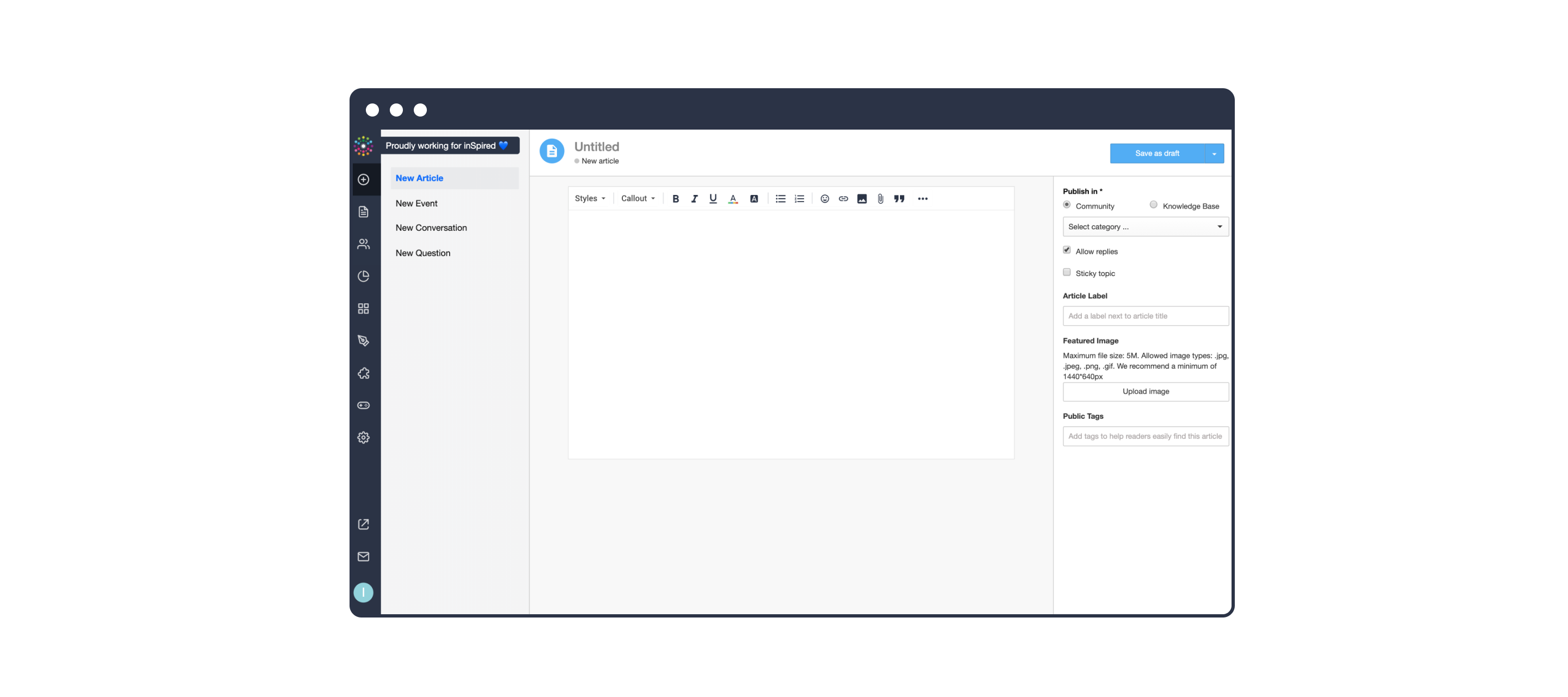
We have good news for everyone creating content on their community. We are working on a new version of the content editor and are making improvements so you can write better and nicer articles for your users to read. This new version is available in your staging environment as of todayThe goal of this early staging release is to allow you to get familiar with the upcoming changes, get your feedback and suggestions for improvements before we make it publicly available. Where can I see the new editor?The new editor is enabled in the 'New article' page. When you edit an existing article in the topic moderation page, or in the community itself you will also see the new editor.New editor in Article pageCreating other topics or writing replies will still use the default editor. We chose to release the new editor for articles only so we could focus development efforts on a single use case, add requested formatting capabilities faster and deliver value to you. The new editor will be made available everywhere across the platform in a later stage. What is supported in the new editorAll the formatting capabilities that were in place already are still there. On top of that we added additional formatting capabilities in the form of:Multi level lists Code blocks with code syntax highlighting Image captions Inline code formatting Text color Text background color Horizontal linesWe made some adjustments to the output of the content to optimize the reading experience for your users. We changed font-sizes and font-weights, line-spacing and whitespace between elements. What is not supported in the new editorDue to the technical changes needed for this new editor the following functionalities are not supported with this new editorArticles created with the new editor can't be changed with BBcode. The option 'Edit with BBcode' is not available for articles It is not possible to quote posts created with the new editor. The option 'Quote' is temporarily not available for end-users on articles. This option becomes available when the new editor is enabled on all parts of our platform. Adding polls to an article is temporarily disabled. You can still add polls to other topic types More formatting capabilitiesWe are working on extra formatting capabilities like; tables, anchor links, callouts and accordions. These extra features will be added to the editor along the way, one at the time. When will this be available in my production environment?Monday 16 September the new editor will be available for articles on your production environment.We're happy to answer your questions, get your feedback, ideas and suggestions for improvements. Please leave a comment below Update – 16 SeptemberThe new editor is now available in Control for all of you