• 475 Product updates

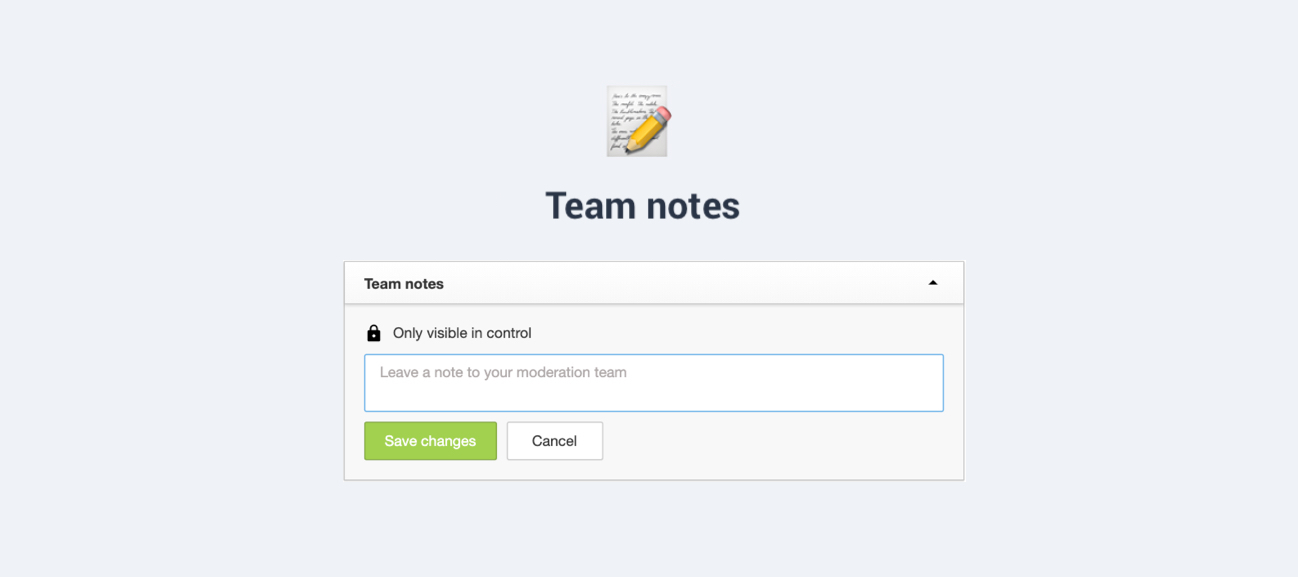
Boost moderator efficiency and collaboration with team notes 🤝
Roadmap Update #13

Roadmap Update #13

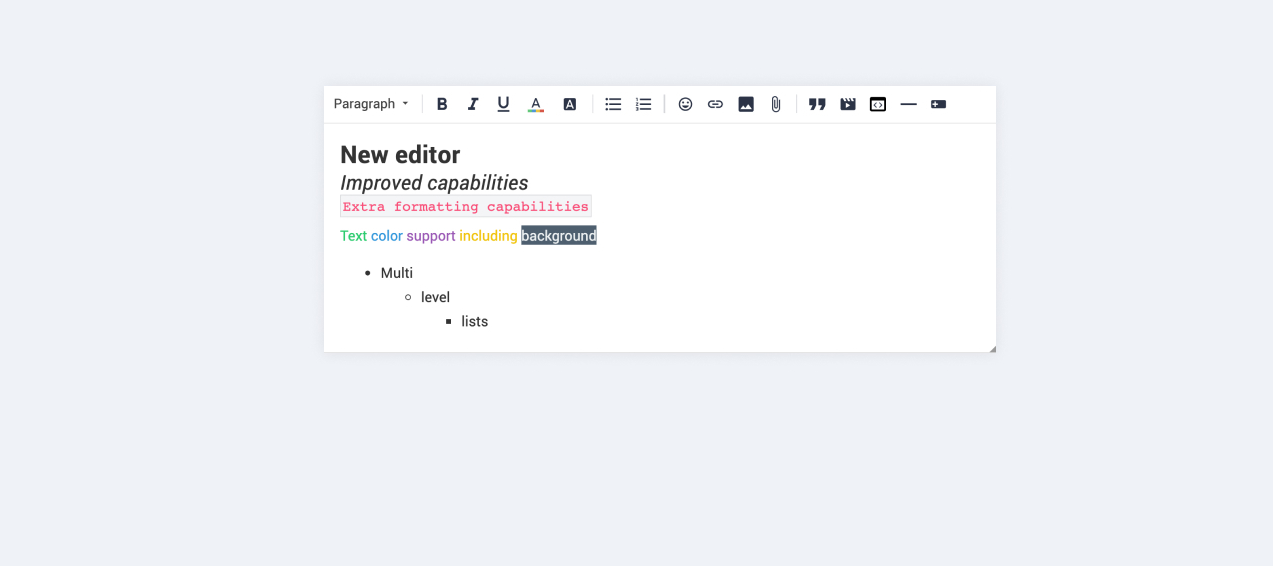
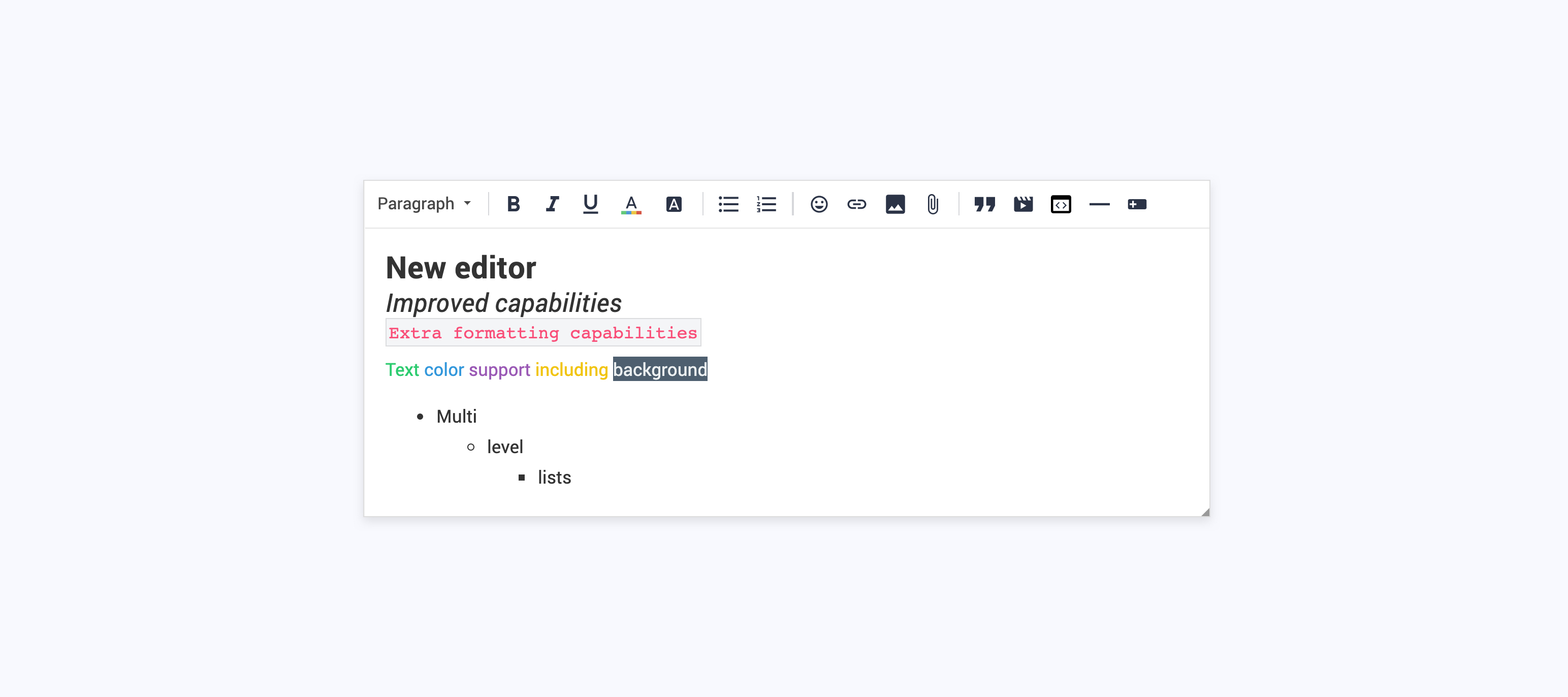
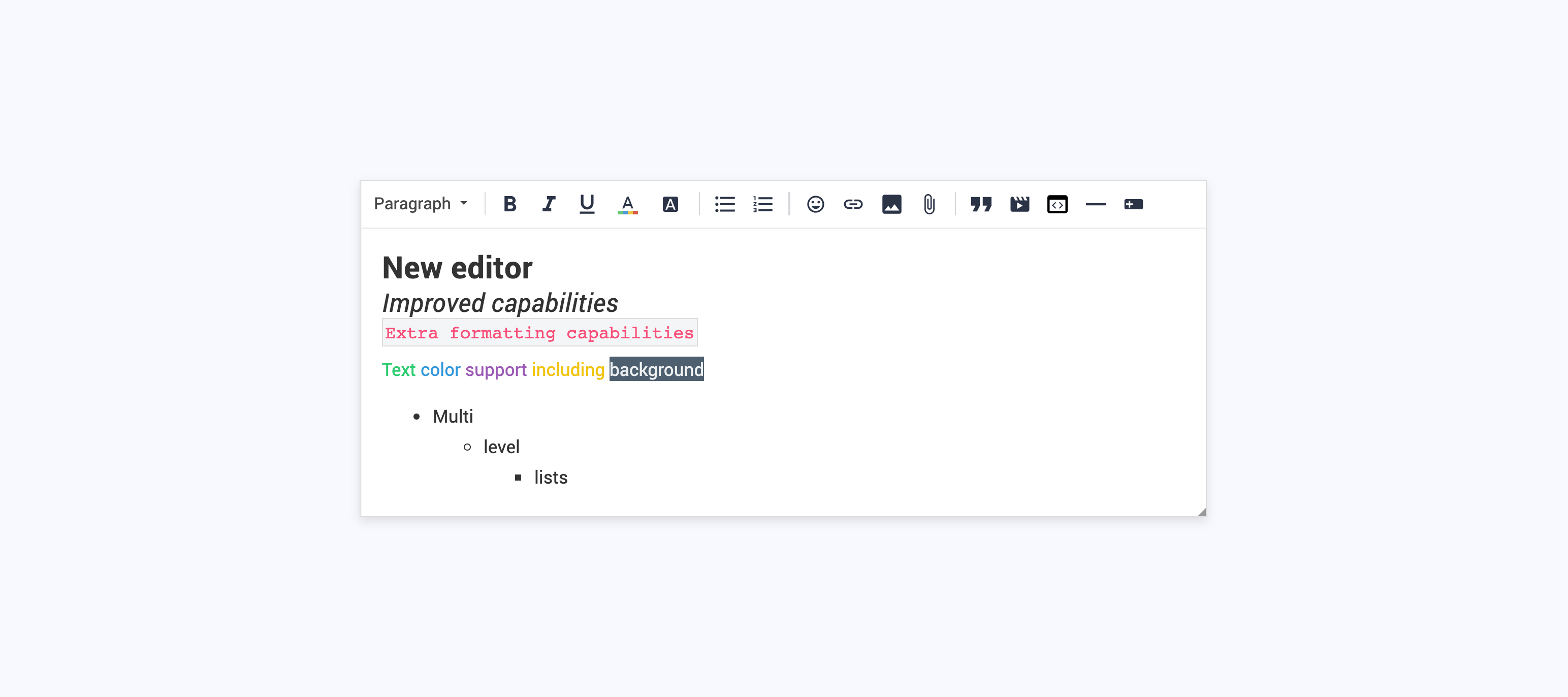
Now that the heatwave is over in our Amsterdam HQ, we have some hot news to share with you: our latest roadmap update. In the last weeks, we focussed on making it easier for content managers and moderators to create content. We delivered a draft functionality to make it easier for you to prepare knowledge and blog content in advance. We also provide a way to convert conversations into articles, enabling you to ‘promote’ knowledge generated by your community experts. We’re also running a closed beta of our Salesforce integration. By combining community data with Account/Contact data, our integration enables you to get deeper insights and intelligence around the reach, engagement, growth, and composition of your community. Get in touch with @daniel.boon if you’re interested in joining the beta, or if you’d like to learn more. Meanwhile, we continued working on our knowledge base capabilities and upgrading our editor. Our mission remains: make it as easy as possible for your users to find content on our platform. Read on to find out what we’re working on now: Knowledge base We continued working on dedicated knowledge base categories. Our goal: put your company official (support) content at the fingertips of your users. Knowledge base categories will have an optimized UI/UX, allowing users to quickly find the right articles that will help them to help themselves. Add a knowledge base to your community in which you can easily curate and structure content. Improved formatting capabilities We updated the mechanics of our editor to support HTML content. We plan to add additional formatting capabilities: tables, code blocks with syntax highlighting, drag- and drop images, multi-level lists, anchor links, find & replace inside topics, and buttons. Search in categories This feature has been paused in favour of the knowledge base and improved formatting capabilities. We plan to work on this in the near future. When you perform a search on a parent category or category page you will only get to see topics that belong to that (parent) category. Pushing click events to Google Analytics Based on your feedback we’ve looked into pushing click events to your Google Analytics so you can analyze user behavior inside your GA account. The first click events on categories, quick links, (featured) topics and more are already being pushed to your GA account. Log in to your GA account and navigate to Behaviour → Events → Overview to see them. More documentation on GA events will follow on inSpired soon. Salesforce integration Our Salesforce integration will help you gain more intelligence on your community and its impact by linking community members and their activity to Contacts and Accounts in Salesforce. We’re currently running a closed beta for the integration - we’re still open for new participants! Contact @daniel.boon if you’d like to find out more/join the beta. Articles overview We’re working on tools to help you keep your knowledge base content/articles up to date. As a first step, we’ll enable you to access an overview of all of your articles, with information to help you identify what might need an update. Core platform improvements update We’re on the verge of finishing the job with our core platform improvements.. Once your community has been upgraded to the new version, you’ll be eligible to start using the beta for API 2.0 (containing all key functionality for Conversations, Questions, and Articles), as well as webhooks. Get in touch with @daniel.boon for more information about the beta. Thanks for your patience and continued collaboration. Completed product improvements since the previous update: Updated menu naming/structure in Control [inSpired idea] Easily prepare content in advance with draft articles 📝 Moderator permissions have been reduced [inSpired idea] Ability to convert content to an article [inSpired idea] After moving replies to another topic, stay at current topic

Related products:CC Others
Easily prepare content in advance with draft articles 📝

Update to the menu naming/structure in Control

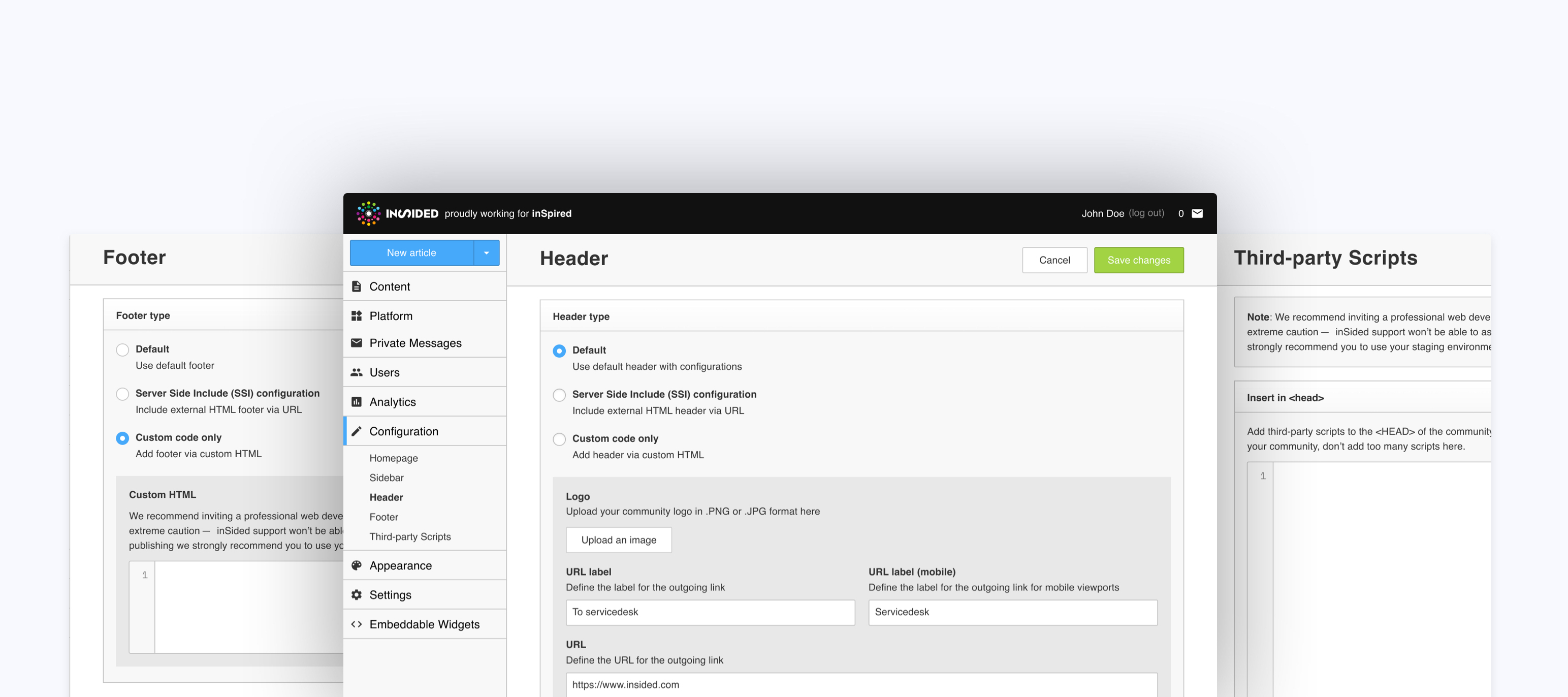
Update (Fri 2 Aug): the new menu structure is now available! TL;DR - a new menu structure in Control is coming soon; this article is a heads up so you can find out what the changes will be, and inform your team about them in advance. Over the years we’ve added a lot of new capabilities/configuration options to the inSided platform. So many, in fact, that we decided that it was time for a much-needed cleanup of our menu naming and structure. We expect the changes to be released within the next week. Let's get to the good stuff first - here’s what the new menu structure and naming will look like: An explanation of the ‘top-level’ menu items: Content (previously ‘Forum’): here you can keep on top of all of the content on our platform. (Drafts/Articles section coming soon!) Platform 🆕: here you can set up the base structure of the various sections of the platform: homepage, community, and knowledge base (coming soon!). Private Messages: (no changes). Users 🆕: here you can keep on top of all of your community members. It’s also the place where you can configure user-related features (e.g. ranks, badges, custom user roles, profile fields). Analytics: (no changes). Customization 🆕: here you’ll find all configuration that affects your end users, mainly for community managers to decide on (e.g. Sidebar Widgets, Content Helpfulness, Phrases, Ideation Status). Appearance: (no changes). Settings 🆕: here you’ll find all configuration that affects moderation (e.g. Moderation Labels, Post Fields), or your inSided instance in general (e.g. Third-Party Scripts, Integrations, Platform Visibilities). Contains tools aimed at community managers/administrators. Embeddable Widgets: (no changes). ⚠️ Other name changes to watch out for: Forum > Reported will be renamed to Flagged. Appearance > Basic will be renamed to Site Identity. General Settings > Post field overview will be renamed to Post Fields. Forum Settings > Email Alert will be renamed to Flagged Content Alerts. Appearance > Widgets will be renamed to Side Widgets. Forum Settings > Ideation will be renamed to Ideation Status. General Settings > Custom User Roles will be renamed to User Roles. General Settings > User management will be renamed to Registration Approvals. General settings > File Uploads will be renamed to Attachment permissions (and sit under 'Users'). Forum settings> Forum structure will be renamed to Community (and sit under 'Platform'). Please let us know any feedback or questions you have for us in the replies 🙂!

Related products:CC Others

Upcoming changes to category configuration pages and the search algorithm

We are making some enhancements to the category pages in control. Based on your feedback we made some tweaks to the search algorithm to boost relevant results. Read on to learn what is going to change: Category pages in ControlWe will update the UI of the category pages in control, we will split the category configuration page into three different views. We’re aiming to declutter the configuration page and to create a more meaningful view of the settings and their options. Category details: Configure default category options such as title, description and hero images Curated content (optional): Configure the curated content of this category to help your users find their answers quickly Permissions: Configure category permissions per user role The new UI will be rolled out to your Control environment very soon, the exact date will be announced in this topic later this week. Search algorithmWe’re adding some tweaks to the search algorithm to boost relevant results: Typos on numeric tokens will be disabled to have better matches with search queries with special formatting like serial numbers, version numbers and (zip) codes Stop words (like “what”, “is”, and “a”) will be removed before executing a search query Topics with the type Article will be boosted in the search results above questions that have been solved.* * A/B tests showed us that Article topics outperformed best answer topics on both click-through rate (CTR) and conversion (users spending 30 seconds on page after clicking a search result). Changes to the search algorithm will be in effect per July 11.

Maintenance windows

At InSided, we are always looking to optimize the platform for present and future use. The last couple of months several maintenance windows have been scheduled in order to improve stability, maintainability and performance. Although it’s most likely clear that occasional maintenance is necessary hereby we would like to inform you about the underlying reasons of recent maintenance windows; Main database stability upgrade During continuous analysis and monitoring of all inSided instances we found that operations on bigger chunks of data could be optimized. In order to mitigate any potential future issues we optimized the performance by putting new settings in place which required a database update. For this update to be successful we planned a maintenance window. Main database performance upgrade Our partner AWS occasionally releases new versions of their software and underlying database hardware which requires updates. Running on the latest version gives us and you as client optimal performance for your community. Upgrade to our improved SaaS platform Each individual customer that is with us for a longer period of time is recently migrated to the new platform. To achieve this we have planned individual maintenance windows for each of our customers. Some additional information: Whenever maintenance is planned we will always update all our clients through the status page of inSided. This service proactively sends out a mail to all subscribed users whenever a new maintenance window is planned, started and finished. If you didn’t subscribe yet we recommend to do this as soon as possible Maintenance is always scheduled during off peak hours Maintenance is scheduled as much as possible in bundles to minimize the impact for your users Maintenance windows generally take only a few minutes to fully execute Maintenance windows doesn’t require any changes from clients end and is fully executed by the inSided team

Related products:CC Others
Roadmap Update #12

Roadmap Update #12

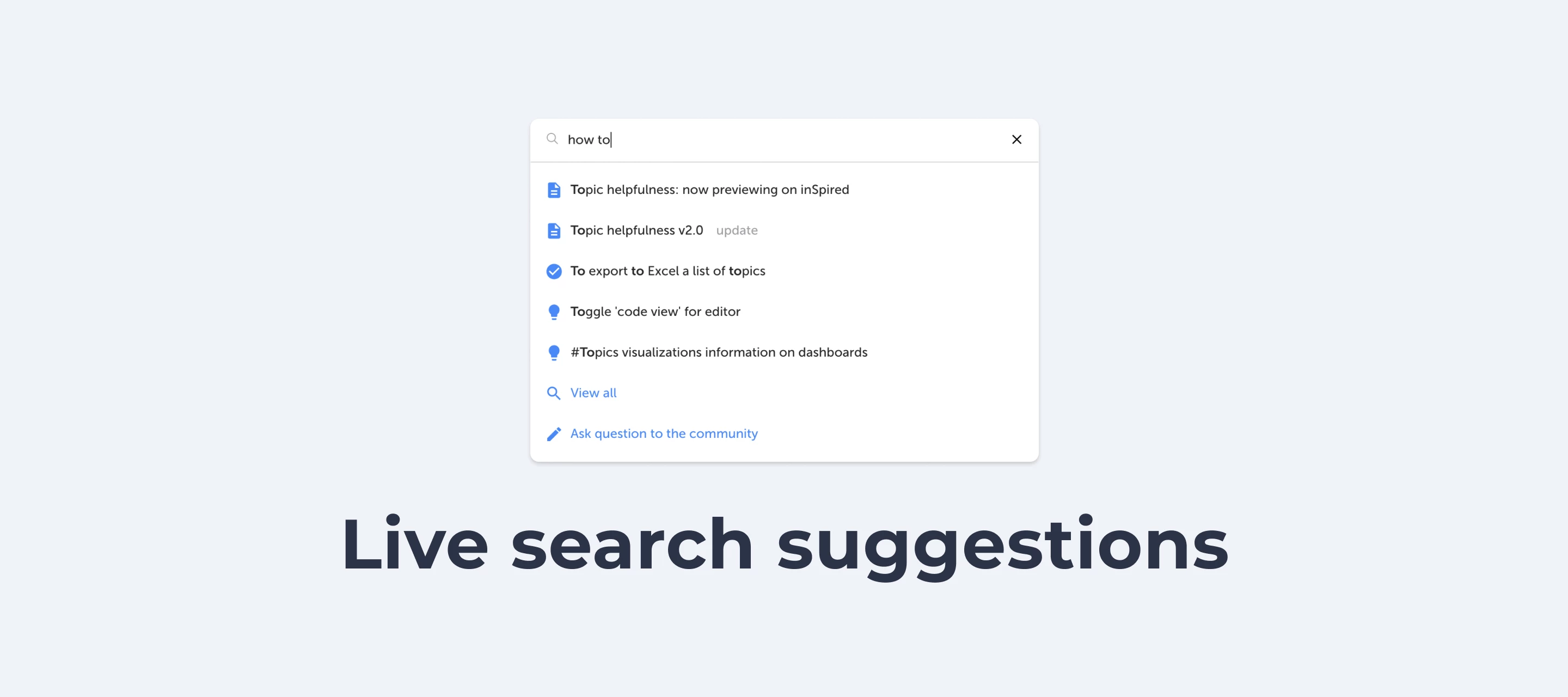
It’s here— our latest roadmap update. Over the past few weeks, we’ve been busy working on your ideas and the input that you gave us here on inSpired. We delivered the ability to manage your email notifications and the ability to delete private messages. We delivered a highly voted idea (top 5) around suggesting topics while creating a new topic. We can already see the benefits: 7% of users who want to create a topic looked at one of the suggested topics first. 50% of those users who opened a suggestion first decided to not create a new topic afterward! On average, the number of new questions asked declined by 10%. We’ll keep a close eye on the results as we aim to decrease the amount of duplicated questions and increase the number of people that indicated that a topic was helpful. Over the upcoming weeks we’ll continue working on your ideas by introducing the ability to save topics as a draft, improve our editor to publish rich articles easily and allow users to get search results from a specific category only. Alongside that, we will of course continue working on our mission to make it as easy as possible for your users to find content on our platform. Read on to learn more. Knowledge base categories Following up on the successful delivery of showing knowledge base content on existing (community) category pages, we’re taking things one step further: we will create dedicated Knowledge base parent category and category pages. Knowledge base categories will have an optimized UI/UX, allowing users to quickly find the right articles that will help them to help themselves. Add a knowledge base to your community in which you can easily curate and structure content. Improved formatting capabilities We’re making some under-the-hood changes to our editor so that it can read and store HTML content. Over time we plan to add additional formatting capabilities such as tables, code blocks, syntax highlighting, inline images, multi-level lists, anchors and more. Search in categories We will (re)introduce search in categories. This functionality was stripped when we switched to a new search engine some time ago. Based on your feedback and requests we are going to add this functionality to our platform again. When you perform a search on a parent category or category page you will only get to see topics that belong to that (parent) category. Create draft articles Unfortunately, we’ve had to take away focus from this feature in order to welcome a few more communities onto our branded templates platform, as well as to continue rolling out core platform improvements. We aim to replace the ‘hidden subforum’ workaround for preparing articles with a revamped article publishing flow in Control. With draft articles, you’ll be able to control the publish date of your articles. Salesforce integration (beta) We’re building an integration so you can gain more intelligence on your community and its impact by linking community members and their activity to Contacts and Accounts in Salesforce. We’re currently running a closed beta - if you’re interested, please get in touch with @daniel.boon for more details! Core platform improvements update We’re continuing to roll out core platform improvements to all of your communities, and getting ever closer to finishing the job. Once your community has been upgraded to the new version, you’ll be eligible to start using the beta for API 2.0 (containing all key functionality for Conversations, Questions, and Articles), as well as webhooks. Get in touch with @daniel.boon for more information. Thanks again for your patience and continued collaboration—we’re sorry for the delay in finalizing these improvements. Completed product improvements since the previous update: Manage email notifications Show knowledge base content in category pages Private message deletion for community members

Related products:CC Others
Article image: design specs and changes

Article image: design specs and changes

As a follow-up of Visual Guide 2.0, We've made improvements to article featured image and updated its design spec. Read on to learn what is changed and how to prepare a good article featured image. :) Improvements: 1. Article featured image in desktop topic list (Coming up soon) Currently on desktop, article featured images in topic list are displayed in original proportion in a 3:2 container (168*112px). We've noticed some featured images contain a wider visual or long text, which would be cropped quite a lot. What will be changed: To provide a better view, the width of the image container will be changed from 168px to 200px. Action: If you have featured images containing main visual/text, make sure they are visible in the centre. And be aware that featured image will be slightly cropped (10%) on each side in topic list. 2. Instruction of article featured image in control (Done) What is changed: A clearer instruction of the featured image has been added to control on the "new article"-page and on the "moderate topic"-page. Here are some tips for you to prepare wonderful article images for your community: * The following guides will be merged to Visual Guide 2.0 after all changes are done. Article featured image Where and how would article images be displayed on your platform?Topic pageExample: https://community.insided.com/getting-started-customers-only-33/visual-guide-v2-0-1462 Topic list on homepage/search results/category page/etc.Example: https://community.insided.com/news-platform-updates-16 Curated content list on category pageExample: https://community.insided.com/news-platform-updates-16 Topic list What do you think? Leave a comment and let us know your opinion. :)

Use content curation to add a knowledge base to your category page

Use content curation to add a knowledge base to your category page

We’re excited to share our new content curation functionality for category pages with you. This feature allows you to pin knowledge base content (articles, guides, etc.) to the top of your category page. Category page with a curated list (knowledge base) of topics on top followed by a community listSee it in action: https://community.insided.com/gamification-activation-super-users-32 How does this benefit you?First, you want to give your official content the stage that it needs. It will make it easier for your users to differentiate official content from user-generated content and keep them from searching too long for the right information. This is the best spot for e.g. product-specific documentation or your best tutorials. With this category setup, users won't have to dig around, click in multiple places and browse different sources to find the information they need.Second, we often heard the request to highlight your own knowledge base articles. We came up with the unified content stream, but then your KB articles might be swamped with other questions. We see customers like to use the community as their central help center. We see that a lot of great content is created by our companies. Content to inform, to inspire, to help and to train your users. Whatever the reason is, this content deserves to be in the spotlight.Last, with this functionality you have full freedom over how many topics you want to highlight and in which order, because we know how important easy navigation is. How to add a Knowledge base to your category pageCurating a Knowledge base is pretty straightforward. First you have to select the topics in your platform that you want to promote. Then, you assign these topics to the content curation panels in the edit category pages in control.You’ll find a detailed walkthrough how to do this in our How-to article: How To Highlight Knowledge Base Content in Category Pages. We’ve provided a shortened version here. Log into the Control environment. Navigate to Platform>Community and select Edit to the category where you want to add a Knowledge base.  Scroll to the Curate content panel. Select a title for the list. For example, we use “Recommendations”. Select visibility: curated list will display the featured articles at the top of the page. Community list will display all other topics below the curated list.  Drag & drop the topics in your preferred order with the drag & drop handlers in front of the topic titles.Read our detailed walkthrough here: How To Highlight Knowledge Base Content in Category Pages ConclusionThis new functionality will take your category pages to the next level by combining company official and user generated content. Your users will love to see all the right information combined into one page.If you have feedback or suggestions related to this functionality, feel free to let us know in the comments below.

Manage platform email notifications

You can now manage all email notifications in your settings page, this way you can (un)subscribe to emails for specific events. You've been waiting for this, but wait no longer. How do I (un)subscribe to an email notificationVisit your profile page and click the 'Edit profile' button or directly click the 'Settings' option in your profile dropdown. Navigate to the 'Settings' tab in which you will find the following email notifications options: Add topic to subscriptions which you reply to Default setting: Yes If you reply on a topic it will be added to your subscriptions. You can find your topic subscriptions in your profile dropdown > 'Settings' Receive email notifications from your topic subscriptions Default setting: Yes You will receive an email when there is a new reply in a topic that you are subscribed to. If you open the email and visit the topic you will continue receiving emails for new replies. If you ignore this email you will no longer receive emails for new replies on this topic. Receive email notifications when a best answer is marked in your subscribed topics Default setting: Yes You will receive an email when a topic that you are subscribed to receives a best answer. Receive email notifications for new topics in your subscribed categories Default setting: Yes You will receive an email every time there is a new topic posted in a category that you are subscribed to. Set this setting to NO works as a kill switch: you won't receive any emails for new topics anymore, even if you are still subscribed to individual categories. Receive email notifications from @mentions Default setting: Yes You will receive an email every time somebody @mentions you in a topic or reply Receive email notifications for new private messages Default setting: Yes You will receive an email every time somebody send you a private message We have plans to organise the settings page so that it's easier to use. We might even create a separate 'Notifications' tab to organise your email notifications.

Highlight content in different categories with our content curation functionality

Highlight content in different categories with our content curation functionality

Another major step forward in providing access to all the help and guidance your users need to find the right information, meet our content curation capability for category pages.Very soon company validated content (articles, guides and support material) can be pinned to the top of your category page in a knowledge base stream. What follows is a community stream with user generated content (conversations, questions answers). This way you will be able to combine your company’s support materials with community generated answers and best practices — all in one category page.Here is how it looks: Category page with a curated list (knowledge base) of topics on top followed by a community listYou can see some examples on inSpired in the following categories: News & platform updates, How to's, SEO, traffic and integrations   How does this benefit you?First, you want to give your official content the stage that it needs. It will make it easier for your users to differentiate official content from user-generated content and keep them from searching too long for the right information. This is the best spot for e.g. product-specific documentation or your best tutorials. With this category setup, users won't have to dig around, click in multiple places and browse different sources to find the information they need.Second, we often heard the request to highlight your own knowledge base articles. We came up with the unified content stream, but then your KB articles might be swamped with other questions. We see customers like to use the community as their central help center. We see that a lot of great content is created by your companies. Content to inform, to inspire, to help and to train your users. Whatever the reason is, this content deserves to be in the spotlight.Last, with this functionality you have full freedom over how many topics you want to highlight and in which order, because we know how important having control and an easy navigation is. Configuration in Control vs. How it looks in your category page   What are the capabilities of this feature?These are the key capabilities Add a curated list to any category Highlight content (no max. amount) Highlight topics from any category Show / hide list of community topics Determine in which order topics should be listed Define a title Clean design focussed on read- and scannability Collapse / expand the curated list Optional to use. If you don’t want to make us of this functionality you don’t have to (but we think you will ;))FAQQ: How does this curated list look like?A: As a small stream of topics. This list is on top of the category page followed by the community list.Q: When should I use this?A: When you have company official content in categories with a lot of user activity. Especially when official content is read-only, as it will not move to the first page by itself. Use this to highlight product-specific documentation or your best tutorials. Here in inSpired we use it to set up a category page as a Knowledge base and to enrich community focussed categories with Knowledge base sections.  Curated list examples used as Knowledge baseQ: How many topics can I highlightA: Unlimited, although we recommend not to highlight more than 10 topics at once.Q: Does the topic that I want to put in my curated list need to belong to the same category?No. You can pick any topic from any category and highlight it. This means that Topic A, which is published in Category A, can be highlighted in Category X,Y & Z as well.Q: Can I set up a pure Knowledge base without user-generated contentYes. You can create a pure Knowledge base category in 3 simple steps:   Configure a curated list of topics Hide the community list of topics Configure the permission so that only moderators and community managers are allowed to post (optional) Revoke commenting permissions from all users to use the category as a pure communication channel   

A new lick of paint for the ‘new article’ screen in Control 🎨

Delete private messages, unsubscribe from @mentions, and more improvements

You asked, we listened. We have recently implemented some platform improvements based on your ideas and feedback here on inSpired. Read on to learn what is now available: Private message deletion for community members Unsubscribe from @mention email notifications Content Helpfulness Facelift Show warning dialog if you navigate away from the create topic process Bulk operation to close multiple topics at once Ability for moderators to post the same message multiple times Private message deletion for community membersWe worked on this feature based on this popular idea. Community members can now delete private messages they have sent to other users or moderators, enabling them to remove content they’ve sent privately that they no longer want to share. Both members of the conversation can see that a message has been deleted, for the sake of transparency. The deletion is available on the front end when viewing your conversation with another user. Unsubscribe from @mention email notificationsOpting out from @mention notifications, a highly voted idea, is now available. Go to your Profile Settings page and set ‘Receive email notifications when you are mentioned’ to No. Once set to No you will no longer receive an email when another user mentions you. Content Helpfulness FaceliftWe changed the emoji, used to up- or downvote a topic, to a more friendly set. Show warning dialog if you navigate away from the create topic processWhen you're in the middle of creating a topic and accidentally refresh, navigate or forget to open in a new tab, there's no warning and your progress is lost. This is no longer the case. We implemented a warning dialog, based on this idea, that shows if you navigate away from the create topic page after providing some input already. Bulk operation to close multiple topics at onceYou can now close multiple topics at once (based on this idea). Simply go to the topic overview in Control, select some topics, press ‘More’ in the toolbar at the bottom, and select ‘Close’. This will prevent community members from submitting new replies to these topics. Ability for moderators to post the same message multiple timesWhen there’s a major incident affecting a large portion of your customer base, sometimes you need to repeat yourself. Sometimes you need to repeat yourself, so we made it possible for moderators to post the same message multiple times, as requested in this idea. --- We hope you're happy with these changes - give us any feedback in the replies below! 🙂

Related products:
Roadmap Update April 2019

Roadmap Update April 2019

It was a month with ups and downs for the product development team. We had to deal with huge amounts of spam; as a consequence our email system got more than 10% bounces, causing Amazon (AWS) to shut down our email service. We are very sorry about this. Unfortunately, it took longer than expected to overcome this unnecessary action from AWS. We’re working very hard to make sure that this never happens again. On the other side, we had some great releases since our last update: it is now possible to escalate community posts to Zendesk, we released the next version of our embeddable widget (including search and a redesign) and we introduced parent categories. Curious about what’s next? Read the update below. Manage email notifications Empower users to manage email notifications. We will add more settings so that users can determine for which events he wants to be notified by email. Our first priority is to add a setting to the settings page in which a user can determine whether he wants to receive an email notification when another user mentions them. Show knowledge base content in category pages At the moment, categories consist of unstructured content: conversations, articles, questions and answers are mixed together. We will empower you to add ‘knowledge base’ sections to your category pages. These sections display a list of manually curated topics. In the control environment you can pick topics to promote and reorder them to structure the content. Knowledge base sections are separated from the community stream to clearly distinguish them from the community content. Private message deletion for community members We’re addressing this popular idea submitted on the inSpired community. Community members will gain the ability to delete private messages they have sent to other users or moderators, enabling them to remove content they’ve sent privately that they no longer want to share. Both members of the conversation will see that a message has been deleted, for the sake of transparency. Create draft articles Right now, you have to use a hidden subforum for preparing your articles. We aim to replace this workaround with a revamped article publishing flow in Control, starting with the ability to create draft articles before publishing them. This means you’ll be able to control the publish date of your articles; we’ll also make the user experience for content writers and publishers a lot smoother! Core platform improvements update We’re continuing to roll out core platform improvements to all of your communities , and getting close to finishing the job. Once your community has been upgraded to the new version (you can tell by the appearance of a blue ‘create topic’ button in Control), you’ll be eligible to start using the beta for API 2.0 (containing all key functionality for Conversations, Questions, and Articles), as well as webhooks. Thanks again for your patience and continued support! Completed product improvements since the previous update: Parent Categories Escalate Community Posts to Zendesk Embeddable upgrades (search + redesign)

Related products:CC Others
Now available: Search in the embeddable widget (+ redesign)

Now available: Search in the embeddable widget (+ redesign)

We made some great improvements to our embeddable widgets. We added search functionality to the conversational widget so that the user can always look up the information they need and we gave our embeddables a facelift to make it look even better. What are the embeddable widgets?Our embeddable widgets are a set of easy-to-install, plug-and-play components that you can embed in pages of your website.. They enable you to extend the reach of your community content and enhance your webpages. The in-page widget enables you to display community content directly on any website where your users are. The conversational widget floats above the page, providing help to your customers, right where they need it. Learn more about the embeddable widgets in the release notes or read the frequently asked questions. Why are we doing this?We believe that the embeddable widgets are a great set of tools that allows your users to access help content wherever they want, whenever they want. To date we provided two ways of ‘pushing’ helpful content in the embeddable: by default there is a list of topic suggestions which are suggested by running a search query on the page title and matching the most relevant content. Next to that we allow you to 'pin' specific topics to specific pages. The list of automated topic suggestions doesn’t always show the most relevant results and pinning topics manually requires some effort. By introducing search functionality we provide another way to get the right content right where you need it. We also improved the look and feel of both the embeddables to make the browsing and reading experience more pleasant. What’s newWe added, updated and improved the following functionalities in this rollout: Conversational widget We added a search bar which searches all available content We added a link to visit the community in the start screen We show the most recent reply directly below the topic. You can load more replies with a single click Conversational widget & in-page widget We improved the design of topic lists We replaced the avatar in the topic list, which was often a default one, with more meaningful metadata What’s nextWe have tons of ideas on the future of the embeddables; adding personalization to provide better contextual help, pushing relevant content in the embeddable based on a set of query rules, adding (parent) categories so users can browse around. The exact next steps will be revealed later, keep an eye on the roadmap updates for more information. As always, if you have feedback, suggestions or great ideas for the embeddable let us know via the comments below.

Now available: Parent categories

Now available: Parent categories

We’re really happy to share that parent categories have been enabled on your production environments. With parent categories you will be able to offer users a new area which includes all content from all categories in one overview. Parent categories might be a new word for you. To make sure we’re all speaking the same language we have created a visual that explains what we at inSided refer to as parent categories and normal categories. Click the spoiler to reveal Various examples on where (parent) categories are displayed in the platform Why are we doing this?We see that specifically larger, mature communities with many categories would like to offer their (super)users a better experience while navigating the community. A parent category usually includes many related categories which all cover a product or a specific field of interest. Instead of having them change categories just to be up-to-date with the hottest discussions and latest questions, a separate parent category page with all content combined makes more sense. But this does not just provide value for large or established communities, it’s valuable for all shapes and sizes.. You as a community Manager are now able to structure content better, lowering the barrier between different categories in a knowledge base, improving the overall browsing experience. Last but not least: integrations. Why share a link to the entire community on a product page, when a link now can also present all FAQs, discussions and ideas in a single page? We would recommend you to start reviewing your integration plan to maximize the added value for your users. What’s new We added, updated and improved the following functionalities together with this rollout: We made the parent category a new page in the platform which a user can visit We made the parent category names clickable in the navigation (menu dropdown and homepage category stream) We updated the topic stream list and now show the name of the parent category so that you can see to which parent category and category a topic was posted We added the new parent category to the breadcrumbs We added a functionality to hide the parent category description on your homepage We improved the layout and configuration settings for the category structure in control FAQ Q: How can I access parent categories A: Either click on the parent category name in the categories stream on the homepage or click on the parent category name in the menu dropdown. And access parent categories by visiting its direct URL. Q: Which elements are shown on a parent category A: Title Description (optional) Hero image (optional) Categories as navigation cards Topic list displaying topics from all categories sorted by recent activity General sidebar Q: How can I make changes to my parent category A: Visit Control > Forum Settings > Category Structure and click ‘Edit’ on the parent category to make changes. You can change the title, description, determine if you want to show the description on the homepage and change the hero image. Q: Are there no sticky topics on parent categories? A: Yes and No. In parent categories the sticky topics appear in the regular stream based on recent activity and won’t be positioned in a fixed position on top of the stream. Thank you inSpired communityLast but not least a thank you to everyone testing this functionality on their staging environment and providing us feedback. We were able to include some of your suggestions and fix inconsistencies. You helped us shape this feature!

Roadmap Update March 2019

Roadmap Update March 2019

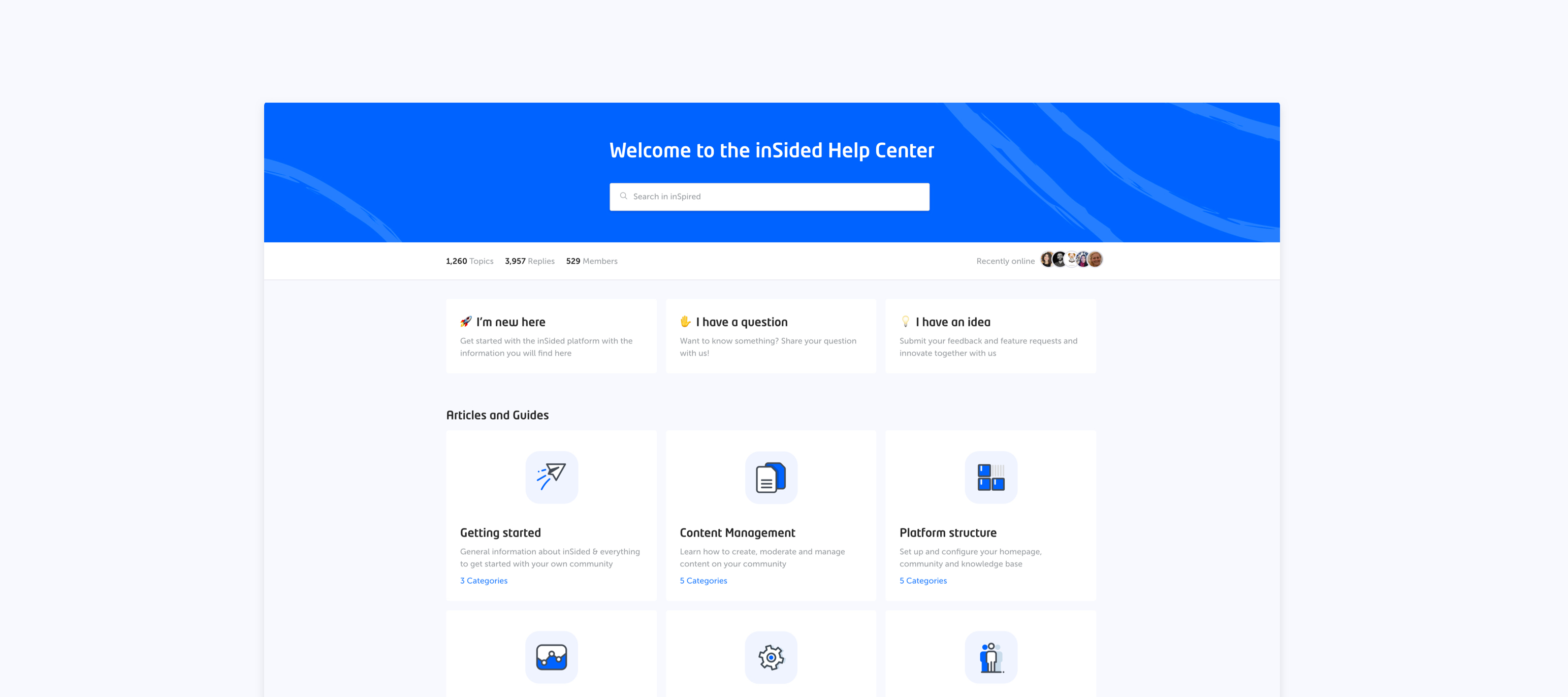
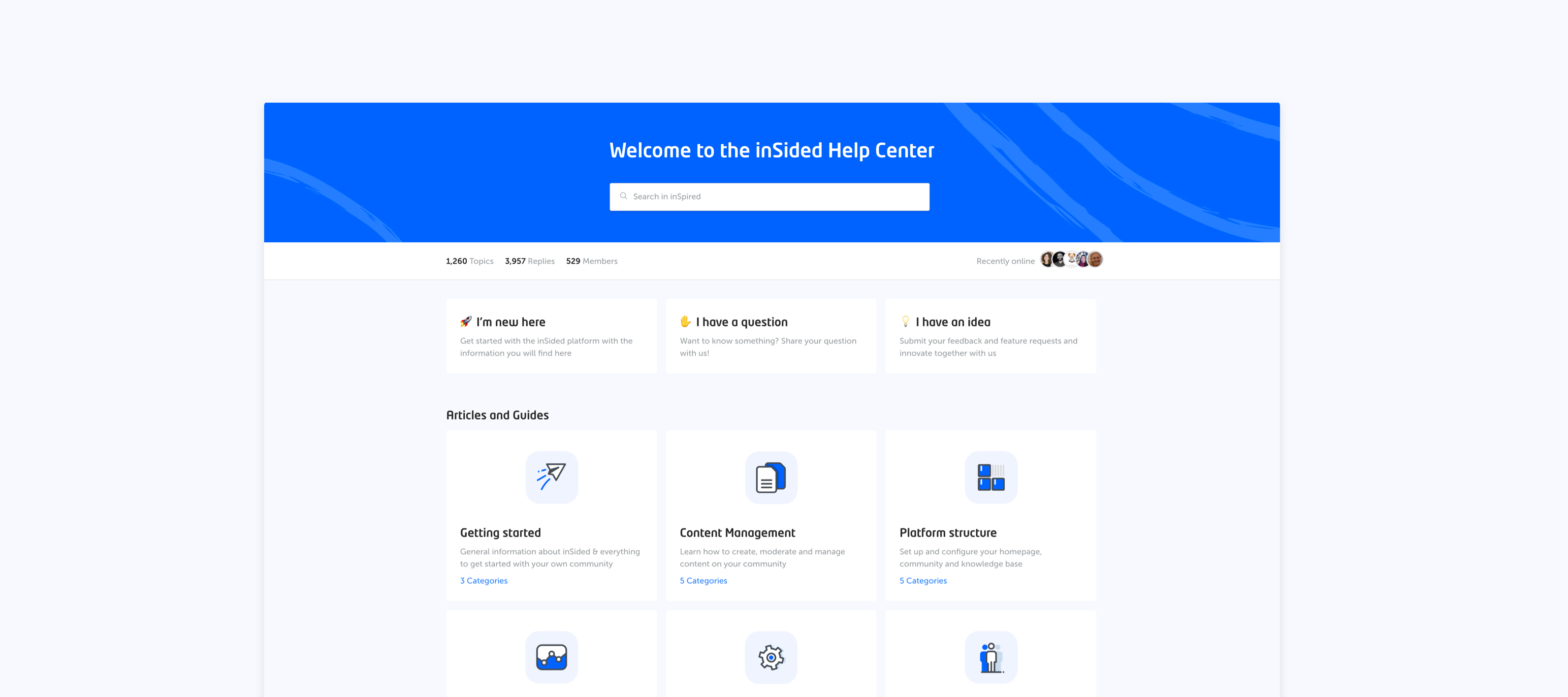
In 2019 we continue our focus on making it easy to find content on our platform. In the last couple of months, we introduced quick links and homepage recommendations to better guide users to the right content. We improved the technology so that we can offer more relevant content. We introduced schema.org to encourage Google to create rich snippets for answered questions, and we made it easier to create rich content by introducing our new WYSIWYG editor in control. We are proud to show the latest and greatest on our own Help Center which we opened up publicly. In the upcoming weeks, we will work on further optimizing the way how users can find content, by introducing a parent category page and upgrading our embeddable widgets. Read about the most important upcoming releases below. Make it easier to browse through content with ‘Parent Categories’ We are working on a parent category page which allows users to have an overview of all content from multiple categories in a single page. This allows you to present your users a single destination that only includes content which is relevant to them. This feature has recently been announced and is available for testing on your staging environment already. Read Coming soon: Parent categories to learn more. Upgrades to Embeddable Widgets We will upgrade the look & feel of the embeddable to improve the reading and browsing experience. The trigger used to open the conversational widget already got a small facelift. Search will be added to the conversational widget, allowing users to search all the content from your platform. We’ll optimize the search relevancy to serve the best content possible. Streamline your support workflow by escalating community posts to Zendesk from Control Sometimes community members post issues that can’t be solved by the community, like a bug with one of your products, or an issue that’s unique to their account. In this case, the only route to a solution is to pass the information on to your support team. For customers using Zendesk, we’re building an integration that will allow you to quickly escalate any question, conversation, or reply to a ticket on Zendesk Support, via Control. By embedding this escalation button directly within Control, we aim to save you time and eliminate the frustration of switching between different platforms. Core platform improvements We’re still in progress with rolling out core platform improvements to all of your communities. Once your community has been upgraded to the new version (you can tell by the appearance of a blue ‘create topic’ button in Control), you’ll be eligible to start using API 2.0 (containing all key functionality for Conversations, Questions, and Articles), as well as webhooks. Thank you all so much for your patience and continued support whilst we patch the issues with the improvements. Completed product improvements since the previous update: Robots.txt Content Recommendations Open Text Widget WYSIWYG Editor Fully Implemented in Control Typeform support Quick Links

Related products:CC Others