• 475 Product updates

Live-search: Coming soon!
Roadmap update September 2018

Roadmap update September 2018

This roadmap update highlights the features & improvements planned for the inSided platform. Priorities can change as we face new challenges. At inSided we are committed to executing iterative and rapid improvements based on our vision and feedback from our users and customers. Got an idea on how we can improve our platform? Don't hesitate to post your idea on our Ideation board. August was an exciting month for the embeddable widgets where it’s possible now to configure the content that is shown in the widget. Also the preview of live search reveals the upcoming improvements we are making on our search capabilities. API 2.0 beta is ready to go, but we have been encountering infrastructure issues that have hindered the release, so it’s still showing on this list. Product updates coming soon: First beta for API 2.0 - Conversations and Questions (including Webhooks) We have been working on a new API which will provide a more consistent REST experience. We are expecting to start a beta for all of our Branded Templates customers soon. The first release of the new API is providing you all the functionality for the conversations and questions domains, also including all moderator actions. Live Search When a user is searching he will get up to 5 results in a dropdown the moment he starts typing in the search box. At every keystroke our search engine does its magic to push the most relevance topics to the user so he can find the information he needs. You can preview this feature on the inSpired community. Topic Helpfulness We’ll add a little area below the opening post in Q&A topics where users can indicate if they found a topic helpful or not. This data will be directly logged into your Google analytics, giving you a clear view on which topics/content are helping people the most. You can preview this feature on the inSpired community. Embeddable widgets - Show answers/conversations/articles directly within your website The next big update for the embeddable widgets is almost ready - your website visitors will soon be able to view answers to questions and read help articles/conversations seamlessly within the conversational widget, without ever having to leave the page. Embeddable widgets - Gather anonymous topic helpfulness feedback from your website visitors Along with showing the details of topics in the conversational widget, we’ll also add a way for visitors of your website to anonymously provide feedback on the helpfulness of the content they read. In the future, we plan to make this data available to you through a dashboard in Control. Completed Projects & Improvements August 2018 Upload & Attach Files to posts Allowing super-users to mark answers Embeddable Widgets - Configure The Content Shown On Specific Pages Of Your Site July 2018 Community Success Dashboard Spam Prevention - Self Service Configure header colors and settings Configure community- and category title colors June 2018 Configure navigation bar colours Spam self-service May 2018 GDPR - User Erasure 3rd party scripts Self-Service for Branded Templates Community statistics widget April 2018 Community Widget Management Improved Member Dashboard Unanswered Topics tab March 2018 Improved Content Dashboard Embeddable Widgets Members Dashboard (First version) Configure introduction widget colors Read/unread topics indicator Super User as a primary role February 2018 Breadcrumbs for Branded Templates Improved Phrases tool Self-Service moderation labels for Branded Templates Default avatars Self-Service styling for Branded Templates January 2018 Pending-post approval for Spam prevention Self-Service category permissions Self-Service badges December 2017 Status-Page WYSIWYG editor for Branded Templates

Related products:CC Others
Topic helpfulness: now previewing on inSpired

Topic helpfulness: now previewing on inSpired

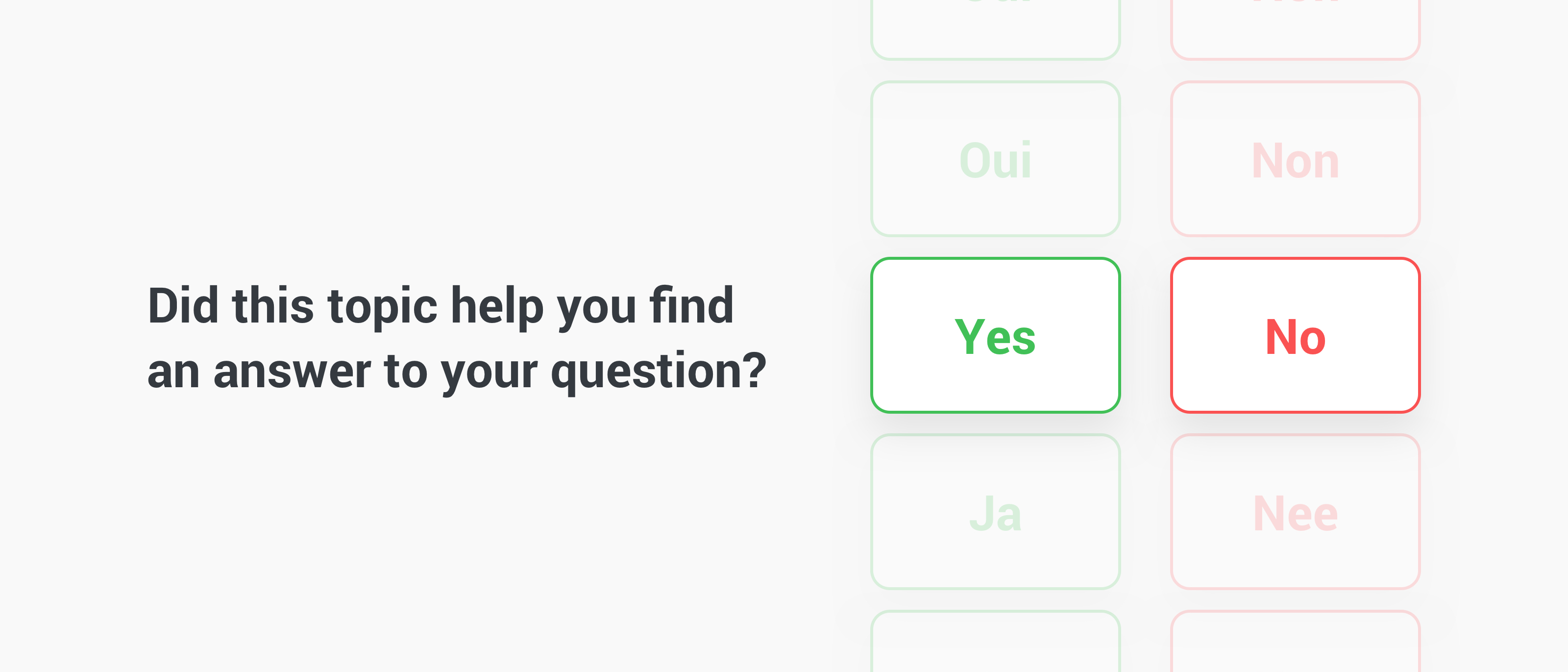
At inSided we want to help you understand the value of your community. We are developing a feature that gives more insight into which Q&A topics in your community are considered helpful and which are not. Next to that we were inspired by the post: Demonstrate and drive community value by enabling public likes in our community. Today we rolled this beta feature as a preview out inSpired, we call it Topic Helpfulness. What is Topic helpfulness?A little area below the opening post where users can indicate if they found the topic helpful or not. How does Topic helpfulness work?Every Q&A topic (questions and questions that have a best answer marked) of your community will get a new little area below the opening post asking one simple question: “Did this topic help you find an answer to your question?”. Users can reply via a ‘Yes’ or ‘No’ to indicate whether or not it has helped them. This data/event will then be directly logged into your Google analytics, giving you clear view on which topics/content are helping people the most. Because it is a beta version the data is not visible in the Control environment yet. We have plans to make the data available in the content dashboard at a later stage. A few points: This is available to ALL users, both logged in and anonymous users It’s available in every Q&A topic and is logged separately per topic The response (Yes or No) is only visible to the user, e.g. only he/she will see what response they have given to the topic Pilot customers neededBefore we're making this feature publicly available to all branded communities we want to run a short pilot program with 1 or 2 of our customers. The pilot program is simple: we'll activate topic helpfulness on your community and start measuring data. Data will be sent to your Google Analytics and is visible from day one. After a while we'll discuss results, thoughts and feedback. Interested in becoming a pilot customer for topic helpfulness? Please contact me via a Private Message. We will keep you posted here on inSpired on improvements and new milestones, if you have any questions or feedback let us know.

Live-search: now previewing on inSpired!

Live-search: now previewing on inSpired!

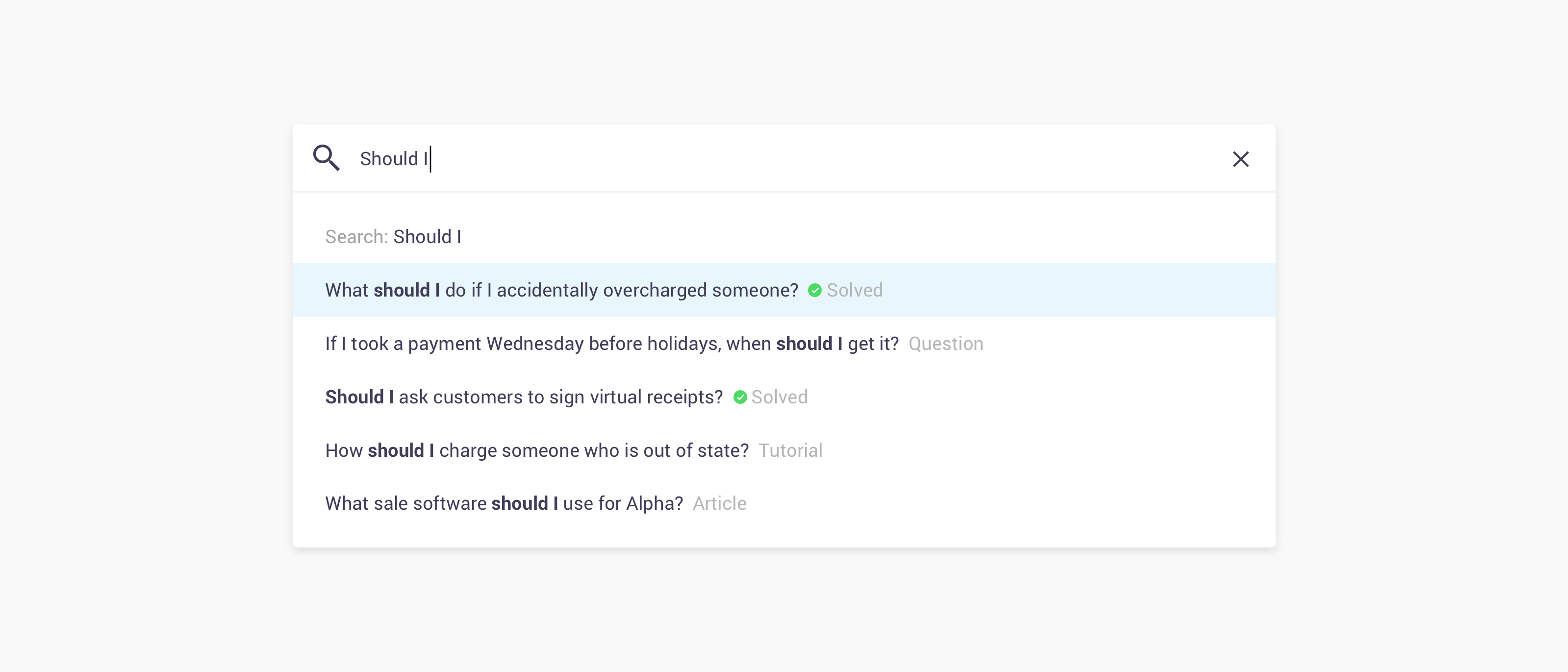
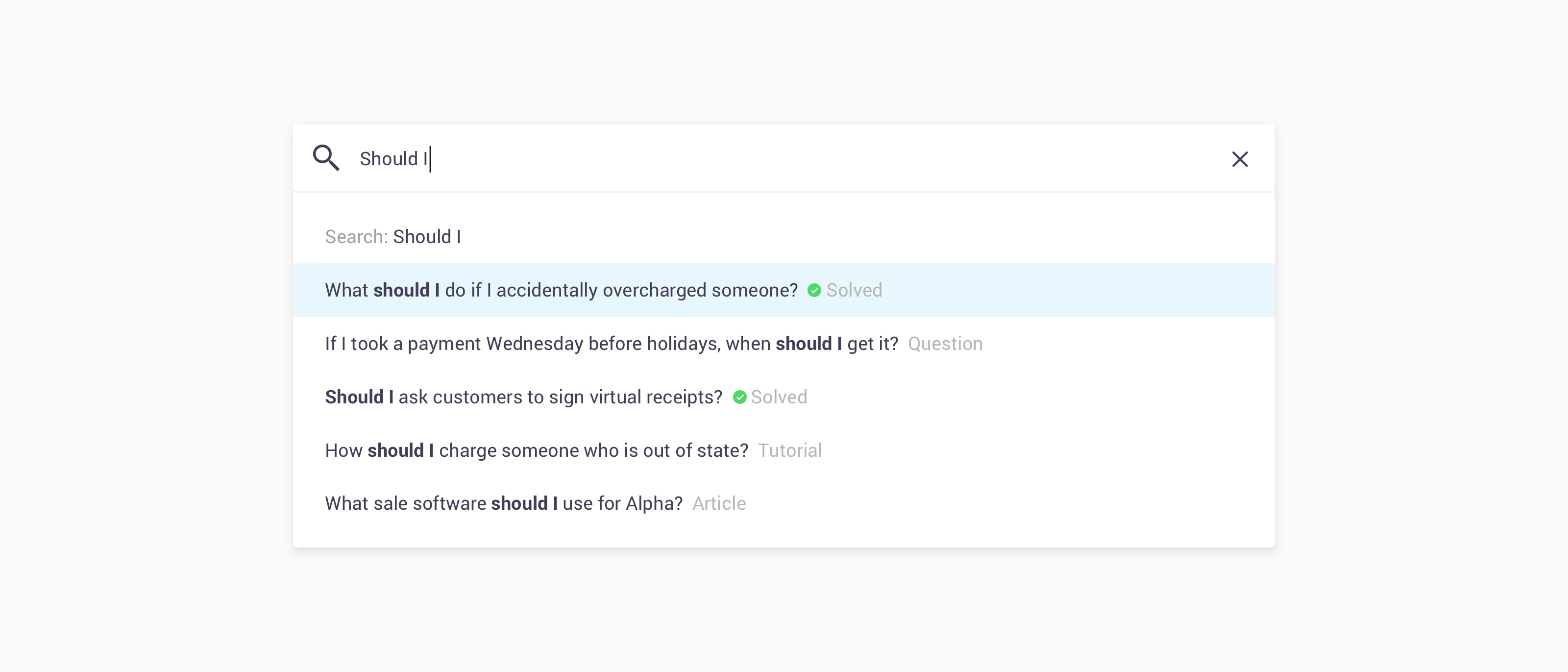
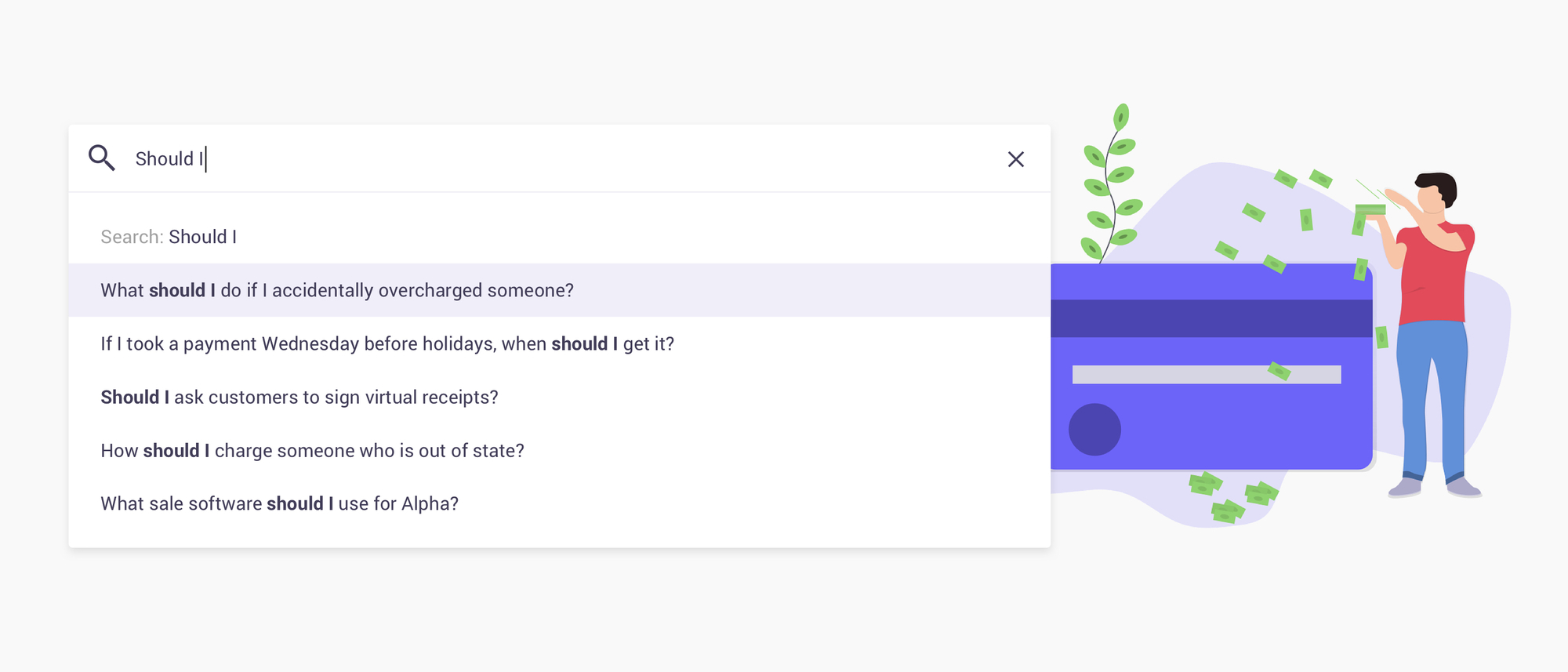
We have some exciting news to share! We just added a beta version of the live-search functionality to the inSpired community. We're previewing and testing this feature here on inSpired before we're making it available on the latest community templates. Please give the new search a try and tell us what you think: Did you find what you were looking for more easily? Do the search-results (in the dropdown) meet your expectations? Which information do you expect to see when searching? Do you think searching on your mobile/tablet is accessible enough? Are some items appearing too often, not enough, too far down in the results, or not at all? How does the search algorithm work? Search algorithms are very complex and a are affected by a lot of rules and attributes. When searching for something these are the attributes that we index (ordered by importance): Title First post Answer Reply Tags Category Parent Category Then a ranking formula is applied to configure how hits are sorted. This formula compares each criteria one after another. Amongst these criteria are: number of words from the query that match, typos, the position of the matching words, is the topic type an article (y/n) was the topic solved (y/n), when was the topic last updated, the number of likes, views and replies on a topic.   When will live-search be available in my community? When live-search and the search results are returning the expected results. When is that? That's hard to tell. We're still tweaking the searchable attributes, ranking formula (getting you the best results), UI and UX, so If you have any questions, ideas or other feedback about this feature (positive or negative) let us know. We will keep you posted here on inSpired on improvements and new milestones.

🎁 Now available: Upload & Attach Files To Posts

🎁 Now available: Upload & Attach Files To Posts

Widely requested on our ideation board, and we finally got around to doing it! Thanks for submitting the idea - these help us make decisions about new developments for our products. So there you are, at your desk after creating/acquiring a magical file/document that will help your community members overcome certain challenges. You look at this information-saturated masterpiece and then suddenly realise it’s 24-pages long. Oh no! No one wants to read all of that in a single huge post on your community! And you certainly don't want to have to reformat it all over again... Don’t worry! We've got your back! Proudly introducing File Uploads! Available right now in the community frontend and control! Upload files, like you have never uploaded files before: it’s seamless, secure and fast. You can also enable file uploads for some or all members of your community, if you believe that your community members would benefit from sharing files with each other. How does it work? Step 1: Upload file. Step 2: ? Step 3: Profit! (well-informed users). Jokes aside, we hope you appreciate and use this new feature. Let us know what you think! What exactly is available right now? Attach files to individual posts and topics. Available in both the community frontend and control. Self-service ability to configure whether users with the ‘Registered User’/’Super User’ primary roles are also able to upload files on the community (by default, only moderators, community managers, and admins can upload files) Note: this feature is only available on Branded communities. Check the FAQ for more detailed information. FAQ & How Tos Got any questions about this feature (e.g. what's the file size limit?, what file types are supported?), or interested in enabling file uploads for Registered Users/Super Users? Check out the following FAQ and How To: FAQ: Uploading & Attaching Files To Posts How To Enable Members Of Your Community To Upload And Attach Files To Posts Share your feedback with us! We’d love to hear what you think of this new feature. Start a conversation with us below! 🙂

Related products:
[Update] The Community Success Dashboard is here!

[Update] The Community Success Dashboard is here!

“It’s not about the size of your data, it’s about what you choose to do with it!” Sounds good right? Wink-wink! We however think it’s only partly true. We like data, and believe you can never have enough of it. Have an argument with your colleague? use data to settle it! Need that quick report to satisfy your management? BAM, data! Data is ONLY valuable however, when you use it in the right way or for the right use-cases. Therefore we are now introducing the Community Success Dashboard (or CSD, short) to make your data-collection life a little easier! By releasing this first version of the CSD we aim to already give you more insight into the inner workings of your community. E.g. KPI’s about questions asked, or average response time are now easily available at first glance. For now we have selected a first set of data points that are quick to adopt and quick to act upon. Don’t worry, we will add more in the future. We believe the current release already has enough power to help you succeed in making your community an even bigger success! More details below. What is available?Customers running on the latest community templates will have a brand new dashboard, the third of its kind. This time it’s all about the community metrics that will help you define the success of your community. Check it out in Control > Analytics > Success dashboard to see it in action. Here’s a brief overview of what you’ll find. KPI’s for questions asked and answers given in a specific time range KPI’s for average response time, average users per topic and average replies per topic KPI for topics where only one user was involved Distribution of questions that have been answered Distribution of answers given by your company vs. answers given by peers Detailed breakdown of number of replies per topic Funnel on user activation How-To’sWant to learn more about this new dashboard and our dashboards in general? Check out our How-To’s: How To Use the Success Dashboard How To get Started with Analytics Dashboards How To Use The Analytics Selection Tool (Advanced) Share your feedback!We’d love to hear from you. Should you have any concerns, questions or just a general thumbs up: start a conversation with us below! :) UpdateThe community success dashboard is now available for non-branded templates.

Roadmap update July 2018

Roadmap update July 2018

This roadmap update highlights the features & improvements planned for the inSided platform. Priorities can change as we face new challenges. At inSided we are committed to executing iterative and rapid improvements based on our vision and feedback from our users and customers. Got an idea on how we can improve our platform? Don't hesitate to post your idea on our Ideation board. Despite of our efforts, we didn't manage to deliver most of the items we announced early June. Due to some unexpected interruptions we experienced delays. This months update will repeat most of the items already announced last month. Good news is that we are close to delivery with most of the items below, they all can be expected in the upcoming weeks. Product updates coming soon:. First beta for API 2.0 - Conversations and Questions We have been working on a new API which will provide a more consistent REST experience. We are expecting to start a beta for all of our Branded Templates customers soon. The first release of the new API is providing you all the functionality for conversations and domains, also including all moderator actions. File Upload Community staff will be able to upload and attach a variety of file types to posts for other community members/visitors to download (for instance, pdf files). You'll also have the option to allow file uploads from any registered member, if it would be beneficial for your community. inSided Analytics - Community Success Dashboard The Community Success Dashboard will show global metrics that allow you to track community health and success. Webhooks for Conversations and Questions Next to the new API for Conversations and Questions, we will also provide a system where we can push data whenever a specific events occur. This will enable integrations with other systems like CRM. For example, we will be able to send the details of a new topic to the CRM system whenever the create topic even has occurred. Completed Projects & Improvements June 2018 Configure navigation bar colours Spam self-service May 2018 GDPR - User Erasure 3rd party scripts Self-Service for Branded Templates Community statistics widget April 2018 Community Widget Management Improved Member Dashboard Unanswered Topics tab March 2018 Improved Content Dashboard Embeddable Widgets Members Dashboard (First version) Configure introduction widget colors Read/unread topics indicator Super User as a primary role February 2018 Breadcrumbs for Branded Templates Improved Phrases tool Self-Service moderation labels for Branded Templates Default avatars Self-Service styling for Branded Templates January 2018 Pending-post approval for Spam prevention Self-Service category permissions Self-Service badges December 2017 Status-Page WYSIWYG editor for Branded Templates

Related products:CC Others
Roadmap update June 2018

Roadmap update June 2018

This roadmap update highlights the features & improvements planned for the inSided platform. Priorities can change as we face new challenges. At inSided we are committed to executing iterative and rapid improvements based on our vision and feedback from our users and customers. Got an idea on how we can improve our platform? Don't hesitate to post your idea on our Ideation board. Product updates coming soon:. First beta for API 2.0 - Conversations and Questions We have been working on a new API which will provide a more consistent REST experience. We are expecting to start a beta for all of our Branded Templates customers soon. The first release of the new API is providing you all the functionality for conversations and domains, also including all moderator actions. Spam Self-Service We will allow customers to enable and configure the Spam service in Control. We will also add a few measurements to control non completed user registrations. File Upload Community staff will be able to upload and attach a variety of file types to posts for other community members/visitors to download (for instance, pdf files). You'll also have the option to allow file uploads from any registered member, if it would be beneficial for your community. inSided Analytics - Community Success Dashboard The Community Success Dashboard will show global metrics that allow you to track community health and success. Webhooks for Conversations and Questions Next to the new API for Conversations and Questions, we will also provide a system where we can push data whenever a specific events occur. This will enable integrations with other systems like CRM. For example, we will be able to send the details of a new topic to the CRM system whenever the create topic even has occurred. Completed Projects & ImprovementsMay 2018 GDPR - User Erasure 3rd party scripts Self-Service for Branded Templates Community statistics widget April 2018 Community Widget Management Improved Member Dashboard Unanswered Topics tab March 2018 Improved Content Dashboard Embeddable Widgets Members Dashboard (First version) Configure introduction widget colors Read/unread topics indicator Super User as a primary role February 2018 Breadcrumbs for Branded Templates Improved Phrases tool Self-Service moderation labels for Branded Templates Default avatars Self-Service styling for Branded Templates January 2018 Pending-post approval for Spam prevention Self-Service category permissions Self-Service badges December 2017 Status-Page WYSIWYG editor for Branded Templates

Related products:CC Others
🎁 Third-party Scripts is now available! Inject custom scripts in your community
Roadmap update May 2018

Roadmap update May 2018

This roadmap update highlights the features & improvements planned for the inSided platform. Priorities can change as we face new challenges. At inSided we are committed to executing iterative and rapid improvements based on our vision and feedback from our users and customers. Got an idea on how we can improve our platform? Don't hesitate to post your idea on our Ideation board. Product updates coming soon:GDPR We will provide the ability to ‘erase’ a user from your community. This feature will become available for moderators and community managers in Control, and will be available as a REST API. First beta for API 2.0 - Conversations and Questions We have been working on a new API which will provide a more consistent REST experience. We are expecting to start a beta for all of our Branded Templates customers soon. The first release of the new API is providing you all the functionality for conversations and domains, also including all moderator actions. 3rd party scripts Self-Service for Branded Templates Manage 3rd party scripts yourself from within the Control environment. You will be able to add scripts such as Google Analytics, Google Tag Manager, and Usabilla to your community by yourself. Spam Self-Service We will allow customers to enable and configure the Spam service in Control. We will also add a few measurements to control non completed user registrations. Completed Projects & ImprovementsApril 2018 Community Widget Management Improved Member Dashboard Unanswered Topics tab March 2018 Improved Content Dashboard Embeddable Widgets Members Dashboard (First version) Configure introduction widget colors Read/unread topics indicator Super User as a primary role February 2018 Breadcrumbs for Branded Templates Improved Phrases tool Self-Service moderation labels for Branded Templates Default avatars Self-Service styling for Branded Templates January 2018 Pending-post approval for Spam prevention Self-Service category permissions Self-Service badges December 2017 Status-Page WYSIWYG editor for Branded Templates

Related products:CC Others
🎁 Widget Management is now available!
Embeddable Widgets Now Available

Embeddable Widgets Now Available

We’re happy to announce that embeddable widgets are now available for all Branded customers! What’s available? The embeddable widgets are a set of easy-to-install components that enable you to extend the reach of your community content and enhance your webpages.Two widgets (pictured above) are now available: The conversational widget floats above the page, providing help to your customers, right where they need it. The in-page widget enables you to display community content directly within any page.In Control, you’ll notice a new ‘Embeddable Widgets’ menu option. From here you can:  Access your embed code for installation. Configure the look and feel of the widgets (and preview the conversational widget). Optimise the search results for the widgets. Please note: the embeddable widgets are only free to use up until a certain level of usage. See 'Pricing' below.Want more info/instructions? Check out the FAQ and How Tos below    FAQ  Embeddable Widgets: General FAQ Conversational Widget: FAQ In-page Widget: FAQ Embeddable Widgets: Technical FAQHow TosHow To Install The Conversational Widget On Your Website How To Install The In-page Widget On Your Website How To Customize The Look And Feel Of The Embeddable Widgets How To Optimise The Search Results For The Embeddable Widgets (Basic)Thank you to our early adopters I’d like to thank our early adopters/trial customers for their feedback and enthusiasm: both those who’ve already got the embeddable widgets live on their websites and others who are currently preparing to go live with the widgets:@Riina@Paula V@Thomas@Laura @Jade@Niels Kamper@tomasmouton@SivanThe insights we’re gaining from your feedback are really helping to shape the product!Want to see the conversational widget live on some of these customers' websites? Check out these pages! Tuenti Elisa O2 Germany (KB) Thinkwise (KB)  Pricing You can use the embeddable widgets for free up to 100,000 ‘appearances’ per month. Get in touch with your CSM for detailed information about pricing and usage.  Up next and in the future for embeddable widgetsOur focus for the near future:   View the full details of a topic in the Conversational widget. Enable users to rate the helpfulness of a topic in the Conversational widget. Preview and configure the In-page widget from Control. Define specific topics to appear in the widgets on specific pages from Control.We’d love to get your feedback on this new feature! Please reply below with any comments or questions . 

Related products:
Roadmap update April 2018

Roadmap update April 2018

This roadmap update highlights the features & improvements planned for the inSided platform. Priorities can change as we face new challenges. At inSided we are committed to executing iterative and rapid improvements based on our vision and feedback from our users and customers. Got an idea on how we can improve our platform? Don't hesitate to post your idea on our Ideation board. Product updates coming soon: Member Dashboard Improvements We already made a first version of the member dashboard available to you last week. In April we will add detailed views for the top members and ranks table. You will also see the amount of Likes received per member. Branded Templates Widget Management Branded templates customers have a set of predefined widgets showing on their community. Soon you will be able to hide or display specific widgets, and change the specific order of these widgets. In a later phase you will be able to configure the widget settings. Unanswered topics tab for Branded Templates We will add a third tab on the community homepage that shows unanswered questions. This empowers super users to quickly find topics that are in need of an answer. First beta for API 2.0 - Conversations and Questions We have been working on a new API which will provide a more consistent REST experience. In April we are expecting to start a beta for all of our Branded Templates customers. The first release of the new API is providing you all the functionality for conversations and domains, also including all moderator actions. 3rd party scripts Self-Service for Branded Templates Manage 3rd party scripts yourself from within the Control environment. You will be able to add scripts such as Google Analytics, Google Tag Manager, and Usabilla to your community by yourself. Spam Self-Service We will allow customers to enable and configure the Spam service in Control. We will also add a few measurements to control non completed user registrations. Completed Projects & Improvements March 2018 Improved Content Dashboard Embeddable Widgets Members Dashboard (First version) Configure introduction widget colors Read/unread topics indicator Super User as a primary role February 2018 Breadcrumbs for Branded Templates Improved Phrases tool Self-Service moderation labels for Branded Templates Default avatars Self-Service styling for Branded Templates January 2018 Pending-post approval for Spam prevention Self-Service category permissions Self-Service badges December 2017 Status-Page WYSIWYG editor for Branded Templates

Related products:CC Others
Roadmap update March 2018

Roadmap update March 2018

This roadmap update highlights the features & improvements planned for the inSided platform. Priorities can change as we face new challenges. This roadmap replaces the visual representation we used before. We believe that having the roadmap in inSpired allows for more discussion and transparency. At inSided we are committed to executing iterative and rapid improvements based on our vision and feedback from our users and customers. Got an idea on how we can improve our platform? Don't hesitate to post your idea on our Ideation board. Product updates coming soon: Improved Content Dashboard Early this year we released a first beta of the content dashboard. Although this was a good first iteration, we realised that we needed to make a number of improvements to make this feature something we can be proud of. We are changing the layout and the general ux of the dashboard, and adding page views to the list of KPIs. Member Dashboard The member dashboard allows you to track member growth and retention on the community. See the newest members of your community and check how members evolve from lurkers to active contributors. Branded Templates Widget Management Branded templates customers have a set of predefined widgets showing on their community. Soon you will be able to hide or display specific widgets, and change the specific order of these widgets. In a later phase you will be able to customize the widget. Unanswered topics tab for Branded Templates We will enable super-users and moderators by providing them a space on the community home screen where they can see a list of questions that has got no replies yet. Embeddable Widgets Extend the reach of your community content and enhance your webpages with two easy-to-install Embeddable Widgets. The In-page Widget enables you to display community content directly within any page. The Conversational Widget floats above the page, providing help to your customers, right where they need it. Completed Projects & Improvements February 2018 Breadcrumbs for Branded Templates Improved Phrases tool Self-Service moderation labels for Branded Templates Default avatars Self-Service styling for Branded Templates January 2018 Pending-post approval for Spam prevention Self-Service category permissions Self-Service badges December 2017 Status-Page WYSIWYG editor for Branded Templates

Related products:CC Others

How we are preparing for GDPR

The EU General Data Protection Regulation (GDPR) will set a new standard for how companies use and protect EU citizens’ data. It will take effect from May 2018. At inSided, we are working hard to prepare for GDPR, to ensure that we fulfil its obligations and maintain our transparency about data protection, i.e. information privacy citizen rights. Our first step towards GDPR compliance was to create a new role for Rens van Dongen as Privacy Officer, in addition to his responsibilities as Information Security Officer. I am working closely with Rens to figure out how to convert GDPR legal provisions into tangible actions. We’ve been asking lots of questions, and our customers have been asking us questions. These tangible actions will first be focussed mainly on the right to erasure, also referred to as the right to be forgotten. The Regulation describes erasure as the process by which information is rendered inaccessible and unusable for all relevant parties. Personal data can be erased in a number of ways, including by masking the relevant personal information, so long as the erasure is irreversible, even by the institution carrying out the erasure process. That is also known as anonymization of personal data records. Erasing posts from a specific user from a community, so removing his profile and posts, would drastically affect the integrity and consistency of community conversations and render them unusable to transfer knowledge and help other customers. To avoid this, we will be using true anonymization to make sure we don’t have to remove public community content, while ensuring that personal data in fact will be removed where needed. Here’s an overview of the two initiatives we we are planning to provide in our platform by May 25, 2018, the moment the regulation will be enforced by the supervising authorities. First, we will provide the ability to ‘erase’ a user from your community. This feature will become available for moderators and community managers in Control, and will be available as a REST API. The feature will fully anonymize the user profile, by replacing the username with a random text and delete all other profile data, such as email address, avatar and custom fields that have been set by yourself. While any posts from this user will still be available, it won’t possible able to link them back to the identity of the user. We will make sure that we will anonymize this user in all the data stores of our platform that can contain personal data. Second, we have a process in place, that will assure the removal of all community and personal data from inSided customers, within 30 days after their contract has ended and we stopped providing our services. If you have any questions or remarks on how GDPR will impact our platform, please don’t hesitate to comment below or reach out to me. For other questions related to our Data Protection program, you can always get in touch with Rens, our Privacy Officer, by mailing privacy@insided.com.

Related products:CC Others
🎁 Now available: Color configuration in Control
Preview: Have a look at our brand new Content Dashboard!

Preview: Have a look at our brand new Content Dashboard!

Hi all! I am excited to show you a quick preview of the first dashboard which we will release: The content dashboard! As some of you have heard already, we have chosen for Qlik as our provider for the next generation of dashboards. I (personally) am fully convinced that their solution is the best choice in offering you deeper insights into the activity on your community. It will enable all of us to monitor relevant KPIs as well as track user & staff activity to the smallest detail, all in real-time and only a few clicks away! What will this first dashboard focus on? The content dashboard is focussed on monitoring the daily activity, so it is ideal for Moderators and Community Managers to learn e.g. what has happened over the weekend, or how active the superusers have been compared to the previous week. How is the content dashboard structured? Top row: Distribution of user roles, Amount of questions vs. amount of discussions, activity over time. Mid row: KPIs (and change to previous period) of the number of topics, number of replies and number of likes given. Bottom row: Top list of categories containing number of topics, top list of topics (incl. amount of replies and likes). What will I be able to see? By defining a timespan, the complete dashboard will of course adjust all other relevant measures. The KPIs will then automatically calculate the change compared to the previous period: You can browse through the chart to identify spikes (hovering over the details will show you more concrete data), and you can even click on certain items in order to filter for them... You can then also click on the categories, to see the activity of specific user roles within individual topics within that category (and filter this on a certain time period, if you wish to). Ok, that sounds all nice and neat. But WHEN WILL WE BE ABLE TO USE IT??? My colleagues are doing their best so that it is being made available before the end of the year, if we cannot make that it will be the beginning of january. We are currently refining the dashboard, to ensure that everything is running smoothly and according to your expectations. Also, we need to upload the data of all communities into this, so that takes a bit of time. So once everything is signed off internally, you will be able to use it. Any more questions? If so, please let us know in the comments. It would also help us a lot to know if you are missing something, or if you like to see something optimized. Cheers, Julian

Related products:CC Analytics & Reporting

What’s new in branded Templates – November 30, 2017

We released a new way to feature a topic on every page of your community. We also made some improvements and fixes to our templates, check it out. Featured topics (community-wide) Sometimes you want to grab the attention of the user and point them directly to really important news. For example when you have a huge announcement or a great offer. We introduced a community-wide feature topic to highlight one topic on every page of your community. This topic can be featured in two designated spots in your community: as a banner below the community navigation or as a block in the sidebar. To feature a topic as a banner you have to add the moderator tag ‘featured_banner’ to a topic in the control environment. To feature a topic in the sidebar you have to add the moderator tag ‘featured_side’ to a topic in the control environment. Improvements 🤒 - Increased space between best answer and like functions on mobile to prevent wrong clicks - Custom profile fields in registration modal display as a list - Badges widget on mobile viewports is now the same as in desktop to maintain consistency - When you want to edit your post you no longer jump to the end of the page but stay in the same position - When a user has his ‘Display new comments’ setting turned off we hide the ‘Mark as read’ link at categories - When a post is marked as best answer we show the ‘Best answer’ label Fixed 🐛 - Timestamps on activities displayed in the profile page - Spacing on homepage tabs (categories/recently active) on mobile viewports - Translation in the statistics bar on the profile page - Editing text on Android mobile devices - Follow/unfollow button behaviour That’s everything for this update, if you have ideas or suggestions let us know in the comments below. We value your feedback 👇🏻

October Roadmap update

We have updated our roadmap to give you some insight into the exciting features we are working on at the moment, and what is planned for the upcoming months. We made sure to add some screenshots and mockups to most of the items so you can get some previews. A project where we are very excited about, the WYSIWYG editor is almost ready and it’s looking amazing. The new WYSIWYG editor will support all the popular features like bold, italic, underline, images, videos, URL links, @mention, spoilers, and quotes. It will be launched first in the A1 community, and soon after be automatically available for all branded templates customers and in the Control environment. We hope to finalise all this before the end of this month. Also Self Service Badges is close to release, it will allow you to create your own badges using the control environment. You will be able to use 3 metrics: Replies Posted, Topics Created and Answers Given. There will also be a self-service component for badges notifications. Your existing badges will continue to work next to the badges you have created yourself. Self Service Badges will be available before the end of the month for all customers who have gamification built-in their community. Have a look at our roadmap to discover more of the new features we are working on (Live Search, API 2.0, Community Analytics, …) The upcoming weeks I will provide more previews and insights for all of these features.

Related products:CC Others

@mentions feature release notes

A feature that has been requested by a lot of customer is to have an @mentions functionality. We’re happy to announce that you can now make use of this. The quality of service and response time are important factors that determine the customer satisfaction of your community. Using @mentions enables you and your users to trigger a quicker response from a specific user or moderator. How does it work? It’s very straightforward and similar to how @mention works on social media platforms. In the text field, when you type “@” a box appears that shows all the user who have participated in the topic you are posting to. You select a user, and his username will appear in the post. Once published that username is shown as a link (directing to the user profile). The mentioned user will receive an email, stating he has been mentioned in a post with a link to that post. Next to typing “@” , you can also activate the @mention functionality by clicking on the “@” icon that has been added to the text editor. If you want to mention a user who is not active in a thread; just type his username and after 3 characters all usernames that begin with those letters will appear in alphabetical order. What happens to old posts with @ signs? Nothing. @mentions will only be shown in posts that are made from the date the functionality was added to your community. (thanks for the question @benvanooijen) Is mentions available in Control? No, for now you can only @mention in the community. In Q2, we are going to build a WYSIWYG editor. Once this is in place, we will add the @mention functionality to that. How to get @mention in your community To enable @mentions in your platform, some small adjustments need to be made by our implementation team. This will cost 6 support hours. To benefit from @mentions on your platform, you can simply send a change request to support@insided.com. Our team will plan and coordinate your @mentions implementation. Please be aware that @mentions is only available on our Responsive template. -------- Are you going to be using @mentions a lot? Try it out here first on inSpired.

Related products:CC Users & Roles