  • 475 Product updates

🎮 Recognize users by awarding ranks based on points
Hidden groups now available

Hidden groups now available

We are pleased to announce that hidden groups are now available! Thank you @justine.rae for suggesting the following idea This feature is available for customers on the inSided Business Package and above. What are hidden groups?Hidden group are groups that are only visible to its members. Only personally invited users can see and join a hidden group. Only the members of a hidden group can see its content. Hidden groups are the most secure group type compared to public and private groups. They can be used to discuss topics that should be seen only by selected users. You should create a hidden group if you want only specific users to know the existence of that group and see the content within the group.You can invite users to become members of hidden groups by personally inviting them by email.  With hidden groups you can:Have a specific group for VIP, Super users, partners where they can discuss freely Have a group to discuss Beta features Have groups for the all users of a same company How to start using hidden groups?Start by reading this article that explains the difference between the different group types to decide what group type fit the most your use case.Except for the differences of visibility and invite settings, hidden groups work very similarly to public and private groups. Listed below are a few articles to get started:As always, please let us know if you have any additional questions or feedback.

Related products:CC Groups
Create content on behalf of another user

Create content on behalf of another user

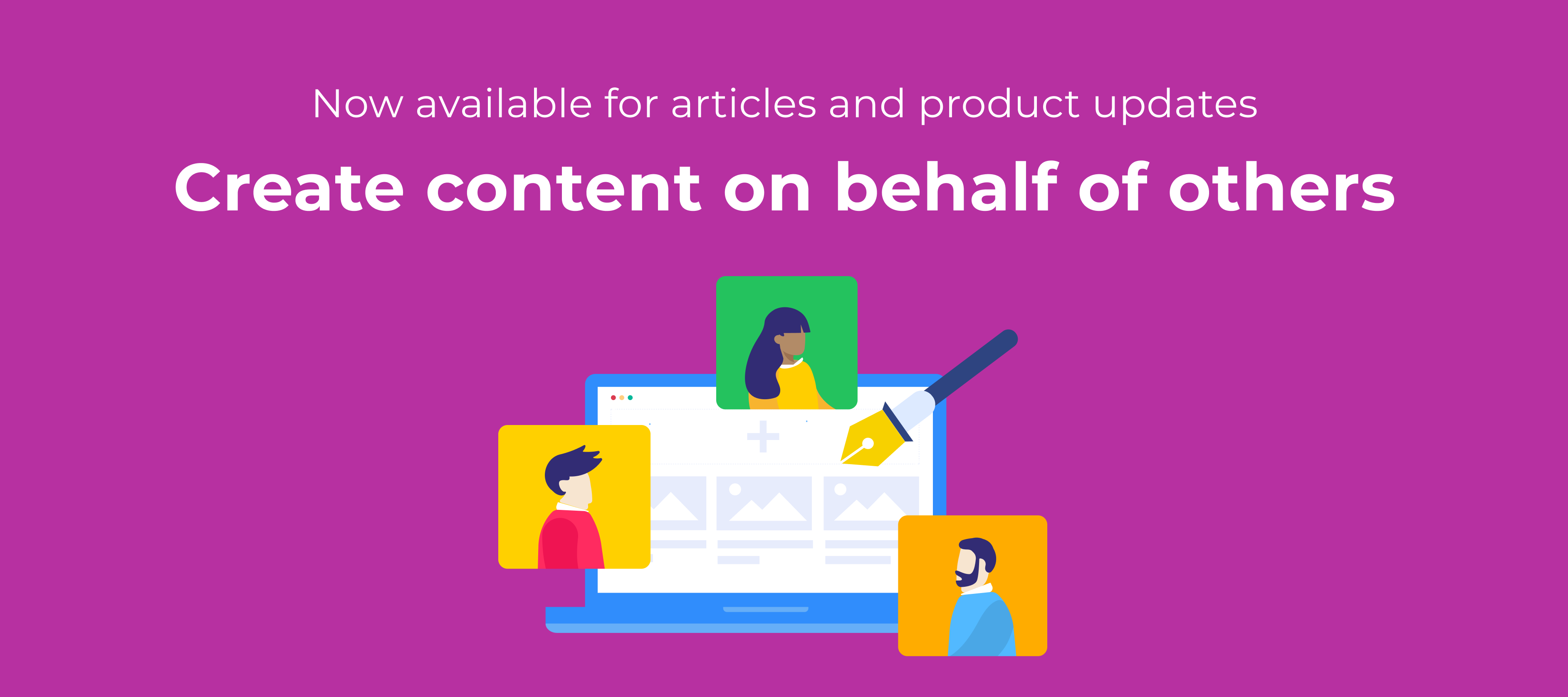
The most popular idea on our ideation board is to be able to change the author of a piece of content. While reading through the different use cases you brought up, we identified two places in time when a moderator needs to set the author as a different user than themselves: During content creation - which covers use cases like ‘ghost writing’, ‘content calendar preparation’, ‘subject experts with limited availability’.  Post content creation - which covers the use cases like ‘employee leaving the company’, ‘taking ownership of a content piece from an inactive author’. We decided to follow these two needs in our product discovery and break it down in smaller increments of functionality that will build up together in a robust solution for all the use cases you mentioned.  Overview of the feature capabilities The feature we’re releasing covers the ability to publish articles or product updates on behalf of another community member. From the moment the moderator chooses another account to be displayed as the ‘author’ of that topic, that user will be displayed in the community as the author, starting with the preview version.Once the topic is published: The selected author will receive the notifications related to that topic’s activity, the gamification rewards, and will be visible in dashboards and analytics. The creator will be displayed in Control in the version history and on the scheduling information. After the topic is published, the creator will not be displayed on the topic moderation page or on any overviews.  Learn more about how to create content on behalf of another user: We hope this new features will enrich your content creation flows and empower your team to bring relevant content on your community. Please let us know if you have any feedback or questions. :) 

Related products:
🚀 Get B2B engagement insights, with our Engagement Dashboard - powered by Salesforce data

🚀 Get B2B engagement insights, with our Engagement Dashboard - powered by Salesforce data

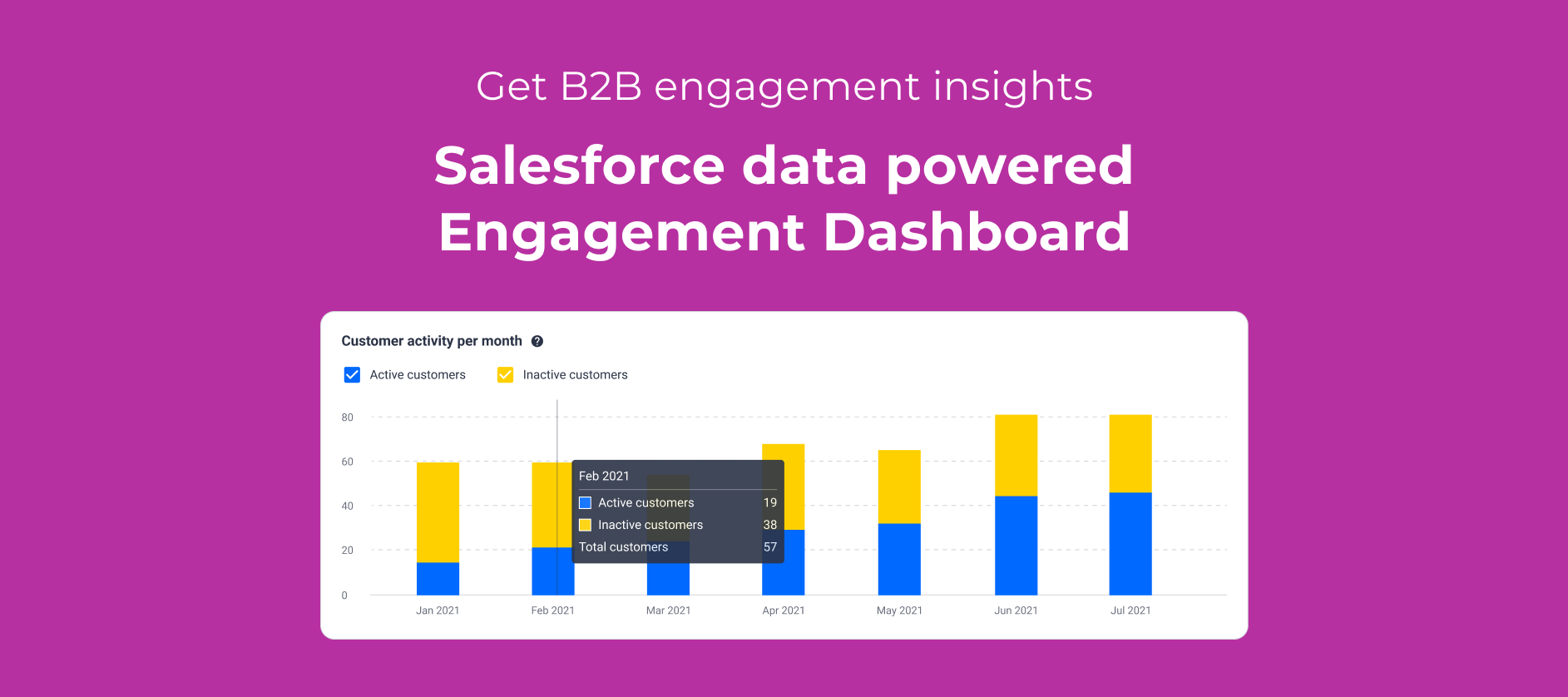
This feature is available for customers on the inSided Business Package and above.Your customer community should be the central hub for all engagement. We believe that your starting point when measuring engagement should be to get more insight into the percentage of your total customer base that’s engaging with your community every month: your monthly active customers - aka your MAC 🍔.A high MAC demonstrates that customers are engaged with your product, whether that’s learning about new releases, finding answers and inspiration from peers, or sharing  product feedback in the form of ideas.Our new Salesforce Account import enables you to measure these insights directly within inSided, meaning there’s no need to mess around with custom reports in Salesforce to get a baseline measurement of customer engagement .With the engagement dashboard, you can: Automatically link community members to companies by importing Salesforce Accounts. Measure your % monthly active customers and see how engagement on your community stacks up against the customer growth of your business over time. Learn which companies are most and least engaged.The engagement dashboard: B2B customer engagement insights.With the engagement dashboard, it’s easy to answer questions like:“What percentage of my overall customer base is actually engaging with the community, and how is this trending over time?” “Which companies were most active on the community in a given period?” “When did less active companies last engage on the community?”Learn more about how to get started with the Engagement Dashboard, starting with configuring the Salesforce Account Import.Please let us know if you have any additional questions or feedback, especially when it comes to gaining more insights about your community’s value as an engagement channel, and utilising CRM data on the community.

Related products:CC Analytics & Reporting
Get notified about requests to join a private group 🔔
Roadmap update #22: top inSpired ideas, continued improvements for Groups, and more

Roadmap update #22: top inSpired ideas, continued improvements for Groups, and more

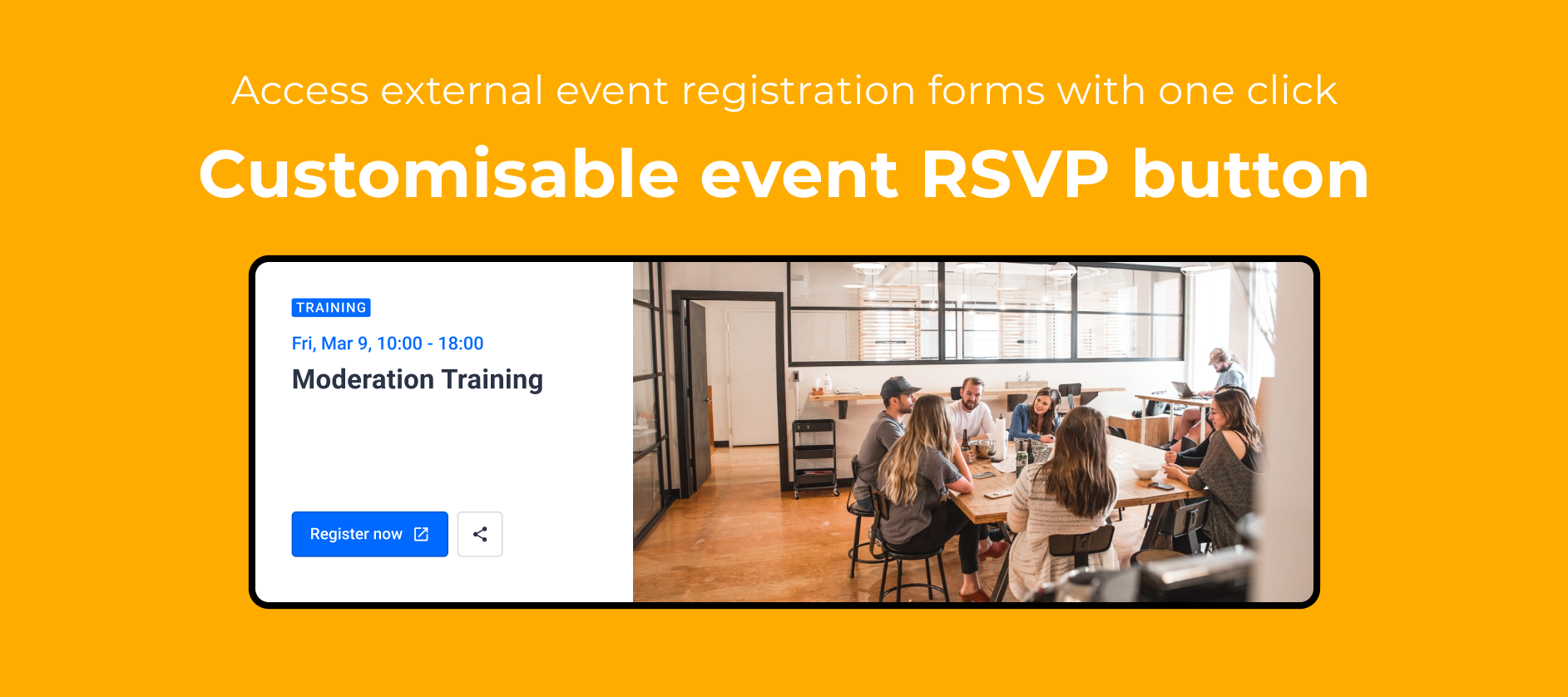
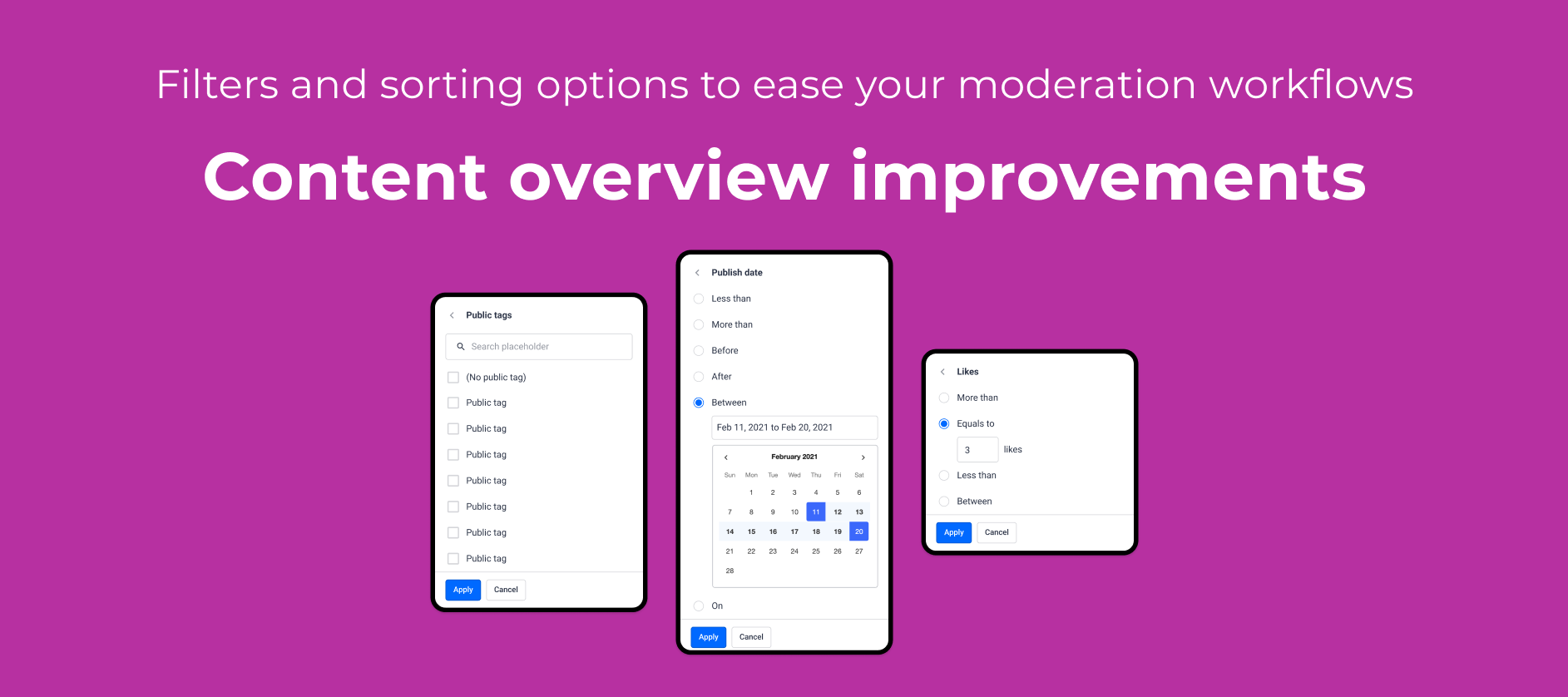
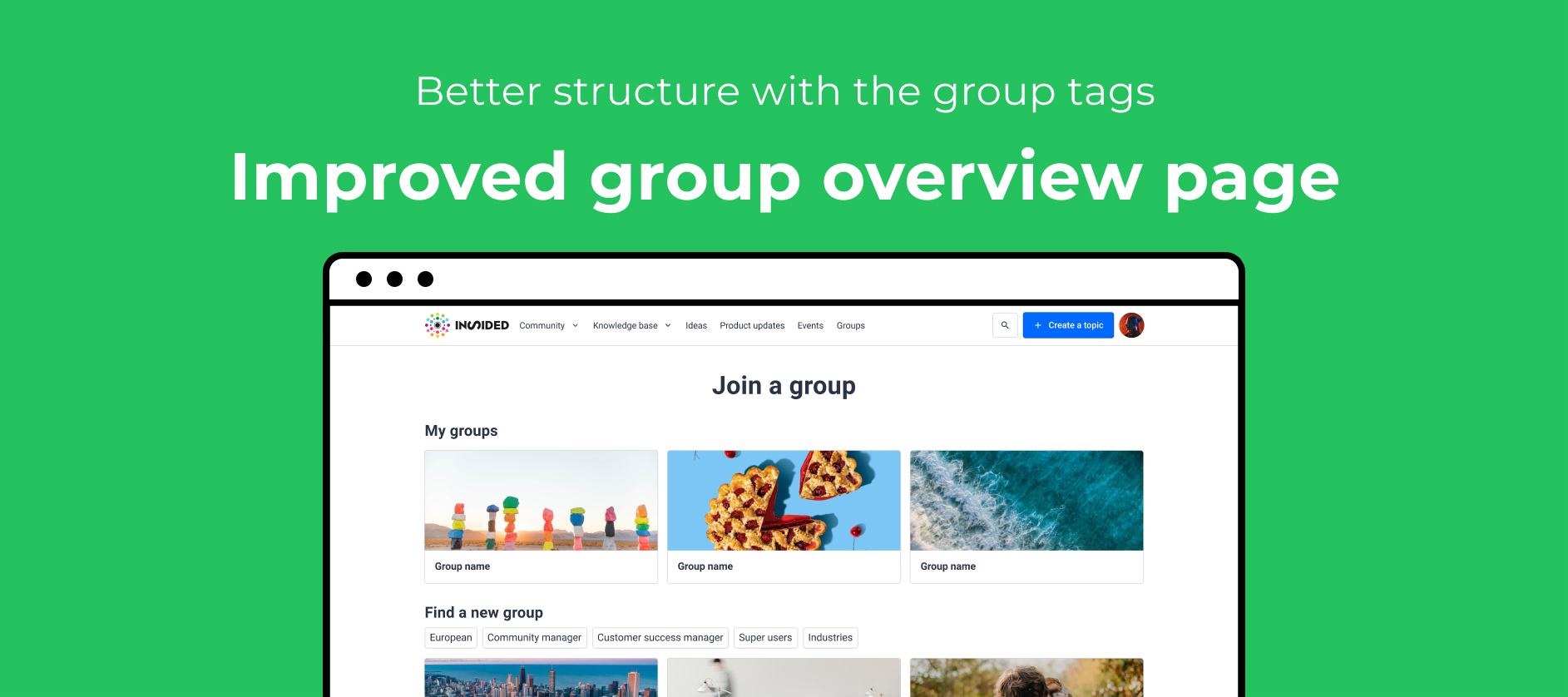
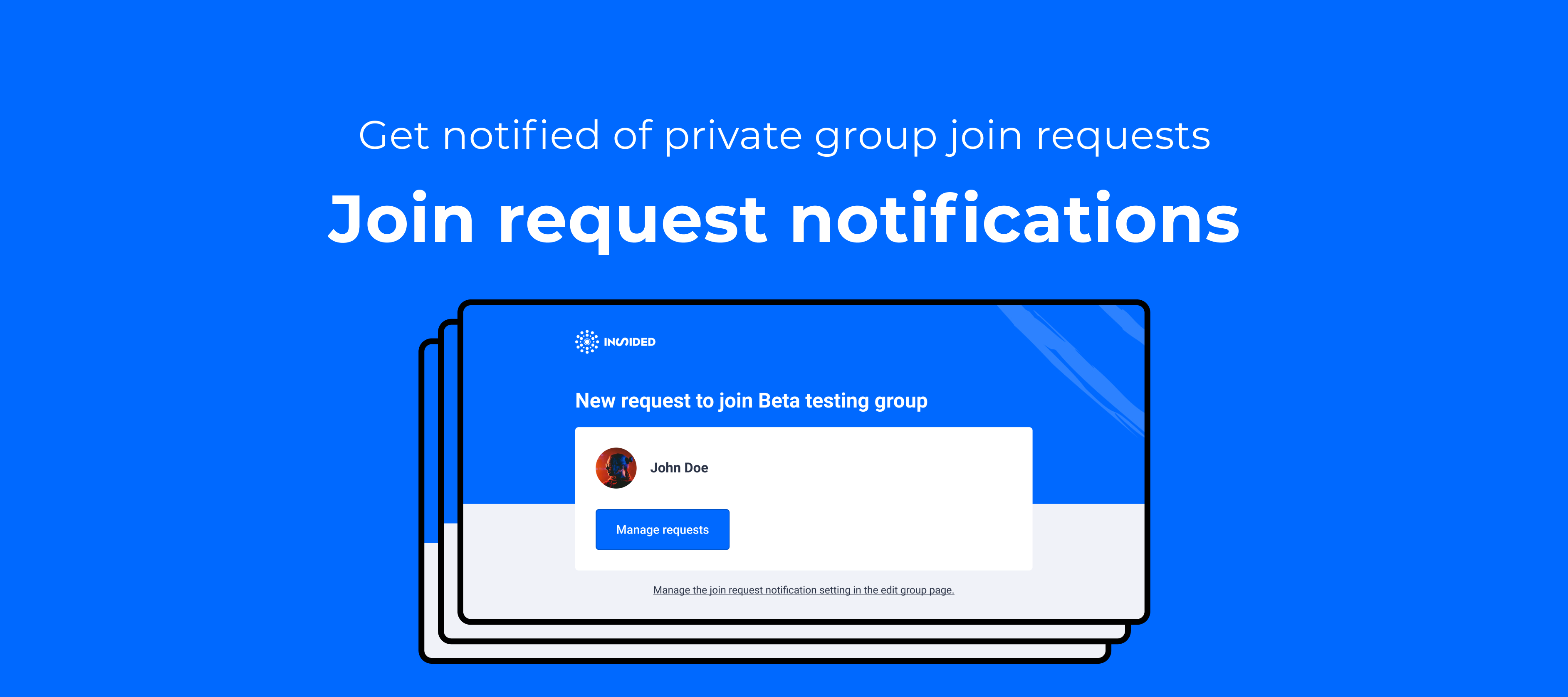
In the past quarter, we focused on delivering your feedback across several areas of the platform. We tackled some of your top pain points and wishes around groups, such as editing group type and inviting users to groups. We also improved the community member experience, making it possible for community members to log in with their email and helping users find relevant content on the community with an optimised search algorithm. Plus, if a community member submits product feedback as a question, then you’re able to easily convert the question to an idea (and vice versa!). Finally, we simplified authentication for the Salesforce integrations, providing one less headache for your Salesforce admin.For the final quarter of 2021, we’re doubling down on our focus to deliver your feedback. Improvements to groups will remain a priority. We’ll also ship solutions to some really popular ideas on inSpired: adding a table of contents to topics, submitting content on behalf of another user, and a more granular way for users to subscribe to product updates, based on product. In addition, you can expect some small but powerful optimisations including a better end user signup UX for events, and connecting ranks and points.Read more about our plans below. Coming up Hidden groupsHidden groups are one of the most common requests we hear around groups. See this idea. We will tackle this feature and allow you to have groups that are only visible to its members. You will be able to invite only selected users to join these groups.Group overview pageThe current group overview in destination suffers from a few limitations that we would like to tackle: reorder groups, organize groups in sections, allow to show more groups at once to limit the scrolling, and make it more straightforward to join groups for end users. Other Group improvementsWe will tackle smaller improvements on groups aimed at improving the overall UX for end users and moderators: Notification for private group join request. See idea Become a member automatically when replying to a public group topic. See idea Customisable RSVP button on Events:We have taken your feedback on Events very seriously and we want to improve this part of our platform to better serve your needs of promoting online & offline events on your communities. The biggest challenge you voiced was a better user experience when the event registration lives outside of our platform. To tackle this, we are looking into a way for you to customise the RSVP button by inserting an external link to the registration page. Get context about a community member from SalesforceWe plan to deliver this great idea from @Ilan B. As a B2B community manager, you’ll be able to take action and craft better responses to customers by gaining more contextual knowledge about the community member you’re speaking to, without having to go hunting through Salesforce for the right Contact and Account. Award ranks based on pointsRanks and points will no longer be standalone gamification systems. You’ll be able to mark individual ranks as “point-based,” widening the paths a community member can take to rank up on the community, and ensuring your engaged users are recognised and activated. Plus, any external points you’re awarding via an API integration will be taken into account!Product update subscriptions for multi-product companiesWe plan to take a first step towards delivering this idea from @Moller Toma. Right now, subscribing to product updates is all or nothing. That’s not logical if your customer only owns one product out of your offering, or if they only use a certain set of modules on your platform. We’ll enable your community members to subscribe only to relevant product releases that interest them, based on product areas.Table of ContentsOur text editor will receive a new piece of functionality that will allow content creators to insert a table of contents capturing the headers added to that content piece. Readers and contributors will be able to quickly navigate through the content and jump to the section relevant to them, or copy and share the links to a specific part of the topic. Submit on behalf of another userIt is one of the most requested features in our ideation section and we’re happy to announce that we will be adding this new functionality to the content creation flow in Q4. A user who has access to control will be able to pick another user as the author of a content piece when publishing new content. If you’re interested in this functionality, please make sure to review our research article for this new feature and share your thoughts. Moderation improvementsYou’ve probably asked yourselves why the old moderation overview is still available in your control environments. That’s because we need to pay up some technical debt that will improve the performance and accuracy of the new moderation overview. This will also enable us to more easily add new functionality like filters, data points, and bulk actions.  Newly-released since the previous roadmap update 

Related products:CC Others
inSpired ideation review Q3 2021
Inserting a Table of Contents is now available

Inserting a Table of Contents is now available

Table of contentsHow to insert a table of contents in your topic? What do you need to know about the table of contents? Posting a long article to capture detailed troubleshooting steps or an extensive product update for a complex feature is part of the life of any content creator on a community. Now you are able to insert a table of contents in your content piece to help your readers get an overview of the information shared and jump to the most relevant part of the content for them.  How to insert a table of contents in your topic?  When writing your content piece, use the small and large headings from the editor’s formatting options to highlight different parts of the content piece. These headings will be picked up by the table of contents. After the content is ready to be published, click on the ‘three-dots’ button in the editor menu, and select ‘Table of contents’.      A modal will be shown where you can set only large headings to be used, or leave the default behaviour to display both big and small headings. The table of contents will be inserted and it will display a bullet list containing links with each heading.   What do you need to know about the table of contents?It is available in the text editor on both Control and Community, for all content types.  It can be inserted in a spoiler, table, and callout.  It updates automatically when a heading is added or removed. It will contain relative URLs, meaning that in Control it will contain the Control URL of the topic, while in Community it will contain the Community URL of the topic. This is relevant when copying links from the table of contents with the intend to share them.  Because the URLs are relative, they will contain in their path also the page number. For this reason, please always copy the link for sharing from the opening post, first page of replies.  Also, we decided to strip the table of contents from quotes to avoid issues when copy-pasting a link from a quote.  

Related products:
Now available: Invite users to groups

Now available: Invite users to groups

Having the ability to invite users to groups has been one of the top idea on InSpired since we released the group module.It cumulated an amount of 38 votes already So many of you asked for this feature so we worked on not one but TWO methods to invite users to groups 🤯 : Invite links and email invitations. Those two ways serve two different uses cases :) Invite links What are group invite links:Invite links are an easy way to invite users to groups. They are available for public and private groups. Any end user who clicks on a group invite link will automatically become a member of the group without having to click "Join" (public groups) or "Request to join" (private groups).  For private groups, the invite links allow to bypass the approval by community managers.  End users directly become group members without having to be approved.  Learn how to use invite link in this dedicated article Email invitations What are group email invites:Email invites are a great way to invite specific users to join public and private groups. Any registered user receiving and accepting an email invite for a group will automatically become a member of the group without having to click "Join" (public groups) or "Request to join" (private groups). The email invitation will be valid only for the selected users and no one else. For private groups, the email invites allow to bypass the approval by community managers.  End users directly become group members without having to be approved.  Learn how to use invite link in this dedicated article: When to use group each invitation method: Use invite links when you aim to get as many members as possible to join your groups. We do NOT recommend using invite links for groups containing sensitive information. Invite links should be used for example for groups that are interests, role or location based (for ex: Amsterdam group, Designers groups).Use email invites when you wish to invite a specific list of users to a group. The invitation will be valid only for the selected users and no one else. Invite links on the contrary can be used by any end user.  To sum up: Invite links are great to create buzz and grow rapidly the number of members in a group containing public content.  Email invites are a more secure way to invite user to groups containing sensitive information. 

Related products:CC Groups
Edit group type (from public to private and vice versa)

Edit group type (from public to private and vice versa)

Over the coming months we will deliver several improvements to the Groups module. We will focus on your feedback and the top ideas you shared on InSpired about groups.To open the show, 💃 here are a first few improvements we implemented: Edit groups type  One of the major pain point you expressed on groups is the ability to edit the group type. Basically, you asked for the option to switch a from public to private and vice versa. This is now available!How to edit the group type of a group?Navigate to Control → Platform → Group Select on the group you would like to edit Click on the top right Edit group type Select the new group type and click Saves changesExample: Editing a group from private to publicThanks a lot to @wedgar for this idea that is now partially delivered ✌️ Group cards UI changes For privacy reasons, we removed the members metadata on the private group cards. The card now longer shows the number of members and a preview of the avatars of private group members. Preview of 5 avatars and number of members are now hiddenThanks @Anitahg  for raising to us!We will keep improving the group overview page, so feel free to share any ideas or feedback you may have :) Stay tuned for more improvement around groups: Hidden groups, group invites, and notifications for admins!!! Check out this research article for more details  

Related products:CC Groups
Log into community using email!!

Log into community using email!!

We are exited to share a major UX improvement around the log in flow All users can now log into your communities (AKA destination) using their email!Until now, users could only use their username to log into destination. From now on they have the choice to use either their username or their email.  New log in modal shows both options With this release we are delivering this below idea by @Jurgen and closing 15 votes! Thanks @Jurgen for posting this idea!  What about phrases?The below information is only relevant to you if you would like to use phrases to replace the field "Username or Email" by another text in the log in modal PreviouslyThe username field was controlled by the phrase "loginBox.username". This phrase was used both on the log in flow and the account creation flow.PreviouslyCurrentlyIn the log in flow we replaced the phrase "loginBox.username" by a new phrase "loginBox.usernameOrEmail". We made no changes to the account creation phrases. We keep the phrase "loginBox.username" for the Username field.The new phrase "loginBox.usernameOrEmail" will automatically apply the text "Email or Username" by default. The phrase will automatically be translated to the language of your community (for example if your community is in French it will say " Nom d'utilisateur ou email")Currently If you like to change the phrase "loginBox.usernameOrEmail" to say something else other "Email or Username" (or the translation of that text) you can manually change it using phrases in Control. See how in the below KB article: Feel free to ask any question or share any feedback using the comments below :) 

Search optimisation improvements

Over the past week, we worked on making small improvements to make the sorting of the results more relevant.We ran an AB test to tweak the search algorithm. The idea was to see if small changes in how we match queries with search results could positively impact search success metrics. The changes we made: The matches inside topic titles,  tags, topic and category titles now all have the same weight. Previously matches at the beginning of the topic titles scored higher in the search result. Proximity of words in matches now have more importance in the result ranking than the order of attributes where the match was found (title, opening post post, best answer, replies ...)For example:A end user makes the search query "frontend developer" and the two below topics exist: Topic ATitle "Backend developer"Opening post "Backend engineering is more fun than frontend engineering" Topic BTitle "Looking for work"Opening post "I'm a frontend developer looking for work" Our new algorithm will prioritise topic B over topic A in the search results because the two words "frontend" and "developer" are close together in the content. The algorithm will see the fact that the two words are close together as more important the fact the mach is in the opening post rather than the title. The results we got: We run an AB test with the two above tweaks over 8 communities for a month and got the following results on average:Click Through Rate The Click Through Rate is the percent of searches where at least one result was clicked on by the end user.CTR increased from 21.8% to 25.3%The Conversion rate We consider the search to be successful (aka to lead to a conversion) when the user spends at least 30 seconds on the clicked topic.Conversion rate increased from 14.6% to 17.2% Those two changes are now implemented in our new algorithm,  We hope to make further improvements like this along the way to our search algorithm.  Please share any feedback or ideas you make have related to this :)

Related products:CC Search

Convert questions into ideas and vice versa 🪄

We are happy to announce that you are now able to convert a question into an idea and vice versa! You have probably experienced the situation when a community user is posting a question about the product that turns out to be a feature request, as your product does not yet offer that functionality. Now the moderation team can easily move such a question into the Ideation module so your product team becomes aware of the request, alongside with the rest of you customers who might be interested in that functionality as well. Similarly, a community user might not be aware of the existence of certain product functionality and is posting an idea to convey their need for that feature. The moderator responsible for the Ideation module can convert that idea into a question and move it to a fitting community category, while also providing guidance on how that existing feature might be used.  How does the conversion feature work? Convert a question into an ideaOn the topic moderation page in Control, in the top right corner there is a drop-down menu that contains all conversions available for that content type. Now, when opening a question, in that drop-down there will be the option to convert it into an idea. The question will be immediately transformed into an idea and the page will reload, displaying now that topic as an idea with the default ideation status. You will be able now to update the status and add product areas, as needed, and assign a moderator (product manager). Any public tag that was added to the question, will be kept on the topic after the conversion.  Convert an idea into a questionWhen an idea needs to be converted into a question, in the same “More options” drop-down menu, click on “Convert to question” option. A modal will open up, where you can select the module (Community, Knowledge Base, or Groups) and a specific category where you’d like to have the converted question published in. By clicking on convert, the change is applied and the topic will lose the idea properties mentioned in the copy below.   Further detailsCan I convert a conversation into an idea?  Yes, if the conversation is converted first into question. The same would be needed when converting an idea into conversation: idea → question → conversation  Why is it possible to publish a converted question in a Knowledge Base category?  It is surprising at first glance, since it is not possible normally to publish questions in a KB category. It is possible already to move an existing question into a KB category, and therefore, we wanted to keep this functionality available. Moreover, you could convert that question into an article, if needed: idea → question → conversation → article What happens with the votes on an idea after the conversion into question? The votes will be transformed into likes and the converted question will receive the same number of likes as it has votes. 3 votes → 3 likes  Is this available on the old ideation as well? No, this conversion functionality works only with the new Ideation module. 

Related products:CC Ideation
☁️ Get started faster with inSided's Salesforce integrations: easier setup flow now available

☁️ Get started faster with inSided's Salesforce integrations: easier setup flow now available

Our Salesforce integrations now have an easier setup flow, thanks to a simplified Salesforce authentication method.We’ve simplified the setup flow by removing the need for you to create your own Connected App in Salesforce. We saw that setting up the connected app was frequently error-prone. Sometimes it led to long conversations with our support team, and delays in getting the Salesforce integrations configured and ready for your community launch.Now, we’ve vastly simplified setup the setup, dramatically reducing the chance of errors when authenticating inSided x Salesforce.⚡️ What is the new set up flow?The new set up uses a simple OAuth flow, where you authenticate using your Salesforce user credentials in order to grant inSided the ability to retrieve data from and send data to Salesforce.Allow inSided access to Salesforce and authenticate in just a few clicksPreviously this was around ~8 steps (and a whole lot of clicking/back and forth navigation in Salesforce!).🦾Additional ‘under-the-hood’ changesIn addition, we’ve made some under-the-hood changes to improve the performance and consistency of the integration. Some of the changes you might notice:With the Salesforce community data export, community member activities are now exported every 10 minutes to Salesforce (previously was every 6 hours). Please note that Contacts are still only imported to be linked to community members every 6 hours. The linking process for Contacts is now shared between the export and import integrations, meaning there should be fewer inconsistencies in how community members are linked to Contacts.👵 If you already set up the Salesforce integrations using the old set up methodYou don’t have to do anything- in terms of functionality, the integrations function exactly the same no matter whether you set up Salesforce with your own connected app or using our new method. However, if you at one point decide to uninstall the Salesforce app (e.g. you need to switch the instance you’re using), then you’ll only be able to use the new authentication method.📚 Documentation 

Related products:CC Integrations

6 steps to ensure a smooth transition to Horizon Analytics

The time is finally here - you now have access to Gainsight’s latest reporting functionality — Horizon Analytics.  “Building reports in Horizon Analytics is much more streamlined and has easily given us a 5x increase in efficiency.”  — A happy Horizon Analytics customer “I don’t remember life before Horizon Analytics! The game-changing capabilities like drag-and-drop report building and dashboards on mobile were totally worth the time to test.”  — Future you You’ll have time to preview and test the new capabilities before you’re fully upgraded. To ensure a smooth transition, we’ve highlighted 6 key steps you can take as an admin to set yourself and your organization up for success.  1 - Review your Horizon Analytics upgrade logs — we’ve already analyzed your reports for you Look at the upgrade log that is attached to the email titled Gainsight Horizon Analytics preview enabled. Note the status for each dashboard and report:  Status Recommended Action Success Time to exhale. You’re good to go! Partial Success Review the log, and:  If the reason is straightforward (ex: updating filter, etc), you can manually do the required changes.  If something seems off, reach out to support. Failure Review the log, and: If the reason is valid/expected (ex: field deleted, etc), no need to worry. You can move on to the next asset. If something seems off, reach out to support.   2 - Help Gainsight support help you!In case it wasn’t obvious from the above table, please report any issues found in testing to Gainsight Support via support@gainsight.com. Be sure to send along the information provided in the upgrade log attachment where applicable.3 - Make sure your Dashboards are as gorgeous as you designed them to beYou put a lot of work into making gorgeous, easy-to-use reports - make sure they display correctly! On the Dashboards Beta tab, open each dashboard; if you run into any display issues, contact support to get them resolved before your official upgrade day. 4 - Give users early access to explore and test the new capabilitiesWe have added new functionality like filters on pivot reports, report color palettes, and more. Be sure to review the reports for potential improvements prior to rolling out. As a best practice, we recommend testing out visualizations with a group of power users in advance (even when improving functionality!).5 - Set up time with your teamBefore the final transition day, demo Horizon Analytics in a team meeting or record yourself showing off your handiwork. 6 - Have a plan for the transition dayHave a plan for the transition day (you will receive communications from Gainsight regarding what date this is). Let all users know the right process internally to report any issues with reports. Best practices are for users to report issues to the Gainsight Admin and, if needed, open a ticket with support. Above all, communication is key. Reach out to Gainsight to proactively address any issues. Communicate with your users to ensure they feel empowered to use the new reports. Give yourself a pep talk - before you know it, you and your organization will be successfully upgraded to Horizon Analytics! Resources to provide your users Show, don’t tell - give your organization a preview of the look and feel of Horizon Analytics for end users Help your users help themselves - this end user training will help your users feel confident with the new capabilities Further Resources Webinar - Watch this deep dive into Horizon Analytics to discover the exciting enhancements and learn more about how to prepare Gainsight University - Complete this Admin training to ensure you are fully equipped  Gainsight Go - Review the docs relevant to you: NXT / SFDC Office Hours - Join office hours to ask your configuration questions - you surely won’t be the only one!  Slack Community - Join the admin Slack community to discuss your upgrade with your fellow admins and learn what’s working best for them.

Topic banner available in Customisation mode

Bye bye Draft overview page! Welcome 'Draft' filter!

In the past few months we have received a few requests for assistance with issues on the Draft overview page in Control.  One of the most frequent issues was the effect of an erased author on displaying this overview. Another quite common issue was the inability to delete a category which had drafts in it and the draft overview page was not helpful in identifying the drafts in a particular category given the lack of filters.  Why do we remove it? We have looked in detail at the different issues you reported and we have thought of potential fixes but the investment required for each proved to be significant. Another important factor for this decision was the low value this overview page was bringing to you given the lack of capabilities (no filters, no ordering or customisation options). Last, but not least, given the different modules and content types now available, we need to be mindful of the UX of our Control environment and having this page seemed an unnecessary addition to the moderation suite. Therefore, we decided to retire this page: URL path: /draft/overview What are you getting in return?Spoiler in the title, I know  We have introduced a dedicated filter called “Draft” to the Article overview page that will enable you to quickly see the drafts in that list, and, together with the filter “Published in”, you can now easily see all drafts saved in a particular category.  We hope this change will improve your experience of creating and managing drafts. Happy to hear your thoughts and feedback! 

Related products:CC Moderation
🧠New Knowledge Base Overview page!!

🧠New Knowledge Base Overview page!!

We are very happy to announce that the new Knowledge Base overview page is now officially released!!As our platform is more and more structured around multiple use cases and modules, we see that many end-users are struggling to find the right information from the homepage. The Knowledge Base overview page will serve as an overview for all your knowledge base content. You’ll have more space to show all categories and relevant content for the different use cases. You now have one month (until the 8th September 2021) to customize your Knowledge Base overview page before we enable it for all instances. Once the page is enabled, all users who have access to at least one KB category, will see the page. It will take only a few clicks.Click here to see the steps to follow What's new?Customisable Knowledge Base overview page Well the main news is that this page now exits! And you can configure the look and feel of widgets that are displayed on the Knowledge Base overview page. You can add a visual to the hero banner. The rest of your theme will apply automatically. Link added to Mega MenuOf course the link to the Knowledge Base overview page will be accessible from the Mega MenuMenu dropdown displaying the overview page link at the top. New options on the Knowledge Base widgetsWe improved the KB category widget to offer more flexibility. You used to have only the option to display parent categories using this widget. You can now decide to show either just the parent categories or show the whole structure of your Knowledge Base by showing parent and child categoriesWidget displaying all the child categories grouped per parent categoryCheck out our KB article to learn how to configure the KB overview page Thanks @Monique for creating the idea that started it all.  

inSpired ideation review Q2 2021
Roadmap update #21: Improvements to Groups, engagement dashboard, and more

Roadmap update #21: Improvements to Groups, engagement dashboard, and more

A big focus in the last quarter was on releasing new integrations to help you build better workflows and automate repetitive tasks. In case you missed it, head over to our blog to read the recap of the release and make sure to check out our latest integrations. We’re also about to release an engagement dashboard powered by Salesforce as well as making it easier to set up all Salesforce integrations.Next to that, we’ve invested considerable effort in improving the quality of the platform and we’ll continue to do so. The measures put in place are starting to pay off, for example, making the different content types (especially Product Updates & Ideation) less error-prone.This quarter's focus is to work closely with you on your most requested features. As more and more customers are using groups and providing feedback on this particular feature, it will be a big theme on the Q3 roadmap.Read more about our plans below. Coming up Groups Over the past few months, we’ve gathered a lot of feedback from you around Groups and the capabilities they offer. Among other things, we’re looking into implementing the three most popular ideas for groups:  Ability to invite users: to make it easier to grow groups and for users to join (private) groups. Hidden groups: for groups you want to keep secret from the rest of the world. Notification for end-user approvals: so that no one is left waiting at the door.  Knowledge Base landing page As our platform is more and more structured around multiple use cases and modules, we see that many end users are struggling to find the right information from the homepage. The Knowledge Base landing page will serve as an overview for all your knowledge base content. This means you’ll have more space to show different categories and relevant content for different use cases.. We aim to release this new page soon and allow you to customize it before making it visible to your end users.  Convert questions ⇔ ideasWe’re still working on making it possible to convert questions to ideas, and vice versa, ensuring that you never have to ask end users to resubmit their product feedback as a topic. We hoped to do this sooner, but had some delay due to the urgent need for us to tackle the architectural challenges for content types outlined in our article about bug fixes and improvements.  Easier setup and testing for Salesforce integrationsWe’re working on a new authentication flow for Salesforce that removes the need to create your own Connected App. This means that you can skip this step and get started quickly with our Salesforce integrations and more easily combine the power of your CRM data with your inSided community. In addition, we’ll be adding ways for you to test that the automated integrations are working as expected, without having to wait for the next scheduled run. Engagement dashboard, powered by our Salesforce import integrationThe public release of our new engagement dashboard is on its way, which enables B2B companies to analyze community engagement on a company level with the monthly active customers KPI. This gives you an easy way to report on how many customers are actually engaging in your community, within the context of your entire customer base.  We’d like to thank all the beta customers for your feedback so far! Plus, we’ll be adding some finishing touches to make the integration even easier to set up and test. Report inappropriate private messages To ensure that your community is a safe space for everyone who joins, we’ll be working on a feature that enables users to report a private message deemed as inappropriate or spam. The user will escalate the message to an authority on the community team who will then decide the appropriate action against the sender in accordance with the community guidelines.  Newly-released since the previous roadmap update: 

Related products:CC Others