  • 475 Product updates

Roadmap update #21 - Improvements to Groups, engagement dashboard, and more

'A big focus in the last quarter was on releasing new integrations to help you build better workflows and automate repetitive tasks. In case you missed it, head over to our blog to read the recap of the release and make sure to check out our latest integrations. We’re also about to release an engagement dashboard powered by Salesforce as well as making it easier to set up all Salesforce integrations.Next to that, we’ve invested considerable effort in improving the quality of the platform and we’ll continue to do so. The measures put in place are starting to pay off, for example, making the different content types (especially Product Updates & Ideation) less error-prone.This quarter''s focus is to work closely with you on your most requested features. As more and more customers are using groups and providing feedback on this particular feature, it will be a big theme on the Q3 roadmap.Read more about our plans below. Coming up Groups Over the past few months, we’ve gathered a lot of feedback from you around Groups and the capabilities they offer. Among other things, we’re looking into implementing the three most popular ideas for groups:  Ability to invite users: to make it easier to grow groups and for users to join (private) groups. Hidden groups: for groups you want to keep secret from the rest of the world. Notification for end-user approvals: so that no one is left waiting at the door.  Knowledge Base landing page As our platform is more and more structured around multiple use cases and modules, we see that many end users are struggling to find the right information from the homepage. The Knowledge Base landing page will serve as an overview for all your knowledge base content. This means you’ll have more space to show different categories and relevant content for different use cases.. We aim to release this new page soon and allow you to customize it before making it visible to your end users.  Convert questions ⇔ ideasWe’re still working on making it possible to convert questions to ideas, and vice versa, ensuring that you never have to ask end users to resubmit their product feedback as a topic. We hoped to do this sooner, but had some delay due to the urgent need for us to tackle the architectural challenges for content types outlined in our article about bug fixes and improvements.  Easier setup and testing for Salesforce integrationsWe’re working on a new authentication flow for Salesforce that removes the need to create your own Connected App. This means that you can skip this step and get started quickly with our Salesforce integrations and more easily combine the power of your CRM data with your inSided community. In addition, we’ll be adding ways for you to test that the automated integrations are working as expected, without having to wait for the next scheduled run. Engagement dashboard, powered by our Salesforce import integrationThe public release of our new engagement dashboard is on its way, which enables B2B companies to analyze community engagement on a company level with the monthly active customers KPI. This gives you an easy way to report on how many customers are actually engaging in your community, within the context of your entire customer base.  We’d like to thank all the beta customers for your feedback so far! Plus, we’ll be adding some finishing touches to make the integration even easier to set up and test. Report inappropriate private messages To ensure that your community is a safe space for everyone who joins, we’ll be working on a feature that enables users to report a private message deemed as inappropriate or spam. The user will escalate the message to an authority on the community team who will then decide the appropriate action against the sender in accordance with the community guidelines.  Newly-released since the previous roadmap update: '

Related products:CC Others
👩‍🏫Gauge the adoption of your help content, with the self-service dashboard

👩‍🏫Gauge the adoption of your help content, with the self-service dashboard

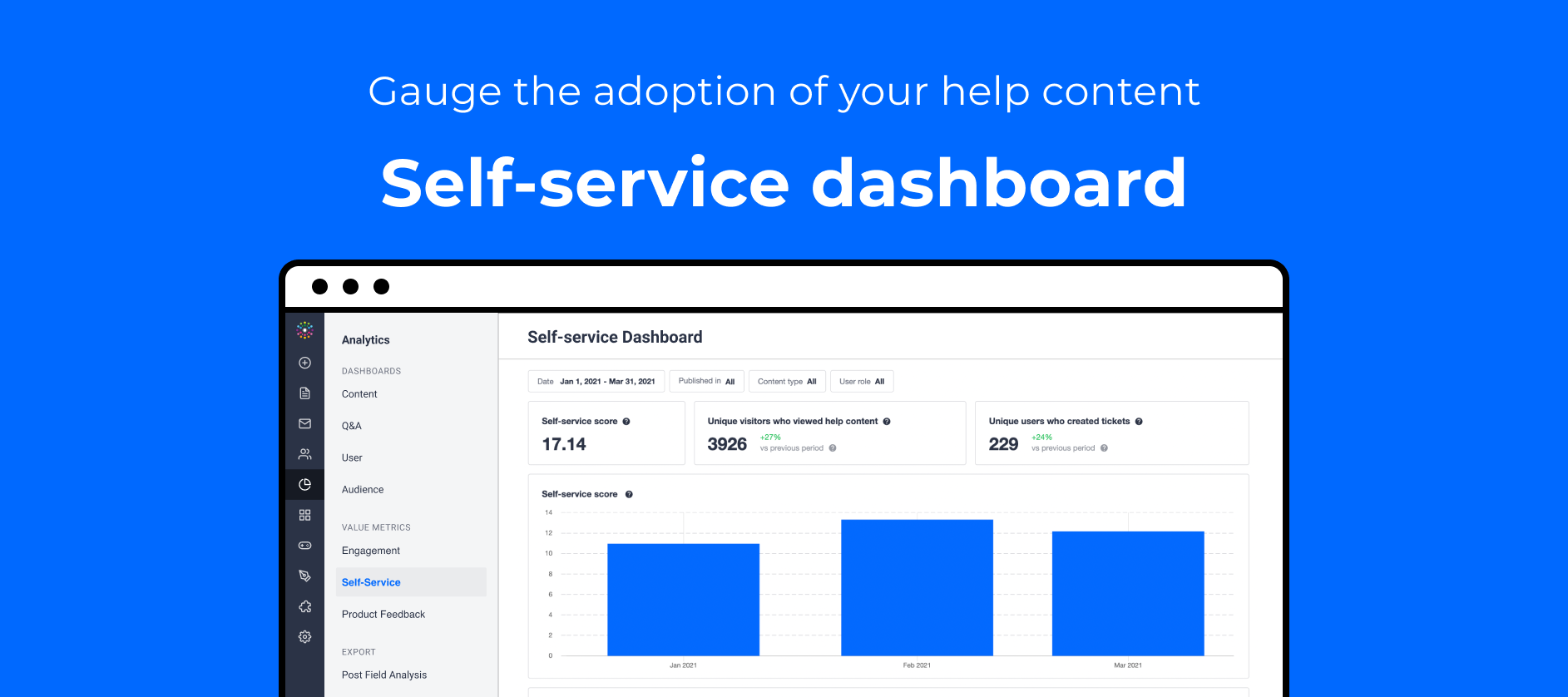
Having trouble proving whether the content on your community is truly driving your users to be self-sufficient?Our new self-service dashboard makes it easy for you to report on the adoption of the community as a support channel. Find out whether all the answered questions, conversations about best practices, and knowledge base articles on your community are helping your customers shift from 1-1 support and tickets to 1-many self-sufficiency.With the self-service dashboard, you can: Import Zendesk tickets to measure your self-service score to understand the adoption of the community as a help channel for self-service. Track changes in ticket creation and help content view behaviour over time to compare the rates of change and identify peaks/dips. Apply filters on a category, content, and user role level to tweak the self-service score according to your own definition of ‘help content’.Whilst you can view the ‘unique visitors who viewed help content’ without setting anything up, in order to measure your self-service score you’ll need to set up our integration with Zendesk to import ticket data.The new self-service dashboardFind out how to get started with the self-service dashboard and how to read the metrics with the following articles:Using another Helpdesk tool and would like to measure your self-service score on inSided? Let us know! Please let us know if you have any additional questions, feedback, or ideas to gain more insights about your community’s value as a self-service channel.

Related products:CC Analytics & Reporting
🪄Centralise your product feedback: create Productboard notes from community posts

🪄Centralise your product feedback: create Productboard notes from community posts

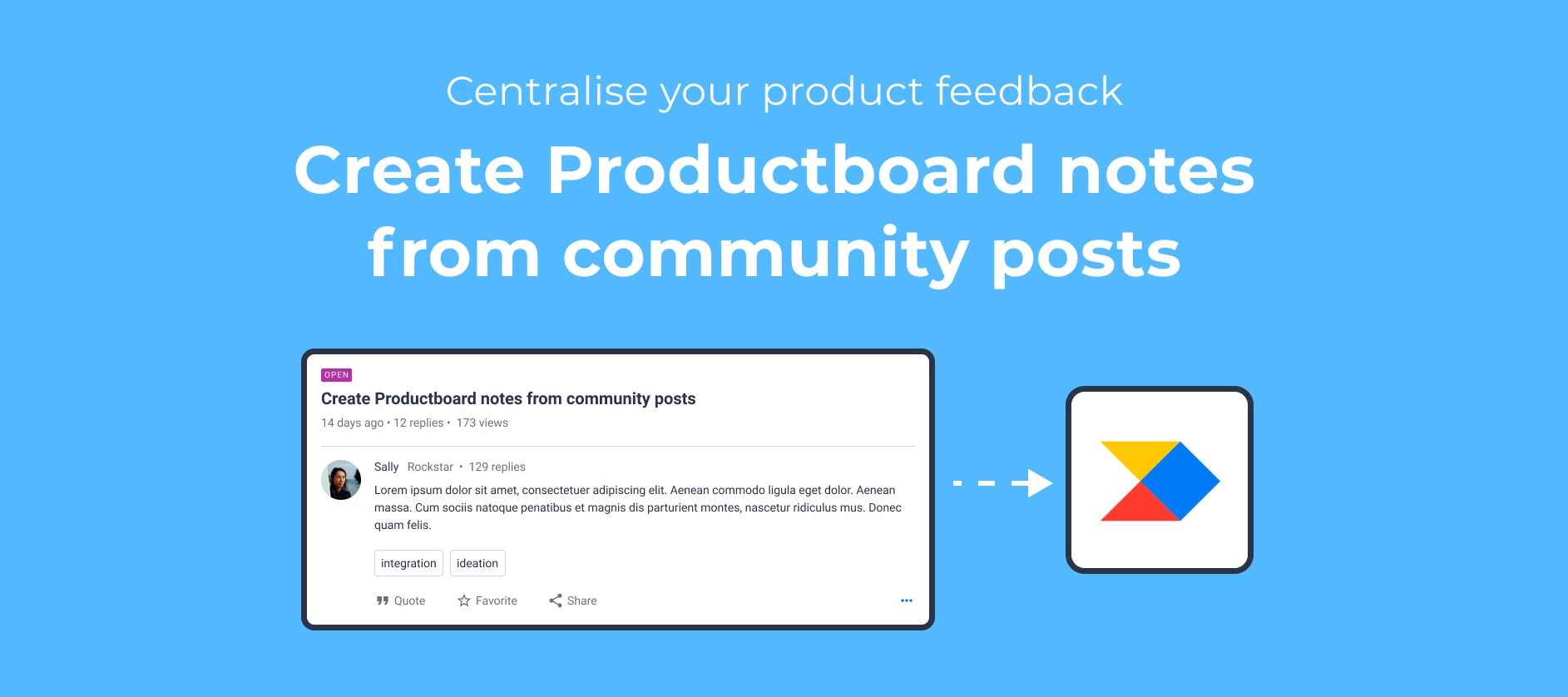
Productboard helps product managers understand what customers need, prioritize what to build next, and rally everyone around the roadmap. Your community is full of actionable insights that can help product managers with product discovery and prioritisation.Our new Productboard integration makes it easy to create Productboard notes from community posts if they contain user insights for your product team, such as customer ideas or a pain point shared in a reply. From there, product managers can identify valuable insights and link them to related feature ideas, so they’ll be on hand for prioritization. That way, you can keep the community visible as a vital channel of product feedback.With our Productboard integration, you can: Create Productboard notes in just a few clicks from any user-generated content on the community (ideas, questions, conversations, replies). Edit the note on inSided before you create it, adjusting the title, description, and optionally adding any relevant tags.This integration is available on our Business Package and above. Create a Productboard note from any user-generated content in Control, and optionally edit the details before creating the note. Learn more about how to set up the integration.And one extra tip if you’d like to combine this integration with an automated solution → check out our Zap template for automatically creating Productboard notes when inSided idea statuses are updated.As always, we’d love to hear any questions or feedback you have about this new release.📆 We also have an upcoming webinar on Tuesday, June 29 at 12 pm EST/6 pm CEST, where I’ll be talking with @Scott Baldwin, Community Lead and Product Evangelist at Productboard about what it means to be customer-centric and how you can build customer-centric products. We'll dive deeper into community as we'll talk about the importance of giving customers a place to share their feedback and how you can prioritize feedback for your product roadmap.Save your spot!

Related products:CC Integrations

🖱 New unsubscribe variable: enable your end users to unsubscribe from email notifications in a single click

We’ve introduced a new unsubscribe email variable in our system emails - you can configure this variable to enable end users to unsubscribe from an email notification type, without having to sign in.Making it easy for email recipients to easily unsubscribe from certain email notifications is a well-established best practice. Previously, end users of inSided had to log in, find the notification settings page, and change their email preferences. With our new one-click unsubscribes, you can include a link in the email template that lets end users unsubscribe in one click from the type of notification they received.⏱ Don’t delay, add the new unsubscribe variable to your email templates today!How to add one-click unsubscribe links to your system emails Log in to Control as an Administrator/Community Manager. Navigate to Email > System Emails. For the following email templates (@mention; New topic; New reply; Private message; Topic answered; Is your problem solved): include the new {unsubscribe_url} variable as a link for end users to click on, e.g.: <a href="{unsubscribe_url}">Unsubscribe</a> Make sure you press ‘Save changes’ to update each email template as you go along.Here’s a reference table to help you identify which emails this new variable is available for, and also where it is not available and why:  @ mention User is being mentioned in a topic ✅ {unsubscribe_url} supported Account approved User account registration has been approved by the moderator Unsubscribe not supported because it’s a one-off transactional email. Activate account User needs to activate his account Unsubscribe not supported because it’s a one-off transactional email. Flagged post There is a post in the community that was reported by a user Unsubscribe not supported (this functionality is intended for moderators, who can request an admin to remove their email via Control > Settings > Moderation Notifications > Flagged content. New topic There is a new topic in the category a user subscribed to ✅ {unsubscribe_url} supported New reply There is a new reply to a topic that a user subscribed to ✅ {unsubscribe_url} supported Private message User received a new private message ✅ {unsubscribe_url} supported Reset password User triggered the submit button in the reset password funnel Unsubscribe not supported because it’s a one-off transactional email. Topic answered There is an answer to the question that a user subscribed to ✅ {unsubscribe_url} supported Welcome to the community User account is successfully activated Unsubscribe not supported because it’s a one-off transactional email. Welcome to the Group Community member is approved to join a private group Unsubscribe not supported because it’s a one-off transactional email. Join the community Contact invited to join the community Unsubscribe is already hardcoded in the footer (email can only be sent to Contacts). Join a group Contact invited to join a group Unsubscribe is already hardcoded in the footer (email can only be sent to Contacts). Is your problem solved? Ask end users to mark best answer ✅ {unsubscribe_url} supported New product update A new product update is published Unsubscribe url is not supported → some additional work needs to be done to support the url in product update notification emails.  ✅ {unsubscribe_url} is now supported (updated Mon 19 Jul 2021)  Helpful resources / FAQDoes each notification type have its own unsubscribe option/behaviour?Yes, each type notification has its own unsubscribe option/behaviour. For example:If a user gets a notification for a new reply in a topic, the user can unsubscribe in one click from all new reply email notifications from the community. If a user gets a notification for a new @mention, the user can unsubscribe in one click from all @mention email notifications from the community.We’d love to hear your feedback in the replies, or any questions you have about this new functionality ✨.

Related products:CC Notifications & Subscriptions

SEO improvement: updated link rel attribute

Hello everyone 👋This news if for all the SEO enthusiasts out there. Here is a small SEO improvement but and important nonetheless. But first a few terms for you to know (if not already)A "rel" is an HTML attribute that specifies the relationship between the current document and the linked document. This is used by Google for SEO purposes.  UGC stand for User Generated Content What we changedWe added the "ugc" value to the link rel for all newly content created by all end users (aka super users and registered users).For example:  <a href="http://www.communityexample.com/" rel="ugc">This is a nice community! </a>This change will apply to topics and replies and basically make it visible to Google what content has been created by end users.  Why is this good for SEO?Google recommends the following "We recommend marking user-generated content (UGC) links, such as comments and forum posts, with the ugc value."Identifying links created by end users can be useful in the case of spammers. Links containing" rel="ugc" will generally not be taken into account when calculating PageRank on the Google Search results page.This won't prevent spam, but it will avoid problems with passing PageRank and deter spammers from targeting your site. By default, many sites automatically add this attribute to any posted comments.More info from Google here Do you share your thoughts and feedback about this news in the comments below :)  

Related products:CC Others
🌈 Simplify your 1-1 support workflow: escalate posts to tickets in Freshdesk

🪴Grow your community membership, with contact invites

About to launch your new community and looking for a way to let your customers know about it? Or having problems expanding the reach/audience of your existing community membership?Our invite contacts feature makes it easier for you to target audiences for your community via email and encourage them to register. A contact is defined as a person who is not yet registered on the community, but for whom you have an email address and (optionally) a name. You can also invite contacts to specific groups, and automatically add them to the group when they accept the invite.With contact invites, you can: Import contacts to invite, via CSV upload. Bulk invite contacts to join the community and (optionally) a particular user group, with a custom message. With group invites, members are automatically added to the group and redirected to the group page upon sign up. Customise the email template for the group/community invites to fit your brand. Send invites to contacts from Control, and include a personal message Customisable email templates for contacts who are invitedLearn more with our guide:Contact invites + authentication method support☑️All SSO methods support☑️inSided default email authentication supportPlatform visibility☑️Public communities support☑️Private communities support🙅There is currently no support for invite-only communities (i.e. if you set ‘allow registration’ to no for a private community, then invited users will not be able to create an account). Please let us know any feedback or questions you have on this release.

Related products:CC Users & Roles
🍔 Mega Menu officially released and improved

🍔 Mega Menu officially released and improved

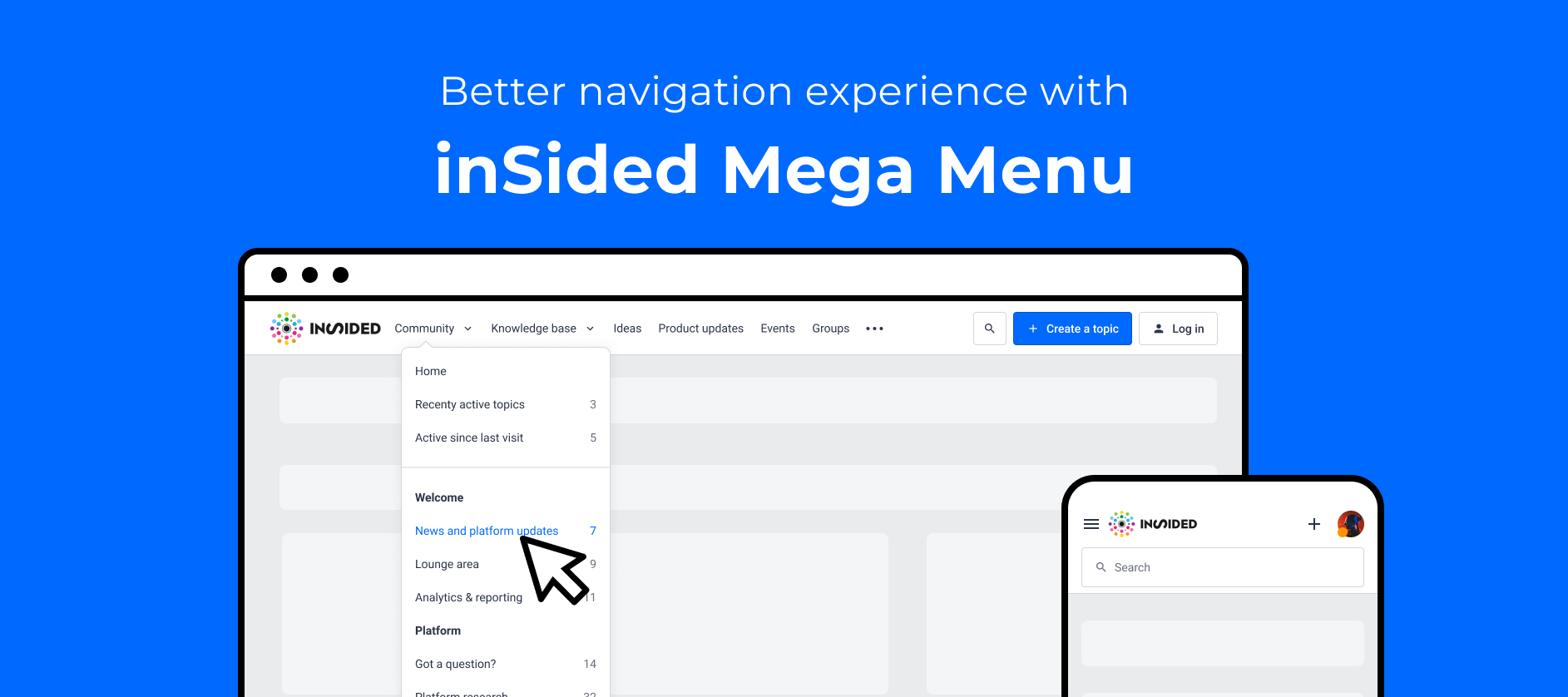
The Mega Menu was released in Beta a few months ago and the response since then has been great 🥰. So many of you started using it in your communities.It was time for us to tight up a few loose ends and officially release it :)Here are the main improvements we focused on: Shared visibility to apply to all customizable pagesOne of the major limitations of the Beta version of the Mega Menu was the fact that the Mega Menu customization didn't apply to the Ideation and the Product Updates overview pages. This is no longer the case. Once you configure the Mega Menu on the homepage, it will apply to all pages! Permissions apply to Mega MenuFor the ideation and the Product Updates module, the permissions didn't apply in the Mega Menu. The link to those modules would always be visible whether or an end user had access or not. From now on, for each user, their permissions will condition whether they see the link to those modules in the Mega Menu. This behavior will be consistent with the categories of the Community and Knowledge base. Those categories appear on the Mega Menu dropdowns based on the users permissions. Good to know: If you wish to always display the link to the ideation and Product updates modules disregarding the permissions, you can use custom links and hide the modules links Prepopulate the category when creating a topicWhen creating a topic from a child category or from a topic, the category field will be pre-filled.Thanks @Kgastaldo and @aluciani  for creating ideas about this :) Search UX improvementsWe made a few tweaks concerning the UX of the search:When clicking on the search icon, the focus is automatically set to the search input fields Dropdown UX improvementsWith long child category titles, we would observe the following behavior where some of the content would not be fully visible.  We solved that by allowing the title of category to go over two lines as such:The Mega Menu widget is now available on all instances for you to start using if it's not yet the case ✨What is next:We are also looking at other improvements in the Mega Menu for the future to make it even better. Here are some of the point we would like to address:Custom dropdowns see this idea:Sticky navigation optionsDo let us know which of those improvements would be the most valuable for you. And share any other ideas you may have around Mega Menu 😎!   

Roadmap update #20

Roadmap update #20

We know it’s been quiet on the inSided product side and we’re sorry about that. 😞 Normally, we have a couple of product updates every month and we’re fully aware that our last significant releases were two months ago. Lately, we've been focused on making stability improvements to the platform to ensure our customers have a seamless experience. Read more about our platform improvements in this article. Additionally, we’re focusing on getting some really cool features out of beta. Now, as we’ve improved the stability of the platform and gotten rid of some pesky bugs, we're excited about prioritizing more of your ideas. We’ll update you about that at the beginning of Q3. Also from now on, we’ll do all roadmap updates at the beginning of each quarter. So we’ll be back with another update at the beginning of July. ☀️ Coming up Mega Menu A couple of months ago we released the new Mega Menu widget in Beta. The Mega Menu is a new widget aimed at making navigation around the different modules easier.  Currently, you have to configure the Mega Menu on the Homepage as well as the Ideation and Product Updates overview page. We want to make sure you only have to configure the Mega Menu once. We’ll work on the feedback we got during the Beta tests, add more functionality, e.g., permissions applying to the menu, prepopulate the category when creating a topic, etc. Knowledge Base landing page As our platform is more and more structured around multiple use cases and modules, we see that many end-users are struggling to find the right information from the homepage. The Knowledge Base overview page will serve as an overview for all your knowledge base content. You’ll have more space to show all categories and relevant content for the different use cases. For more information, we invite you to give feedback in this topic on our designs for the new KB landing page. FreshdeskWith our new Freshdesk integration, you’ll be able to quickly create Freshdesk tickets from any community post, enabling you to save time instead of having to manually submit issues reported by your customers through the community. You can even ensure a speedy response from your Support team by selecting the Freshdesk “Group” best suited to solve the ticket upfront. ProductboardWith our new Productboard integration, you’ll be able to create Productboard notes from community posts if they contain user insights for your product team, such as customer ideas or a pain point shared in a reply. From there, product managers can identify valuable insights and link them to related feature ideas, so they’ll be on hand for prioritization. That way, you can keep the community visible as a vital channel of product feedback. Interested in early access? Contact @daniel.boon  Self-service dashboard: powered by our Zendesk ticket importOur new self-service dashboard will make it easy for you to report on the adoption of the community as a support channel. Find out whether the answered questions, best practice conversations, and knowledge base articles on your community are helping your customers shift from 1-1 support and tickets to 1-many self-sufficiency. Engagement dashboard: powered by our Salesforce company importOur new engagement dashboard will help you measure the percentage of your customer base that’s actually engaging with your B2B customer community, on a company level. We do this by importing account and contact data from Salesforce, linking community members to companies, and then showing you an aggregated view of the top/active companies in your community. One-click unsubscribe in email notificationsWe’re going to give your end users a frictionless way of opting out of notifications, without having to sign in to the community. This will be granular for each type of notification, making sure end users are only subscribed to notifications, categories, topics, and groups that they’re really interested in. Convert questions ⇔ ideasWe’ll make it possible to convert between questions and ideas, ensuring that you never have to ask end users to resubmit their product feedback as a topic. SSO set upWe’ve seen that the SSO setup process in Control can create some friction. The current UX needs to be improved to offer better guidance in the setup process. We will focus on improving the overall experience to make setting up SSO as smooth as can be. Groups Over the past few months, we’ve gathered a lot of feedback from you around Groups and the capabilities they offer. We will prioritize your feedback and improve the UX.

Related products:CC Others
Bug Fixes & Improvements

Bug Fixes & Improvements

At inSided, our aim is to maximize the value you get out of our product. We do that by constantly making improvements and delivering on your feedback. Recently however, we’ve had to invest a lot of time in stability and bug fixing. Unfortunately, as a consequence, we’ve spent less time on innovation.In this update I’d like to share the challenges we’re facing and what we’re doing to get back to a healthy balance of innovation and maintenance. Content types architectureOur recent releases of Product Updates and Ideas have been built as separate system components. This makes them different from the existing content types you’re familiar with, such as Questions, Conversations, and Articles. We unfortunately found inconsistencies in how the data is handled between the newer and older content types. An example is when trashed Questions are filtered out from the overview in Control, but trashed Ideas are not. In retrospect this could have been prevented with clear technical agreements early on. We have since created these agreements (a.k.a. technical contracts) that help to avoid data inconsistencies and we're implementing them bit by bit while thoroughly testing. There is inconsistency in behavior from one content type to the next. An example being that Articles support scheduling and file attachments, however, Product Updates don't. We’re steadily working towards having these “missing” behaviors be available for all content types. This will also have a positive effect on the previous point about data consistency. You can soon expect to be able to edit some of the newer content types as well as highlight content. We are actively working on the above problems and have already stabilized the platform to a large extent. We will continue to make further improvements in the coming months while we also work on some new features.Federated search (integration)We’ve had issues recently related to the Federated search integration. Because of this, we’ve made reloading the data more robust in the previous sprint. Additional improvements are planned in the upcoming sprints. Extra monitoring and logging have been added to continuously keep things in check and discover more ways to improve.Quality-related practices Our test groups (beta-testers) for some new features were not large enough to effectively identify issues prior to full roll-out. Product Updates is an example of this. As we keep delivering features, we agreed internally to take more time to test what we build. Many gaps have been found in our automated test suite, especially in the newer features, and we are adding more automated tests. We have upgraded our test suite and improved the continuous integration processes to always keep it up to date.How we’re improvingThe above problem areas along with their fixes are only one part. To make sure that we don’t end up in this situation again we have taken additional steps. These include: Refreshing the Engineering team’s vision and guiding principles to reflect the importance of keeping things simple, adhering to various standards as well as cultivating a healthy mindset around quality; Focusing on increasing skills/knowledge around sound software design, and finding a sustainable pace for innovation The inSided Product-Engineering team has undergone a recent reorganization. We formed new multi-disciplinary scrum teams with a greater focus on business outcomes. This process was wrapped up a couple of weeks ago and we’ll start to see the teams come into full stride in the upcoming weeks with more focus and accountability than before. Clear ownership boundaries will have a positive impact on both quality and the rate at which you can expect improvements and further innovation. With the above, we will not only improve the current product but also get to a more stable situation where we can consistently innovate. The majority of effort for the remainder of this quarter will still be on improving the quality and finishing earlier releases.We expect to go back to prioritizing ideas and feedback from our community at the beginning of Q3. As a community-led company that’s what we believe has the biggest impact and what we enjoy spending time on the most.

Ideation review Q1 2021
⚡️ Connect inSided to 3000+ apps, with our Zapier integration

⚡️ Connect inSided to 3000+ apps, with our Zapier integration

We’re excited to announce that our Zapier app is now available publicly in the Zapier app directory!With our Zapier integration, you can trigger workflows between inSided and 3,000+ apps based on community and moderator activities, as well as use those apps to trigger behaviours on inSided. The possibilities are endless, but we see many customers successfully use Zapier to improve internal collaboration with messaging tools like Slack and Microsoft Teams, automate workflows for ideation with product tools like JIRA and Productboard, and forward community member registrations and activity to marketing automation/CRM tools like Marketo, Mailchimp and Hubspot.For this public release, we’ve ironed out some issues with creating Zaps, like making sure there’s always a sample available for testing. We also added some improvements, such as including a plaintext version of content in triggers, and adding the ability to revoke the API key used for Zapier integrations as a security measure, in case a colleague leaves your company.With our Zapier integration, you can:  Use new topics, replies, and likes from users to trigger workflows in other apps.  Push user data to other systems with triggers on newly registered users and new event attendees.  Trigger app workflows based on moderator actions like updating idea statuses and moderator tags.  Add new replies to topics based on triggers from external apps (e.g. post a reply from Slack to a topic).We’ve included some inspiration directly in Control, by embedding premade ‘Zap templates’ to help you quickly get up and running with Zapier. You can find these in Control on the Integrations > Apps page.Some new faces in the inSided apps page! Get started with the following guides: As always, we’d love to hear your feedback or any questions you have about this release.

Related products:CC Integrations

😶 'New topic' notification no longer sent when moderators change the category of topic

Update Thu 8 April:This change was successfully released on Tuesday 6 April 2021. Changing the category of a topic no longer sends a ‘new topic’ notification for users who are subscribed to that category. We’re changing the behaviour of the ‘change category’ moderator action. When any topic is moved to a different category, a ‘new topic’ notification will no longer be sent to users who are subscribed to the category.The aim is to enable you as moderators and community managers to silently move content between community categories. That means no more stress / worries about spamming end users when you’re doing a category restructure.This new behaviour applies both when changing the category of a topic from the moderation overview, as well as directly from the topic moderation page. Changing a topic’s category via the moderation overview (bulk action)Changing a topic’s category via the topic moderation page (for an individual topic)Some of you may remember that a long time ago we published the following product research article on this topic.We concluded that the notification behaviour was generally unhelpful except in a few edge cases where superusers could see email notifications about new topics. As a result, we decided that it would be most effective to completely remove the notification. In addition, we felt the notification that the topic is ‘new’ is simply not accurate, since it’s  been moved from another category and has not been newly posted.Please let us know if you have any feedback or questions.

Related products:CC Moderation
Roadmap update #19

Roadmap update #19

Our team has been hard at work in the past months to deliver a better customer experience when it comes to managing product feedback and closing the loop. That’s why we were excited about launching Ideation and Product Updates last week. With the increased number of use cases that our product facilitates, the next step on our roadmap is to better integrate those use cases into the navigation and homepage. And making sure that everything integrates with the tools you already use to improve your workflows. Read more about these below.Released Coming up Ideation portal We released the Ideation portal a few days ago. Following that release we plan to add a few final touches to make it really great 🔥 For moderators: Allowing questions to ideas conversion and vice versa, automatically close ideas for votes based on status, For end users: Being able to subscribe to the ideation modules,  maintain UX consistency around replies and the avatar display  Mega MenuA couple of months ago we released the new Mega Menu widget in Beta. Currently you to have to configure the Mega Menu on on the Homepage as well as the Ideation and Product Updates overview page. We want to make sure you only have to configure the Mega Menu once. We will work on the feedback we got during the Beta tests, add more functionality, e.g. color settings, sticky nav options, permissions applying to the menu, etc.  Knowledge Base and Community landing pageAs our platform is more and more structured around multiple use cases and modules. We see that many end-users are struggling to find the right information from the homepage. With a knowledge base landing page, there will be more space to show all categories and relevant content for the different use cases (we invite you to give feedback in this topic on our designs for the new KB landing page). For ideation, groups, events and product updates we already are offering dedicated landing pages to discover and navigate through those modules. Now the next step is to do the same for the knowledge base and community.  Workflow integrationsWe’re going to invest in enabling you to integrate with more tools to support additional use cases. For instance, to help you close the product feedback loop, we’re exploring integrations with Productboard and JIRA. You’ll be getting a survey soon from our CSMs about what technology you organisation is using. In the meantime, we’d love to hear any ideas you have for integrations - submit your idea for an integration on our ideas board! Public Zapier appTo help you integrate with over 1000 tools, we’re also (finally) going to bring our Zapier app out of private status and welcome it into the public Zapier app directory. You can expect a smoother experience using Zapier as we iron out some issues. In addition, we’ll showcase key use cases you can accomplish with Zapier, giving you a source of inspiration to quickly build your own workflows.

💡 Bring your ideas to a new level with the Ideation Module

💡 Bring your ideas to a new level with the Ideation Module

We’re very proud to announce the launch of the new ideation module! Why did we build the Ideation Module?We built this module as a step towards our vision to have a platform composed of several modules (knowledge base, events, groups, product updates) for a more tailored experience for you and your end-users.This new module was built to: Offer end-users a great experience when creating and voting on ideas Improve the way you and your Product team manage ideas Give you an actionable way to prioritise ideas   What’s new?The following features are only available in the new Ideation module: DestinationCustomization modeYou can configure the look and feel of widgets that are displayed on the ideas landing page. The new "Pipeline widget' has been built especially for this new page. Learn more hereProduct areasCategorize ideas with Product Areas. Product areas are used to communicate which product type, version, or model is discussed. Users can easily create and filter ideas using product areas. Learn more hereMega Menu [Beta]Link to the Ideation overview page using the Mega Menu. Note that the Mega Menu is still in beta. Learn more here  ControlDedicated moderation page in ControlHave a dedicated space in Control with only ideas to get a complete overview of the idea pipeline.Merge ideasDid you spot similar ideas, or did a user submit an idea that already exists? It’s easy to merge the votes of two ideas together. Learn more hereAuto repliesWhen merging an idea or updating the status a reply will be posted automatically. :) Learn more hereExport ideasIn case you need to perform some spreadsheet magic with ideas, you can easily export a list of all ideas from Control. Learn more hereDashboard [Beta]You can measure the % votes you’ve delivered with our new product feedback dashboard, which shows how well you’re delivering on the ideas that your users vote for and submit. Learn more hereAPI & WebhooksYou can use our Ideas API to create new ideas, vote for ideas, update the status of ideas and more. In addition, you can use webhooks to react to events like idea merges and idea status updates.  How to get started?Reach out to your CSMYou CSM will organize your transition to the new ideation module and plan the migration of your existing ideas to the new ideation module.Explore our Knowledge base articles Start by reading this getting started guide.  Explore all articles related to the new ideation module here

Related products:CC Ideation
The new Product Updates module is now available!!

The new Product Updates module is now available!!

If you’re communicating any form of product updates to your community on a regular basis you will be happy with this - we worked on a new content type, specifically focusing on this use case:  Meet Product Updates! 🥂 Why did we build the Product Updates Module?We built this module as a step towards our vision to have a platform composed of several modules (knowledge base, events, groups, product updates) for a more tailored experience for you and your end-users.With product updates, you can close the product loop between you and your customers around the product and functionalities that you offer. Product updates examplesWondering when you should write a product update? You can use product updates in the following scenarios: New product or feature releases Announcing a new product or feature Ideation reviews Bug fixes and improvements Changelog Roadmap updates  This new module allows you to  Create a new topic type “Product update” in Control View all product updates on a centralized page in Control Have a dedicated customizable overview in Destination Subscribe to product updates Assign product updates to product areas (e.g. Product A, Version X, Premium only) Collaborate with colleagues on the perfect product update with draft and preview How to get started?  Start by reading this "Get Started with Product Updates guide" Check out best practices for writing Product Updates Create your first product update and you’re good to go :)  Please share any feedback you have on our ideation section on InSpired.

Related products:CC Product Updates

📺 Track your community traffic trends, with the Audience Dashboard

We often hear that you’re pulling traffic metrics from tools like Google Analytics to combine with community data from inSided for your monthly reporting.To help you simplify your reporting, we’ve delivered a first step towards helping you understand your community traffic: the Audience Dashboard.With the Audience dashboard you can: Track page views on your community, to get a helicopter view of user behaviour trends. Track unique visitors to your community, to understand how your audience is growing over time.Check your community page views and unique visitors, without having to go to a tool like Google Analytics.These metrics will be used to power our upcoming Engagement Dashboard and Monthly Active Customers metric - learn more below!How are the Audience Dashboard metrics defined?Page viewsThe total number of community pages loaded or reloaded in the selected time period. Page views from bots are automatically excluded.Unique visitorsThe total number of unique visitors within the selected time period, identified by tracking cookie. Both logged-in and anonymous visitors are included. Visits from different devices are counted as separate, unique visitors.Our metrics are filtered for bots. We see that when compared to tools such as Google Analytics, our metrics have a definitive correlation, although they typically report higher numbers. This difference can be attributed to the fact that a subset of users block Google Analytics using privacy-enhancing/ad-blocking browser extensions.Any plans to improve the Audience Dashboard further?As a next step, we’re planning to add scorecards to the dashboard, so you can see the aggregate number of page views and unique visitors over a specific time period. Other than that, we’re also considering (although it’s not planned yet) to add the ability for you to select the date interval (day/week/month) on the charts. Let me know in the feedback if you’d like to see this, and how it would help you.Shout out to @Danila, who managed to submit an idea about this dashboard before I even published this product update 😅Please let us know if you have any questions, feedback, or any other ideas to gain more insights about your community audience.

Related products:CC Analytics & Reporting
Analyze engagement on a company level by reporting on your Monthly Active Customers

Analyze engagement on a company level by reporting on your Monthly Active Customers

Engagement is a crucial component of making your customers successful. And while customer engagement is an important indicator for product adoption, growth, and retention – tracking engagement can be hard.Measuring engagement should start with getting insight into the percentage of customers that are engaging every month before diving into more detailed metrics. For many companies, their customer community is becoming the central hub for all engagement. This makes measuring engagement in your customer community a great starting point.See the full picture with the new engagement dashboardUp until now, community success was only analyzed by looking at active users. But this creates a biased view on growth as the users could only come from a specific segment of your customer base. It’s more important to look at overall engagement across your entire customer base.With our new Salesforce integration, you can see how many of your customers (on a company level) are actually engaging in one single dashboard. By looking at the percentage of Monthly Active Customers (MAC), you’ll have a powerful way to understand usage across your entire customer base.By getting insights into the levels of engagement of specific customers, you can define strategies to improve your content, how to distribute it, and to whom. For example, you might discover that some customers are only active during a specific phase in their journey, or are not aware of the existence of your community. With these insights available, you could improve the way you promote your community and enable more customers to engage with your content as well as their peers.By mapping users from your community with contacts and companies in Salesforce, you can: Get insights into the percentage and number of active customers. Analyze data of companies that are the most and least active to help inform your strategy.  See trends over time as the number of users in the community and your customer increases. New engagement dashboard coming soonThe new dashboard is only the beginning of the power of connecting your CRM with inSided. By using company entities we’re planning to further extend our other dashboard, for example by understanding which of your customer segments are voting on product ideas, if they are reading your roadmap updates, etc. Want to enable the new dashboard? Reach out to your CSM to get started. Our Product Specialists can help your Salesforce admin set this up in 30 minutes. Or check out the article below: 

Related products:CC Analytics & Reporting

🚉 Email campaigns feature indefinitely postponed

We’ve taken the heavy-hearted decision to indefinitely postpone the email campaigns feature - read on to learn more.Stability issues and investigationBack in December 2020, we announced the public beta for a new email campaigns feature.During the beta we encountered stability issues, which resulted in multiple emails being sent unintentionally to the same users. As a result, we immediately disabled the email campaigns feature across all of your communities, since we no longer considered the feature ‘beta ready’.We investigated the root cause of these problems, and identified significant architectural changes that we’d need to make to ensure the quality and reliability of the email campaigns feature.Investment paused in email campaignsAs a result, we’ve decided to pause further investment in the email campaigns feature for an indefinite period, and instead prioritise other capabilities (more details in our next roadmap update, coming soon on inSpired). That means the email campaigns feature is no longer on our roadmap and will not become available for use anytime soon.When we decide to reprioritise this functionality, or have any updates at all around this feature, we’ll let you know via this topic.Apologies and some suggestions other tools to use as a substituteWe apologise for any disappointment caused and the delay in following up on this. We will certainly be taking learnings into our future initiatives (for example, more rigorous testing for scalability, before attempting to release).For now, if you’d like to send email campaigns we’d recommend using our user export or Salesforce/Zapier integrations to build mailing lists and send emails to your community via tools such as Hubspot, Marketo, or Mailchimp.We hope this clarifies how and why we've come to this decision - if you have any questions or feedback, please us know in the replies.

Related products:CC Notifications & Subscriptions
🔑 Reduce password fatigue, with Google Single Sign-On (SSO)

🗑 New spam overview available in beta

What’s the new Spam ‘BETA’ tab in the menu?If you have our new ideation module enabled, you may have a noticed a new spam ‘beta’ tab in Control. This ‘beta’ spam overview is where you can process any spam detected in posts published in our new ideation and product updates modules.Okay, but why are there two spam tabs in the menu?’We’ve already enabled this new spam overview available alongside the ‘old’ spam overview is to ensure that you’re able to process any spam caught on ideation/product updates content.We still need to rework the other content types (questions, conversations, articles) to use the new spam overview and workflow - whilst we’re doing that, we’ve left the ‘old’ spam overview in place so you can still handle any spam on these content types that makes its way to your community.When will there be a single spam tab in the menu?Our aim is to unify the two spam overviews within the next month, so you can handle spam from any content type in a single location.  In addition, there are a few improvements you can look forward to that will apply to all content types, as a result of rebuilding our spam workflow from the ground up.Improvements coming alongside the new spam overview: No category subscription emails will be sent to end users when spam topics are created (long overdue, but better late than never!). Refreshed design for the spam overview in line with the new moderation overview. Simplified spam workflow (this is a bit more technical, but anything marked as spam will be hidden from community users without also having to be ‘trashed’).The improvements above currently only apply to ideation/product updates. In the upcoming weeks, these changes will also apply to questions, conversations, and articles. Let us know if you have questions or feedback in the replies!

Related products:CC Moderation