  • 475 Product updates

Search for Salesforce Support content through your community
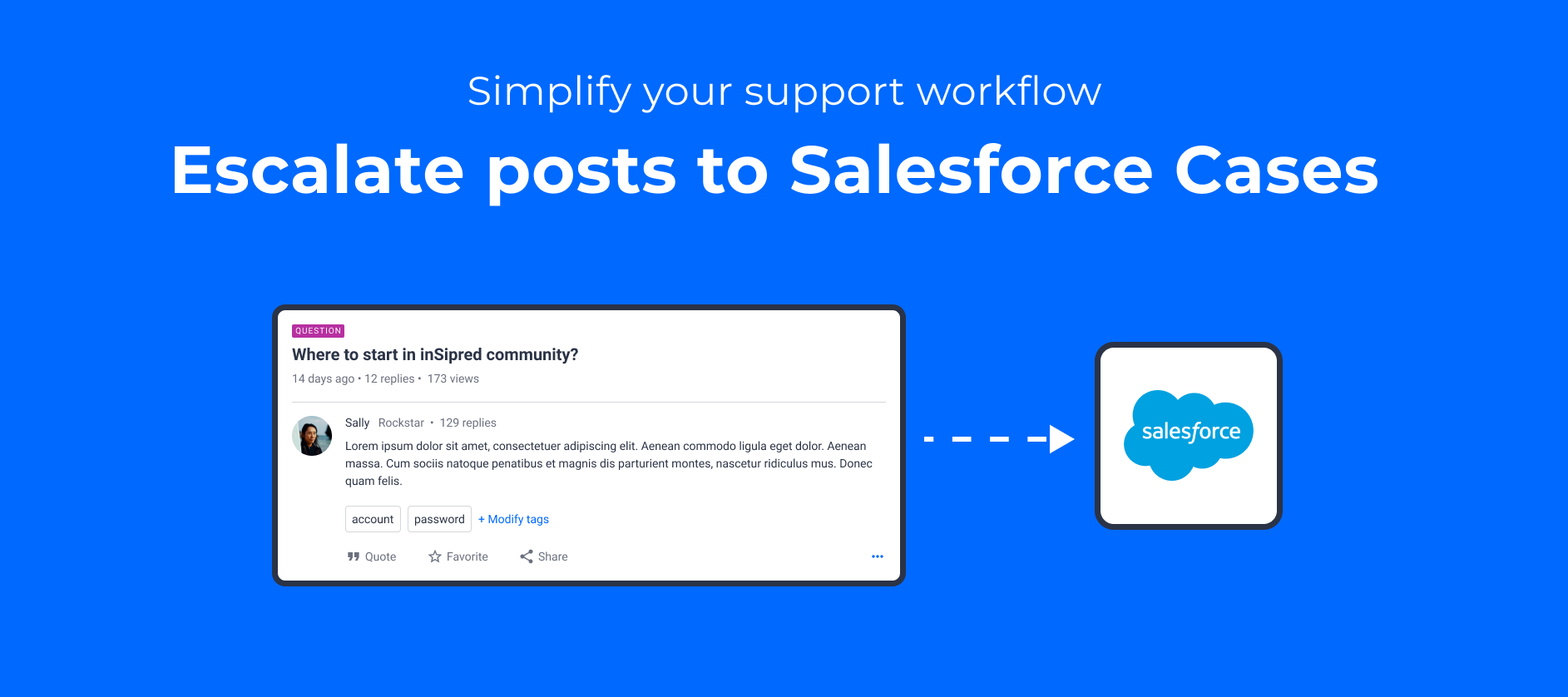
Simplify your support workflow: escalate community posts to Cases in Salesforce 🤖
inSpired ideation review Q4 2020

inSpired ideation review Q4 2020

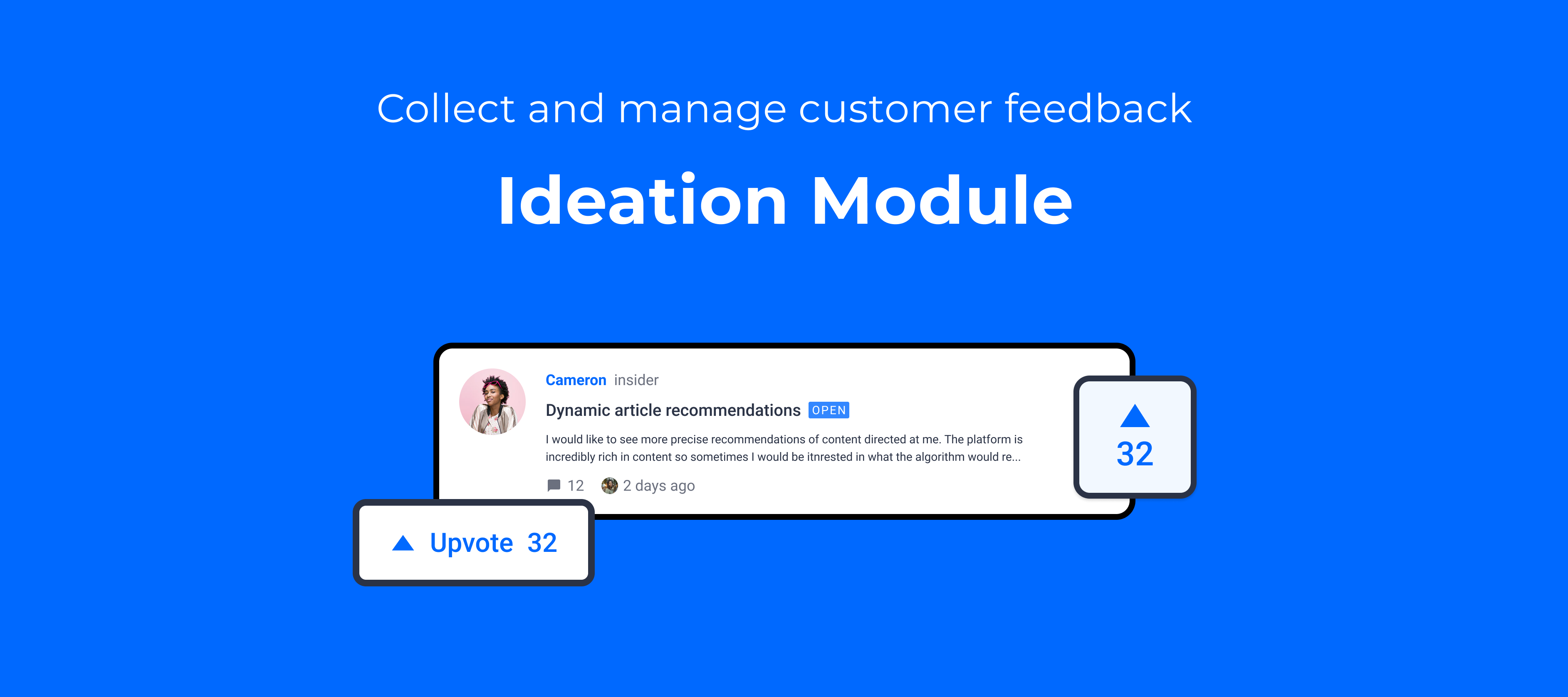
The fourth quarter of the year has ended, and we wanted to share our quarterly review to run through the great ideas on inSpired which we investigated, worked on, and delivered in the last quarter  The aim of the review is to highlight what’s changed on the inSided platform in the last quarter based on the ideas that you have submitted, voted for, and to which you contributed replies.Quick stats for inSpired ideas in Q412 ideas delivered  71 new ideas created  94 votes delivered 202 votes added Over 2020 we have delivered exactly 50 ideas!So once again, a big thank you to everyone on inSpired who has shared ideas and voted on other customer ideas - the product team massively appreciates the insights and feedback you’ve given us over the last quarter Ideas we deliveredWe’re happy to share that the following 12 ideas you submitted on inSpired have been delivered or partially delivered, with a total of 94 votes delivered in Q4 2020. Thanks to all of our brilliant idea contributors :    What’s next?You can expect more updates on your ideas - we’re about to start on our quarterly review of all the open ideas here on inSpired. This also means that we will be closing more ideas, most likely because: We don’t see much demand, It doesn’t fit our vision Or we want to improve something in a different way. We are also looking into new ideas which we can implement in the future. These ideas will be marked as ‘under construction’ when we are actively working on them.If you have any feedback, ideas, or thoughts around our ideation process please share them with us, and help us build a better product!

Related products:CC Others
Search for Skilljar courses through your inSided platform
New year! New embeds!
🏅Level up the competition with our new dedicated leaderboard page

🏅Level up the competition with our new dedicated leaderboard page

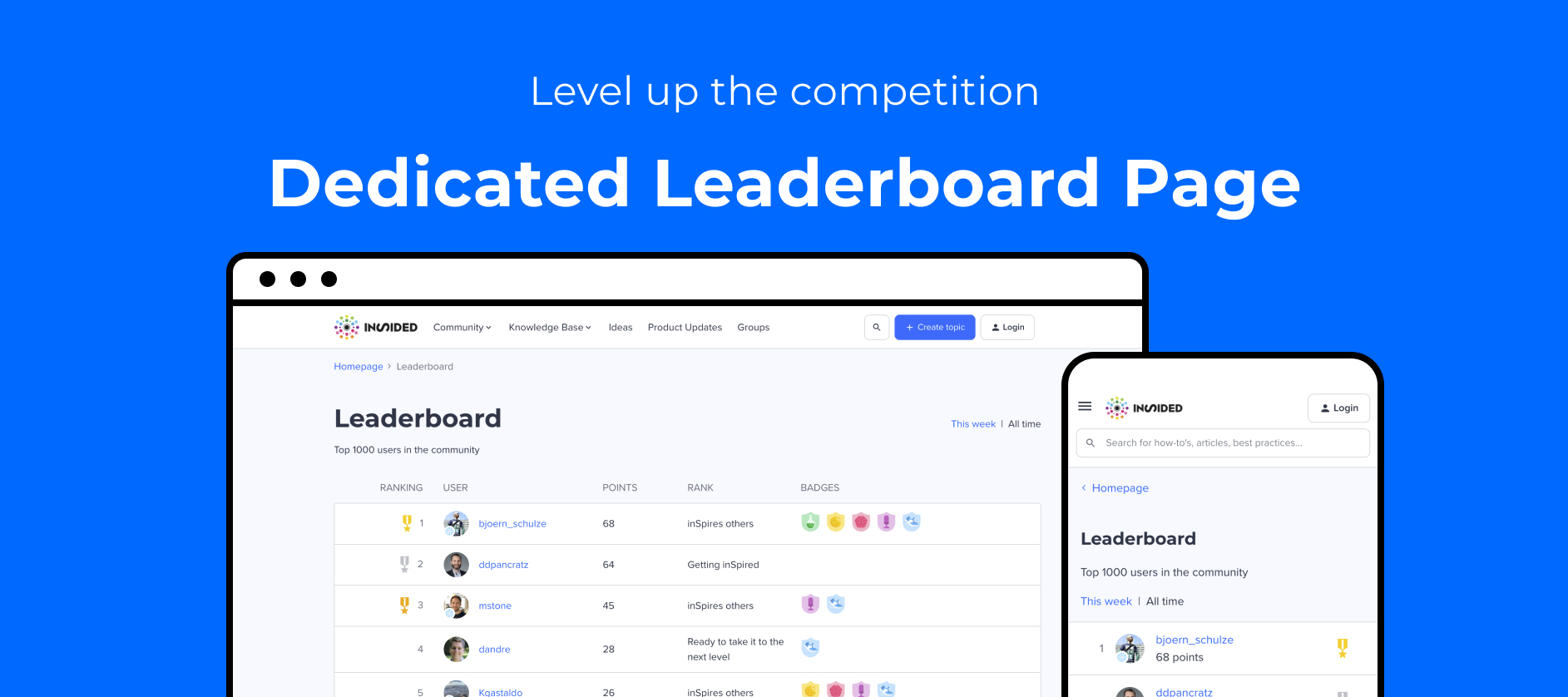
We’ve launched a new dedicated leaderboard page on the community, to help extra-competitive communities emphasise top-performing users, and to encourage users to climb the leaderboard ladder, or to hold on to their crown 👑.The leaderboard page is available by default on all communities - you can find it via /leaderboard (e.g. https://www.community.insided.com/leaderboard). If you haven’t configured the points system on your community, then this page will simple display no users. It’s not linked to from anywhere by default, so end users won’t be able to discover the page, unless they’re page detectives.With the new leaderboard page, you can:  Highlight the top 1000 community users to your community, according to their points earned, as well as their rank and badges, on a weekly and all-time basis.  Show logged-in users their own position on the leaderboard, giving them a clear idea of where they stand and how they can reach the top. Don’t forget to check where you stand on the inSpired all-time leaderboard.⏳Also (optionally) show the logged-in user’s position on the leaderboard homepage widget. Coming this week - see this separate ‘heads up’  article for more information. Logged-in users can now see their own position on the leaderboard, via the leaderboard page. As with the homepage leaderboard widget, you can exclude certain user roles from the leaderboard page. For example, you can hide moderators or employees from the leaderboard. Already using the leaderboard widget? Configure the leaderboard page and add a link to the leaderboard page! Here’s a quick guide on how to add a link to the leaderboard page Log in as a community manager or admin. Go to the frontend of your community, turn on customization mode, and edit the leaderboard widget. Turn on the ‘Show a link to leaderboard setting’Link to the leaderboard page from the widget.You could also consider adding the leaderboard as a link in your mega menu, like @Kseniya did on the awesome Veeam community!Add the leaderboard to your mega menu to make it easier for end users to discover.Configure the users shown on the leaderboard pageWe also recommend that you keep the ‘exclude user’ settings consistent across the leaderboard page and the leaderboard widget. To configure users excluded from the dedicated leaderboard page, log in to Control, go to Gamification > Point System, and configure user roles to exclude via the Leaderboard page setting option. Recap: what’s now possible with the points system on inSided?Configure custom points values for actions within the community. Set up the dedicated leaderboard page. Set up a leaderboard widget on your homepage. Report on points earned by users in a given time period, via the Top Users table on the User Dashboard in Control. Thanks @LizZaps @dan_at_community @Kseniya @ranjan @ChrisPantelis for your feedback during the beta-testing period. Also thanks to @lila_meyer for submitting the original idea to show a more comprehensive leaderboard than just the widget!💡 Our new ideation and product update modules are also now supported in the points system, so that points remains a holistic indicator of a user’s platform-wide contributions.Let us know what you think of the new leaderboard page!

Related products:CC Gamification
Released Thu 21 Jan 2021: Leaderboard widget UI upgrade

Released Thu 21 Jan 2021: Leaderboard widget UI upgrade

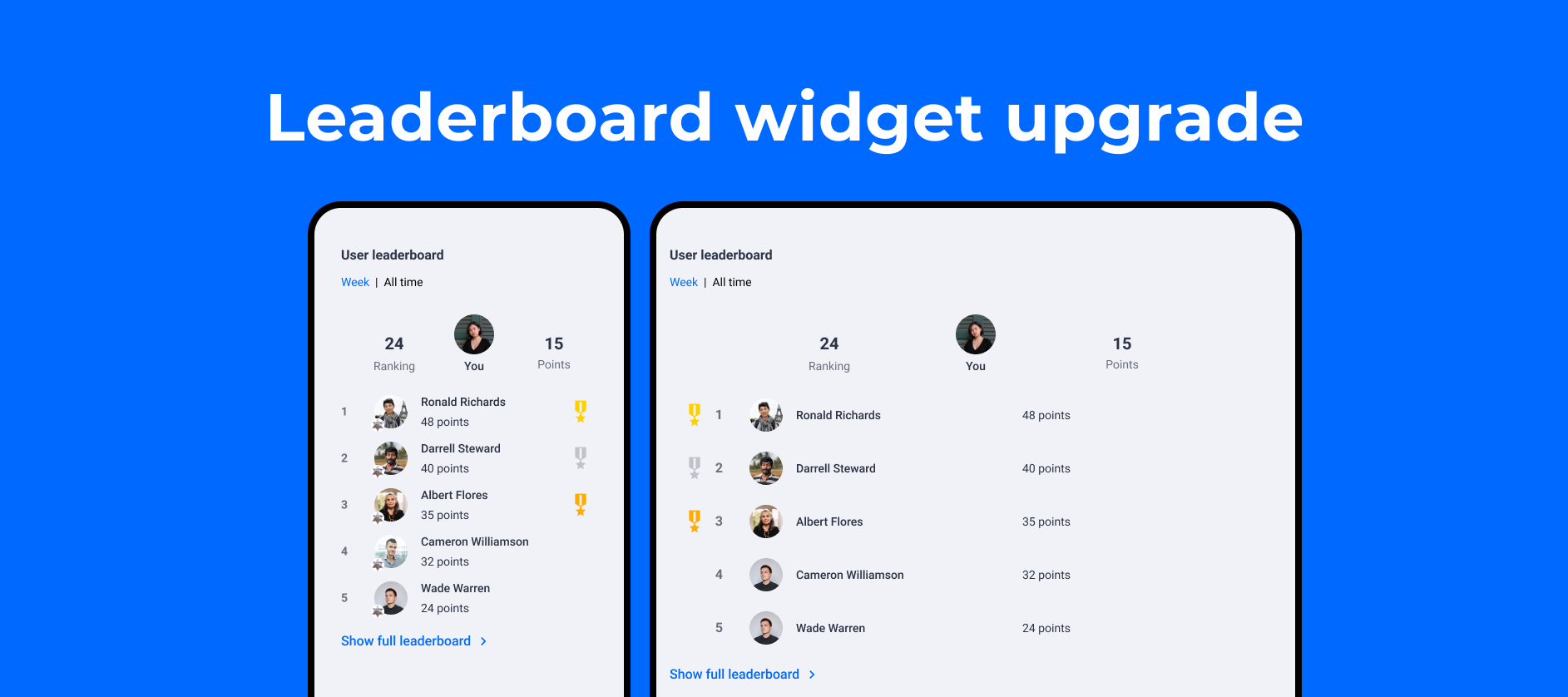
TL;DR: Leaderboard widget has been upgraded at 14:50 on Thursday 21 January 2021 (CET). This release includes some UI updates and a new ‘current logged-in user’ section. Please check your widget if you have custom css applied to leaderboard widget, e.g. change color or shape for the ranking numbers.Alongside our launch of a new dedicated leaderboard page, we also gave a facelift for leaderboard widget, to extend its feature and improve its UI consistency with the leaderboard page.This will be released at:CET - Around 15:00 on Thursday 21 January 2021 PST - Around 06:00 on Thursday 21 January 2021New design for leaderboard widget  What’s new in leaderboard widgetA configurable current logged-in user section: once enabled, logged-in users can see their own position on the leaderboard, if they are included. This gives them a clear idea of where they stand and how they can reach the top.  A consistent UI and layout with leaderboard pageAbout current logged-in user sectionWho is NOT able to see the ‘current logged-in user’ section? A user who is excluded from a leaderboard by ‘exclude user role’ configuration. A guest user who doesn’t login.   How to enable or disable ‘current logged-in user section’? Log in as a community manager or admin. Go to the frontend of your community, turn on customization mode, and edit the leaderboard widget. Turn on or off the ‘Show current logged-in user’s ranking and points if they are included in the leaderboard’ and save.    Please let us know if you have any questions or feedback about the new leaderboard widget. :)

Related products:CC Gamification

Coming Thu 14 Jan 2021: updates to system email variable naming

Update Thu 14 Jan 17:19 CEST:We’ve finished rolling out this change across all customers, so you should now have up to date naming for email variables in your email templates (it took us a bit longer than expected, so some of you may not have seen updates until the afternoon CEST).We’ve improved consistency of the naming of variables in system emails, made the meaning of certain email variables clearer, and fixed a handful of misspellings (🙈). The aim is to make setting up or changing the templates for email notifications less frustrating and less error-prone.Tomorrow morning (CEST - Thursday 14 January 2021), we’re rolling out an update that will bring all of your existing system email variables into alignment with the new naming. By doing this we hope to prevent confusion, as well as having to maintain two different versions of the same variable.You don’t need to take any action - your system email templates will be automatically updated with the new variable naming.The only thing changing is the naming of variables - no new variables are being added, and no variables are being removed.We’ve updated @Julian’s handy guide to email notification variables with the new naming for your future reference - this is the source of truth.We hope these changes make your life easier (maybe you remember encountering these kinds of inconsistencies last time you changed your notification emails!).As always, we’d love to hear your feedback in the replies.

Related products:CC Notifications & Subscriptions

SEO Improvements for the new year ✨

Happy new year from all of us at InSided!! 🎉 We have some SEO news to share with you. We made some changes to how we do things in order to improve our overall SEO performance. We started to move customization widgets from CSR (Client Side Rendering) to SSR (Server Side Rendering). In a nutshell, this change will impact on how Google is indexing content from your communities. You can find more explanation about this technology here.  The second benefit that we get from SSR is an improved Cumulative Layout Shift (CLS).  CLS is an important, user-centric metric for measuring visual stability because it helps quantify how often users experience unexpected layout shifts (i.e. how the page changes as each element loads). A low CLS helps ensure that the page loading is smooth. Learn more about CLS here Another improvement that we are working on while converting widgets to SSR is improving the accessibility of our platform according to commonly accepted best practices. What all this means to you:Most changes shouldn't impact any custom CSS you have made as we haven't changed the main classes.Important information below if you use the Mega MenuHowever, we decided to be cautious and inform you that we will release the switch to SSR on the Mega Menu in a week [on January 20th]. We have NOT made changes to the buttons, but we made changes to the navigation links.  As it is possible that you have made custom CSS changes on the navigation links, we are sharing the new structure with you in advance. Please review and make any necessary adjustments if needed to avoid CSS clashing.If you have any questions, please feel free to reach out to us.

Related products:CC Others

SEO Improvements for the new year ✨

Happy new year from all of us at InSided!! 🎉 We have some SEO news to share with you. We made some changes to how we do things in order to improve our overall SEO performance. We started to move customization widgets from CSR (Client Side Rendering) to SSR (Server Side Rendering). In a nutshell, this change will impact on how Google is indexing content from your communities. You can find more explanation about this technology here.  The second benefit that we get from SSR is an improved Cumulative Layout Shift (CLS).  CLS is an important, user-centric metric for measuring visual stability because it helps quantify how often users experience unexpected layout shifts (i.e. how the page changes as each element loads). A low CLS helps ensure that the page loading is smooth. Learn more about CLS here Another improvement that we are working on while converting widgets to SSR is improving the accessibility of our platform according to commonly accepted best practices. What all this means to you:Most changes shouldn't impact any custom CSS you have made as we haven't changed the main classes.Important information below if you use the Mega MenuHowever, we decided to be cautious and inform you that we will release the switch to SSR on the Mega Menu in a week [on January 20th]. We have NOT made changes to the buttons, but we made changes to the navigation links.  As it is possible that you have made custom CSS changes on the navigation links, we are sharing the new structure with you in advance. Old structure for Mega Menu: New structure for Mega Menu:  Please review and make any necessary adjustments if needed to avoid CSS clashing.If you have any questions, please feel free to reach out to us.

Related products:CC Others
🔗 Improved UI for links to topics: Meet Rich topic cards
📧 Public beta: inSided email campaigns

📧 Public beta: inSided email campaigns

 Wed 24 Feb 2021We’ve indefinitely postponed the email campaigns feature. Find out more in this article: Thu 17 Dec 2020:We’re still following up on the incident that occurred when launching the public beta of this feature, where multiple duplicate emails were sent to the same users. We currently do not foresee this functionality being made available until Q1 at the earliest.Tue 1 Dec 2020It turns out we still weren’t quite ready to launch this feature in beta 😔. Apologies to those of you who received the email campaign I sent more than once. We’re disabling the email campaigns feature across all instances whilst we work out what went wrong, in order to prevent any of your end users being spammed with multiple emails when you send an email campaign.We’re excited to announce that the public beta of our email campaigns feature is now available for all customers.Your users have busy lives, and they don’t always have time to visit your community, even if they find it valuable. Email campaigns help you deliver relevant content such as best practices, new product updates , and upcoming events to your community members. They’re a great way to drive higher levels of engagement in your community.With email campaigns, you can:✅ Send a newsletter to your entire community, or send targeted emails based on custom user roles.✅ Create great-looking emails using embedded topic cards, email templates, and enhanced editor features like image resizing and alignment.Embed any topic as a card in your email campaign, and customise the heading and text further if needed.Our aim is to make it quick and easy for you to create a fancy-looking email campaign. We do this via one of the benefits of our platform: since your content already lives on inSided, it’s readily available to embed in email campaigns at the click of a button. All topic types can be embedded as cards in email campaigns: articles, events, product updates, ideas, questions, and conversations.   

Related products:CC Others
inSpired ideation review Q3 2020

inSpired ideation review Q3 2020

The third quarter of the year has ended, and we wanted to share our quarterly review to run through the great ideas on inSpired which we investigated, worked on, and delivered in the last quarter  The aim of the review is to highlight what’s changed on the inSided platform in the last quarter based on the ideas that you have submitted, voted for, and to which you contributed replies.Quick stats for inSpired ideas in Q39 ideas delivered 57 new ideas created 70 votes delivered 189 votes addedWe also hit a big milestone - we have delivered ideas worth over 1000 of your votes!! This means a total of 70 votes have been delivered in Q3 2020.So once again, a big thank you to everyone on inSpired who has shared ideas and voted on other customer ideas - the product team massively appreciates the insights and feedback you’ve given us over the last quarter Ideas we deliveredWe’re happy to share that the following 9 ideas you submitted on inSpired have been delivered or partially delivered, with a total of 70 votes delivered in Q3 2020. Thanks to all of our brilliant idea contributors : @bjoern_schulze @stanislav.fedoseev @banthonisz @lila_meyer @Samuel Meek @Folkert Ziggo @LPortalupi @Aliya @a.slyusar  What’s next?You can expect more updates on your ideas - we’re about to start on our quarterly review of all the open ideas here on inSpired. This also means that we will be closing more ideas, most likely because: We don’t see much demand, It doesn’t fit our vision Or we want to improve something in a different way. We are also looking into new ideas which we can implement in the future. These ideas will be marked as ‘under construction’ when we are actively working on them.If you have any feedback, ideas, or thoughts around our ideation process please share them with us, and help us build a better product!

Related products:CC Others
inSpired ideation review Q3 2020

inSpired ideation review Q3 2020

The third quarter of the year has ended, and we wanted to share our quarterly review to run through the great ideas on inSpired which we investigated, worked on, and delivered in the last quarter  The aim of the review is to highlight what’s changed on the inSided platform in the last quarter based on the ideas that you have submitted, voted for, and to which you contributed replies.Quick stats for inSpired ideas in Q39 ideas delivered 57 new ideas created 70 votes delivered 189 votes addedWe also hit a big milestone - we have delivered ideas worth over 1000 of your votes!! This means a total of 70 votes have been delivered in Q3 2020.So once again, a big thank you to everyone on inSpired who has shared ideas and voted on other customer ideas - the product team massively appreciates the insights and feedback you’ve given us over the last quarter Ideas we deliveredWe’re happy to share that the following 9 ideas you submitted on inSpired have been delivered or partially delivered, with a total of 70 votes delivered in Q3 2020. Thanks to all of our brilliant idea contributors  @bjoern_schulze @stanislav.fedoseev @banthonisz @lila_meyer @Samuel Meek @Folkert Ziggo @LPortalupi @Aliya @a.slyusar  What’s next?You can expect more updates on your ideas - we’re about to start on our quarterly review of all the open ideas here on inSpired. This also means that we will be closing more ideas, most likely because: We don’t see much demand, It doesn’t fit our vision Or we want to improve something in a different way. We are also looking into new ideas which we can implement in the future. These ideas will be marked as ‘under construction’ when we are actively working on them.If you have any feedback, ideas, or thoughts around our ideation process please share them with us, and help us build a better product!

Related products:CC Others
Roadmap update #18

Roadmap update #18

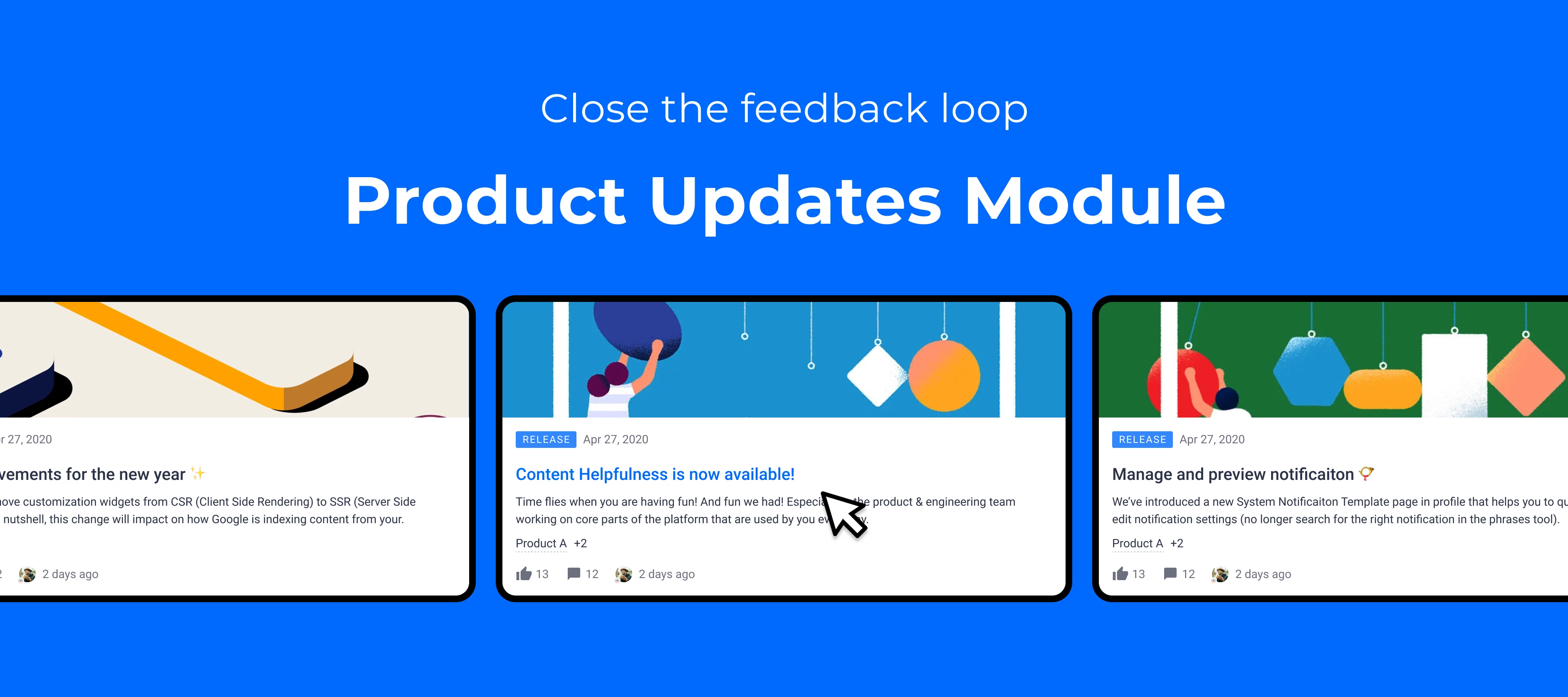
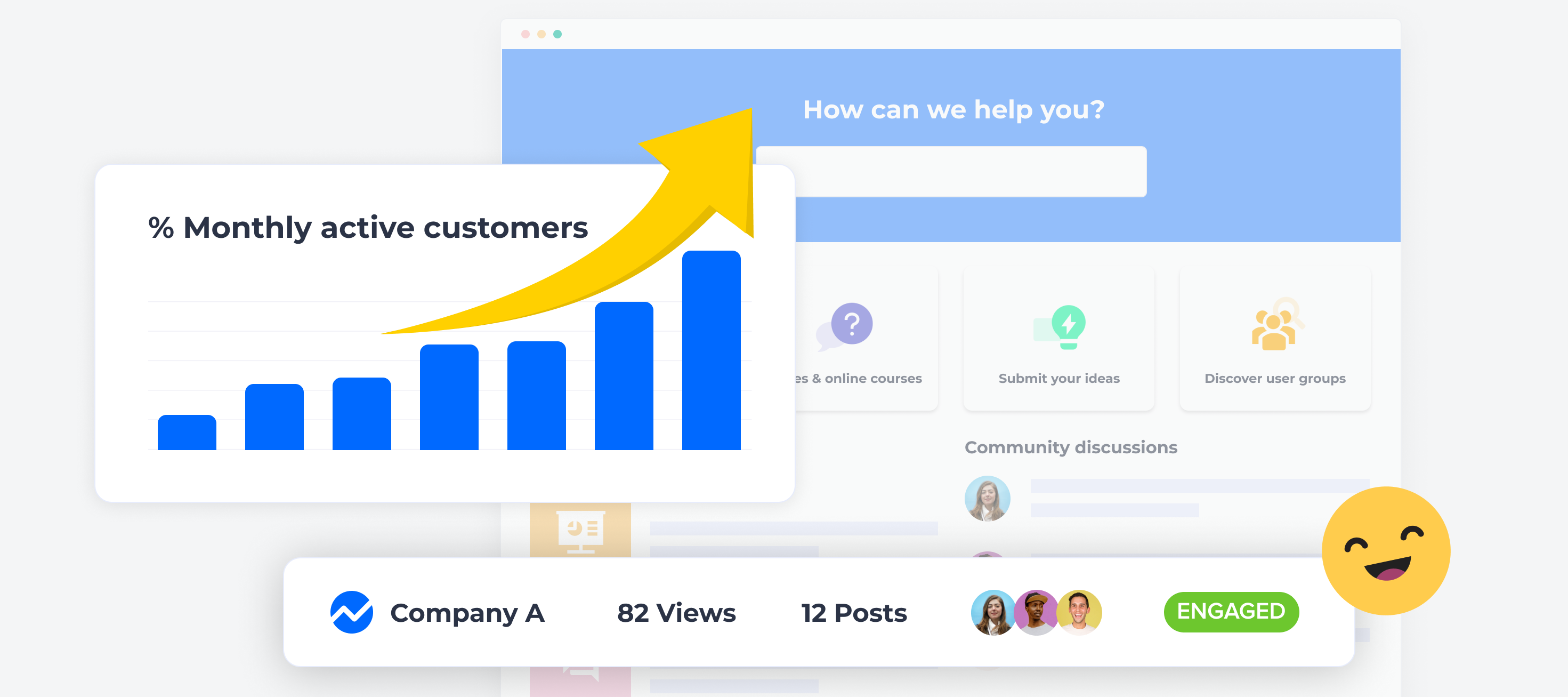
Time flies when you are having fun! And fun we had! Especially in the product & engineering team working on core parts of the platform that are used by you every day. We are happy to have released the new version of the moderation overview page and analytics dashboards. We love the new UX and we hope you do too. In addition, the new technology we used allows us to innovate faster and work on many of your ideas related to analytics and moderation in the upcoming weeks. As always please share your feedback as that will help us build a better product. We are also very excited about our beta releases of product updates and ideation. Please get in touch with us or leave a reply if you have questions about it or are planning to start using it. Below an overview of what we have delivered in the last couple of months and what is coming up next. Here’s a quick look at our releases since the previous update: User groups  Product updates previewing on InSpired Ideation module previewing on InSpired Mega Menu in Beta New moderation overview improvements Dashboard/analytics upgrade Moderation automation Coming up: Dashboard improvementsNow that we’ve released the general upgrade to dashboards and improved the usability, we’re working on some of your feedback around the general capabilities of the dashboards.We have already delivered some of your ideas: We added points to the top users’ table The dashboards now remember the date range you last selected. Other improvements in the pipeline include adding filters for custom user roles on the dashboards, and more! Value dashboardsAs well as our current dashboards, we’re working on a set of value dashboards that aim to show you a longer-term picture of how your community is delivering value across three use cases: engagement, self-service, and product feedback. Engagement dashboard: gain insight into the reach of your community amongst your customers by learning what % of your customers engage in the community on a monthly basis. Self-service dashboard: understand adoption of the community as a self-service channel by calculating your self-service score - comparing community page views and tickets created in Zendesk. Product feedback dashboard: exclusively for users of our new ideation module, understand how well you’re meeting user expectations by measuring the % of votes you’ve delivered from community ideas. Final touches to the ideation moduleThe Ideation module is now available in Beta. Our focus for this quarter will be around delivering features based on your feedback to perfect the module before its official release.  For moderators, we will work on improved idea overview-features (e.g. filtering by product area), and general improvements to make it easier to moderate ideas. For end-users, we plan to perfect the user experience by adding smaller functionality around votes, replies, and product areas We’ll also be adding Zapier support for the new ideation module, so you can trigger Zaps based on new ideas, new votes, idea status changes, and moderator tag updates, as well as being able to add replies and moderator tags to ideas. Product updatesWe now have a working beta version of product updates but, we are missing some important features to make sure you can all start using it effectively. Our focus for the quarter will be: Finishing features that existed for regular articles (Preview and product update article, add permissions, add subscriptions...) Adding the customization mode to the Product overview page and the product areas filter Allowing you to move some existing articles into the Product update module Mega menu widgetOnly a few days ago we released the new Mega Menu widget in Beta, and are previewing it on InSpired. Our goal is to improve the navigation experience especially around the new modules (Ideation, Product Updates, Groups, Events) Our second iteration will focus on the feedback we are currently receiving from Beta testers to add more functionality, e.g. child custom links, permissions applying to the menu, etc.  Dedicated leaderboard pageIt’s great to see that so many of you have added a points-based leaderboard-widget to your community homepage. We’re working on an enhancement that will give your end-users a full view of the leaderboard. New leaderboard page on the destination with weekly/all-time view, also showing rank and badges earned. The leaderboard page will have a paginated view of all users on the leaderboard. Just as in the leaderboard widget, you’ll be able to configure roles to exclude from the leaderboard page. Google SSO for end-usersWe’re adding another way for your end-users to authenticate in the community. Dedicated, out-of-the-box Google SSO which you can use alongside any other SSO method in the community. And as you’re used to: easy, self-service setup in Control. Email campaignsFinally, we’re working on email campaigns: a dedicated way for you to deliver content to your users, without them even having to visit the community. You’ll be able to use email campaigns for monthly/quarterly newsletters, or more targeted messages to certain users. Send email campaigns to custom user roles, or the entire community. Easy topic embedding to make fancy emails without much effort.

Related products:CC Others
Roadmap update #18

Roadmap update #18

Time flies when you are having fun! And fun we had! Especially in the product & engineering team working on core parts of the platform that are used by you every day. We are happy to have released the new version of the moderation overview page and analytics dashboards. We love the new UX and we hope you do too. In addition, the new technology we used allows us to innovate faster and work on many of your ideas related to analytics and moderation in the upcoming weeks. As always please share your feedback as that will help us build a better product. We are also very excited about our beta releases of product updates and ideation. Please get in touch with us or leave a reply if you have questions about it or are planning to start using it. Below an overview of what we have delivered in the last couple of months and what is coming up next. Here’s a quick look at our releases since the previous update: User groups  Product updates previewing on InSpired Ideation module previewing on InSpired Mega Menu in Beta New moderation overview improvements Dashboard/analytics upgrade Moderation automation Coming up: Dashboard improvementsNow that we’ve released the general upgrade to dashboards and improved the usability, we’re working on some of your feedback around the general capabilities of the dashboards.We have already delivered some of your ideas: We added points to the top users’ table The dashboards now remember the date range you last selected. Other improvements in the pipeline include adding filters for custom user roles on the dashboards, and more! Value dashboardsAs well as our current dashboards, we’re working on a set of value dashboards that aim to show you a longer-term picture of how your community is delivering value across three use cases: engagement, self-service, and product feedback. Engagement dashboard: gain insight into the reach of your community amongst your customers by learning what % of your customers engage in the community on a monthly basis. Self-service dashboard: understand adoption of the community as a self-service channel by calculating your self-service score - comparing community page views and tickets created in Zendesk. Product feedback dashboard: exclusively for users of our new ideation module, understand how well you’re meeting user expectations by measuring the % of votes you’ve delivered from community ideas. Final touches to the ideation moduleThe Ideation module is now available in Beta. Our focus for this quarter will be around delivering features based on your feedback to perfect the module before its official release.  For moderators, we will work on improved idea overview-features (e.g. filtering by product area), and general improvements to make it easier to moderate ideas. For end-users, we plan to perfect the user experience by adding smaller functionality around votes, replies, and product areas We’ll also be adding Zapier support for the new ideation module, so you can trigger Zaps based on new ideas, new votes, idea status changes, and moderator tag updates, as well as being able to add replies and moderator tags to ideas. Product updatesWe now have a working beta version of product updates but, we are missing some important features to make sure you can all start using it effectively. Our focus for the quarter will be: Finishing features that existed for regular articles (Preview and product update article, add permissions, add subscriptions...) Adding the customization mode to the Product overview page and the product areas filter Allowing you to move some existing articles into the Product update module Mega menu widgetOnly a few days ago we released the new Mega Menu widget in Beta, and are previewing it on InSpired. Our goal is to improve the navigation experience especially around the new modules (Ideation, Product Updates, Groups, Events) Our second iteration will focus on the feedback we are currently receiving from Beta testers to add more functionality, e.g. child custom links, permissions applying to the menu, etc.  Dedicated leaderboard pageIt’s great to see that so many of you have added a points-based leaderboard-widget to your community homepage. We’re working on an enhancement that will give your end-users a full view of the leaderboard. New leaderboard page on the destination with weekly/all-time view, also showing rank and badges earned. The leaderboard page will have a paginated view of all users on the leaderboard. Just as in the leaderboard widget, you’ll be able to configure roles to exclude from the leaderboard page. Google SSO for end-usersWe’re adding another way for your end-users to authenticate in the community. Dedicated, out-of-the-box Google SSO which you can use alongside any other SSO method in the community. And as you’re used to: easy, self-service setup in Control. Email campaignsFinally, we’re working on email campaigns: a dedicated way for you to deliver content to your users, without them even having to visit the community. You’ll be able to use email campaigns for monthly/quarterly newsletters, or more targeted messages to certain users. Send email campaigns to custom user roles, or the entire community. Easy topic embedding to make fancy emails without much effort.

Related products:CC Others
Manage and preview platform emails with our new Email Template overview
👋 Say goodbye to repetitive tasks, with moderation automation

👋 Say goodbye to repetitive tasks, with moderation automation

Over the past few months, we’ve released a set of moderation automation features which aim to help you achieve two things:Reduce the time spent by your moderation team on repetitive moderation tasks. Protect your company’s brand and the viability of the community as a content channel, even when there aren’t any moderators around.With our moderation automation features, you can: Make sure content in your recently active streams stays fresh (by auto-closing inactive topics). Increase the % of questions with a best answer (via automated emails asking users to mark a best answer). Protect users from exposing personally identifiable information in their usernames (via username restrictions). Automatically enforce community terms & conditions (e.g. block profanity via the new keyword blocker).  Most of these features were prompted by ideas submitted on inSpired, so thank you for submitting these ideas (@Ditte @stanislav.fedoseev @mafe.pelaez @Jurgen) and also thanks to all of you who voted for them! Be sure to check out the following knowledge base articles to set up moderation automation on your community:   We hope this set of features enables you to spend your time more effectively on the community, and to focus on the more complex/rewarding aspects of community management, such as managing the relationships with your community members.As always, we’d love to hear your feedback in the replies! 👇

Related products:CC Moderation