• 456 Product updates

Improvements on the moderation overviews

Improvements on the moderation overviews

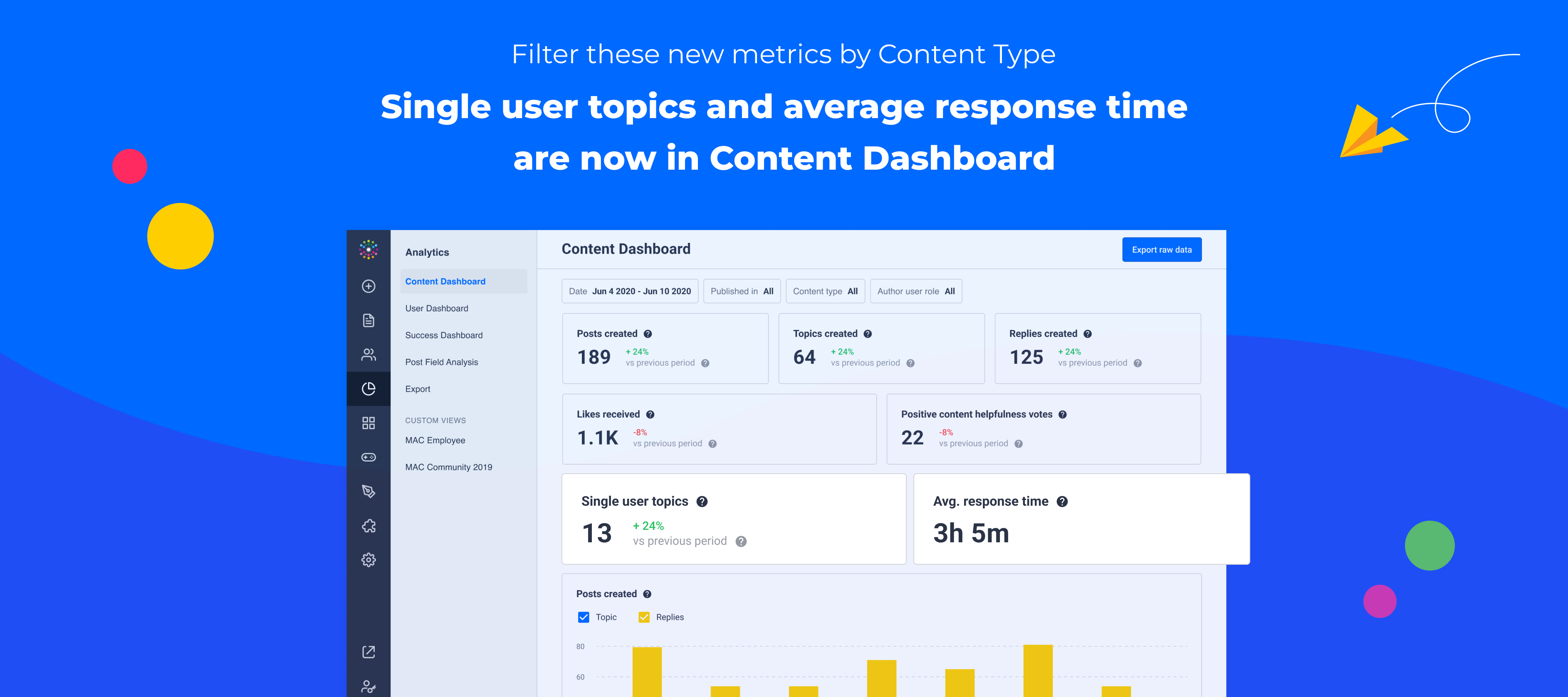
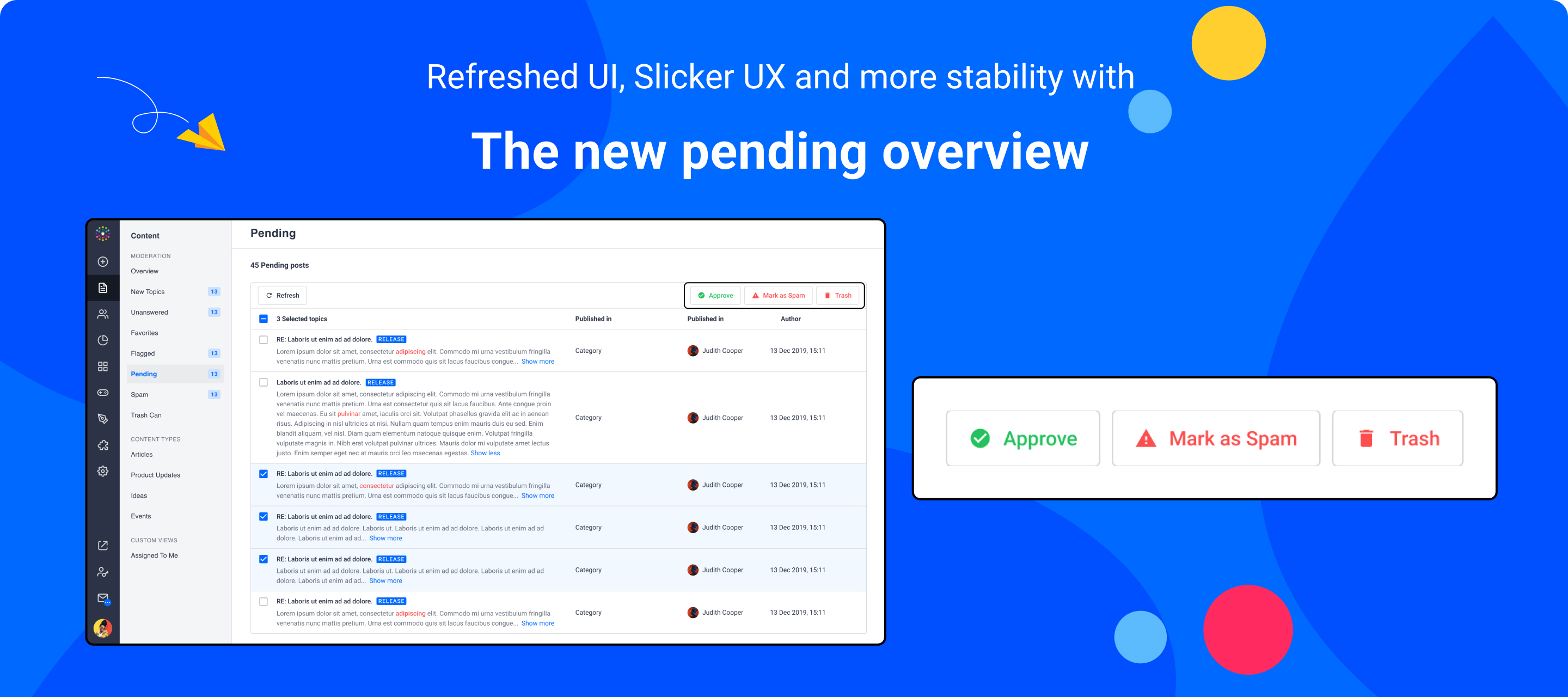
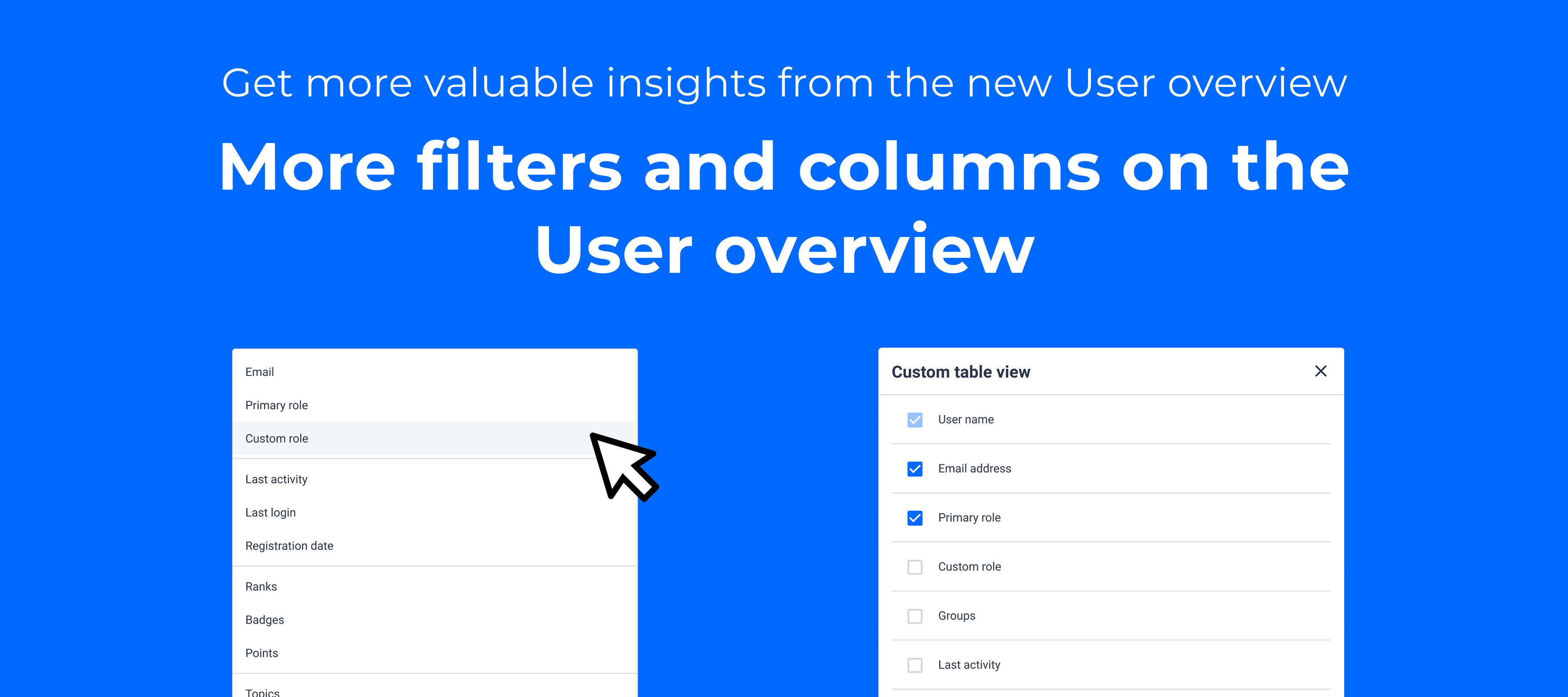
 Table of Contents:Old vs. new Moderation Overview Filters now available in the new moderation overview Filter by number of likes Filter by number of votes Filter on topics without a moderation label assigned Filter the Articles and Product Updates by Status Filter topics published & with last activity “Between” a date range Filter topics by public tags Sorting options on the moderation overview table Sort the content table by number of likes, replies and votes Some UI improvements Upcoming improvementsOld vs. new Moderation OverviewWe have released the new moderation overview for a while now and, as many of you noticed, the old moderation was offering a wider range of filters and sorting option than the new one. Almost a third of our customer base are active on a regular basis on the old moderation overview so we decided to look into how we can improve the new moderation overviews so that it serves its purpose in the best way possible. The starting point is to bring over the filters, sorting options and bulk actions that have not yet been moved, followed by enabling certain functionalities for all content types, strengthening and unifying the overview, while also enabling the opportunity to enrich the content-specific overviews with a wider filtering options. Last but not least, certain functionalities, for example the content flagging feature, will need to be rebuild, getting us closer to the point where we will be able to retire the legacy overview. A long way ahead of us but progress requires small and consistent steps. For now, let’s look at the latest additions to the new moderation overview ✌️ Filters now available in the new moderation overview Filter by number of likesThis filters out all topics based on the number of likes received. Likes are not supported for ideas, so they will be displayed always with 0 LikesFilter by number of votesThis filter is the equivalent of the Likes one but for ideas. Similarly, because Votes are not supported by other content types, you will see their Votes value set to 0. Filter on topics without a moderation label assignedIt is now possible to surface only those topics that were not assigned a moderation label, hopefully simplifying the moderation reviewing processes Filter the Articles and Product Updates by StatusThis is an example of a filter that requires some extra effort before making it available in the global moderation overview, because the question, conversation and idea content types cannot yet be saved as drafts or scheduled. We will solve this behaviour inconsistency, but for now you can make use of it on the Articles and Product Updates overviews.  Filter topics published & with last activity “Between” a date rangeAnother great piece of feedback that we received from our customers was to include an option to select a custom date range for the ‘Published date’ and ‘Last activity date’ for more specific results.  Filter topics by public tagsNow it is possible to filter out all content types based on one or more public tags or it can be combined with the ‘Content Type’ filter to bring up only specific topics with certain public tags. The drop-down will include only the first 25 tags for optimised performance, but the search option is there to help you find any public tag you need. Sorting options on the moderation overview table Sort the content table by number of likes, replies and votes The content table on the moderation overview can be sorted by the number of replies, likes or votes received by topics. The 3 columns can be sorted ascending or descending by clicking on the column name.Some UI improvementsThe content table is more compact now We adjusted the width of filters to keep them consistent The usernames displayed on different columns are now consistent and can be clicked to navigate to the user’s profile page in Control Upcoming improvements‘Unread by team’ functionality will be added to ideas and product updates, making it also available on the content table of moderation overview. Ability to filter ‘Closed’ or unclosed topics, including adding a small UI element to show on the overview if a topic is closed or not.  A new column on the content table of the moderation overview to show the number of views received by a topic, with the ability to sort the table by this column Some more filters to be added on the global moderation overview: ‘Author’; ‘Article label’; ‘Product update label’; ‘Status’; ‘Views’; ‘Replied by moderator’ are just a few ideas we currently have.  An array of bulk actions that would save time organising the content More flexibility & reliability with saving custom views New content-specific overviews sharing the same set of filters and actions as the global one. Our goal is to enable all moderation teams to ‘work smart’ and get valuable actionable insights from the content overviews, so feel free to share your thoughts and feedback in the comments. 🙏

Related products:CC Moderation
Better triggers, more data, more actions in the Zapier app

Better triggers, more data, more actions in the Zapier app

We’re excited to announce that we have updated our Zapier app with: Enhanced product information in existing triggers and search actions Enabling awarding badges and roles in actions  What do these new triggers and actions enable You can add to a trigger a product area. The product area carries over to your actions. Your actions can now be directed to specific product areas.  You can now automate awarding badges and roles. Use the information from triggers and other actions like searches to remove the burden of awarding badges and roles one by one. How can you 🌶️️ spice up your triggers and actions Enhanced data in existing triggersWe have added more information to the existing New Topic, Updated Moderator Tags, and Product Updates triggers. For these 3 triggers, you can now also access "Product Areas'' in the data for Ideas. Enabling further details in your Zapier triggers. You can use this new information to push ideas that have a particular product area to an engineering slack channel so that your team is instantly notified.Enhanced data in existing Searches action and new search actionWe have enhanced Search action with 'Likes Given' in Find User.We added a new  Get Assigned Points of User Search action. This action retrieves all-times points earned by a user. Improved gamification automation controlWe added two new actions to our Zapier app: Award badge and Award role. You can use these zapier actions to simply enhance user profiles in the community. Awarding users a badge in the community when they complete a course or earn a certification in your academy, is a common use-case we planned. Using the Award badge zapier action you can set up this integration in just a few minutes. Get started with the following guides: As always, we’d love to hear your feedback or any questions you have about this release.

Related products:CC Users & Roles
Roadmap update 23: Control overviews, Reporting, Customization, and more

Roadmap update 23: Control overviews, Reporting, Customization, and more

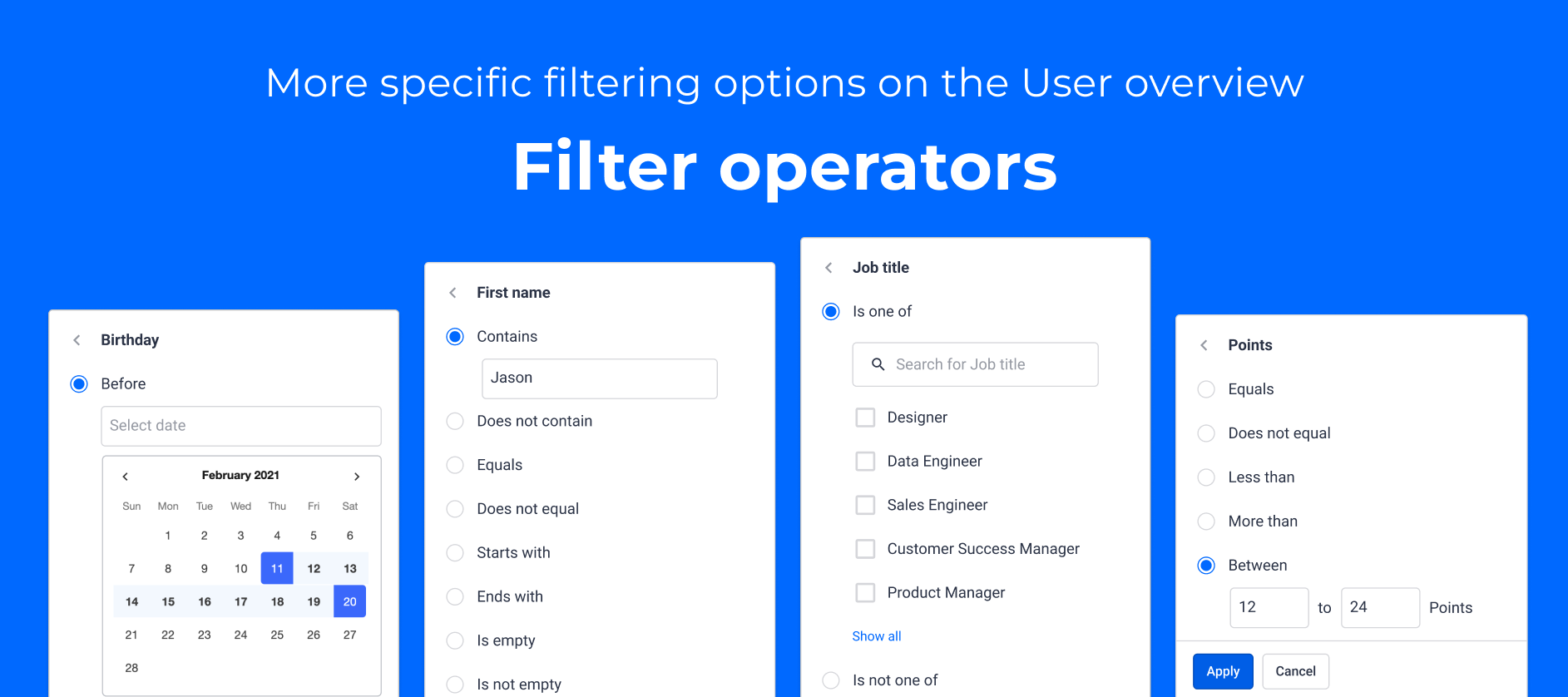
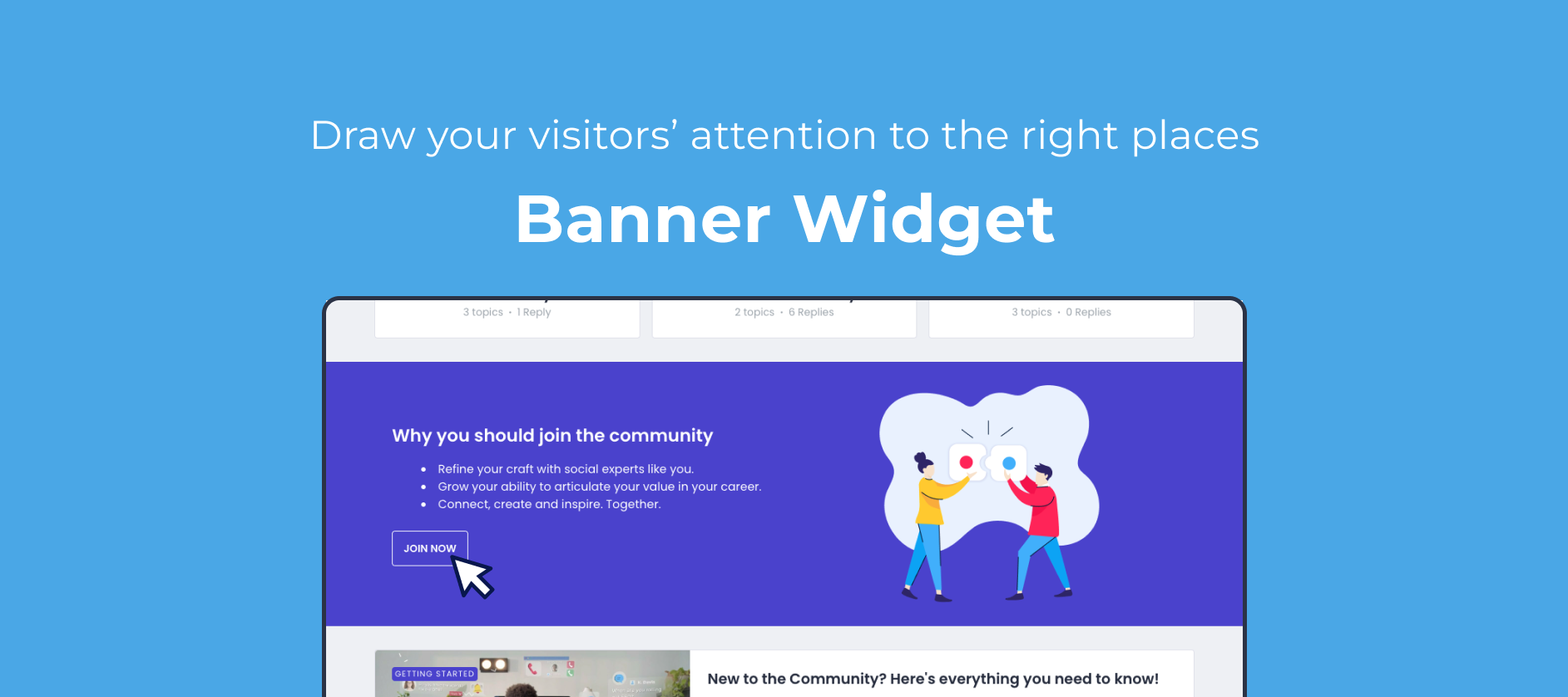
First of all, we’re super excited to be part of Gainsight now, you can read all about it in the blog post of our CEO Robin if you haven’t already. The acquisition means an acceleration of our R&D efforts to improve our current product and execute on our existing vision. Our vision is to become a Customer Hub to scale digital engagement, to help you create customer journeys that are more integrated and effective than ever before:  Make your community your central Customer Hub and use all customer data to deliver a personalized experience. Deliver content and engagement proactively, by combining notifications, gamification and community content with journey orchestration capabilities. Modernize the community experience with a more conversational, rich and real time experience. Truly understand how your community engages and drives business outcomes as a key input to customer health scores.  Our focus for this year remains to work closely with you, our community, and improve the existing product. Just like we’ve done in previous quarters, we’ll continue to use your input to build a better product. Last quarter, we delivered on some of your top-voted ideas related to the moderation experience, groups, and integrations. For the next quarter, we’ll continue our efforts to improve the moderator experience by upgrading the content and user overview pages.  We’re also excited to start working on more customization options in the front end of our product. By using our no-code page builder, we’re already seeing more and more customers using the homepage as a customer hub, unifying all content and engagement your customers need to drive business outcomes. To help achieve this, we’ll add more widgets to the homepage, upgrade the UI and create an additional landing page optimized for browsing the community categories. Coming up Community overview page:A couple of months ago we released a new overview page for the Knowledge Base. We aim to do the same for the community module. Our objective is to provide a page for end-users to explore all the community content. With that you can free space on the homepage so it can then be used as a "Customer Hub" landing page, making it easier for your end-users to explore all the content relevant to them.  New and Improved widgets:To support that "Customer Hub" vision for the homepage, we want to take the experience the page offers to the next level. The goal is to improve current widgets both in terms of UX and UI and well as create new widgets. We will focus on providing easier navigation and guiding users through their different use cases.  Upgrade the User overview in Control:With this project, we want to give some love to our Control environment. The User overview needs a proper upgrade. The goal is to update the UI and add more filtering options. Ultimately we wish to add bulk actions and take steps towards offering segmentation. For example, give you the option to perform actions like sending an email to all users who have not logged in the past 30 days, giving a badge to all users in a given group, etc.Moderation overview:Community teams are moderating content on a regular basis. That’s why we’ll be working on improving the moderation experience by bringing old functionalities back and adding some cool new ones. Plus, we’ll strengthen the underlying technical layers to ensure consistency and reliability. The goal is to make your content moderation work as easy and pleasant as a walk in the park while saying “goodbye” to our old moderation overview.  Customizable Attend button on EventsWe are looking into a way for you to customize the RSVP button by inserting an external link to the registration page. The goal is to enable the usage of your community together with an external event management tool and to create a better user experience when the event registration lives outside of our platform. The user will be able to navigate easily and finalize the registration there, ensuring that you’re capturing all the information you need from attendees.  Release the Product Feedback DashboardOur Product Feedback Dashboard has been in Beta for a while. It’s now time to remove that status. After releasing this dashboard, we’ll use it to bring in Salesforce data and enable filtering on product ideas (submitted and delivered) on a customer level. This will be only for customers that enabled the Salesforce integration.   Improve reportingData needs to be turned into insights. As communities grow and traffic increases, it’s fundamental to ensure our customers easily understand the trends in their communities. We’ll focus on an easier way to export raw data, and improve the counting of unique visitors. We’ll also enable filtering on a company level for all available dashboards. This way superusers can quickly assess the engagement of individual customers in their communities.  Patterns and images blocker for posts and titlesEven with the best efforts from community teams to prevent and educate their members, private information and inappropriate images can find their way into communities. To further fortify the defense against these, we’ll be adding pre-moderation automatic rules that would catch such posts and create a “Pending” state for a moderator to review them.   Newly-released since the previous roadmap update 
Structure your Group overview page using group tags

Structure your Group overview page using group tags

We have a few new year goodies for you around groups. We created the concept of Groups tags to help end users find groups more easily and made some UI improvements  Group tags You have shared with us over the past few months one pain point concerning the group overview page. Previously it was pretty hard for end users to browse all the groups available especially when there are many. Also it was not possible to organise your groups overview page in sections. Groups tags are here to solve that Groups tags allow you to group your groups ( ) . Basically you can organise your groups in sections on the group overview page in a way that makes sense for your end users.  Group tags displayed on destination End users can use group tags to filter down the list of groups displayed. Ultimately it's easier for them to find relevant groups to join. Example of a list of groups with group tagsCheck out this KB article to see how to get started using groups tags. It will take you less than 5 min to set up :)   UI improvements We also took the opportunity to improve some smaller UI elements of the group overview page: In the Find a new group section we updated group cards and:Added a "Join Group" Call to action to nudge users to join Added the group type Removed the number of topics and avatars to have a simpler cleaner UI In the My groups section we:Removed the number of topics, members and avatars to have a simpler cleaner UI Please as always share any feedback or question you may have with us :)

Related products:CC Groups
inSpired ideation review Q4 2021
🎮 Recognize users by awarding ranks based on points
Hidden groups now available

Hidden groups now available

We are pleased to announce that hidden groups are now available! Thank you @justine.rae for suggesting the following idea This feature is available for customers on the inSided Business Package and above. What are hidden groups?Hidden group are groups that are only visible to its members. Only personally invited users can see and join a hidden group. Only the members of a hidden group can see its content. Hidden groups are the most secure group type compared to public and private groups. They can be used to discuss topics that should be seen only by selected users. You should create a hidden group if you want only specific users to know the existence of that group and see the content within the group.You can invite users to become members of hidden groups by personally inviting them by email.  With hidden groups you can:Have a specific group for VIP, Super users, partners where they can discuss freely Have a group to discuss Beta features Have groups for the all users of a same company How to start using hidden groups?Start by reading this article that explains the difference between the different group types to decide what group type fit the most your use case.Except for the differences of visibility and invite settings, hidden groups work very similarly to public and private groups. Listed below are a few articles to get started:As always, please let us know if you have any additional questions or feedback.

Related products:CC Groups
Create content on behalf of another user

Create content on behalf of another user

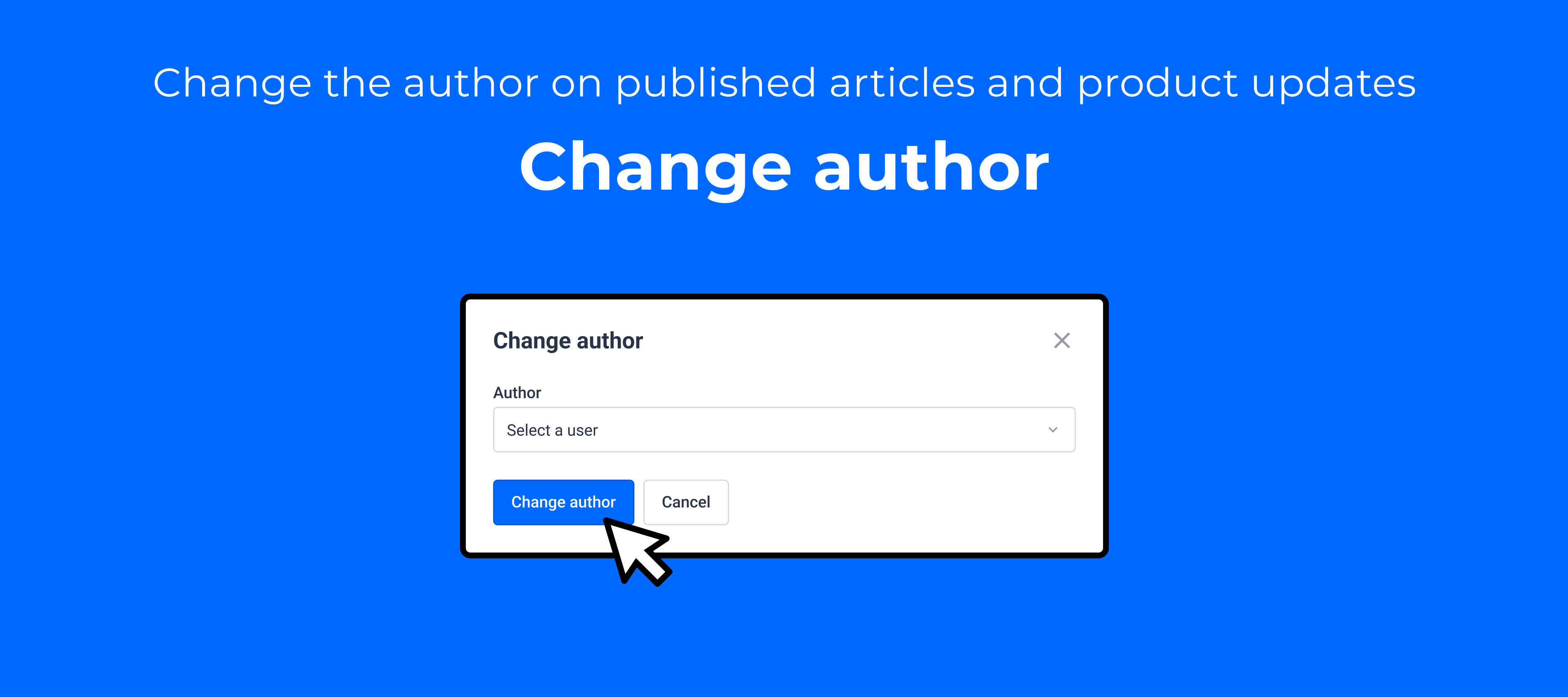
The most popular idea on our ideation board is to be able to change the author of a piece of content. While reading through the different use cases you brought up, we identified two places in time when a moderator needs to set the author as a different user than themselves: During content creation - which covers use cases like ‘ghost writing’, ‘content calendar preparation’, ‘subject experts with limited availability’.  Post content creation - which covers the use cases like ‘employee leaving the company’, ‘taking ownership of a content piece from an inactive author’. We decided to follow these two needs in our product discovery and break it down in smaller increments of functionality that will build up together in a robust solution for all the use cases you mentioned.  Overview of the feature capabilities The feature we’re releasing covers the ability to publish articles or product updates on behalf of another community member. From the moment the moderator chooses another account to be displayed as the ‘author’ of that topic, that user will be displayed in the community as the author, starting with the preview version.Once the topic is published: The selected author will receive the notifications related to that topic’s activity, the gamification rewards, and will be visible in dashboards and analytics. The creator will be displayed in Control in the version history and on the scheduling information. After the topic is published, the creator will not be displayed on the topic moderation page or on any overviews.  Learn more about how to create content on behalf of another user: We hope this new features will enrich your content creation flows and empower your team to bring relevant content on your community. Please let us know if you have any feedback or questions. :) 

Related products:
🚀 Get B2B engagement insights, with our Engagement Dashboard - powered by Salesforce data

🚀 Get B2B engagement insights, with our Engagement Dashboard - powered by Salesforce data

This feature is available for customers on the inSided Business Package and above.Your customer community should be the central hub for all engagement. We believe that your starting point when measuring engagement should be to get more insight into the percentage of your total customer base that’s engaging with your community every month: your monthly active customers - aka your MAC 🍔.A high MAC demonstrates that customers are engaged with your product, whether that’s learning about new releases, finding answers and inspiration from peers, or sharing  product feedback in the form of ideas.Our new Salesforce Account import enables you to measure these insights directly within inSided, meaning there’s no need to mess around with custom reports in Salesforce to get a baseline measurement of customer engagement .With the engagement dashboard, you can: Automatically link community members to companies by importing Salesforce Accounts. Measure your % monthly active customers and see how engagement on your community stacks up against the customer growth of your business over time. Learn which companies are most and least engaged.The engagement dashboard: B2B customer engagement insights.With the engagement dashboard, it’s easy to answer questions like:“What percentage of my overall customer base is actually engaging with the community, and how is this trending over time?” “Which companies were most active on the community in a given period?” “When did less active companies last engage on the community?”Learn more about how to get started with the Engagement Dashboard, starting with configuring the Salesforce Account Import.Please let us know if you have any additional questions or feedback, especially when it comes to gaining more insights about your community’s value as an engagement channel, and utilising CRM data on the community.

Related products:CC Analytics & Reporting
Get notified about requests to join a private group 🔔
Roadmap update #22: top inSpired ideas, continued improvements for Groups, and more

Roadmap update #22: top inSpired ideas, continued improvements for Groups, and more

In the past quarter, we focused on delivering your feedback across several areas of the platform. We tackled some of your top pain points and wishes around groups, such as editing group type and inviting users to groups. We also improved the community member experience, making it possible for community members to log in with their email and helping users find relevant content on the community with an optimised search algorithm. Plus, if a community member submits product feedback as a question, then you’re able to easily convert the question to an idea (and vice versa!). Finally, we simplified authentication for the Salesforce integrations, providing one less headache for your Salesforce admin.For the final quarter of 2021, we’re doubling down on our focus to deliver your feedback. Improvements to groups will remain a priority. We’ll also ship solutions to some really popular ideas on inSpired: adding a table of contents to topics, submitting content on behalf of another user, and a more granular way for users to subscribe to product updates, based on product. In addition, you can expect some small but powerful optimisations including a better end user signup UX for events, and connecting ranks and points.Read more about our plans below. Coming up Hidden groupsHidden groups are one of the most common requests we hear around groups. See this idea. We will tackle this feature and allow you to have groups that are only visible to its members. You will be able to invite only selected users to join these groups.Group overview pageThe current group overview in destination suffers from a few limitations that we would like to tackle: reorder groups, organize groups in sections, allow to show more groups at once to limit the scrolling, and make it more straightforward to join groups for end users. Other Group improvementsWe will tackle smaller improvements on groups aimed at improving the overall UX for end users and moderators: Notification for private group join request. See idea Become a member automatically when replying to a public group topic. See idea Customisable RSVP button on Events:We have taken your feedback on Events very seriously and we want to improve this part of our platform to better serve your needs of promoting online & offline events on your communities. The biggest challenge you voiced was a better user experience when the event registration lives outside of our platform. To tackle this, we are looking into a way for you to customise the RSVP button by inserting an external link to the registration page. Get context about a community member from SalesforceWe plan to deliver this great idea from @Ilan B. As a B2B community manager, you’ll be able to take action and craft better responses to customers by gaining more contextual knowledge about the community member you’re speaking to, without having to go hunting through Salesforce for the right Contact and Account. Award ranks based on pointsRanks and points will no longer be standalone gamification systems. You’ll be able to mark individual ranks as “point-based,” widening the paths a community member can take to rank up on the community, and ensuring your engaged users are recognised and activated. Plus, any external points you’re awarding via an API integration will be taken into account!Product update subscriptions for multi-product companiesWe plan to take a first step towards delivering this idea from @Moller Toma. Right now, subscribing to product updates is all or nothing. That’s not logical if your customer only owns one product out of your offering, or if they only use a certain set of modules on your platform. We’ll enable your community members to subscribe only to relevant product releases that interest them, based on product areas.Table of ContentsOur text editor will receive a new piece of functionality that will allow content creators to insert a table of contents capturing the headers added to that content piece. Readers and contributors will be able to quickly navigate through the content and jump to the section relevant to them, or copy and share the links to a specific part of the topic. Submit on behalf of another userIt is one of the most requested features in our ideation section and we’re happy to announce that we will be adding this new functionality to the content creation flow in Q4. A user who has access to control will be able to pick another user as the author of a content piece when publishing new content. If you’re interested in this functionality, please make sure to review our research article for this new feature and share your thoughts. Moderation improvementsYou’ve probably asked yourselves why the old moderation overview is still available in your control environments. That’s because we need to pay up some technical debt that will improve the performance and accuracy of the new moderation overview. This will also enable us to more easily add new functionality like filters, data points, and bulk actions.  Newly-released since the previous roadmap update 

Related products:CC Others
inSpired ideation review Q3 2021
Inserting a Table of Contents is now available

Inserting a Table of Contents is now available

Table of contentsHow to insert a table of contents in your topic? What do you need to know about the table of contents? Posting a long article to capture detailed troubleshooting steps or an extensive product update for a complex feature is part of the life of any content creator on a community. Now you are able to insert a table of contents in your content piece to help your readers get an overview of the information shared and jump to the most relevant part of the content for them.  How to insert a table of contents in your topic?  When writing your content piece, use the small and large headings from the editor’s formatting options to highlight different parts of the content piece. These headings will be picked up by the table of contents. After the content is ready to be published, click on the ‘three-dots’ button in the editor menu, and select ‘Table of contents’.      A modal will be shown where you can set only large headings to be used, or leave the default behaviour to display both big and small headings. The table of contents will be inserted and it will display a bullet list containing links with each heading.   What do you need to know about the table of contents?It is available in the text editor on both Control and Community, for all content types.  It can be inserted in a spoiler, table, and callout.  It updates automatically when a heading is added or removed. It will contain relative URLs, meaning that in Control it will contain the Control URL of the topic, while in Community it will contain the Community URL of the topic. This is relevant when copying links from the table of contents with the intend to share them.  Because the URLs are relative, they will contain in their path also the page number. For this reason, please always copy the link for sharing from the opening post, first page of replies.  Also, we decided to strip the table of contents from quotes to avoid issues when copy-pasting a link from a quote.  

Related products:
Now available: Invite users to groups

Now available: Invite users to groups

Having the ability to invite users to groups has been one of the top idea on InSpired since we released the group module.It cumulated an amount of 38 votes already So many of you asked for this feature so we worked on not one but TWO methods to invite users to groups 🤯 : Invite links and email invitations. Those two ways serve two different uses cases :) Invite links What are group invite links:Invite links are an easy way to invite users to groups. They are available for public and private groups. Any end user who clicks on a group invite link will automatically become a member of the group without having to click "Join" (public groups) or "Request to join" (private groups).  For private groups, the invite links allow to bypass the approval by community managers.  End users directly become group members without having to be approved.  Learn how to use invite link in this dedicated article Email invitations What are group email invites:Email invites are a great way to invite specific users to join public and private groups. Any registered user receiving and accepting an email invite for a group will automatically become a member of the group without having to click "Join" (public groups) or "Request to join" (private groups). The email invitation will be valid only for the selected users and no one else. For private groups, the email invites allow to bypass the approval by community managers.  End users directly become group members without having to be approved.  Learn how to use invite link in this dedicated article: When to use group each invitation method: Use invite links when you aim to get as many members as possible to join your groups. We do NOT recommend using invite links for groups containing sensitive information. Invite links should be used for example for groups that are interests, role or location based (for ex: Amsterdam group, Designers groups).Use email invites when you wish to invite a specific list of users to a group. The invitation will be valid only for the selected users and no one else. Invite links on the contrary can be used by any end user.  To sum up: Invite links are great to create buzz and grow rapidly the number of members in a group containing public content.  Email invites are a more secure way to invite user to groups containing sensitive information. 

Related products:CC Groups
Edit group type (from public to private and vice versa)

Edit group type (from public to private and vice versa)

Over the coming months we will deliver several improvements to the Groups module. We will focus on your feedback and the top ideas you shared on InSpired about groups.To open the show, 💃 here are a first few improvements we implemented: Edit groups type  One of the major pain point you expressed on groups is the ability to edit the group type. Basically, you asked for the option to switch a from public to private and vice versa. This is now available!How to edit the group type of a group?Navigate to Control → Platform → Group Select on the group you would like to edit Click on the top right Edit group type Select the new group type and click Saves changesExample: Editing a group from private to publicThanks a lot to @wedgar for this idea that is now partially delivered ✌️ Group cards UI changes For privacy reasons, we removed the members metadata on the private group cards. The card now longer shows the number of members and a preview of the avatars of private group members. Preview of 5 avatars and number of members are now hiddenThanks @Anitahg  for raising to us!We will keep improving the group overview page, so feel free to share any ideas or feedback you may have :) Stay tuned for more improvement around groups: Hidden groups, group invites, and notifications for admins!!! Check out this research article for more details  

Related products:CC Groups
Log into community using email!!

Log into community using email!!

We are exited to share a major UX improvement around the log in flow All users can now log into your communities (AKA destination) using their email!Until now, users could only use their username to log into destination. From now on they have the choice to use either their username or their email.  New log in modal shows both options With this release we are delivering this below idea by @Jurgen and closing 15 votes! Thanks @Jurgen for posting this idea!  What about phrases?The below information is only relevant to you if you would like to use phrases to replace the field "Username or Email" by another text in the log in modal PreviouslyThe username field was controlled by the phrase "loginBox.username". This phrase was used both on the log in flow and the account creation flow.PreviouslyCurrentlyIn the log in flow we replaced the phrase "loginBox.username" by a new phrase "loginBox.usernameOrEmail". We made no changes to the account creation phrases. We keep the phrase "loginBox.username" for the Username field.The new phrase "loginBox.usernameOrEmail" will automatically apply the text "Email or Username" by default. The phrase will automatically be translated to the language of your community (for example if your community is in French it will say " Nom d'utilisateur ou email")Currently If you like to change the phrase "loginBox.usernameOrEmail" to say something else other "Email or Username" (or the translation of that text) you can manually change it using phrases in Control. See how in the below KB article: Feel free to ask any question or share any feedback using the comments below :) 

Search optimisation improvements

Over the past week, we worked on making small improvements to make the sorting of the results more relevant.We ran an AB test to tweak the search algorithm. The idea was to see if small changes in how we match queries with search results could positively impact search success metrics. The changes we made: The matches inside topic titles,  tags, topic and category titles now all have the same weight. Previously matches at the beginning of the topic titles scored higher in the search result. Proximity of words in matches now have more importance in the result ranking than the order of attributes where the match was found (title, opening post post, best answer, replies ...)For example:A end user makes the search query "frontend developer" and the two below topics exist: Topic ATitle "Backend developer"Opening post "Backend engineering is more fun than frontend engineering" Topic BTitle "Looking for work"Opening post "I'm a frontend developer looking for work" Our new algorithm will prioritise topic B over topic A in the search results because the two words "frontend" and "developer" are close together in the content. The algorithm will see the fact that the two words are close together as more important the fact the mach is in the opening post rather than the title. The results we got: We run an AB test with the two above tweaks over 8 communities for a month and got the following results on average:Click Through Rate The Click Through Rate is the percent of searches where at least one result was clicked on by the end user.CTR increased from 21.8% to 25.3%The Conversion rate We consider the search to be successful (aka to lead to a conversion) when the user spends at least 30 seconds on the clicked topic.Conversion rate increased from 14.6% to 17.2% Those two changes are now implemented in our new algorithm,  We hope to make further improvements like this along the way to our search algorithm.  Please share any feedback or ideas you make have related to this :)

Related products:CC Search

Convert questions into ideas and vice versa 🪄

We are happy to announce that you are now able to convert a question into an idea and vice versa! You have probably experienced the situation when a community user is posting a question about the product that turns out to be a feature request, as your product does not yet offer that functionality. Now the moderation team can easily move such a question into the Ideation module so your product team becomes aware of the request, alongside with the rest of you customers who might be interested in that functionality as well. Similarly, a community user might not be aware of the existence of certain product functionality and is posting an idea to convey their need for that feature. The moderator responsible for the Ideation module can convert that idea into a question and move it to a fitting community category, while also providing guidance on how that existing feature might be used.  How does the conversion feature work? Convert a question into an ideaOn the topic moderation page in Control, in the top right corner there is a drop-down menu that contains all conversions available for that content type. Now, when opening a question, in that drop-down there will be the option to convert it into an idea. The question will be immediately transformed into an idea and the page will reload, displaying now that topic as an idea with the default ideation status. You will be able now to update the status and add product areas, as needed, and assign a moderator (product manager). Any public tag that was added to the question, will be kept on the topic after the conversion.  Convert an idea into a questionWhen an idea needs to be converted into a question, in the same “More options” drop-down menu, click on “Convert to question” option. A modal will open up, where you can select the module (Community, Knowledge Base, or Groups) and a specific category where you’d like to have the converted question published in. By clicking on convert, the change is applied and the topic will lose the idea properties mentioned in the copy below.   Further detailsCan I convert a conversation into an idea?  Yes, if the conversation is converted first into question. The same would be needed when converting an idea into conversation: idea → question → conversation  Why is it possible to publish a converted question in a Knowledge Base category?  It is surprising at first glance, since it is not possible normally to publish questions in a KB category. It is possible already to move an existing question into a KB category, and therefore, we wanted to keep this functionality available. Moreover, you could convert that question into an article, if needed: idea → question → conversation → article What happens with the votes on an idea after the conversion into question? The votes will be transformed into likes and the converted question will receive the same number of likes as it has votes. 3 votes → 3 likes  Is this available on the old ideation as well? No, this conversion functionality works only with the new Ideation module. 

Related products:CC Ideation
☁️ Get started faster with inSided's Salesforce integrations: easier setup flow now available

☁️ Get started faster with inSided's Salesforce integrations: easier setup flow now available

Our Salesforce integrations now have an easier setup flow, thanks to a simplified Salesforce authentication method.We’ve simplified the setup flow by removing the need for you to create your own Connected App in Salesforce. We saw that setting up the connected app was frequently error-prone. Sometimes it led to long conversations with our support team, and delays in getting the Salesforce integrations configured and ready for your community launch.Now, we’ve vastly simplified setup the setup, dramatically reducing the chance of errors when authenticating inSided x Salesforce.⚡️ What is the new set up flow?The new set up uses a simple OAuth flow, where you authenticate using your Salesforce user credentials in order to grant inSided the ability to retrieve data from and send data to Salesforce.Allow inSided access to Salesforce and authenticate in just a few clicksPreviously this was around ~8 steps (and a whole lot of clicking/back and forth navigation in Salesforce!).🦾Additional ‘under-the-hood’ changesIn addition, we’ve made some under-the-hood changes to improve the performance and consistency of the integration. Some of the changes you might notice:With the Salesforce community data export, community member activities are now exported every 10 minutes to Salesforce (previously was every 6 hours). Please note that Contacts are still only imported to be linked to community members every 6 hours. The linking process for Contacts is now shared between the export and import integrations, meaning there should be fewer inconsistencies in how community members are linked to Contacts.👵 If you already set up the Salesforce integrations using the old set up methodYou don’t have to do anything- in terms of functionality, the integrations function exactly the same no matter whether you set up Salesforce with your own connected app or using our new method. However, if you at one point decide to uninstall the Salesforce app (e.g. you need to switch the instance you’re using), then you’ll only be able to use the new authentication method.📚 Documentation 

Related products:CC Integrations

6 steps to ensure a smooth transition to Horizon Analytics

The time is finally here - you now have access to Gainsight’s latest reporting functionality — Horizon Analytics.  “Building reports in Horizon Analytics is much more streamlined and has easily given us a 5x increase in efficiency.”  — A happy Horizon Analytics customer “I don’t remember life before Horizon Analytics! The game-changing capabilities like drag-and-drop report building and dashboards on mobile were totally worth the time to test.”  — Future you You’ll have time to preview and test the new capabilities before you’re fully upgraded. To ensure a smooth transition, we’ve highlighted 6 key steps you can take as an admin to set yourself and your organization up for success.  1 - Review your Horizon Analytics upgrade logs — we’ve already analyzed your reports for you Look at the upgrade log that is attached to the email titled Gainsight Horizon Analytics preview enabled. Note the status for each dashboard and report:  Status Recommended Action Success Time to exhale. You’re good to go! Partial Success Review the log, and:  If the reason is straightforward (ex: updating filter, etc), you can manually do the required changes.  If something seems off, reach out to support. Failure Review the log, and: If the reason is valid/expected (ex: field deleted, etc), no need to worry. You can move on to the next asset. If something seems off, reach out to support.   2 - Help Gainsight support help you!In case it wasn’t obvious from the above table, please report any issues found in testing to Gainsight Support via support@gainsight.com. Be sure to send along the information provided in the upgrade log attachment where applicable.3 - Make sure your Dashboards are as gorgeous as you designed them to beYou put a lot of work into making gorgeous, easy-to-use reports - make sure they display correctly! On the Dashboards Beta tab, open each dashboard; if you run into any display issues, contact support to get them resolved before your official upgrade day. 4 - Give users early access to explore and test the new capabilitiesWe have added new functionality like filters on pivot reports, report color palettes, and more. Be sure to review the reports for potential improvements prior to rolling out. As a best practice, we recommend testing out visualizations with a group of power users in advance (even when improving functionality!).5 - Set up time with your teamBefore the final transition day, demo Horizon Analytics in a team meeting or record yourself showing off your handiwork. 6 - Have a plan for the transition dayHave a plan for the transition day (you will receive communications from Gainsight regarding what date this is). Let all users know the right process internally to report any issues with reports. Best practices are for users to report issues to the Gainsight Admin and, if needed, open a ticket with support. Above all, communication is key. Reach out to Gainsight to proactively address any issues. Communicate with your users to ensure they feel empowered to use the new reports. Give yourself a pep talk - before you know it, you and your organization will be successfully upgraded to Horizon Analytics! Resources to provide your users Show, don’t tell - give your organization a preview of the look and feel of Horizon Analytics for end users Help your users help themselves - this end user training will help your users feel confident with the new capabilities Further Resources Webinar - Watch this deep dive into Horizon Analytics to discover the exciting enhancements and learn more about how to prepare Gainsight University - Complete this Admin training to ensure you are fully equipped  Gainsight Go - Review the docs relevant to you: NXT / SFDC Office Hours - Join office hours to ask your configuration questions - you surely won’t be the only one!  Slack Community - Join the admin Slack community to discuss your upgrade with your fellow admins and learn what’s working best for them.