  • 419 Product updates
Watch the Skilljar Product Showcase!
NEW! Through-Partner Customer Success

NEW! Through-Partner Customer Success

Are channel or ecosystem partners part of your company's go-to-market strategy? Gainsight has long promoted the idea of customer success via partners, and with Through-Partner Customer Success functionality in Gainsight CS, has now made it a whole lot easier.  So, what is Through-Partner Customer Success?Through-Partner CS allows your partners to become a key part of your CS function. Gainsight Admins can now onboard and configure partner users in Gainsight CS, easily setting permissions for which customer data and which Gainsight CS features partner users can see and access. Leveraging this functionality, partners can now make both big and small impacts on your CS function, including: Supporting localized customer success delivery Driving adoption of products and services in diverse markets Expanding breadth and depth of customer relationships Adding deeper insights and data inputs into customer health scores Learn more about Through-Partner capabilities and common business use cases here, and read on for some of the key highlights. Partner Access ControlMaintain tight data accessibility and visibility controls on a per partner basis.  Learn more about setup and configuration of Through-Partner Customer Success here.  CollaborationSecurely exchange data and insights with partners to establish a joint view of the customer. ActivationTrigger CTAs and workflows to engage and involve partners in CS touchpoints. RetentionAdd more insights to customer notes and health scores, creating robust data sets to support contract renewal and identify expansion opportunities.   Through-Partner Customer Success bridges the gap between vendors and their customers who are managed directly by, or in collaboration with, Partners. You can now expand the impact of your customer success strategy in order to drive successful outcomes for customers, and ultimately growth for your business.  Talk to your Gainsight representative to learn more about adding partner users licenses! 

Related products:CS Other Features
New Year, New CE Features: Introducing Learner Transcripts and Learning Path Dashboards

New Year, New CE Features: Introducing Learner Transcripts and Learning Path Dashboards

Welcome to the year’s first round-up post for Gainsight Customer Education. The year will be jam-packed with new features, integrations, and updates designed to enhance the learning experience and help you drive better business outcomes. We have a lot in store, but for now, let's dive into what’s new today, including learner-facing transcripts, learning path dashboards, and a new navigation bar to align Customer Education with the rest of the Gainsight product suite. Keep Users Engaged with Learner Transcripts  We recently launched admin transcripts, which give you an all-in-one destination to understand how your users are engaging with your academy. (To access learner transcripts, navigate to the People Tab → People. Then, select a learner and click on the Activity Tab.)Now, we’re introducing learner transcripts to give your users their own one-stop shop to see completed items, including courses, learning paths, instructor-led training sessions, and certificates. The result? Better organization and more motivation to learn.Note: If you have a custom academy and don’t currently have learner transcripts, reach out to your CSM for assistance. Learner-Facing TranscriptsLearn More About Learner Transcripts Understand the Impact of Your Learning Paths Our analytics suite has always given you access to rich academy-related data to help you understand course popularity, track course completion rates, and more. Now, we’re giving you two new dedicated dashboards—this time to help you understand the impact of your learning paths. Here’s what’s new: Learning Path Progress: See how many people are enrolled, in progress, or have completed a learning path.  Multiple Learning Path Analysis: Analyze progress across multiple learning paths—activities, progress, and performance.​​​​​​​​​​​​​​With these insights, you can identify trends and patterns with your learning paths, make more informed decisions, and optimize the learning experience for all.  Learn More About Learning Path Dashboards Updated Navigation to Align Customer Education with the Gainsight Universe Next time you log into Gainsight Customer Education, you’ll see we moved the navigation from the top of the screen to the left-hand side. Why? To align our platform with other Gainsight products and move one step closer to a platform that gives you everything you need for your education, customer success, community, and product experience needs.  Updated NavigationLearn More About Gainsight’s Product SuiteWhat Else Is New in Gainsight Customer Education? Wait, there’s more. Here are some more updates to check out:  More ILTs Enhancements: In addition to several UI/UX improvements for admins and learners, you can now easily add and remove registrants to ILT sessions. We’ve also updated your ILT report to visually align it with the other reports you use every day.  Website Performance Improvements: We're always making incremental improvements throughout the quarter, including to academy performance. Have your learners noticed how much faster your academy is loading!? New Email Requirements: Google and Yahoo are now enforcing stricter rules for sender domains, so we’ve made some changes to our Communications engine, including a new “unsubscribe” button and configuring our default email domain. All that’s left for you—if you have a custom domain—is to set up a DMARC (Domain-based Message Authentication, Reporting, and Conformance) record.To learn more about Gainsight Customer Education features and best practices, visit the Share Industry Knowledge and Discuss Product Features forums.

Related products:Gainsight CE
Skilljar AI is here: instantly generate course descriptions, learning objectives, and quizzes ✨
Customize Your View: Introducing New Custom Enrollment Reports 📊
Automate learner groups and enrollments with Skilljar Actions ⚡
Introducing Content Syndication 🚀 Extend the reach of your content by embedding Skilljar-hosted courses into another LMS ⭢️
New! Dynamic Content Widget Open Beta

New! Dynamic Content Widget Open Beta

Delivering more relevant, contextual content throughout your community just got easier with our new Dynamic Content Widget, now available in open beta. Use this widget to reduce admin workloads and boost engagement for community members by ensuring that the most relevant and interactive content is more prominently displayed across your community. What is the Dynamic Content Widget?The Dynamic Content Widget is a powerful tool for Administrators and Community Managers to deliver more recent and relevant content. You can now dynamically pull in the latest, up to the minute content including articles, conversations, questions, and ideas using a variety of filters and sorting options. Use the Dynamic Content Widget to:Show specific filtered content: Choose content based on type (questions, articles, etc.) and source (select from either knowledge base or community content). Automatically sort dynamic content: Choose how you want to sort and display content, selecting from total views, last activity, number of replies, or publication date. Continuous, automatic updates ensure that the most relevant content is always front and center. Customize your layout: Add the widget in full width or use it in a 2:1 widget layout as either a card or a list. Tailor the widget to fit the design and user experience of your community. How do I enable the widget?To activate this feature, simply navigate to the Open Betas page in the control panel. From there, you can enable the widget and find it in Destination within the widget library. Things to note:Once enabled and added to a page, the widget will remain active until it is manually removed. Opting out of the beta will remove the widget from the library but not from pages where it has already been added. Test drive the Dynamic Content Widget today, and let us know your feedback as part of our open beta. Your inputs are invaluable and will help us continue to refine and improve this feature! 

Related products:CC Customization
Ensure integrity for every quiz attempt with ProctorFree
A Better Way to Control Notification Preferences

A Better Way to Control Notification Preferences

Your community members need a better, more focused way to control their email notification preferences. That is why we are excited to roll out a new, dedicated Notifications tab on the user’s profile settings page! Give your community members the ability to manage their notification settings and control what emails they’d like to receive and improve the overall community experience.Learn what’s new and what possible actions you might have to take after this release.What's new?We've separated the notification settings from the general community experience settings. This means your community members now have a specific area solely for managing their notification preferences. The new tab offers a cleaner, more organized layout, making it easier for your users to find and adjust the settings they care about. Now there’s a dedicated URL to the notifications tab to link to from other places (eg. your system email footers)Getting startedTo explore the new Notifications tab:Log into your community account. Click on your profile icon in the top right corner. Select Settings from the dropdown menu. You'll find the Notifications as a new tab on the Settings pagePossible action requiredGiven we’ve introduced a new URL to directly link to the Notifications tab (yourcommunity.com/settings/notifications), there are a few things you might want to check.For instance, you might have linked to yourcommunity.com/settings/general for your users to manage their notifications (eg. from a system email, from a community post, etc.). While this URL still works, it will now direct them to the General tab that does not show notification settings. Feedback? Questions?Your input helps us improve. If you have any feedback or questions about this new feature, please don't hesitate to reach out! 

Tis the season for (site) cookies!
Roadmap Update 29

Roadmap Update 29

Table of Contents:Small Enhancements, Big Impact Now in Beta Coming SoonCommunity is at the heart of everything we do here at Gainsight. We’re dedicated to connecting, supporting, inspiring, and evolving with our customers, and as such, we felt that we needed to get back to our community roots. You’ll see that reflected in our updates below, and you might notice the shift in our marketing, on our own community, and in our name. Gainsight’s community product will now be aptly named Customer Communities! While we are still actively working on our Customer Hub vision, we realized a truly integrated, seamless customer experience was much bigger than just community. As a result, we realigned our teams to allow our community experts to focus on community, while our Hub team can build for the future. This means that we can innovate quicker, in parallel with each other, and deliver the features and functionality that are most important to you!Speaking of which, let’s jump into the update! Small Enhancements, Big ImpactOver the past quarter, we’ve dedicated a ton of time to improving and enhancing the overall experience in Customer Communities. While the changes may seem small, we understand that they can have a big impact on your day-to-day work. So without further ado, here is a laundry list of the enhancements we’ve made!User Management Enhancements: Bulk award badges from the Users Overview page Easily see usernames and emails with broader columns Search Improvements Added Knowledge Base category filters in search results Pre-apply category filters on community and Knowledge Base content based on the previous search Customization Enhancements Customize widgets with text and background colors Add space between widgets by enabling margins  Adjust spacing within the widget by adding top and bottom padding Automatically collapse sections of the Widget Customization Panel so only the section you’re working on is open Events Improvements ‘Add to calendar’ options on the Event page now support Google Calendar, Outlook Calendar, and Apple Calendar (now in open beta) During Event creation,  your current timezone is pre-filled in the Date & Time section (now in open beta) We've added more timezones from South America to the list (now in open beta) You can now easily open the Event in Destination right from the Event creation page (now in open beta) We've consolidated the Events page, and the Event types page, under Platform for easier discoverability, especially for Control users that only need to manage Events Email Campaign Enhancements We've added the timezones to all scheduled and sent emails, to make it more explicit when the email was or will be sent If you copy a campaign, you can now edit it right away without having to refresh We've ensured that after the 'username' placeholder, you'll never see an inadvertent extra space ever again Now in BetaOpen Beta: More Events ImprovementsImproved Events Creation Process We’re rolling out a more streamlined way to create, display, and track events in your community. You’ll notice some design changes in the creation flow and added functionality like the ability to save, duplicate, and preview events.  Simplified Events End-User UI In addition, we made a few updates to help your community members find, register, and participate in events. Users can easily filter to find relevant events, subscribe to stay in the know, and add events to their calendars so they don’t forget to attend.You can opt-in to the Open Beta by going to Settings → Open Betas → Toggle On “Early access to Events improvements” and “Events Overview pagination”. By the way, we’ve renamed the Experimental Features page to Open Betas to make it more descriptive.Closed Beta: AI FeaturesBring the power of generative AI into your community! We are thrilled to introduce THREE new AI features that you can leverage daily to simplify workflows and get those creative juices flowing. All three features are currently in closed beta.Kick writer’s block to the curb with Content Assist and Email Generator. Use generative AI to draft and publish Knowledge Base articles and Product Updates to uplevel your self-serve resources with Content Assist. Kickstart the email creation process with Email Generator. Simply add a few simple prompts and watch as your email copy is auto-generated! It has never been easier to communicate with your audience.Improve how your users search and find content with Tag Assist. This feature enables users to appropriately categorize new topics by leveraging AI-suggested tags. In turn, search results become more accurate by surfacing highly relevant content to the next user.Interested in taking these for a spin? Join the AI beta program waitlist!​​​​​​Closed Beta: Language SwitcherOne of the key benefits of an online community is that you are not bound by geography. Your community can (and should) be as global as your product, but translating and managing multiple languages within your community can be challenging. As part of an iterative approach to multi-language support, we’re beta-testing a brand-new Language Switcher.The Language Switcher will enable community members to change the interface language with a click of a button. Community Managers can add relevant language options and edit phrases as needed to match specific community needs.The Language Switcher is currently in closed beta. Please reach out to your CSM if you’d like to be considered for the closed beta program.Coming SoonA more flexible platform to support business with multi-productsAs your business and products continue to grow, there is a need for a more flexible content structure that can support multiple products in a single, centralized destination. To that end, we are:Expanding our categorization hierarchy to enable you to organize categories in a way that makes sense for your business.Extending categories to Product Updates and Ideas modules for a more robust and flexible experience cross-modules, so you can also organize your content based on your needs.Customization Capabilities on EventsWe’ll be bringing customization mode to Events so that you can customize this page with additional widgets, callouts, banners, etc. enabling you to better promote upcoming events and drive registrations.Notification CenterNever miss the community activity that is most important you! We’re building out a brand new Notification Center that will keep you and your members up-to-date on your topics, replies, and mentions - directly in your community.We hope you’re excited about all of the great stuff in the works! Let us know what you’re looking forward to the most in the comments below!

Related products:CC Email Campaigns

Introducing the New Topic Moderation Page

The tools we use are crucial to maintaining a healthy, engaging, and safe environment. That's why we're excited to announce a significant update to the Topic Moderation Page (TMP) - a major milestone in our suite of moderation tools. A Technical Leap Forward 🤓It all started with a vision to enhance the TMP by reducing defects, using new technologies and ensuring feature parity across different content types. This change was driven by our commitment to innovation and delivering the best possible experience for our moderators and community managers. Preserving Core Functionalities. Understanding the importance of continuity, we ensured that all essential functionalities of the existing TMP are retained in the new version. However, to align with our goals of efficiency and modernisation, certain features like the IP popup, Profile popup, and tracking of personal unread replies with a scroll to new reply function were not carried forward. This decision was made considering the high implementation cost and our focus on more impactful features.  Short-Term Benefits: Enhanced Experience. Immediately, we should notice fewer bugs and small yet significant UI improvements. We are also adding functionalities like attachments in Product Updates and ideas on control and destination, enhancing the moderation process's versatility and effectiveness. Long-Term Benefits: A Foundation for Future Growth. Looking ahead, the refactored TMP sets the stage for rapid and seamless integration of new features. It opens up possibilities for moderating additional content types such as educational materials or event-related discussions. Moreover, the redesigned UX/UI will not only make moderation more intuitive but also more enjoyable.  Celebrating Progress and Team Effort 🚀The team's dedication and collaborative spirit have been the driving forces behind this successful refactoring. The new TMP is the team’s commitment to our community managers and moderators, to provide the best tools to foster vibrant and safe online communities.This update is a significant step forward in that journey, and we're excited about the future possibilities it unlocks! Thank you all for your ongoing support and feedback, which have been and is invaluable in this process 🙌

Related products:CC Moderation
Join the AI Beta Program Waitlist!

Join the AI Beta Program Waitlist!

We're excited to announce that our AI features for community managers are now in open beta!This means that everyone is invited to opt-in and take it for a spin - no need to sign up here. For more information, check out this product update  The buzzword of 2023 has to be ✨ AI ✨ With so much potential and endless possibilities, it is hard not to think about AI 24/7! We’ve been working hard to build meaningful and impactful AI features that will make it easier for you to do your job effectively. Today, we’re excited to roll out a beta program for THREE community-specific AI features. Join the beta and be the first to experience the power of generative AI in your community! Want an inside look at what is coming? Keep reading!Email GeneratorIt has never been easier to start using our Email Campaigns feature! Leverage generative AI to draft email content and kickstart the email creation process with just a few simple prompts.Content AssistDraft and publish community content using generative AI to simplify how you create powerful self-serve resources. Use this easy-to-use tool to draft Knowledge Base articles and Product Updates to accelerate workflows and improve resources.(Do you think we used Content Assist to write this?! 😏)Tag AssistImprove how your community members search and find content with AI-suggested public tagging based on the community topic and content. This feature will populate relevant metadata on new topics ensuring that content is categorized appropriately.Which feature are you looking forward to most? Let us know in the comments below and remember to join the waitlist so you can try it out for yourself!

Related products:CC Email Campaigns
Fresh ILT Updates and Admin Insights for Gainsight Customer Education

Fresh ILT Updates and Admin Insights for Gainsight Customer Education

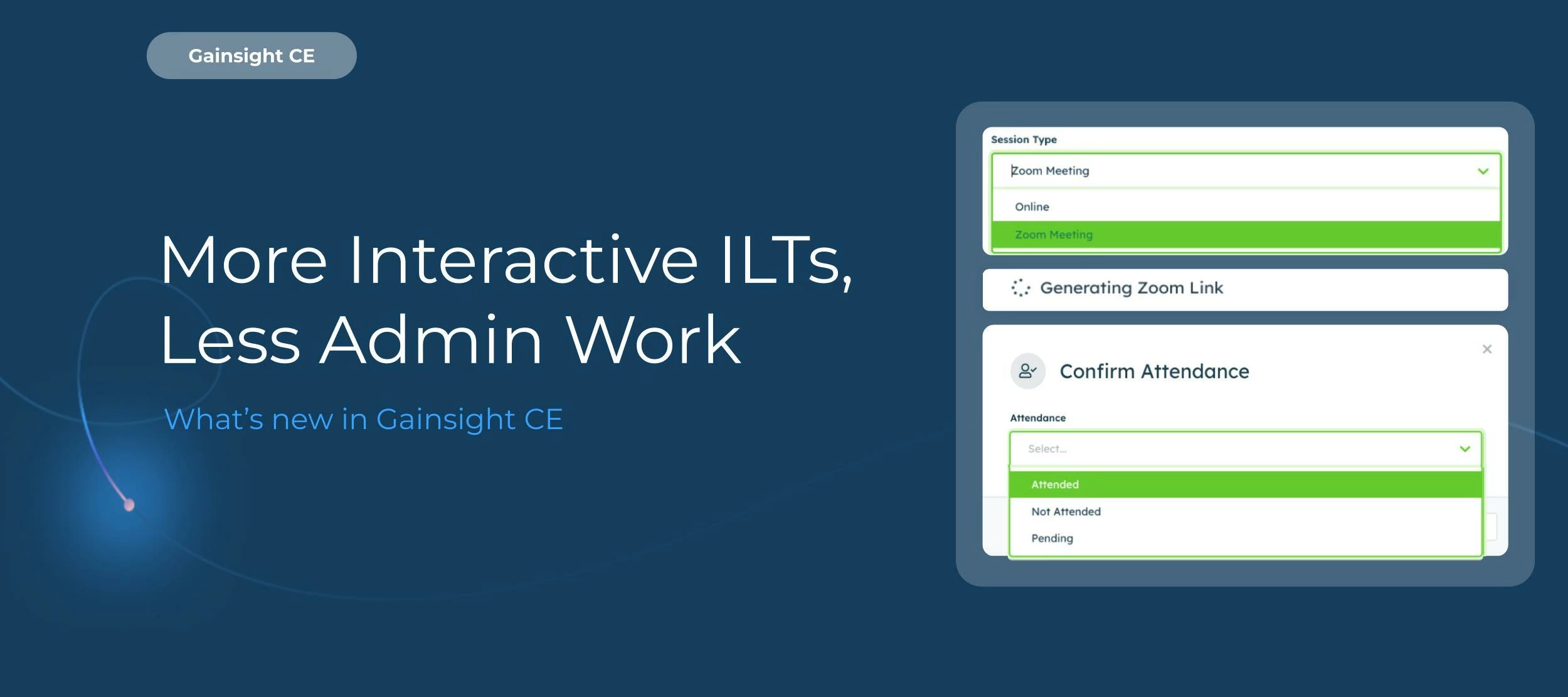
Welcome to Gainsight Customer Education’s Product Updates debut—your go-to destination for key content about our latest feature releases and launches.  Our Customer Education product gives you a powerful and scalable way to onboard and educate your customers. With built-in course authoring tools, analytics, advanced customization capabilities, and powerful integrations, you can deliver learning experiences that not only drive product and customer retention, but make your customer-facing teams more productive.  And we’re excited to use this community to continue collecting feedback—from you!—influence our product and make it even easier to deliver digital customer education.  We’re excited to use community to continue collecting feedback to influence the roadmap Let’s dive into some new features and updates to Gainsight Customer Education! New Feature: Learner Transcripts for Admins Managing your learners just got easier and more streamlined. Introducing Learner Transcripts for Admins.  With Learner Transcripts, you have a centralized and comprehensive summary of every learner’s engagement with your academy, including details around courses they’ve taken, completion dates, progress, and certifications. Not only will this make it easier for you to manage your learners and monitor their progress, but it’ll win you time back to focus on more high-value tasks that ensure your customers are happy, like success planning and proactive support.  Want to learn more about admin transcripts? Check out this article. Feature Update: Instructor-led Training (ILT) We’ve made a handful of updates to instructor-led training (ILT) that aim to streamline your administrative process, including a refreshed UI to make it consistent with the rest of the Customer Education product.   Additional updates:   More data: You now have access to more insights into ILT engagement, including session count, next session, and status Streamlined event creation experience: We’ve broken the creation process into steps, so you no longer have to enter all of the event’s details at once  Delete events: You can now delete events Want to learn more about ILTs? Check out this article. Heads Up: Your Login Experience Has Changed Your login experience looks a bit different. Here’s what you can expect:  Instead of the legacy login screen where you’re prompted to enter your email address and password, you’ll see a simpler screen asking just for your email.   When you enter your email address, our platform will direct you to the appropriate authentication flow based on your account. Why did we do this? It’s our first step toward integrating Customer Education into the greater Gainsight universe, so you get the most seamless experience possible. And more changes are coming soon, including a new navigation and more intuitive ways to switch between your accounts and Gainsight products. What do you think? We’re always open to feedback, so let us know what you think in the comments! If you want to learn more about Gainsight Customer Education and best practices, the Share Industry Knowledge and Discuss Product Features forums are now open. 

Related products:Gainsight CE
Generative AI is HERE! Experience the Future of Customer Success

Generative AI is HERE! Experience the Future of Customer Success

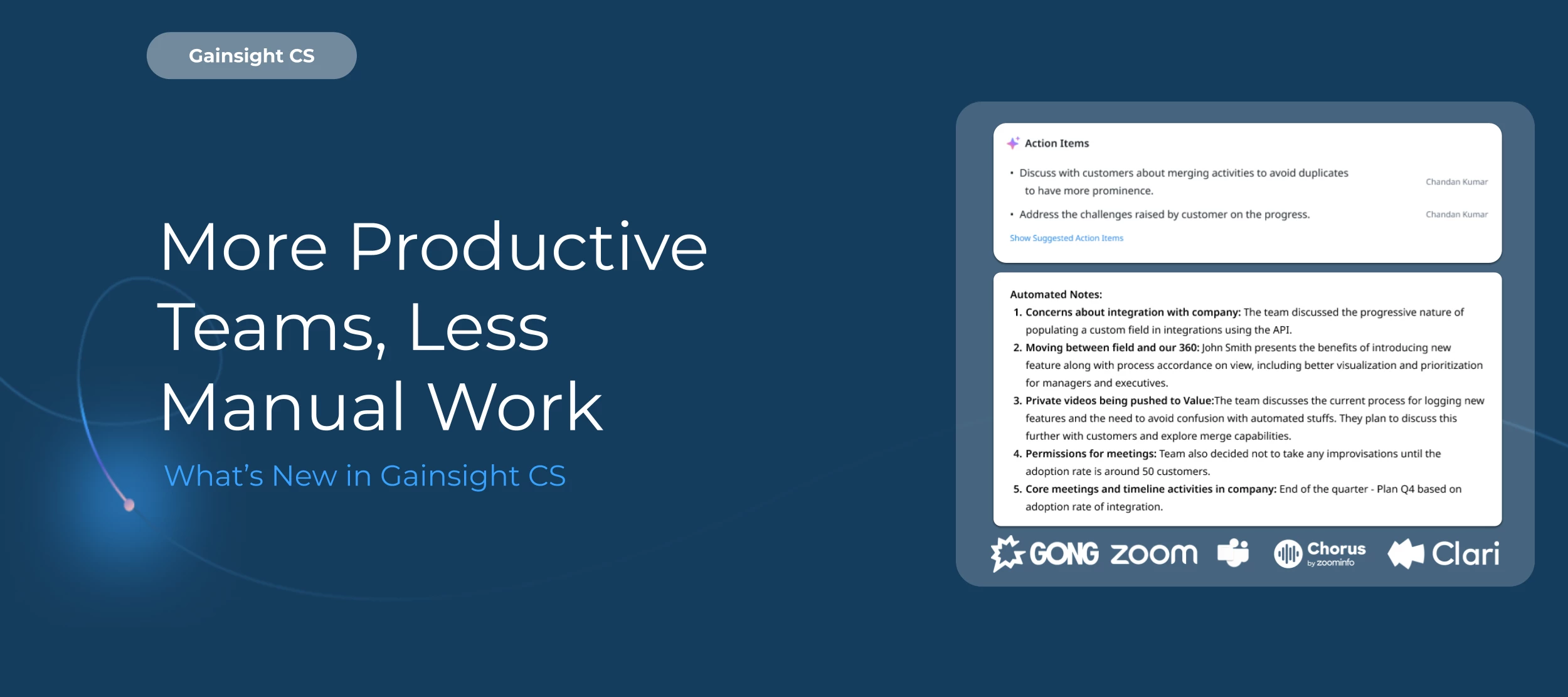
Gainsight first announced Horizon AI back in 2021 and we haven’t looked back. In fact, we’ve continued to double down and push the boundaries to make Horizon AI more - more tangible, meaningful and effective for our users. Today, we’re introducing new AI capabilities: Meeting Assist, Takeaways, and Cheat Sheet. To learn more about these features, watch the recording and read the Q&A from our customer webinar! With Meeting Assist, skip the mundane and time consuming tasks of taking & transcribing customer call notes into Gainsight. Automatically generate an AI-powered summary of your calls, create Tasks instantly for recommended follow up actions, as well as gather pre-identify risks. Available today for Gong.io calls, with future integrations coming soon. See it in action below!  Leverage Takeaways to surface an aggregated summary of recurring customer feedback and opinions, automatically searching and summarizing customer insights from survey responses as well as Timeline entries. View key themes, positive and negative sentiment, and drill into specific responses to better focus your team's efforts. Check it out below!  Use your trusty Cheat Sheet to get a quick look at your customer’s key data points, including an overall summary recap, renewal discussion insights, strategic priorities, key projects, and more surfaced from all the customer data in your Timeline. Catch up on newly assigned customers, clue in an executive to critical customer data, or just refresh your memory with ease. See it yourself! We’re Putting the Control in Your HandsYour security and privacy is paramount. That’s why we’re releasing built-in controls that give your admins the ability to toggle generative AI on or off. These features will not be automatically turned on.  Visit the Horizon AI settings page under Administration and just flip the switch to unleash the power of Horizon AI today! 

Related products:CS Other Features
See how your Customer Education program stacks up with Strategic Insights 📊
Create a Smoother Search Experience