The latest releases, launches, and announcements for all of Gainsight’s products

This update makes updating sign up fields via API or token-based SSO more efficient than ever. You can now call the Skilljar API once to update ALL sign up fields for a student, significantly reducing the number of API calls being made.
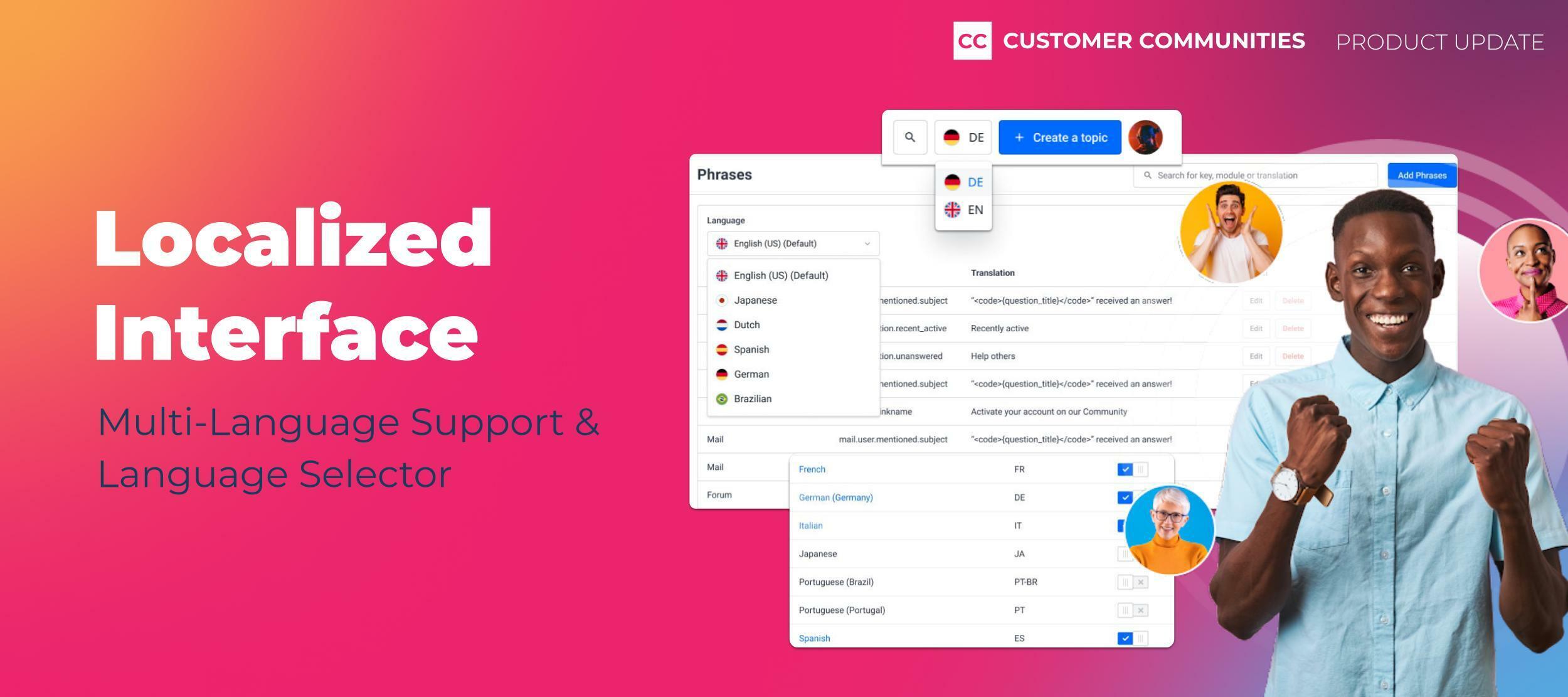
Your community should be as global as your business, but limited resources and the overplayed direction to “do more with less” make it challenging, if not impossible, to provide a localized experience that resonates across your diverse customer base. Traditional methods, such as segregating communities by language, have fallen short, leading to a fragmented user experience that diminishes user engagement and, consequently, the overall effectiveness of the community on a global scale.Your community members, regardless of location and language, should feel welcomed and empowered by your online community, which is why we are proud to announce the launch of the new localized interface in Gainsight Customer Communities! A Step Towards Comprehensive LocalizationThe localized interface is a significant leap toward addressing the need for a unified and inclusive community experience. This feature allows admins and community managers to configure the community interface in up to 18 different languages. Your community members can then use the language selector to seamlessly translate the interface into their preferred language, creating a cohesive and inclusive user experience across the board.We’ve also added extensive customization options to ensure that the interface not only speaks the user's language but also reflects brand identities and acknowledges cultural nuances across all supported languages. Our goal is to enhance user engagement by providing a localized experience that feels native to each user, regardless of their location or language. What’s New?Multi-language Support: Besides your default language, you can now set up your community interface in up to 17 additional languages, catering to a broad user base. Language Selector: Enable users to easily switch the interface to their preferred language, promoting an inclusive community environment. Customization and Brand Alignment: Customize the interface to align with brand identities and cultural nuances, enhancing the user experience and engagement. This is just the first, but pivotal step, in our ongoing commitment to delivering a community platform that is truly global yet locally relevant. We're breaking down language barriers and building stronger, more inclusive communities by fostering an environment where every user can navigate, engage, and connect in their preferred language.For more information on how to set up and customize the localized interface for your community, please refer to: What's Coming Up NextAs we continue to enhance our localization capabilities, we are excited to share a glimpse into what’s next. Dedicated Categories for Different LanguagesSoon, admins and community managers will have the ability to create dedicated categories within the Community and Knowledge Base modules for the different supported languages. This advancement means that community members can navigate and discover relevant content in their preferred language.Enhanced Navigation and Content DiscoveryWith this update, community members will experience an interface that truly feels like it was made for them. Navigation and content discovery will be confined to the categories of their chosen language, streamlining their experience and ensuring that they are only presented with content that is accessible and understandable. We’d love to hear from you!We are dedicated to providing you with a truly global solution that caters to the needs of diverse communities around the world. We're excited to see how you leverage the localized interface to enhance your communities' global reach while ensuring a highly localized experience for every user. Stay tuned for more updates!As always, we’d love to hear from you! Let us know if you have any feedback or questions below.Ciao!
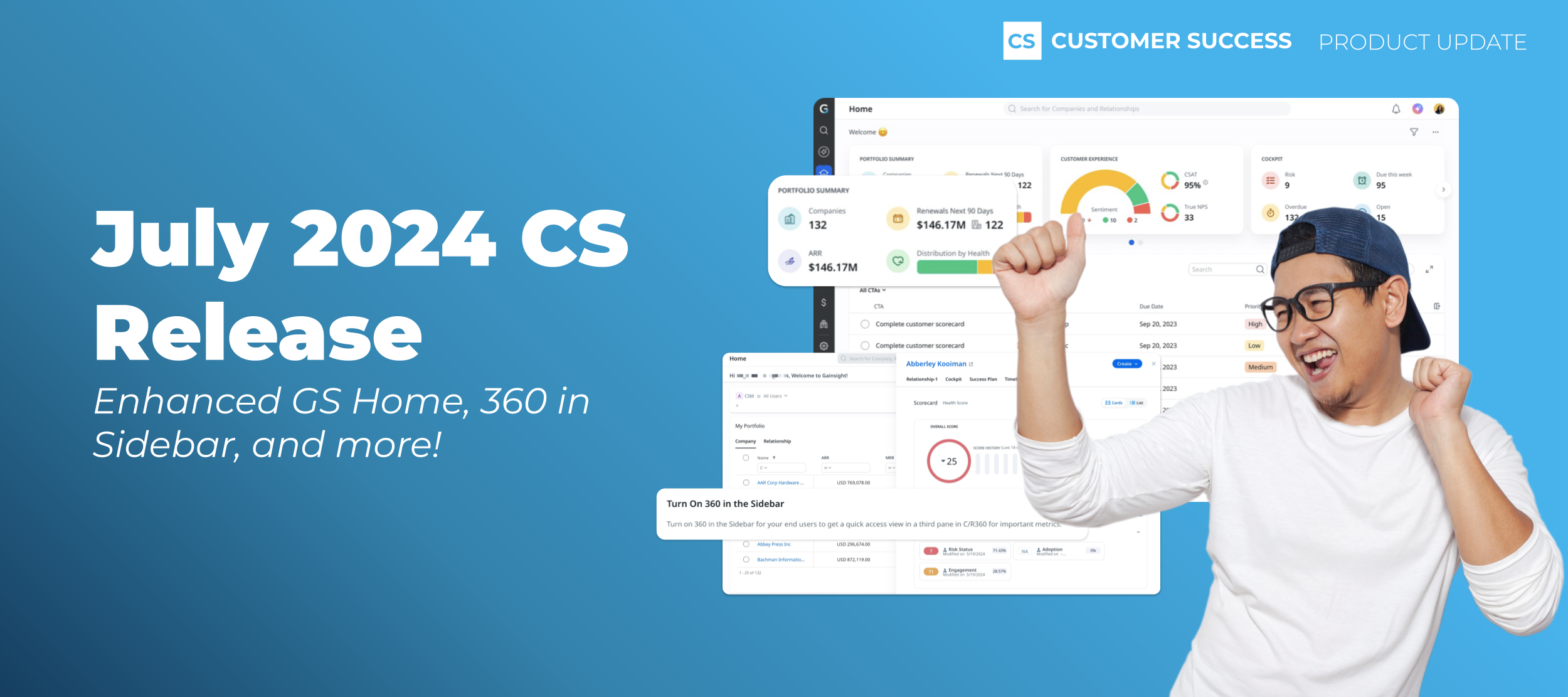
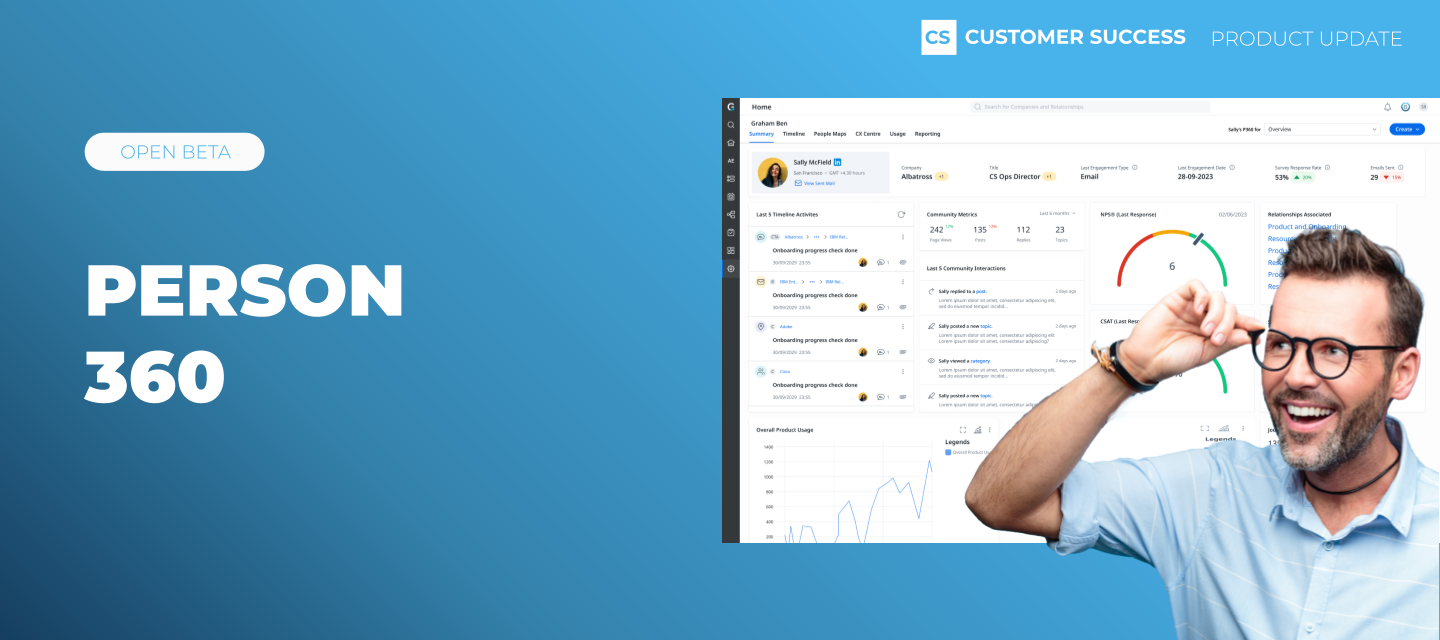
Technology-driven businesses grapple with the challenge of balancing broad data insights with personalized, human engagement. And, that problem gets magnified in Customer Success. Your book of business consists of companies, but the reach of those companies includes a highly matrixed organization with complex relationships between departments. If that doesn’t complicate things enough, day-to-day interactions happen with individual contacts who carry their own opinions and perspectives when it comes to your product. Gainsight brings customer insights in focus at all levels using Customer 360, Relationship 360, and now Person 360. While powerful individually, together they offer a multi-layered solution, allowing businesses to navigate the complexity of customer relationships with precision and a personal touch.See Your Whole Customer With Customer 360 It is said that hindsight is 20/20 and any customer success manager would love a crystal ball into what the future holds when it comes to retaining customers. With Customer 360, you get the benefit of both. Customer 360 provides an aggregate historical view of data and analytics from across the Gainsight suite of products, as well as other critical sources like CRM. In addition to the snapshot of what has happened, it also gives you a look into the future by highlighting trends and insights that help you make decisions on customer escalations, interventions and opportunities to grow wallet share via CSQLs. This holistic perspective enables businesses to understand and anticipate customer needs, fostering stronger relationships and paving the way for more clarity on the best approaches to protect and expand revenue. Connect More Dots With Relationship 360 Relationship 360 enables teams to take customer success management beyond company-level insights. By focusing on the intricate web of relationships that exist within each customer organization, Gainsight provides an easy and efficient way to gain a comprehensive understanding of several components of a company. Whether it's between departments, across products, or through geographic regions, Relationship 360 offers a detailed view that encapsulates the full spectrum of interactions and connections within a customer's organization. This approach results in customer success teams being able to address unique needs and challenges from different parts of a customer organization. Go Deeper With Person 360 The addition of Person 360 allows you to cascade your data down to the individual level, providing a detailed view of each contact in your customer organization. By pulling in data like sentiment, survey responses, Community actions, product engagement and more, Person 360 allows customer facing teams one place to access insights into each individual's preferences and history with the company.Having quick access to the granular details for individual contacts drastically cuts down prep time for customer meetings. Additionally, this user-friendly feature also gives team members the ability to initiate actions like Timeline notes or email engagements directly from Person 360. Person 360 brings value to your collective go-to-market efforts, including: Marketing: Quickly uncover opportunities for advocacy and get insights for targeted campaigns that resonate with personas by reflecting real preferences and behaviors. Sales: Prepare more relevant pitches, meetings and offers, easily accessing insights to understand the dynamics of various stakeholders involved in renewals or expansion opportunities. Customer Success: Quickly identify at-risk detractors early and take targeted actions to address concerns and improve satisfaction. By unifying customer insights that tie together data relationships and go deep into individual contact data, businesses can craft a customer success strategy that is both broad in impact and personal in focus. This holistic approach can help inform new ways to drive customer engagement, satisfaction and loyalty by meeting customers exactly where they are in their lifecycle with your business. .

At Skilljar we believe it’s the little things that count. Below is a round-up from January and February of the everyday improvements and fixes we’re making to keep our platform running smoothly for you!!--more-->🐛 Search Optimization: We've resolved an issue where lesson sections were mistakenly included in catalog searches. Now, you'll find your searches yield more relevant results, as lesson sections are no longer indexed.🐛 Analytics Accuracy: Fixed a glitch affecting Course Completion metrics for filtered groups on our Analytics Overview page. Metrics now update correctly for groups, ensuring accurate reporting.➕ SCORM Analytics Enhancement: We now have a Date filter on SCORM Analytics to streamline your data review! By default, this page now filters to show the last 30 days, improving loading times for large datasets. All-time data is still available for those needing a broader view.➕ Scale Group Management with an Update to the Group API: When managing your Skilljar groups using our Group APIs, you can now associate your group categories with your Skilljar groups. Learn more about group categories here.Stay tuned next month for more updates on improvements & fixes. If you ever spot a bug or improvement needed feel free to email support@skilljar.com.
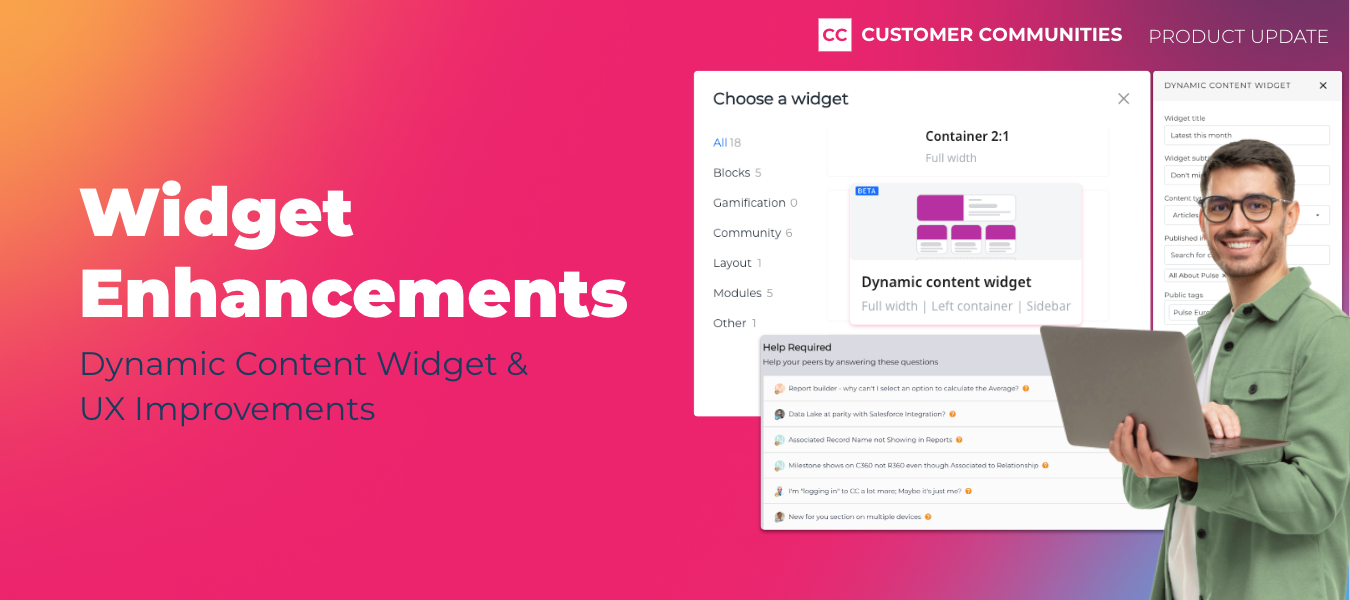
An impactful community is reliant on two main factors: humans and content. At the heart of every community are the human connections and interactions that occur, but making that content discoverable and accessible is what takes a community to the next level. It is important to effectively curate user-generated and company content, but let’s face it, we’re not all expert web developers who can code our way through it.That’s where the widget library comes in! Widgets are the building blocks to easily create and customize your community, and just like your community is evolving and growing, so should our widget library. That is why we are thrilled to announce the release of the Dynamic Content Widget and roll out a few additional widget enhancements.Let’s dive into the good stuff! Now Available! Dynamic Content WidgetAfter a successful beta, the Dynamic Content Widget is officially ready for prime time! This powerful tool is designed to enable you to curate and showcase the most relevant content across your community without needing to manually update the widget.The Beta in Review:During the beta, we fine-tuned the widget to offer essential features for efficient content management. Now, you can filter content by topic types and sort it based on various metrics like total views, last activity, number of replies, and date of publication. These functionalities ensure your community stays organized, and users easily find the most engaging discussions.Based on valuable feedback from our users, we decided to take things up a notch. Now, you can filter content based on article, question, and conversation types, as well as refine selections by defining categories from both the knowledge base and community forums. The widget will display content exclusively from those selected categories, streamlining content curation and enhancing relevance. Additionally, the widget now supports a list view alongside the existing card view, optimizing space and flexibility. What’s New?Following the beta, we incorporated even more ways for you to tailor the widget to suit your community's dynamics.Public Tags: Choose content tagged with one or more public tags. Publication Date Filter: Display content from a designated timeframe (e.g., the last 30 days), alongside content, category, and tag filters. Unanswered Question Filter: Spotlight unanswered questions to encourage community engagement and supportWhere to find the Dynamic Content Widget:Adding the Dynamic Content Widget to your community is a breeze. Simply select it from our widget library and customize it to match your page's aesthetics and layout, whether you prefer a full-width display or a 2:1 widget layout. Widget Enhancements: Improved UXWe also made significant improvements to our existing widgets to enhance the user experience and flexibility across your community pages.Quick Links Widget:We’ve improved the Quick Links widget user experience to make it smoother and more intuitive to use. Now, configuring, visualizing, and adding Quick Links to customizable pages has never been easier, whether directing users to key community sections or external resources.Layout Options:We've introduced enhanced layout options for two of our popular widgets: Featured Topics and Dynamic Content. Both now support a list view, optimizing the use of real estate on customizable pages, providing greater flexibility in content presentation, and boosting user engagement.We’d love to hear from you!We hope these enhancements will help you deliver timely and engaging content throughout your community, and streamline your workflows so that you can focus on the human side of your community.Have any feedback or questions? Let us know below!Happy curating!
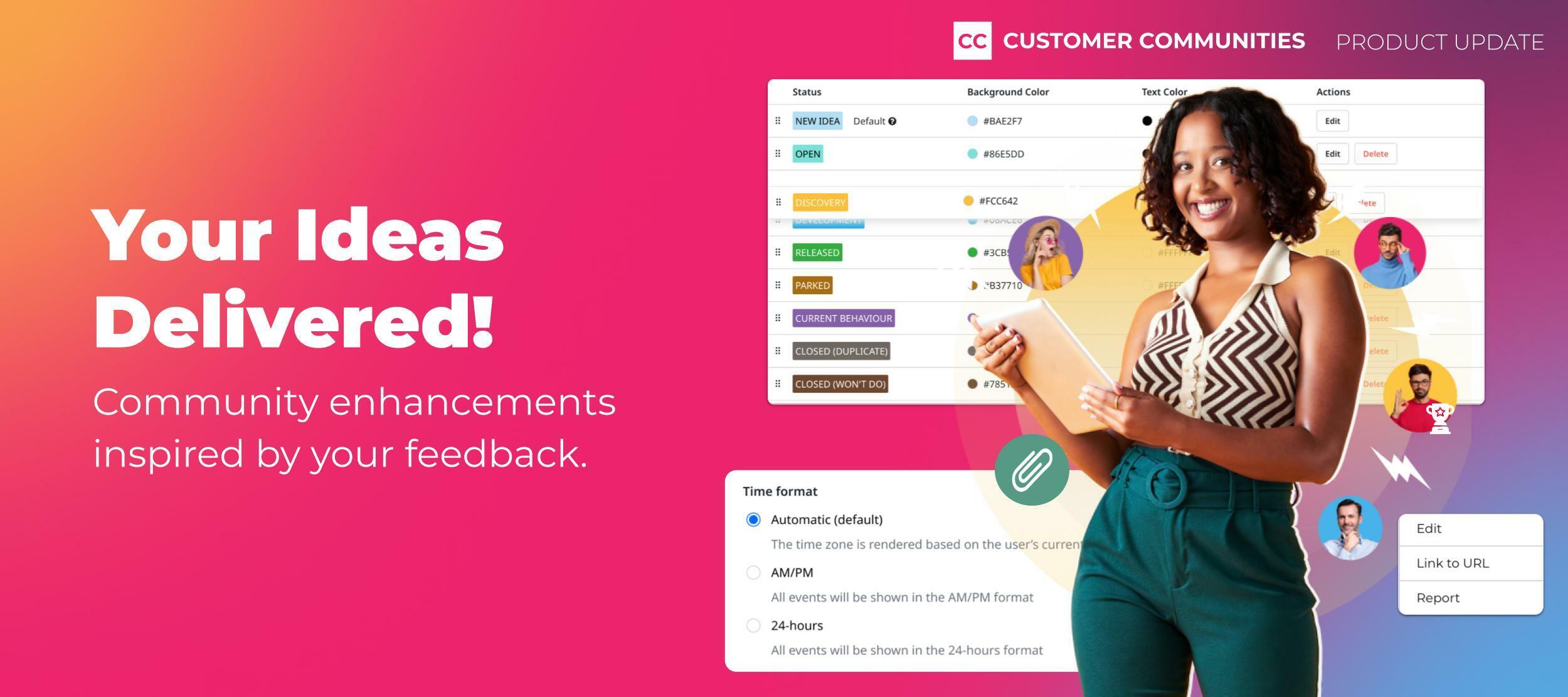
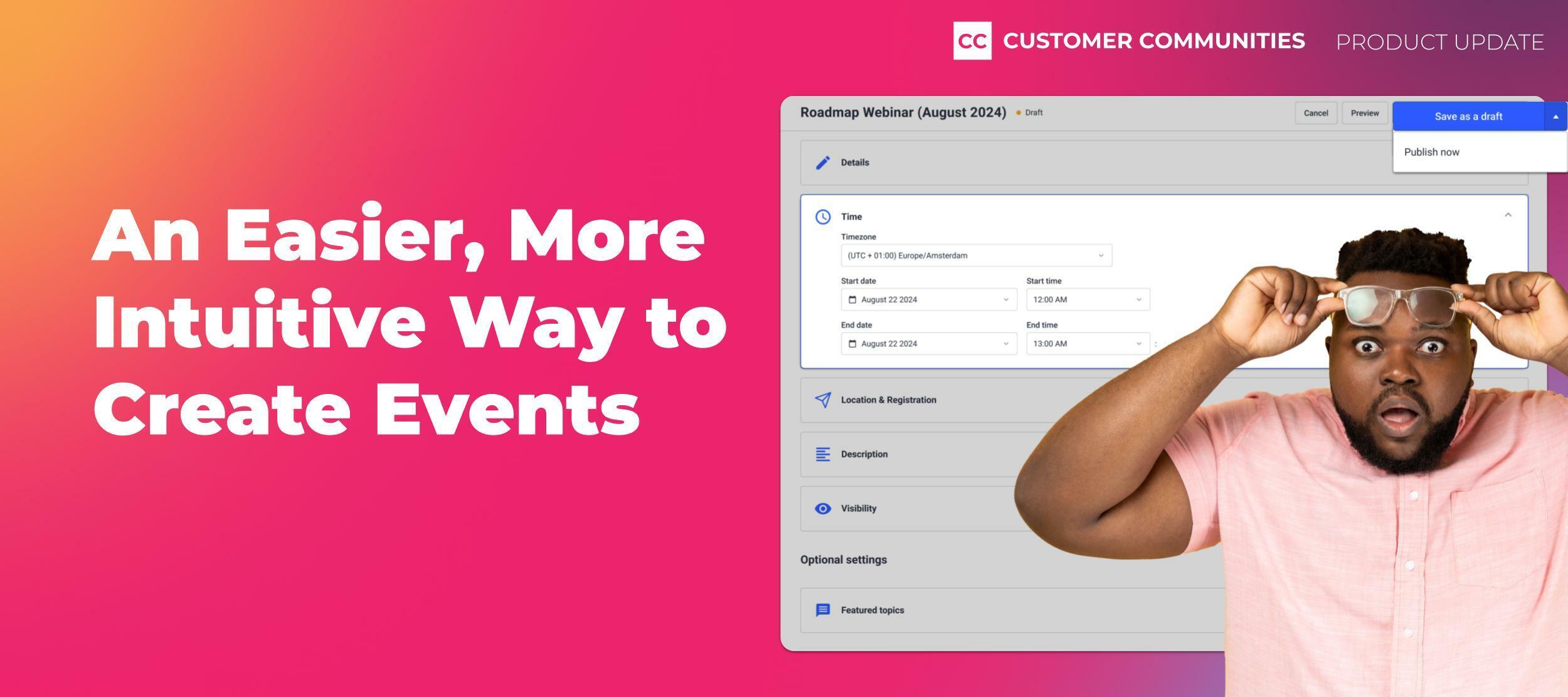
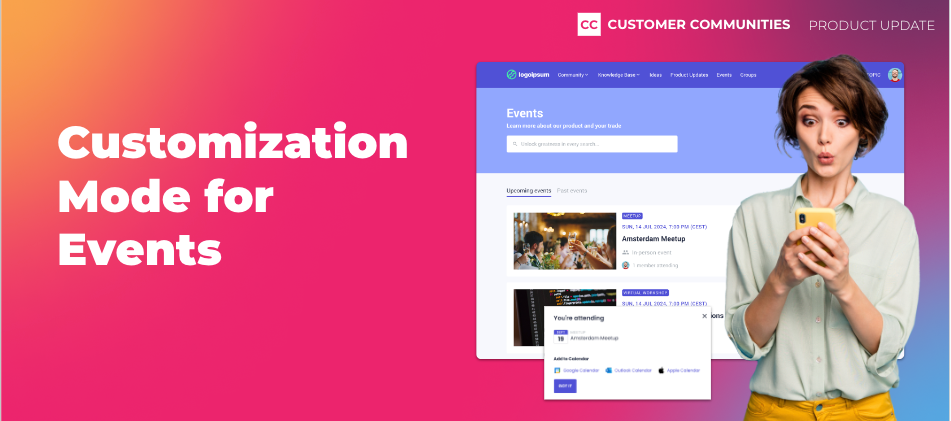
One of our core beliefs is that anyone, regardless of their technical background, should be able to customize their community the way they want. To double down on that, we’ve made some big enhancements to the Events experience in Destination to make it easier for you to promote your events on your community, and for your customers to find and join those events. Customization ModeWe’re excited to announce that the Events page now supports customization! This means that you can add widgets to your events page using our widget library. For example, use the customizable search banner widget to search through Events, or insert a banner widget above the events list to promote a large upcoming event or do a call for speakers. New Tabs and Event Types FilterMoreover, we’ve added a couple of new navigation elements to this page. First, we added dedicated tabs for Upcoming and Past events to make it easier for customers to search through all your events without having to scroll. Your community members can also use the new Event type filter to narrow their search down based on the type of event.More Add to Calendar OptionsUp until now, users could only add an event to their Google Calendar. Starting today, your users can also add events to their Outlook and Apple calendars. Delete Event TypesYes, really. You can now delete Event types! Enjoy greater control and organization by removing redundant event types from your repertoire. Improved Event CardsTo improve the way that we show events on the Events page, we have made a couple of smaller quality-of-life improvements:Dates now include the year of the event, making it easier for your users to know how long ago an event took place We also show the user’s current timezone after the time of the event, to better clarify what time this event takes place The Event type tag is no longer overlaying the featured image but is placed next to the featured image Customize Your Events Page Today!To start customizing your Events page, head over to the Events page in Destination, click on the “Customize” button, and make any changes you want. Once you publish your customized Events page, this customized page will now be the default page for your users. Note that after publishing your customized Events page, there is no way to revert to the old experience. ImportantYou can enable and customize the Events page yourself until June 1, 2024, so you can control when it will go live for your users, and with which styling. After June 1, 2024, we will enable the new customizable Events page for all customers by default, with default branding (so no hero image, default page title, etc.). Don’t stress! We’ll send you a reminder if we see you haven’t enabled this yourself before the deadline. Thanks for Your Help!Many of these improvements were sourced from your great ideas! Here are a few of the ideas we closed with this release. Have ideas for other features or enhancements? Add them here! What’s Next?Up next, we’ll focus on improving the Control side of Event management, by introducing a new and improved Event creation flow, allowing you to save events as drafts and duplicate events with ease.Let us know what you think in the comments below

Skilljar has been busy innovating new features to elevate your impact. We’re excited to share them with you in our 2024 Product Showcase! 🙌 🎉During this 25-minute recording, you’ll see:✓ Demos of 4 new features✓ An exclusive preview of our 2024 roadmap.✓ How Skilljar plans to shape the future of Customer Education.Watch Co-Founder, Jason Stewart, and Director of Product, Reena Kawal, unveil it all now. ✨
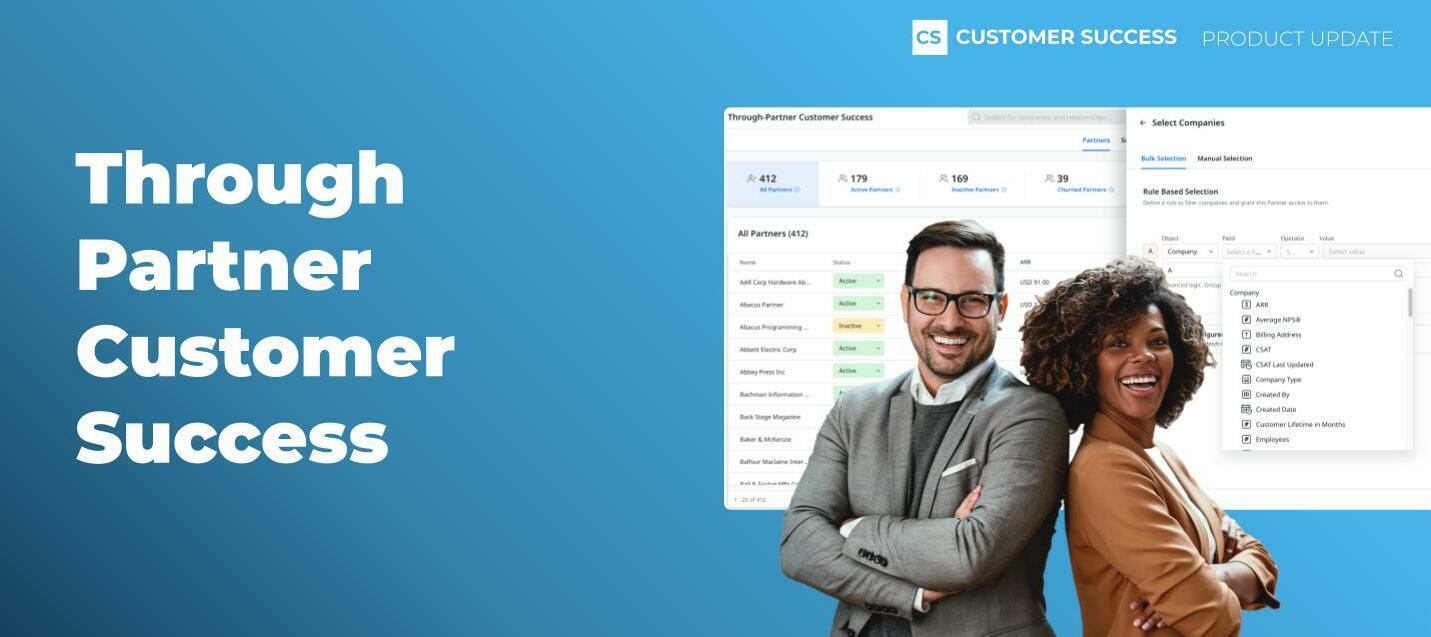
Are channel or ecosystem partners part of your company's go-to-market strategy? Gainsight has long promoted the idea of customer success via partners, and with Through-Partner Customer Success functionality in Gainsight CS, has now made it a whole lot easier. So, what is Through-Partner Customer Success?Through-Partner CS allows your partners to become a key part of your CS function. Gainsight Admins can now onboard and configure partner users in Gainsight CS, easily setting permissions for which customer data and which Gainsight CS features partner users can see and access. Leveraging this functionality, partners can now make both big and small impacts on your CS function, including: Supporting localized customer success delivery Driving adoption of products and services in diverse markets Expanding breadth and depth of customer relationships Adding deeper insights and data inputs into customer health scores Learn more about Through-Partner capabilities and common business use cases here, and read on for some of the key highlights. Partner Access ControlMaintain tight data accessibility and visibility controls on a per partner basis. Learn more about setup and configuration of Through-Partner Customer Success here. CollaborationSecurely exchange data and insights with partners to establish a joint view of the customer. ActivationTrigger CTAs and workflows to engage and involve partners in CS touchpoints. RetentionAdd more insights to customer notes and health scores, creating robust data sets to support contract renewal and identify expansion opportunities. Through-Partner Customer Success bridges the gap between vendors and their customers who are managed directly by, or in collaboration with, Partners. You can now expand the impact of your customer success strategy in order to drive successful outcomes for customers, and ultimately growth for your business. Talk to your Gainsight representative to learn more about adding partner users licenses!
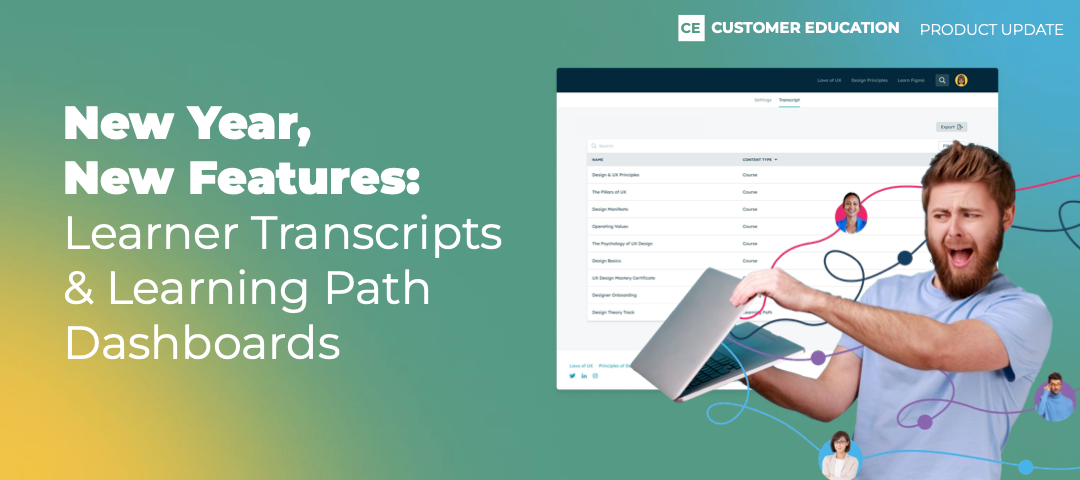
Welcome to the year’s first round-up post for Gainsight Customer Education. The year will be jam-packed with new features, integrations, and updates designed to enhance the learning experience and help you drive better business outcomes. We have a lot in store, but for now, let's dive into what’s new today, including learner-facing transcripts, learning path dashboards, and a new navigation bar to align Customer Education with the rest of the Gainsight product suite. Keep Users Engaged with Learner Transcripts We recently launched admin transcripts, which give you an all-in-one destination to understand how your users are engaging with your academy. (To access learner transcripts, navigate to the People Tab → People. Then, select a learner and click on the Activity Tab.)Now, we’re introducing learner transcripts to give your users their own one-stop shop to see completed items, including courses, learning paths, instructor-led training sessions, and certificates. The result? Better organization and more motivation to learn.Note: If you have a custom academy and don’t currently have learner transcripts, reach out to your CSM for assistance. Learner-Facing TranscriptsLearn More About Learner Transcripts Understand the Impact of Your Learning Paths Our analytics suite has always given you access to rich academy-related data to help you understand course popularity, track course completion rates, and more. Now, we’re giving you two new dedicated dashboards—this time to help you understand the impact of your learning paths. Here’s what’s new: Learning Path Progress: See how many people are enrolled, in progress, or have completed a learning path. Multiple Learning Path Analysis: Analyze progress across multiple learning paths—activities, progress, and performance.With these insights, you can identify trends and patterns with your learning paths, make more informed decisions, and optimize the learning experience for all. Learn More About Learning Path Dashboards Updated Navigation to Align Customer Education with the Gainsight Universe Next time you log into Gainsight Customer Education, you’ll see we moved the navigation from the top of the screen to the left-hand side. Why? To align our platform with other Gainsight products and move one step closer to a platform that gives you everything you need for your education, customer success, community, and product experience needs. Updated NavigationLearn More About Gainsight’s Product SuiteWhat Else Is New in Gainsight Customer Education? Wait, there’s more. Here are some more updates to check out: More ILTs Enhancements: In addition to several UI/UX improvements for admins and learners, you can now easily add and remove registrants to ILT sessions. We’ve also updated your ILT report to visually align it with the other reports you use every day. Website Performance Improvements: We're always making incremental improvements throughout the quarter, including to academy performance. Have your learners noticed how much faster your academy is loading!? New Email Requirements: Google and Yahoo are now enforcing stricter rules for sender domains, so we’ve made some changes to our Communications engine, including a new “unsubscribe” button and configuring our default email domain. All that’s left for you—if you have a custom domain—is to set up a DMARC (Domain-based Message Authentication, Reporting, and Conformance) record.To learn more about Gainsight Customer Education features and best practices, visit the Share Industry Knowledge and Discuss Product Features forums.

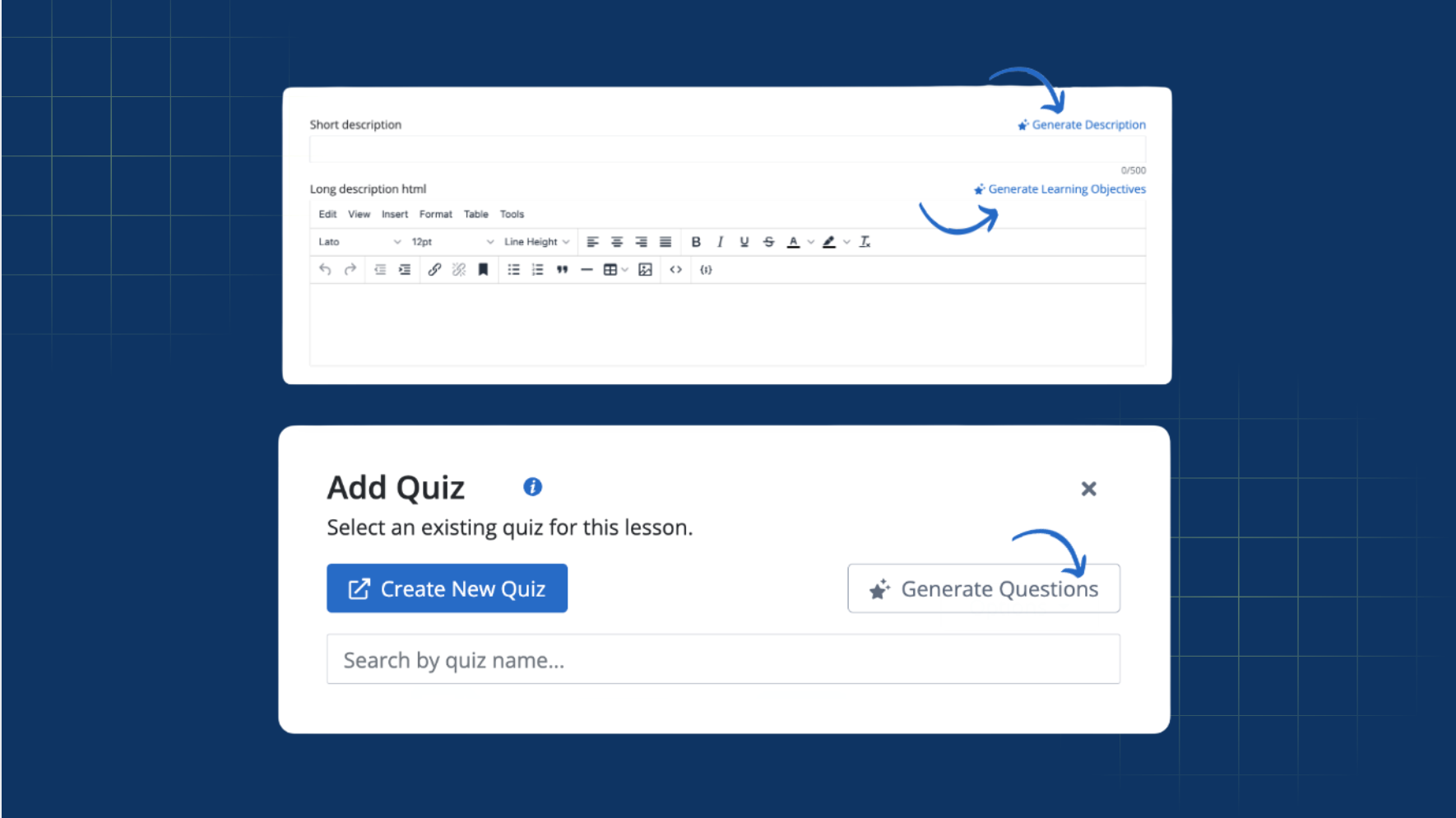
Get to a first draft faster with our new AI features! Here's where you can find them.On the course details page:Generate Short Descriptions: Skilljar suggests a compelling course description using your course and lesson content.Automatic Learning Objectives: Get a list of learning objectives to include in your long description.When adding a quiz to a lesson:Instantly Generate Quizzes: Generate a set of five to ten quiz questions using your course and lesson content.

This update is all about improving how you can see and interpret your enrollment data. Here are some of the exciting new improvements you can expect:Enrollment reports now include learning path data Filter rows by date type (registration, completion or certification expiration dates, completion or due status, latest activity etc.) Filter by content (domain, course, path, label, course titles) Filter by your learner groups Choose which columns to hide or show Save and reuse your preferred report viewsReady to explore these new features today? 👇

We've supercharged our Course Actions to do more than automate emails and certificates in Skilljar!Three NEW actions, called Skilljar Actions, are now available that allow you to automatically:Add a learner to a group Remove a learner from a group Enroll a learner in any courseWhen combined, these actions can help you set up new workflows such as unlocking advanced courses for learners only after they complete onboarding.

Content Syndication allows you to create and host a course in Skilljar, and easily syndicate access to that course directly in any LMS your customers use, such as Cornerstone, Seismic Learning or Litmos.In just a few clicks you can now share your courses directly in your customers' LMS, not just in your Academy.This will help you:Expand your market: Sell courses directly in the LMSs where learners already are.Maintain control over course content: Course updates automatically sync across all syndicated LMSs.See analytics for syndicated courses: See in-depth course analytics for syndicated courses in Skilljar; your customers can also access it in their LMS.

Our new API functionality enables content management tools to easily build integrations with Skilljar with POST, GET, and LIST endpoints available. Now, AI-powered content management tools can push SCORM content directly into Skilljar using our public API.
Delivering more relevant, contextual content throughout your community just got easier with our new Dynamic Content Widget, now available in open beta. Use this widget to reduce admin workloads and boost engagement for community members by ensuring that the most relevant and interactive content is more prominently displayed across your community. What is the Dynamic Content Widget?The Dynamic Content Widget is a powerful tool for Administrators and Community Managers to deliver more recent and relevant content. You can now dynamically pull in the latest, up to the minute content including articles, conversations, questions, and ideas using a variety of filters and sorting options. Use the Dynamic Content Widget to:Show specific filtered content: Choose content based on type (questions, articles, etc.) and source (select from either knowledge base or community content). Automatically sort dynamic content: Choose how you want to sort and display content, selecting from total views, last activity, number of replies, or publication date. Continuous, automatic updates ensure that the most relevant content is always front and center. Customize your layout: Add the widget in full width or use it in a 2:1 widget layout as either a card or a list. Tailor the widget to fit the design and user experience of your community. How do I enable the widget?To activate this feature, simply navigate to the Open Betas page in the control panel. From there, you can enable the widget and find it in Destination within the widget library. Things to note:Once enabled and added to a page, the widget will remain active until it is manually removed. Opting out of the beta will remove the widget from the library but not from pages where it has already been added. Test drive the Dynamic Content Widget today, and let us know your feedback as part of our open beta. Your inputs are invaluable and will help us continue to refine and improve this feature!

Our updated ProctorFree integration now supports continuous proctoring across all quiz attempts in Skilljar. When a learner retakes a Skilljar quiz with our ProctorFree integration, the session will be proctored even after a previous proctoring session has ended. This enhancement ensures every retake is monitored, maintaining integrity and fairness for each learner’s quiz experience.
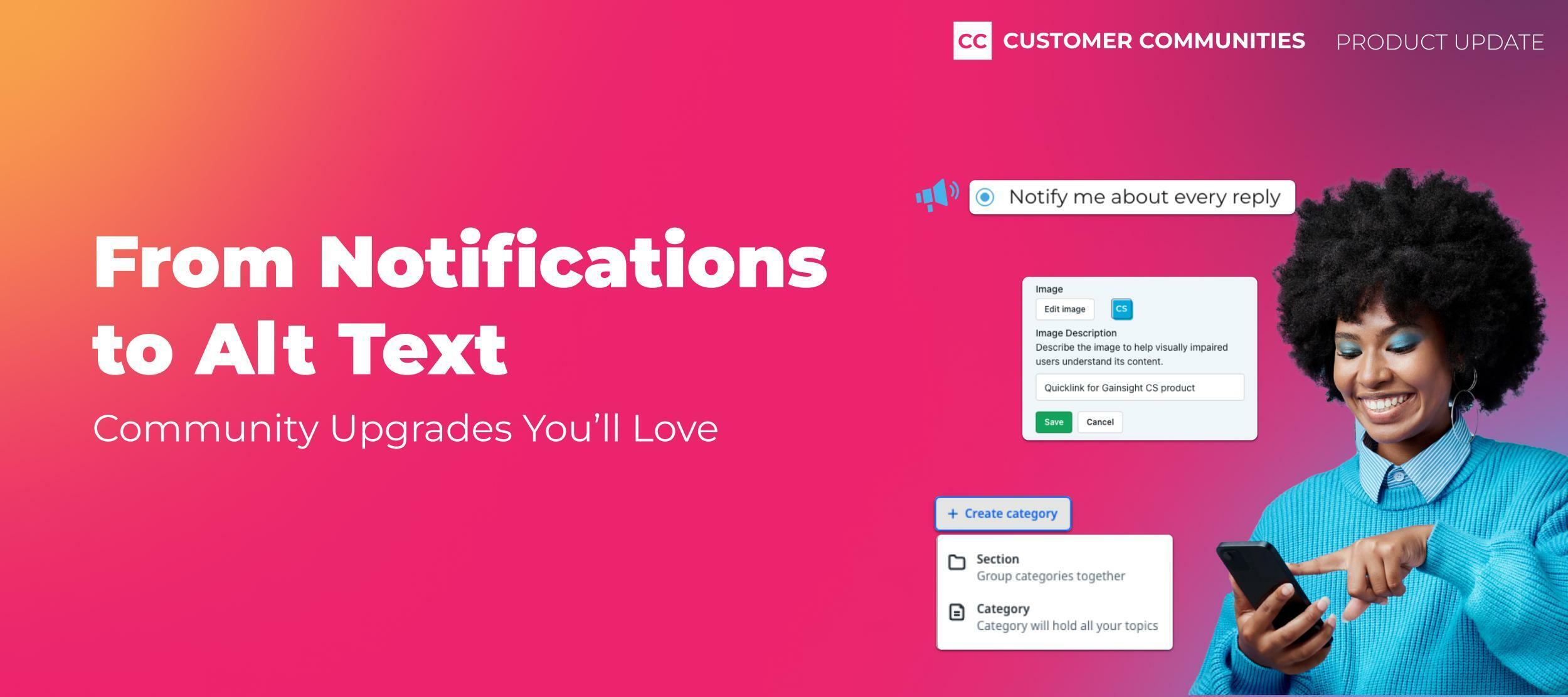
Your community members need a better, more focused way to control their email notification preferences. That is why we are excited to roll out a new, dedicated Notifications tab on the user’s profile settings page! Give your community members the ability to manage their notification settings and control what emails they’d like to receive and improve the overall community experience.Learn what’s new and what possible actions you might have to take after this release.What's new?We've separated the notification settings from the general community experience settings. This means your community members now have a specific area solely for managing their notification preferences. The new tab offers a cleaner, more organized layout, making it easier for your users to find and adjust the settings they care about. Now there’s a dedicated URL to the notifications tab to link to from other places (eg. your system email footers)Getting startedTo explore the new Notifications tab:Log into your community account. Click on your profile icon in the top right corner. Select Settings from the dropdown menu. You'll find the Notifications as a new tab on the Settings pagePossible action requiredGiven we’ve introduced a new URL to directly link to the Notifications tab (yourcommunity.com/settings/notifications), there are a few things you might want to check.For instance, you might have linked to yourcommunity.com/settings/general for your users to manage their notifications (eg. from a system email, from a community post, etc.). While this URL still works, it will now direct them to the General tab that does not show notification settings. Feedback? Questions?Your input helps us improve. If you have any feedback or questions about this new feature, please don't hesitate to reach out!

Revenue tracking and reporting on student purchases is even easier now in the Skilljar Data Connector, thanks to new tables that include plan data. The new tables are called plan, plan_tag, and plan_enrollment.
The holiday season is upon us, and what better way to celebrate than with cookies?! Site cookies that is! As part of our ongoing efforts to streamline and optimize your browsing experience, we’ve made changes to two of our site cookies.new_visit [dynamic user name] → new_visit [Dynamic Name] → remember_me What does this mean for you?The site cookie changes are designed to enhance the functionality of our platform, but we want to emphasize that this adjustment will have no impact on your user experience. Please note that these changes have already been deployed across all our communities. At Gainsight, we’re committed to ensuring your privacy and security while providing a smooth and enjoyable browsing experience. These cookie updates align with our dedication to improving our services while maintaining your trust. Should you have any questions or concerns regarding this update, feel free to reach out to our support team or add your comments below!
Table of Contents:Small Enhancements, Big Impact Now in Beta Coming SoonCommunity is at the heart of everything we do here at Gainsight. We’re dedicated to connecting, supporting, inspiring, and evolving with our customers, and as such, we felt that we needed to get back to our community roots. You’ll see that reflected in our updates below, and you might notice the shift in our marketing, on our own community, and in our name. Gainsight’s community product will now be aptly named Customer Communities! While we are still actively working on our Customer Hub vision, we realized a truly integrated, seamless customer experience was much bigger than just community. As a result, we realigned our teams to allow our community experts to focus on community, while our Hub team can build for the future. This means that we can innovate quicker, in parallel with each other, and deliver the features and functionality that are most important to you!Speaking of which, let’s jump into the update! Small Enhancements, Big ImpactOver the past quarter, we’ve dedicated a ton of time to improving and enhancing the overall experience in Customer Communities. While the changes may seem small, we understand that they can have a big impact on your day-to-day work. So without further ado, here is a laundry list of the enhancements we’ve made!User Management Enhancements: Bulk award badges from the Users Overview page Easily see usernames and emails with broader columns Search Improvements Added Knowledge Base category filters in search results Pre-apply category filters on community and Knowledge Base content based on the previous search Customization Enhancements Customize widgets with text and background colors Add space between widgets by enabling margins Adjust spacing within the widget by adding top and bottom padding Automatically collapse sections of the Widget Customization Panel so only the section you’re working on is open Events Improvements ‘Add to calendar’ options on the Event page now support Google Calendar, Outlook Calendar, and Apple Calendar (now in open beta) During Event creation, your current timezone is pre-filled in the Date & Time section (now in open beta) We've added more timezones from South America to the list (now in open beta) You can now easily open the Event in Destination right from the Event creation page (now in open beta) We've consolidated the Events page, and the Event types page, under Platform for easier discoverability, especially for Control users that only need to manage Events Email Campaign Enhancements We've added the timezones to all scheduled and sent emails, to make it more explicit when the email was or will be sent If you copy a campaign, you can now edit it right away without having to refresh We've ensured that after the 'username' placeholder, you'll never see an inadvertent extra space ever again Now in BetaOpen Beta: More Events ImprovementsImproved Events Creation Process We’re rolling out a more streamlined way to create, display, and track events in your community. You’ll notice some design changes in the creation flow and added functionality like the ability to save, duplicate, and preview events. Simplified Events End-User UI In addition, we made a few updates to help your community members find, register, and participate in events. Users can easily filter to find relevant events, subscribe to stay in the know, and add events to their calendars so they don’t forget to attend.You can opt-in to the Open Beta by going to Settings → Open Betas → Toggle On “Early access to Events improvements” and “Events Overview pagination”. By the way, we’ve renamed the Experimental Features page to Open Betas to make it more descriptive.Closed Beta: AI FeaturesBring the power of generative AI into your community! We are thrilled to introduce THREE new AI features that you can leverage daily to simplify workflows and get those creative juices flowing. All three features are currently in closed beta.Kick writer’s block to the curb with Content Assist and Email Generator. Use generative AI to draft and publish Knowledge Base articles and Product Updates to uplevel your self-serve resources with Content Assist. Kickstart the email creation process with Email Generator. Simply add a few simple prompts and watch as your email copy is auto-generated! It has never been easier to communicate with your audience.Improve how your users search and find content with Tag Assist. This feature enables users to appropriately categorize new topics by leveraging AI-suggested tags. In turn, search results become more accurate by surfacing highly relevant content to the next user.Interested in taking these for a spin? Join the AI beta program waitlist!Closed Beta: Language SwitcherOne of the key benefits of an online community is that you are not bound by geography. Your community can (and should) be as global as your product, but translating and managing multiple languages within your community can be challenging. As part of an iterative approach to multi-language support, we’re beta-testing a brand-new Language Switcher.The Language Switcher will enable community members to change the interface language with a click of a button. Community Managers can add relevant language options and edit phrases as needed to match specific community needs.The Language Switcher is currently in closed beta. Please reach out to your CSM if you’d like to be considered for the closed beta program.Coming SoonA more flexible platform to support business with multi-productsAs your business and products continue to grow, there is a need for a more flexible content structure that can support multiple products in a single, centralized destination. To that end, we are:Expanding our categorization hierarchy to enable you to organize categories in a way that makes sense for your business.Extending categories to Product Updates and Ideas modules for a more robust and flexible experience cross-modules, so you can also organize your content based on your needs.Customization Capabilities on EventsWe’ll be bringing customization mode to Events so that you can customize this page with additional widgets, callouts, banners, etc. enabling you to better promote upcoming events and drive registrations.Notification CenterNever miss the community activity that is most important you! We’re building out a brand new Notification Center that will keep you and your members up-to-date on your topics, replies, and mentions - directly in your community.We hope you’re excited about all of the great stuff in the works! Let us know what you’re looking forward to the most in the comments below!
The tools we use are crucial to maintaining a healthy, engaging, and safe environment. That's why we're excited to announce a significant update to the Topic Moderation Page (TMP) - a major milestone in our suite of moderation tools. A Technical Leap Forward 🤓It all started with a vision to enhance the TMP by reducing defects, using new technologies and ensuring feature parity across different content types. This change was driven by our commitment to innovation and delivering the best possible experience for our moderators and community managers. Preserving Core Functionalities. Understanding the importance of continuity, we ensured that all essential functionalities of the existing TMP are retained in the new version. However, to align with our goals of efficiency and modernisation, certain features like the IP popup, Profile popup, and tracking of personal unread replies with a scroll to new reply function were not carried forward. This decision was made considering the high implementation cost and our focus on more impactful features. Short-Term Benefits: Enhanced Experience. Immediately, we should notice fewer bugs and small yet significant UI improvements. We are also adding functionalities like attachments in Product Updates and ideas on control and destination, enhancing the moderation process's versatility and effectiveness. Long-Term Benefits: A Foundation for Future Growth. Looking ahead, the refactored TMP sets the stage for rapid and seamless integration of new features. It opens up possibilities for moderating additional content types such as educational materials or event-related discussions. Moreover, the redesigned UX/UI will not only make moderation more intuitive but also more enjoyable. Celebrating Progress and Team Effort 🚀The team's dedication and collaborative spirit have been the driving forces behind this successful refactoring. The new TMP is the team’s commitment to our community managers and moderators, to provide the best tools to foster vibrant and safe online communities.This update is a significant step forward in that journey, and we're excited about the future possibilities it unlocks! Thank you all for your ongoing support and feedback, which have been and is invaluable in this process 🙌

Introducing a native VILT integration for WebEx Meetings and Webex Webinars!Now you can create live Webex training events from the Course Management section of your dashboard.
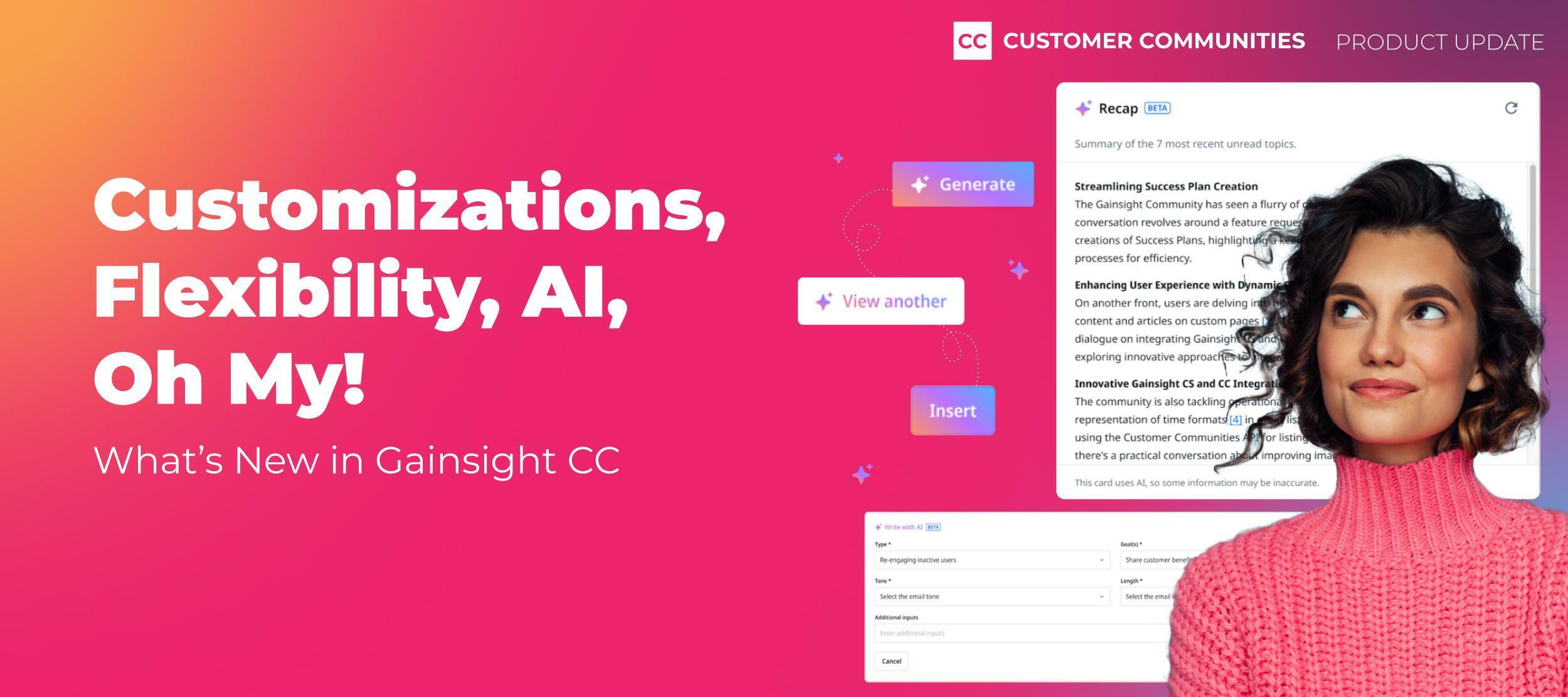
We're excited to announce that our AI features for community managers are now in open beta!This means that everyone is invited to opt-in and take it for a spin - no need to sign up here. For more information, check out this product update The buzzword of 2023 has to be ✨ AI ✨ With so much potential and endless possibilities, it is hard not to think about AI 24/7! We’ve been working hard to build meaningful and impactful AI features that will make it easier for you to do your job effectively. Today, we’re excited to roll out a beta program for THREE community-specific AI features. Join the beta and be the first to experience the power of generative AI in your community! Want an inside look at what is coming? Keep reading!Email GeneratorIt has never been easier to start using our Email Campaigns feature! Leverage generative AI to draft email content and kickstart the email creation process with just a few simple prompts.Content AssistDraft and publish community content using generative AI to simplify how you create powerful self-serve resources. Use this easy-to-use tool to draft Knowledge Base articles and Product Updates to accelerate workflows and improve resources.(Do you think we used Content Assist to write this?! 😏)Tag AssistImprove how your community members search and find content with AI-suggested public tagging based on the community topic and content. This feature will populate relevant metadata on new topics ensuring that content is categorized appropriately.Which feature are you looking forward to most? Let us know in the comments below and remember to join the waitlist so you can try it out for yourself!
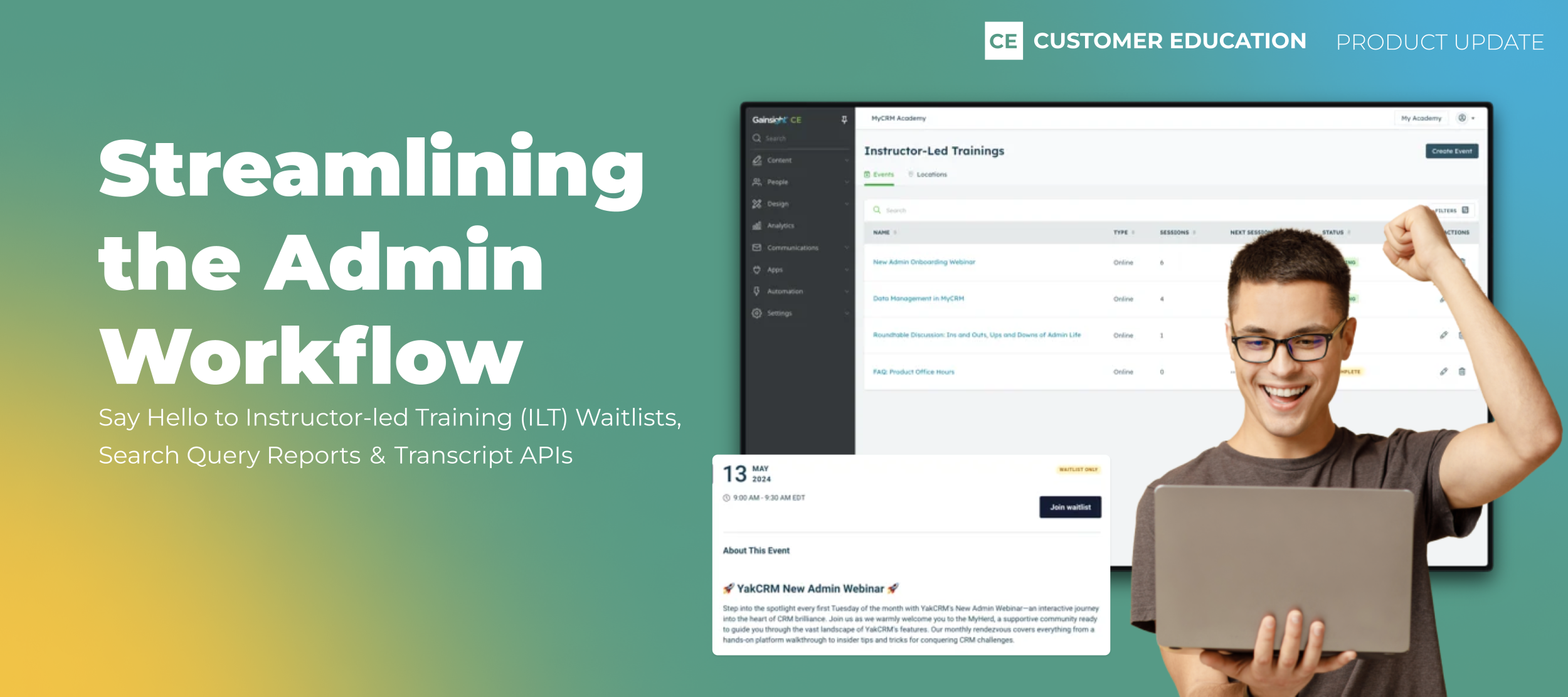
Welcome to Gainsight Customer Education’s Product Updates debut—your go-to destination for key content about our latest feature releases and launches. Our Customer Education product gives you a powerful and scalable way to onboard and educate your customers. With built-in course authoring tools, analytics, advanced customization capabilities, and powerful integrations, you can deliver learning experiences that not only drive product and customer retention, but make your customer-facing teams more productive. And we’re excited to use this community to continue collecting feedback—from you!—influence our product and make it even easier to deliver digital customer education. We’re excited to use community to continue collecting feedback to influence the roadmap Let’s dive into some new features and updates to Gainsight Customer Education! New Feature: Learner Transcripts for Admins Managing your learners just got easier and more streamlined. Introducing Learner Transcripts for Admins. With Learner Transcripts, you have a centralized and comprehensive summary of every learner’s engagement with your academy, including details around courses they’ve taken, completion dates, progress, and certifications. Not only will this make it easier for you to manage your learners and monitor their progress, but it’ll win you time back to focus on more high-value tasks that ensure your customers are happy, like success planning and proactive support. Want to learn more about admin transcripts? Check out this article. Feature Update: Instructor-led Training (ILT) We’ve made a handful of updates to instructor-led training (ILT) that aim to streamline your administrative process, including a refreshed UI to make it consistent with the rest of the Customer Education product. Additional updates: More data: You now have access to more insights into ILT engagement, including session count, next session, and status Streamlined event creation experience: We’ve broken the creation process into steps, so you no longer have to enter all of the event’s details at once Delete events: You can now delete events Want to learn more about ILTs? Check out this article. Heads Up: Your Login Experience Has Changed Your login experience looks a bit different. Here’s what you can expect: Instead of the legacy login screen where you’re prompted to enter your email address and password, you’ll see a simpler screen asking just for your email. When you enter your email address, our platform will direct you to the appropriate authentication flow based on your account. Why did we do this? It’s our first step toward integrating Customer Education into the greater Gainsight universe, so you get the most seamless experience possible. And more changes are coming soon, including a new navigation and more intuitive ways to switch between your accounts and Gainsight products. What do you think? We’re always open to feedback, so let us know what you think in the comments! If you want to learn more about Gainsight Customer Education and best practices, the Share Industry Knowledge and Discuss Product Features forums are now open.
Gainsight first announced Horizon AI back in 2021 and we haven’t looked back. In fact, we’ve continued to double down and push the boundaries to make Horizon AI more - more tangible, meaningful and effective for our users. Today, we’re introducing new AI capabilities: Meeting Assist, Takeaways, and Cheat Sheet. To learn more about these features, watch the recording and read the Q&A from our customer webinar! With Meeting Assist, skip the mundane and time consuming tasks of taking & transcribing customer call notes into Gainsight. Automatically generate an AI-powered summary of your calls, create Tasks instantly for recommended follow up actions, as well as gather pre-identify risks. Available today for Gong.io calls, with future integrations coming soon. See it in action below! Leverage Takeaways to surface an aggregated summary of recurring customer feedback and opinions, automatically searching and summarizing customer insights from survey responses as well as Timeline entries. View key themes, positive and negative sentiment, and drill into specific responses to better focus your team's efforts. Check it out below! Use your trusty Cheat Sheet to get a quick look at your customer’s key data points, including an overall summary recap, renewal discussion insights, strategic priorities, key projects, and more surfaced from all the customer data in your Timeline. Catch up on newly assigned customers, clue in an executive to critical customer data, or just refresh your memory with ease. See it yourself! We’re Putting the Control in Your HandsYour security and privacy is paramount. That’s why we’re releasing built-in controls that give your admins the ability to toggle generative AI on or off. These features will not be automatically turned on. Visit the Horizon AI settings page under Administration and just flip the switch to unleash the power of Horizon AI today!
If you ever had a profile with us, there's no need to create another one.
Don't worry if your email address has since changed, or you can't remember your login, just let us know at community@gainsight.com and we'll help you get started from where you left.
Else, please continue with the registration below.
Enter your E-mail address. We'll send you an e-mail with instructions to reset your password.