  • 421 Product updates
Skilljar by Gainsight: Improved API Reliability & New Course Action to Automate Content Completion

Skilljar by Gainsight: Improved API Reliability & New Course Action to Automate Content Completion

Two small updates to make your life easier: mark content complete automatically with our new Course Action, and enjoy smoother performance thanks to completed API pagination updates. Skilljar Course Action: Complete Content ✔️Now live in the Completion & Post-Completion section of the Course Actions tab, Complete Content lets you automatically mark selected courses, paths, or plans as complete when a learner finishes the trigger course. How it works:If a learner already has an active enrollment, the selected course, path, or plan will be marked complete. This action supports all completion triggers: pass or fail, pass only, or fail only. If a learner does not have an enrollment, they’ll be enrolled and marked complete instantly, with the same enrolled_at and completed_at timestamp. Note: Only top-level completion is recorded e.g. if this action is used to mark a course as complete, lesson progress will not be reflected in Course Analytics. Only the top-level course object will appear as completed. Use it when:You want to move learners along an automated learning workflow, like marking foundational content complete for power users who’ve already gone through similar training, or auto-completing onboarding content once a capstone course is finished. Where to find it:Skilljar Dashboard → Courses → Select a Course → Actions Tab → Completion or Post-Completion Actions Check out the Help Center article for more details. Complete Content now available in Completion & Post-Completion Skilljar Course Actions  Skilljar API Pagination Update Complete 🛠️ Skilljar has updated our API pagination settings to improve reliability and performance for all customers, and to better align with how APIs operate across the industry.The default page size will remain 100 items per page; except those pages that previously returned up to 1000 results will now return 250 by default The maximum page size for all requests will change from 10,000 to 1,000If your integration already uses standard pagination practices (such as iterating through pages until all data is retrieved), no changes are needed, you may simply notice that larger datasets require a few additional requests.This update will help ensure consistent API performance and stability for all Skilljar customers.Visit our Help Center to learn more. 

Related products:Skilljar by Gainsight
Skilljar by Gainsight: Easily Manage Header & Footer Links—Plus Small Fixes That Make a Big Difference

Skilljar by Gainsight: Easily Manage Header & Footer Links—Plus Small Fixes That Make a Big Difference

You can now add and manage footer links—like Privacy, Terms, and key resources—without having to use custom HTML. And to keep things tidy, we’ve added support for dropdowns for both your header and footer, so you can group related links easily.Plus, we’ve shipped behind-the-scenes upgrades to make your experience smoother across the board, from usability and reporting to accessibility. Nothing flashy, just the kind of thoughtful improvements that quietly make your day better. Here’s what’s new: New Dropdowns for Header Link ManagementYou can now add additional links to your site’s header and group them into dropdown menus, making it easier to guide learners to the right resources. Whether it's reference materials, help docs, or other training content, you can keep everything organized and accessible from the top of the page. Admin Experience: Add and order your links under the appropriate dropdown Academy/Learner Experience: Example of dropdown links in header Consistent Footer Links ManagementInstead of relying on custom HTML, you can now manage footer links the same way you manage header links. Add link names, set the order, organize dropdowns, and publish updates easily.  Admin Experience: Manage footer links with the same organization as header links Academy/Learner Experience: Example of dropdown links added to footer Small enhancements & improvements: Click-to-Copy Functionality in Publication Settings We’ve added copy icons to make grabbing key values quicker and more intuitive in Publication Settings:URL Field: You’ll now see a copy icon next to the slug input. Clicking it copies the full URL (prefix + slug) to your clipboard. SKU Field: A new copy icon in the Purchase Settings section lets you instantly copy the SKU, without triggering the flyout.Both icons include tooltips to confirm when a value has been copied. This enhancement also supports optional copy functionality at the component level in summary callouts, making it easier to reuse this pattern elsewhere. Domain Filter Added to Drill-Down Course AnalyticsYou can now filter by domain when viewing drill-down Course Analytics.Previously, domain filtering was only available on the high-level Course Analytics view, making it difficult to analyze data by domain after clicking into a specific course. With this update, users can apply the same domain filter at the drill-down level to see exactly which students make up metrics like registrations and completions for a given domain. Filter by Unpublished Courses in Course ManagementYou can now filter for unpublished courses in Course Management to easily review, clean up, or take action on drafted content. Other bugs and fixes:Training credits will now be enabled by default for all new organizations. Existing organizations’ training credits will remain unchanged. You can now view tags associated with live events in the CSV download—displayed as a comma-separated list in a new “Tags” column at the end of the file. Student Manager permissions can now be automated via API, making it easier for teams to assign training management access directly from systems like Salesforce, without manual setup in the dashboard. Made small visual adjustments to the Course Management header in the dashboard to improve visual alignment and overall polish. You can now filter for groups without categories to identify uncategorized groups that may need cleanup or organization. You can now download a CSV from the Labels Management page to view all labels and their associated objects in one exportable file. Bug fix that now allows Course Management pages to render correctly in Safari on desktop and mobile browsers. Accessibility Improvements The expand/collapse icons in catalog filters in the learner experience will now include alt text, improving screen reader support and overall accessibility for keyboard and assistive tech users.  Quiz titles on lesson pages in the learner experience are now properly tagged as H3s, ensuring correct heading structure for screen readers.  👀 You might’ve already noticed some of these under-the-radar improvements, we’re always looking for ways to make your day-to-day a little easier. Which one’s been your favorite?

Related products:Skilljar by Gainsight
Skilljar by Gainsight: Let Learners Save and Revisit Training Anytime
Skilljar by Gainsight: Expanded APIs, Bulk Quiz Question Uploads, & Notification Controls

Skilljar by Gainsight: Expanded APIs, Bulk Quiz Question Uploads, & Notification Controls

This release expands the Skilljar API with new endpoints to help automate catalog updates, integrate with AI tools, and support headless architecture. We’ve also added smaller enhancements, like bulk quiz question uploads for admins and notification opt-outs for learners, to make everyday tasks easier. Let’s dive in! Expanded Content Management APIsWe’ve added new API endpoints and fields designed to automate content management and power AI-powered workflows. Here’s what’s new—and how you can use them: 📖 Catalog Page ManagementEndpoints: Create, update, and delete catalog pages and content that appears on that page: a specific course, learning path, webinar recording, PDF, certification exam, etc. Keep your catalog fresh by syncing directly with your CMS/DAM (see below). Automate content placement as new courses or resources are published. CMS (Content Management System): A tool that helps you create, organize, and publish content on a website without needing to code.  DAM (Digital Asset Management): A tool for storing and organizing digital files like images, videos, and documents so your team can find and use them easily.  🎓 CoursesEndpoints: Add and manage labels, delete courses, filter by label name. New fields for course metadata (promo_image_url, created_at, & time-tracking fields). Auto-tag or organize courses programmatically; push AI-generated promo images or time-to-complete estimates into your course metadata.📚 Published Courses & PathsEndpoints: For courses, full Create, Review, Update, Delete (CRUD), plus set rules for prerequisites, re-enrollment rules, visibility overrides, and tags. For paths, full CRUD, including labels, tags, and path items. New fields (created_at,slug,modified_at) Automate how and when learners see content. With an AI content tool, you can now publish a new course to Skilljar and automatically set prerequisites, visibility rules, and labels so it fits into the right learning path and audience segment, without admins manually configuring it in the dashboard.🏷 Tags & LabelsEndpoints: Full CRUD for tags and labels. Streamline how content is classified; use AI tools to auto-tag courses based on content.💲 License PackagesEndpoints: Add or update students in license packages via API.   Manage access automatically if you’re using License Packages. Add learners as soon as they’re provisioned in your CRM or HRIS.📝 AssessmentsEndpoints: Manage question banks, quizzes, and individual questions programmatically. Generate quiz questions with AI (e.g., from transcripts or lessons) and publish them straight into Skilljar. Refresh existing question banks at scale.📂 Other EnhancementsNote: These endpoints are listed in a separate category because they affect the admin side of Skilljar (things like deleting assets, updating path fields) rather than the learner side.Endpoints: Delete assets, lessons, and web packages; new fields for paths (promo_image_url, short_description, long_description_html, header_html,course_name_singular) Keep content clean and up to date; push AI-authored course summaries or descriptions directly into Skilljar.  What Does This Update Unlock?Automate content updates across large catalogs. Enable AI-powered content creation and publishing with partners like LearnExperts or Parta.io—or your own integrations. Support headless architectures by giving developers the ability to create, read, update, and delete (CRUD) courses and paths entirely through the API, without relying on the Skilljar dashboard UI.⚠️ Note: Our expanded APIs open the door for integrations with AI-powered content tools that can generate and publish content directly into Skilljar. With technical expertise, you can build similar workflows on your own, but success will depend on your ability to prompt, program, and connect these tools effectively. These are not out-of-the-box capabilities; but rather options for teams ready to leverage APIs and AI together.👉 See our API documentation for more information.  Bulk Upload Quiz QuestionsAdmins can now bulk upload quiz questions directly from the Dashboard, making quiz and question bank creation faster and easier. You can also add new questions to existing quizzes and question banks.From the Course Management > Quizzes page, simply select Upload via CSV to add multiple questions at once. You’ll be guided through a simple upload process with:A blank CSV template for easy formatting Validation of the CSV to ensure proper upload A step to configure new quiz settings before submittingOnce uploaded, new question banks and quizzes are automatically created with the correct questions and settings applied. Existing quiz settings will not be affected. Course Management > Quizzes > Upload via CSV Learning Path Notification Opt-OutLearners can already manage whether they receive course notifications from their profile page. Now, that same control is available for learning paths.By default, learners are opted in to notifications, but they can easily toggle them off anytime from their profile. This gives students more flexibility to decide how they want to stay updated on their learning.👉 Check out our Help Center article for setup details.  We want to hear from you! Which update was your favorite? Drop us a comment or question below. 👇  

Related products:Skilljar by Gainsight
Skilljar by Gainsight: Hand off license management—without handing over your dashboard

Skilljar by Gainsight: Hand off license management—without handing over your dashboard

Available now on Professional and Enterprise plans, License Packages are now part of our new External Management suite; built to give your partners and customers more control without giving them access to your Skilljar dashboard.For organizations that license training, managing them can be... a bit messy. Manual tracking, adding students one by one, using spreadsheets or clunky workarounds. License Packages solve that.Now, Student Managers—users without Skilljar dashboard access—can assign, track, and reassign licenses to students directly in your branded Academy. It’s a simpler, scalable way to manage paid training for external teams, while giving you full visibility and permission control from the dashboard.With License Packages, you can: Create and allocate License Packages to specific Student Managers from the Skilljar dashboard (💡 Pro tip! Automate this process by using our API, Salesforce integration, and custom objects) Let Student Managers handle License Packages directly in your Academy, never in your dashboard. They’ll see which students are enrolled, completions, and whether each student is active in the package. This capability makes it easier to scale training programs, give external teams the access they need, and avoid the delays and deal blockers that come from limited permissions.🕹️ Try it out in Skilljar Academy📚 See how License Packages fit into the bigger picture → [Read the blog]🔗 Learn more in our Help Center 

Related products:Skilljar by Gainsight
Skilljar by Gainsight: Help Learners Pick Up Where They Left Off with In-Progress Courses on Builder Pages
Now Available: xAPI (cmi5) Content Support and Upgraded LTI 1.3 Protocol

Now Available: xAPI (cmi5) Content Support and Upgraded LTI 1.3 Protocol

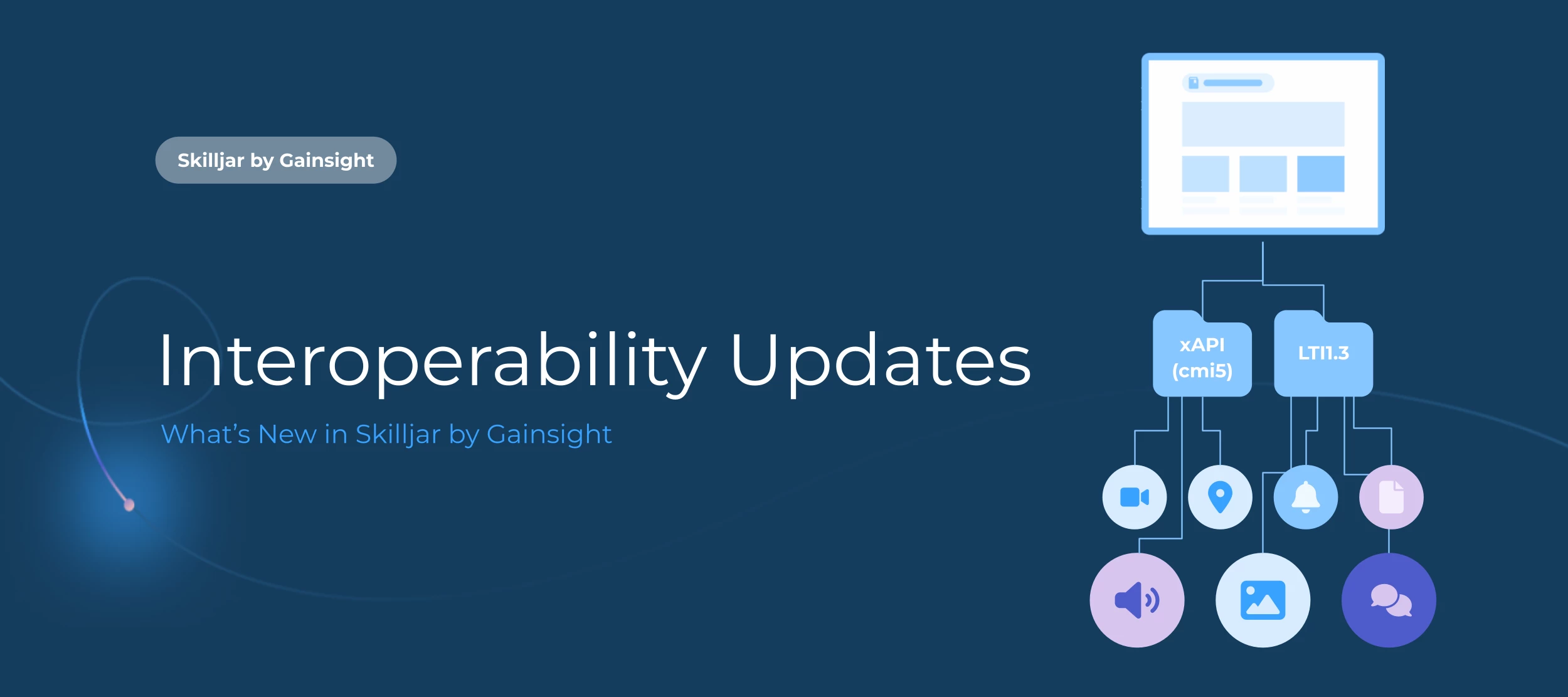
Our goal is to make Skilljar as flexible as possible. That’s why we’ve invested in interoperability with modern tools and file types—now supporting the launch of xAPI (cmi5) content, including the ability to syndicate xAPI courses across Skilljar organizations using Content Syndication. We’ve also upgraded to the latest Learning Tools Interoperability (LTI) 1.3 protocol for improved compatibility with third-party platforms. Here's what's possible with xAPI (cmi5) content support:🚀 Embed xAPI (cmi5) content from third-party tools like Articulate directly into Skilljar content, or launch it from a link within the lesson window📊 Track xAPI lessons just like SCORM, with completions, progress, and scores captured in Skilljar analytics If you use Content Syndication:🔗 Share xAPI (cmi5) courses across Skilljar organizations using the existing Content Syndication workflow🧭 Track course analytics in both the host and receiving organizations, all within your dashboard✏️ Maintain control over your content with course updates automatically syncing across both organizations______LTI 1.3 Now Available for All Customers:We’ve also upgraded our support for the Learning Tools Interoperability (LTI) protocol to version 1.3, the latest version of the standard. This update improves security and compatibility when integrating with third-party platforms like LinkedIn Learning and gives you more flexibility when bringing external content into Skilljar.What is LTI 1.3—and why should you care?LTI 1.3 is a secure industry standard that lets Skilljar connect with external learning platforms without forcing learners to log in twice or switch between systems.Here’s what that means in practice: One click, straight to the content. Learners launch third-party lessons from Skilljar without redirects or extra logins. Progress that syncs. When a learner finishes an external course, Skilljar gets the completion data automatically and marks the lesson complete. It’s a smart solution if you: Use third-party content but still want tracking and completion in Skilljar Offer compliance or certification training that lives outside your platform Want to simplify the learning experience across multiple tools Looking to get started? Learn how to set up LTI 1.3 integrations in our Help Center.  

Related products:Skilljar by Gainsight
April 2025 Improvements & Fixes

April 2025 Improvements & Fixes

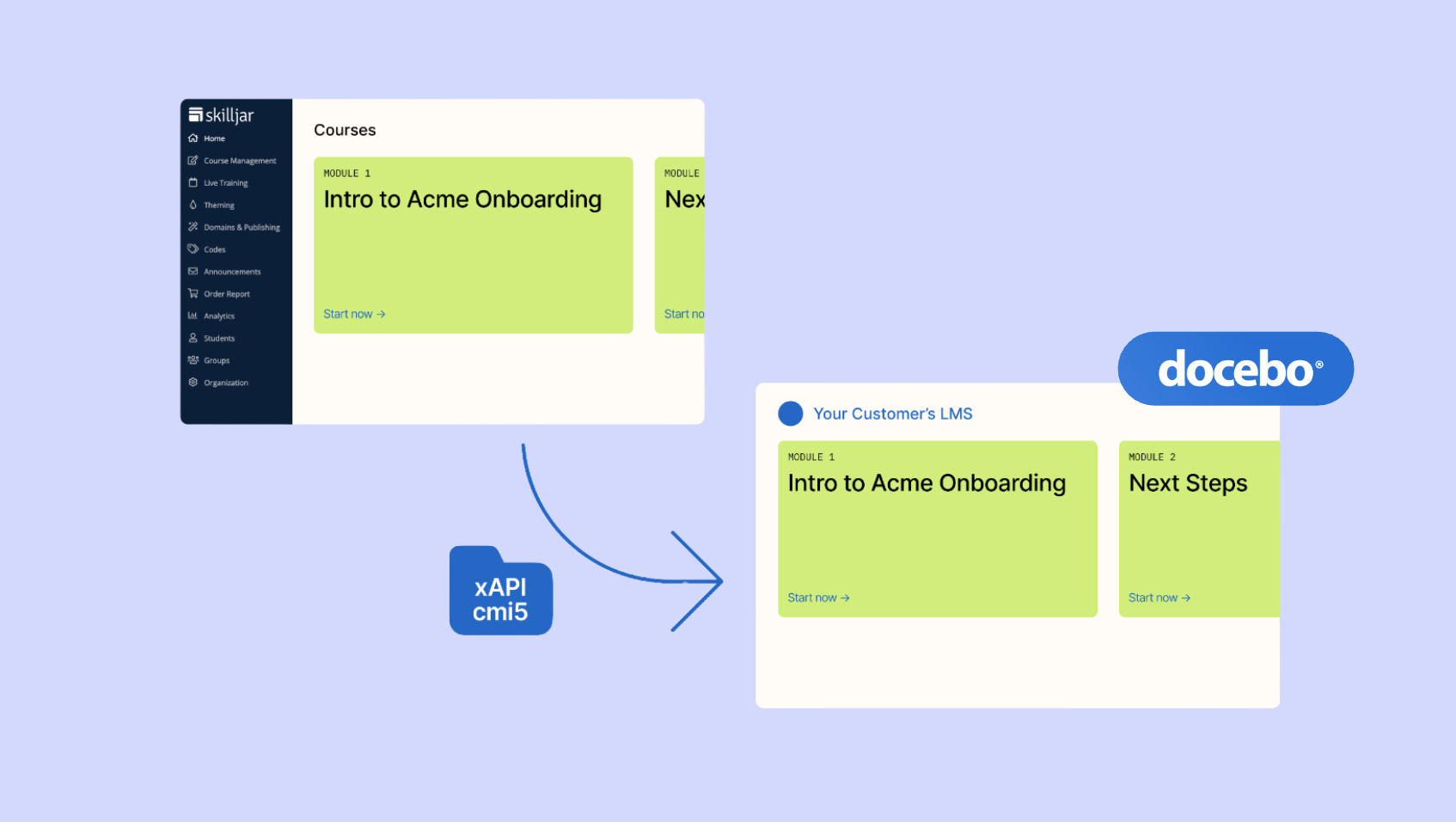
Fresh features and updates are in full bloom this spring! Here are the latest product highlights from Skilljar by Gainsight over the past month: 🔗 Self-Service URL Redirects: Automatically redirect learners to your most relevant content, regardless of if they use outdated links. Learn more. 🪄 Simplified Course Management: A new Course Navigation Header and refreshed Publication Settings Page is now generally available! We hope these two design changes in the dashboard make course management and publishing faster and more intuitive. 🤝 Docebo & LearnUpon Verified Support for Content Syndication: Syndicate Skilljar content into Docebo and LearnUpon using our xAPI workflow. Visit our Help Center for a full list of supported LMSs and details on how to set up Content Syndication.  📊 Expanded Data Fields for Salesforce & Gainsight Integrations: We’ve added new data fields to Skilljar’s Salesforce managed package and Gainsight integration—especially useful for programs using VILT. See the full details on the new fields. ➕Small Improvements & Fixes: Accessibility Improvements: We’ve improved accessibility across the dashboard by enhancing screen reader support, including: Adding persistent and descriptive labels to form field Announcing information displayed on calendar components Ensuring all screen reader users can navigate and understand dynamic elements and icons Learn more about accessibility at Skilljar.Stay tuned for more updates on feature releases and improvements to our platform. If you ever spot a bug or improvement needed, feel free to email support@skilljar.com.

Related products:Skilljar by Gainsight
Skilljar by Gainsight: Ensure learners always land on the right content—even when using outdated links
Docebo Now Supported for Content Syndication
Parta.io Integration: Multi-SCORM Export & Instant Lesson Updates to Skilljar
Simplified Course Management: Two new design improvements in the Skilljar dashboard
New Data Fields in Salesforce & Gainsight Integrations
February 2025 Improvements & Fixes
Salesforce Integration: Bulk Deletion
January 2025 Improvements & Fixes

January 2025 Improvements & Fixes

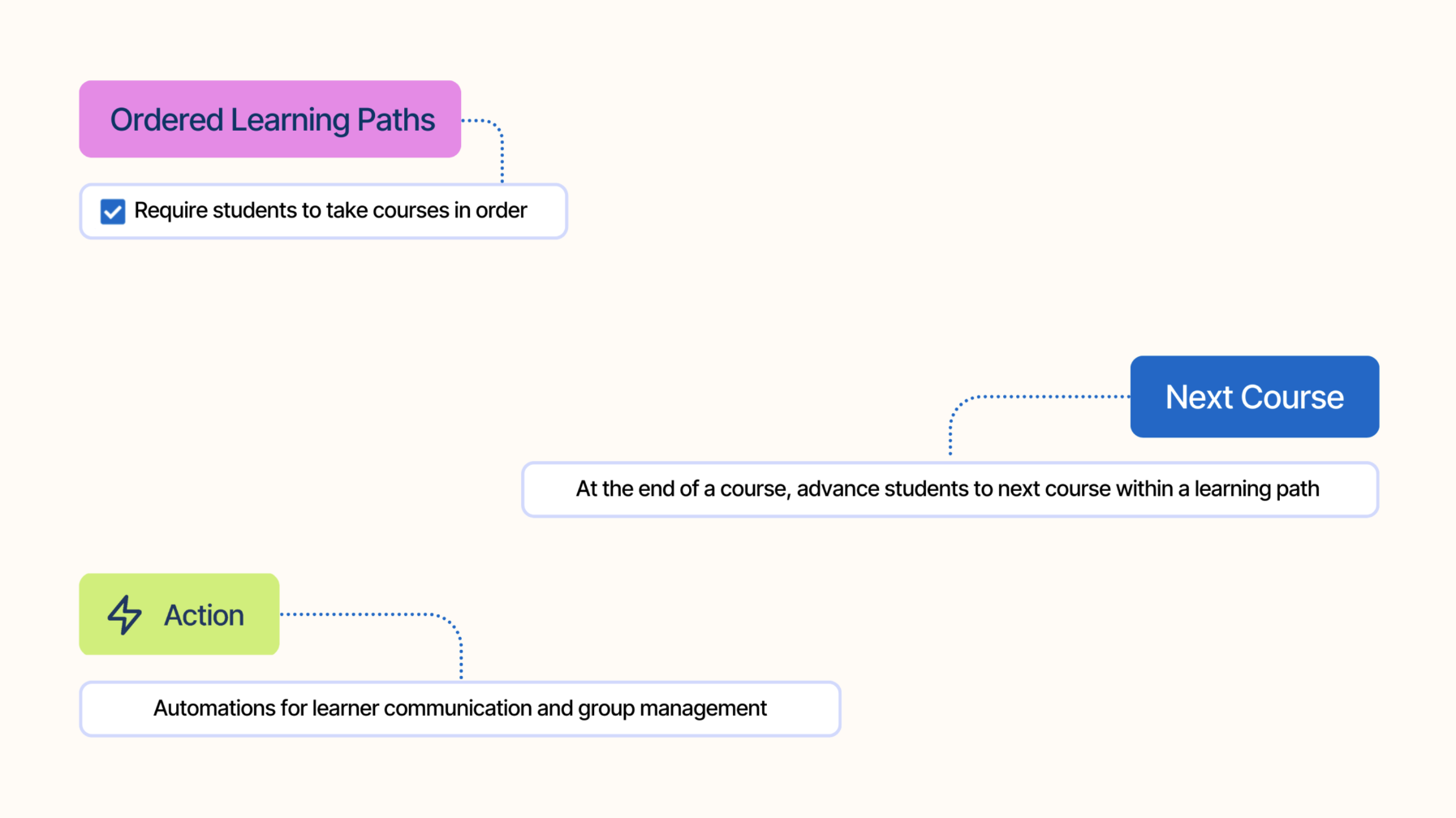
Fresh features and integrations, coming your way! Here's what launched in January:🤝 Gainsight Integration: Leverage Skilljar data in Gainsight to incorporate course enrollments and completions into customer health scores and trigger automated actions based on training activity. Check out the Setup Guide.💡 Ordered Learning Paths: Require learners to follow a specific course sequence in a path, removing the need for course prerequisites to set the specific course order.✨ Coming Soon–Simplified Course Management: A new course navigation header consolidates your most-used course pages into one experience, and a refreshed publication settings page provides a clear, at-a-glance view of settings without the lengthy scrolling.❗ Scheduled Maintenance: Skilljar will be temporarily offline for maintenance on Saturday, March 1st, from 8:00–9:30 PM PT. During this time, the dashboard, course platform, and APIs will be unavailable. Learners and platform administrators will see a maintenance page if they try to access the platform.➕Small Improvements & Fixes:Published Path Enrollment Setting: When a student enrolls in a learning path, Skilljar will automatically recognize any existing course enrollments for courses within the path.Next Course Button on Paths: Learners can advance to the next course in a path after completing the course's last lesson with a new 'Next Course' button.Catalog Page Builder–Tags: Add and manage tags on builder pages, ensuring that tagging functionality is consistent across both builder pages and legacy pages.Stay tuned for more updates on feature releases and improvements to our platform. If you ever spot a bug or improvement needed, feel free to email support@skilljar.com. 

Related products:Skilljar by Gainsight
Learning paths just got smarter 💡
Skilljar & LearnExperts Announce Strategic Partnership 🤝
December 2024 Improvements & Fixes

December 2024 Improvements & Fixes

Ring in 2025 with our December updates! 🎉 Here's what's new to help you start the year strong:⚡️Path Actions: Skilljar Actions on paths allow you to automate learner communication and group management. Visit the Actions tab on any published path to get started.🔄 Gainsight Data Export: Get a more accurate picture of your customer health by including training data into your Gainsight health scores. Join the waitlist.👥 External Management: Allow people outside your organization to add and manage students while maintaining control over your Skilljar dashboard. Now available on Professional and Enterprise plans. Try it out!➕ Small Improvements & Fixes:Group Membership Pre-Requisites: Course Prerequisites now allow you to require learners to belong to specific groups before registering for a course, while keeping these courses visible to all learners in your Academy.External Management Updates:Filter content by tags when assigning content to Student Managers Student Managers can bulk enroll students into content from your AcademyCatalog Page Builder–Tags: Add and manage tags on builder pages, ensuring that tagging functionality is consistent across both builder pages and classic pages.Stay tuned for more updates on feature releases and improvements to our platform. If you ever spot a bug or improvement needed, feel free to email support@skilljar.com. 

Related products:Skilljar by Gainsight
⚡️ Power your paths with Skilljar Actions
⭢️ Sync your Academy’s training data with Gainsight
November 2024 Improvements & Fixes

November 2024 Improvements & Fixes

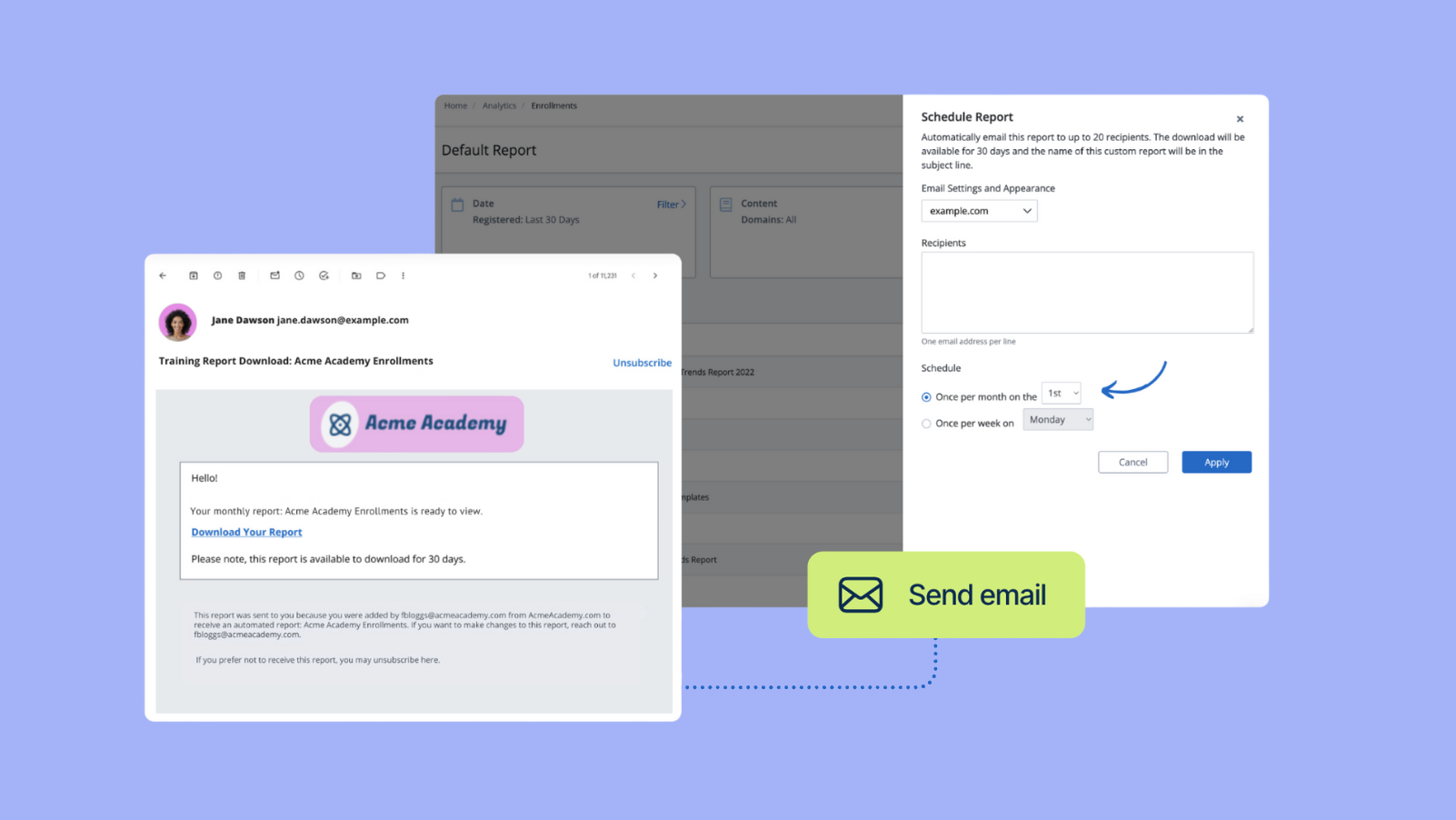
The holidays are here, and so are our latest updates! 🎁 Unwrap last month's new features and improvements:!--more-->👥 External Management: Allow people outside your organization to add and manage students while maintaining control over your Skilljar dashboard. Now available on Professional and Enterprise plans. Try it out!⏰ Scheduled Reports: Automatically email custom reports to key stakeholders, keeping them informed on essential metrics without the manual effort. Learn how to schedule a custom report.⚡️Path Actions–Registrations & Completions: We’re bringing our powerful course Actions to paths! Send automatic registration and completion emails by selecting a published path and visiting the "Actions" tab. More Actions on paths, coming soon.🎨 Parta.io Integration: Skilljar now integrates with Parta.io, a collaborative eLearning creation platform. Easily publish Parta.io courses to Skilljar with a single click and make updates to content directly from Parta.io.➕ Small Improvements & Fixes:Calendar Page Improvements: We’ve increased load speed by 50% and ensured any course visible to students will appear on the calendar, no longer requiring catalog page placement.Add "/calendar" to the end of your Skilljar domain to access your calendar page.VILT/ILT Timezones: Session times for ILT/VILT are now automatically adjusted to display in each student's local timezone.Stay tuned for more updates on feature releases and improvements to our platform. If you ever spot a bug or improvement needed, feel free to email support@skilljar.com. 

Related products:Skilljar by Gainsight
Scheduled Reports: Your Enrollment Data, Delivered
October 2024 Improvements & Fixes
September 2024 Improvements & Fixes

September 2024 Improvements & Fixes

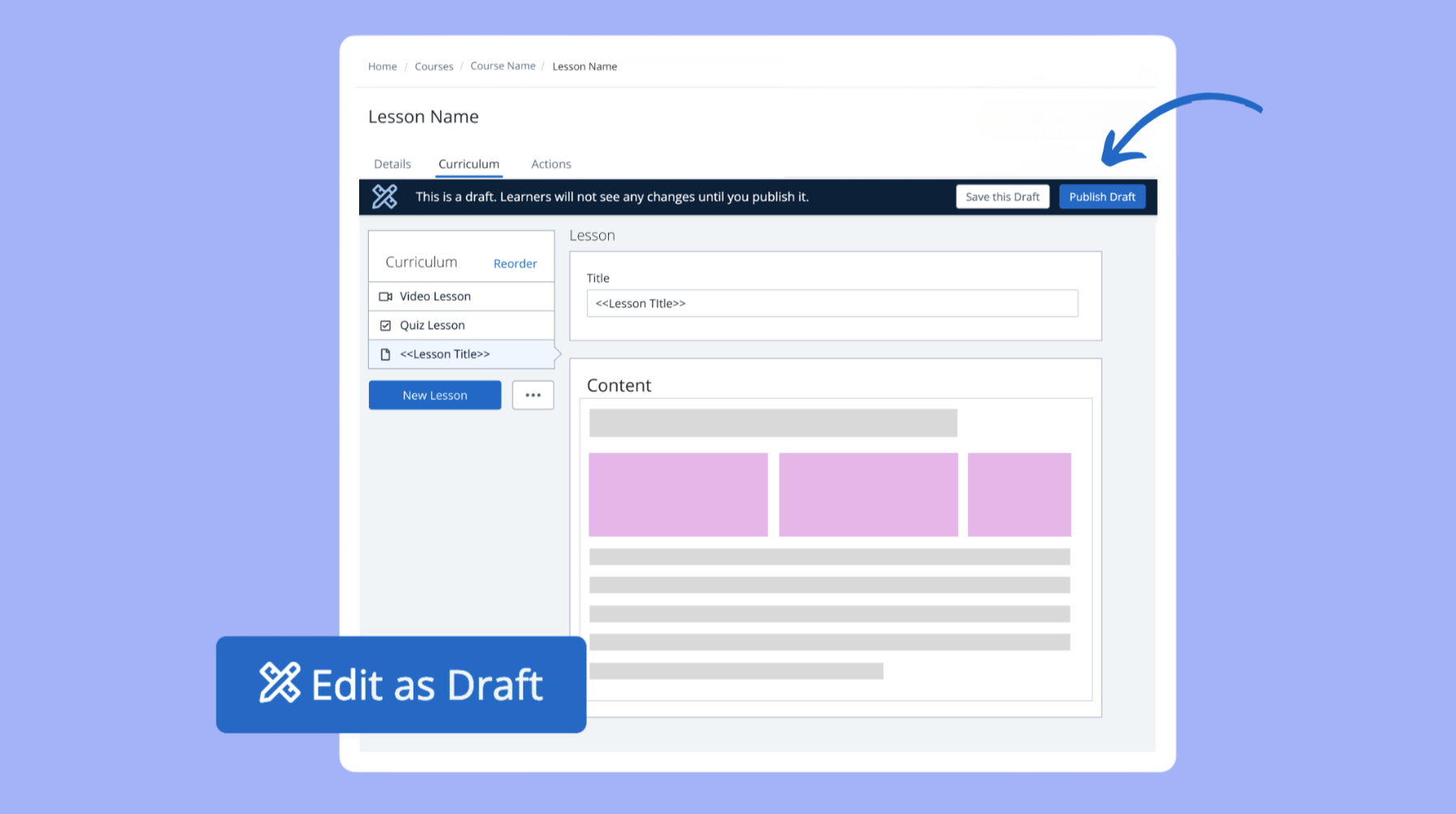
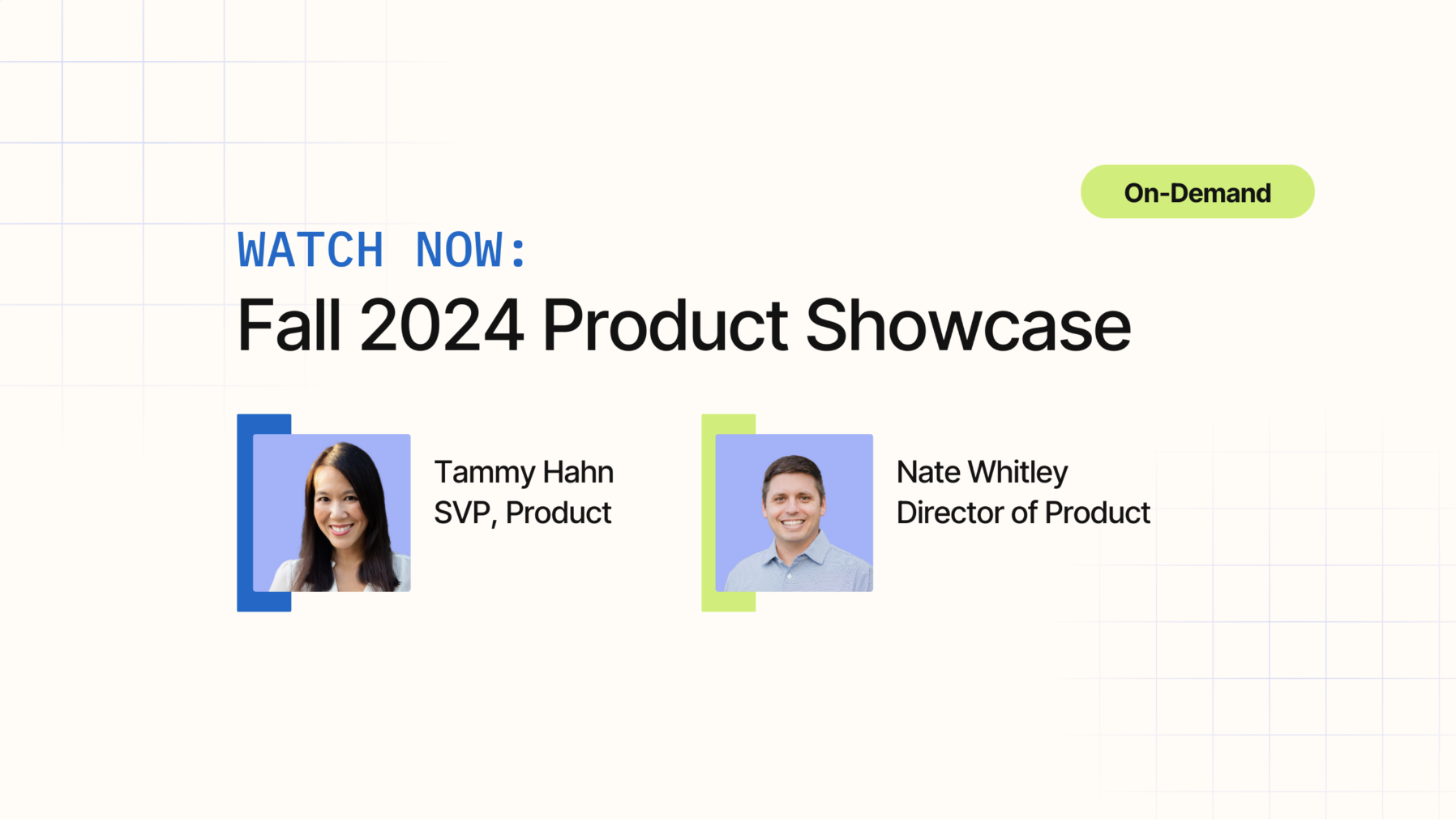
In addition to releasing our Fall 2024 Product Showcase, September brought a variety of updates to the platform. Here’s a quick recap of what’s new:✍️ Course Drafts: Easily make updates to your courses and save changes as a draft before publishing—offering greater flexibility over your content without affecting what learners see.📽️ New Content Type–Synthesia Video: Synthesia videos are now supported as an embedded content type in lessons, enabling the use of AI-generated videos in your Academy.🎨 Catalog Page BuilderLocation Settings: Make builder pages available in the location settings for courses, plans, legacy pages, and paths to improve organization and navigation. Group Visibility: Control which groups see specific builder pages, similar to legacy pages. Simplify your publishing flow by showing or hiding pages from selected groups directly in builder page settings.➕ Small Improvements & Fixes:Inactive Enrollment Reports Filter: A new filter in Enrollment Reporting excludes inactive enrollments from custom reports.Analytics → Enrollments → Student Groups Filter → Exclude Inactive Enrollments or StudentsGroup Analytics Labels: Group Analytics charts now display numerical data labels on bars and columns.Enrollment Actions: Added consistency across enrollment channels to ensure Skilljar Actions are triggered reliably when learners enroll in a course.Stay tuned for more updates on feature releases and improvements to our platform. If you ever spot a bug or improvement needed, feel free to email support@skilljar.com. 

Related products:Skilljar by Gainsight